
Introduksjon
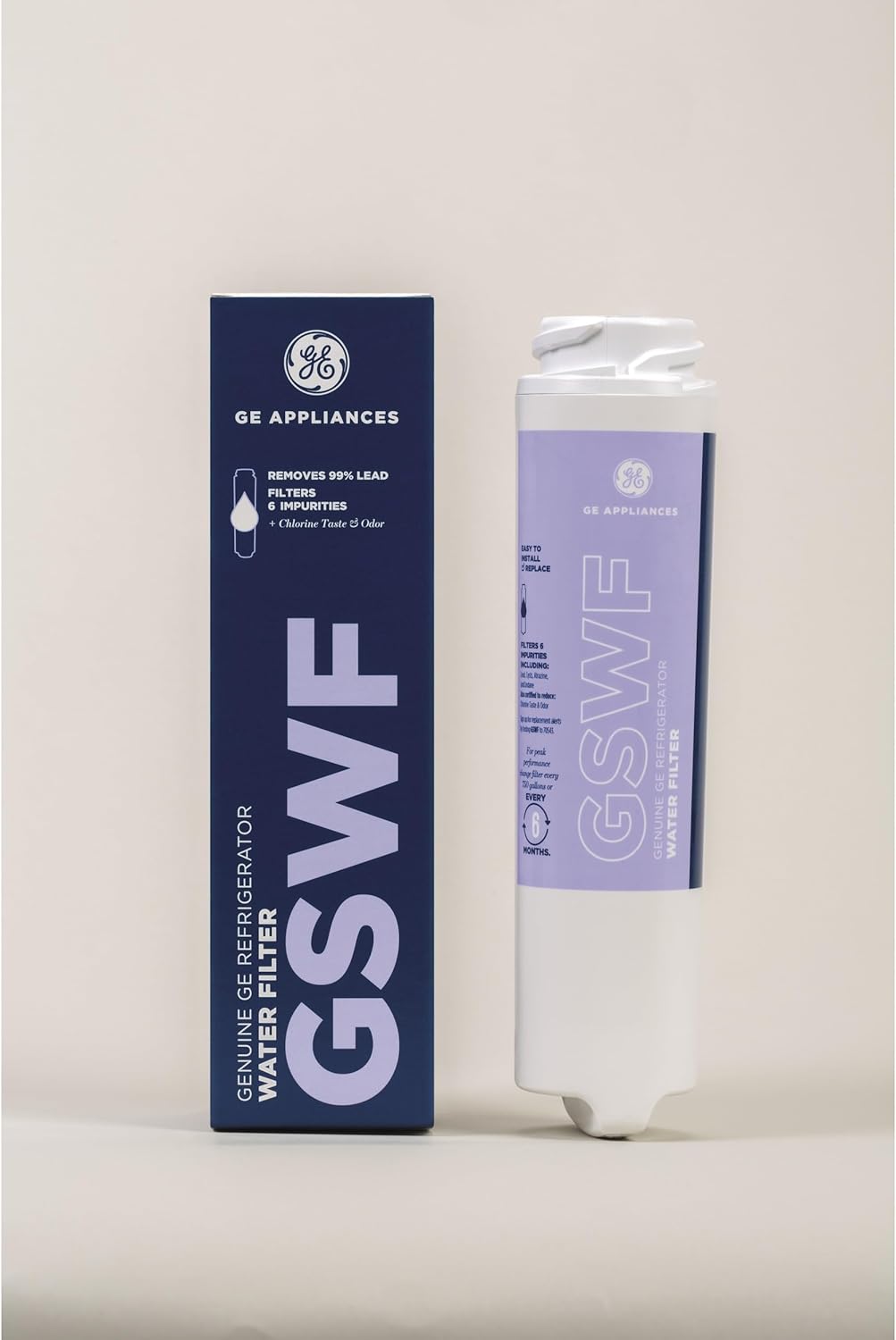
The GE GSWF Refrigerator Water Filter is designed to provide clean, filtered water and ice from your refrigerator. This genuine GE filter is certified to reduce various impurities, ensuring high-quality drinking water for your household. Regular replacement of the filter is crucial for maintaining optimal performance and water quality.
Nøkkelfunksjoner:
- Premiumfiltrering: Certified to reduce particulates, chlorine-resistant cysts, lead, and 5 other contaminants.
- Twist and Lock Design: Simple design provides easy, tool-free, no-mess filter replacement.
- Six-Month Filter Life: For best filtration results, the filter cartridge should be replaced every six months or 750 gallons.
- Replace sooner if flow rate noticeably declines.
Oppsett og installasjon
Proper installation of your GE GSWF water filter is essential for its effective operation. Follow these steps carefully to replace your old filter with a new one.
Fjerne det gamle filteret:
- Locate the water filter compartment inside your refrigerator. For bottom freezer models, the filter will have a horizontal grip when correctly installed. For top freezer models, it will have a vertical grip.
- Before removing the filter, place a towel under the filter head to catch any dripping water. A small amount of water may drip once the filter is removed.
- Gently turn the filter counter-clockwise approximately a quarter of a turn until it comes loose.
- If the filter is difficult to remove, try dispensing one full glass of water from the dispenser to purge air from the system, then attempt removal again.
- If still difficult, remove any shelves below the filter and the filter cover to allow for a better grip. Use both hands to turn the filter counter-clockwise until it loosens.

Installere det nye filteret:
- Remove the protective foil seal from the new filter.
- Place the new filter into the filter head.
- Gently turn the filter clockwise approximately a quarter of a turn until you feel it lock securely into place.
- Reinstall the filter cover and any removed shelves.
Bruksanvisning
After installing a new water filter, it is important to purge the water system to remove any trapped air and carbon fines from the new filter.
Purging the Water System:
- Dispense water into a glass for approximately three minutes.
- Empty the glass each time it becomes full. This process helps to flush out air and any loose carbon particles, ensuring clear, fresh-tasting water.
Vedlikehold
Regular maintenance of your water filter is crucial for optimal performance and water quality.
Tidsplan for filterbytte:
- Replace your GE GSWF water filter every six months or after filtering 750 gallons of water, whichever comes first.
- If you notice a significant decline in water flow rate or a change in water taste/odor before the recommended replacement interval, replace the filter sooner.
Importance of Genuine Filters:
Using genuine GE water filters ensures that your filtration system performs as intended, effectively reducing impurities and maintaining the quality of your drinking water. Counterfeit or imitation filters may not meet performance standards and could potentially damage your appliance.
Feilsøking
If you encounter issues with your GE GSWF water filter, consider the following common troubleshooting steps:
- Langsom vannføring: A reduced water flow rate is often an indication that the filter is nearing the end of its life and needs to be replaced. Ensure the filter is correctly installed and locked into place.
- Cloudy or Discolored Water: This can occur immediately after a new filter installation due to trapped air or carbon fines. Purge the system by dispensing several gallons of water until it runs clear. If the issue persists, ensure the filter is genuine and correctly installed.
- Vannlekkasjer: Ensure the filter is fully seated and turned clockwise until it locks. Check that the O-rings on the filter are not damaged. If leaks persist, remove and reinstall the filter, or replace it if damage is visible.
- Uvanlig smak eller lukt: If water has an unusual taste or odor, it may indicate that the filter needs replacement or was not properly purged after installation.
Spesifikasjoner
| Materiale | Polypropylen (PP) |
| Produktdimensjoner (D x B x H) | 2" D x 2" B x 8.37" H |
| Ekstern testsertifisering | NSF |
| Produktfordeler | Certified to reduce particulates, chlorine-resistant cysts, lead and 5 other contaminants |
| Modellnummer | GSWF |
| UPC | 084691088790 |
| Antall enheter | 1.0 telling |
| Antall varer | 1 |
| Inkluderte komponenter | Replacement Refrigerator Water Filter |
Garantiinformasjon
The GE GSWF Refrigerator Water Filter comes with a 30-day limited filter warranty. This warranty covers any part of the water filter cartridge which fails due to a defect in materials or workmanship during this 30-day period from the date of purchase.
Støtte
For further assistance, technical support, or to purchase replacement filters, please visit the official General Electric Appliances website or contact their customer service. Always refer to your refrigerator's owner's manual for specific instructions related to your appliance model.