1. Introduksjon
This manual provides essential instructions for setting up, operating, and maintaining your BlackBerry BB 9900 Bold Touch smartphone. Please read this guide thoroughly to ensure proper use and to maximize the device's capabilities. The BlackBerry BB 9900 Bold Touch combines a capacitive touchscreen with a full QWERTY keyboard, running on BlackBerry OS 7.
3. Enhet overview
Familiarize yourself with the physical features of your BlackBerry BB 9900 Bold Touch.
3.1 Foran View

Bilde: Foran view of the BlackBerry BB 9900 Bold Touch, highlighting the 2.8-inch touchscreen and the physical QWERTY keyboard below it. The device also features a trackpad and call/end buttons.
- Berøringsskjerm: 2.8-inch capacitive display for interactive navigation.
- QWERTY tastatur: Full physical keyboard for efficient typing.
- Optical Trackpad: For precise navigation and selection.
- Ring/avslutt-knapper: Standard telephony controls.
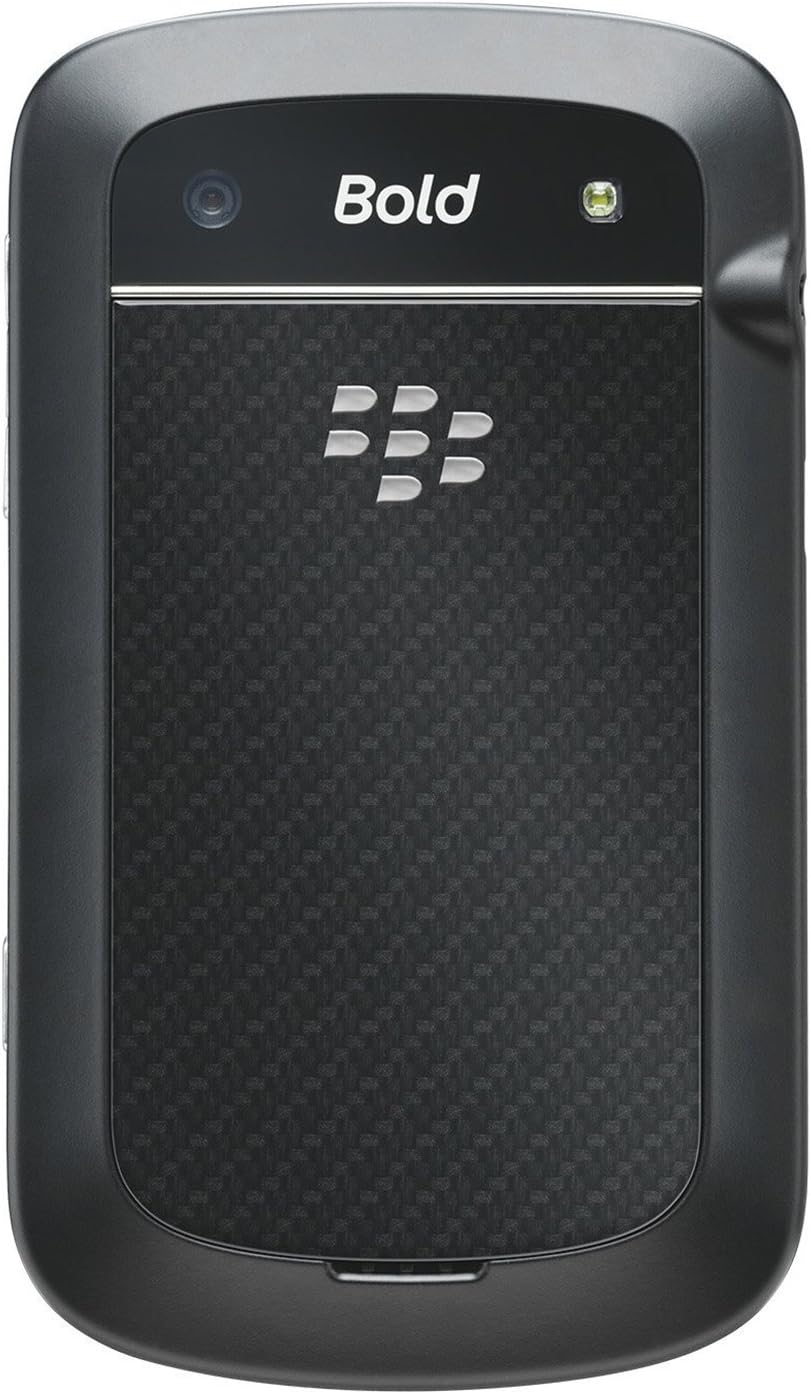
3.2 Bak View

Bilde: Bak view of the BlackBerry BB 9900 Bold Touch, featuring the 5-megapixel camera lens, LED flash, and the BlackBerry logo.
- 5MP kamera: Primary camera with autofocus and LED flash.
- Batterideksel: Removable cover for battery and SIM card access.
3.3 Side View
Bilde: Side view of the BlackBerry BB 9900 Bold Touch, illustrating the placement of the volume control buttons and a customizable convenience key.
- Volumknapper: Juster lydnivåene.
- Convenience Key: Customizable shortcut button.
5. Bruksanvisning
5.1 Navigasjon på berøringsskjerm
- Trykk på: Berør skjermen kort for å åpne apper, velge elementer eller aktivere knapper.
- Sveip: Drag your finger across the screen to scroll through lists or switch between home screen panels.
- Klyp for å zoome: Use two fingers to zoom in or out on photos, web sider eller kart.
5.2 Bruk av QWERTY-tastaturet
The physical QWERTY keyboard allows for fast and accurate text entry. Each key corresponds to a letter, number, or symbol. Use the 'Alt' key for alternate characters and the 'Shift' key for capitalization.
5.3 Ringe
- From the home screen, tap the Phone icon or press the green Call button.
- Enter the phone number using the keyboard.
- Press the green Call button to initiate the call.
- To end a call, press the red End Call button.
5.4 Sende meldinger
- Tap the Messages icon from the home screen.
- Select 'Compose New' or similar option.
- Skriv inn mottakerens nummer eller velg fra kontakter.
- Type your message using the QWERTY keyboard.
- Tap 'Send'.
5.5 Bruk av kameraet
- Trykk på Kamera-ikonet for å åpne kameraapplikasjonen.
- Komponer bildet ditt ved å bruke skjermen som en viewsøker.
- Tap the screen or press the convenience key (if configured) to take a photo.
- The 5MP camera features autofocus and an LED flash for improved image quality.
5.6 Koble til Wi-Fi
- Go to 'Options' > 'Networks and Connections' > 'Wi-Fi'.
- Turn Wi-Fi on. The device will scan for available networks.
- Velg ønsket nettverk og skriv inn passordet hvis du blir bedt om det.
- Once connected, the Wi-Fi indicator will appear in the status bar.
5.7 Using NFC (Near Field Communication)
The BlackBerry BB 9900 Bold Touch supports NFC for short-range wireless communication. This allows for quick pairing with compatible accessories or sharing data with other NFC-enabled devices by tapping them together.
- Sørg for at NFC er aktivert i enhetsinnstillingene.
- Hold your device close to another NFC-enabled device or tag.
- Follow on-screen prompts to complete the desired action (e.g., pairing, data transfer).
9. Support og garanti
9.1 Kundestøtte
For technical assistance, troubleshooting beyond this manual, or service inquiries, please visit the official BlackBerry support website or contact your local service provider. Refer to the packaging or official webnettstedet for spesifikk kontaktinformasjon.
9.2 Garantiinformasjon
Your BlackBerry BB 9900 Bold Touch is covered by a limited warranty. Please refer to the warranty card included in your product packaging or visit the official BlackBerry webnettstedet for detaljerte vilkår og betingelser, inkludert garantiperiode og dekningsspesifikasjoner. Ta vare på kjøpsbeviset for garantikrav.
