
1. Introduksjon
Thank you for choosing the Coby LEDTV3216 32-Inch 720p 60Hz Slim-Bezel LED HDTV. This manual provides essential information for the safe and efficient operation of your television. Please read these instructions thoroughly before use and retain them for future reference.
The Coby LEDTV3216 offers a 32-inch widescreen display, a built-in digital TV tuner (ATSC/NTSC/QAM), and multiple connectivity options including HDMI and VGA. It features energy-efficient technology, digital noise reduction, and V-chip parental control.
2. Sikkerhetsinformasjon
For å sikre sikker drift og forhindre skade, følg følgende forholdsregler:
- Strømkilde: Koble kun TV-en til en strømforsyning på 100–240 V og 50/60 Hz.
- Ventilasjon: Ikke blokker ventilasjonsåpningene. Sørg for tilstrekkelig plass rundt TV-en for riktig luftstrøm.
- Vann og fuktighet: Do not expose the TV to rain, moisture, or place objects filled with liquids on or near it.
- Varmekilder: Hold TV-en unna radiatorer, varmeovner, ovner eller andre varmeproduserende apparater.
- Rengjøring: Unplug the TV from the wall outlet before cleaning. Use a soft, dry cloth. Do not use liquid or aerosol cleaners.
- Service: Ikke prøv å utføre service på dette produktet selv. Henvis all service til kvalifisert servicepersonell.
- Veggmontering: If wall-mounting, ensure the mount is VESA 200mm x 200mm compatible and installed by qualified personnel.
3. Pakkens innhold
Bekreft at alle varene er til stede i pakken:
- Coby LEDTV3216 32-Inch LED HDTV
- TV-benk
- Fjernkontroll (krever 2 AAA-batterier, inkludert)
- Strømledning
- Brukerhåndbok (dette dokumentet)
4. Oppsett
4.1 Feste stativet
To attach the included stand:
- Plasser TV-en med forsiden ned på en myk, ren overflate for å forhindre skade på skjermen.
- Juster stativbasen med monteringshullene på undersiden av TV-en.
- Fest stativet med de medfølgende skruene. Sørg for at alle skruene er strammet godt.
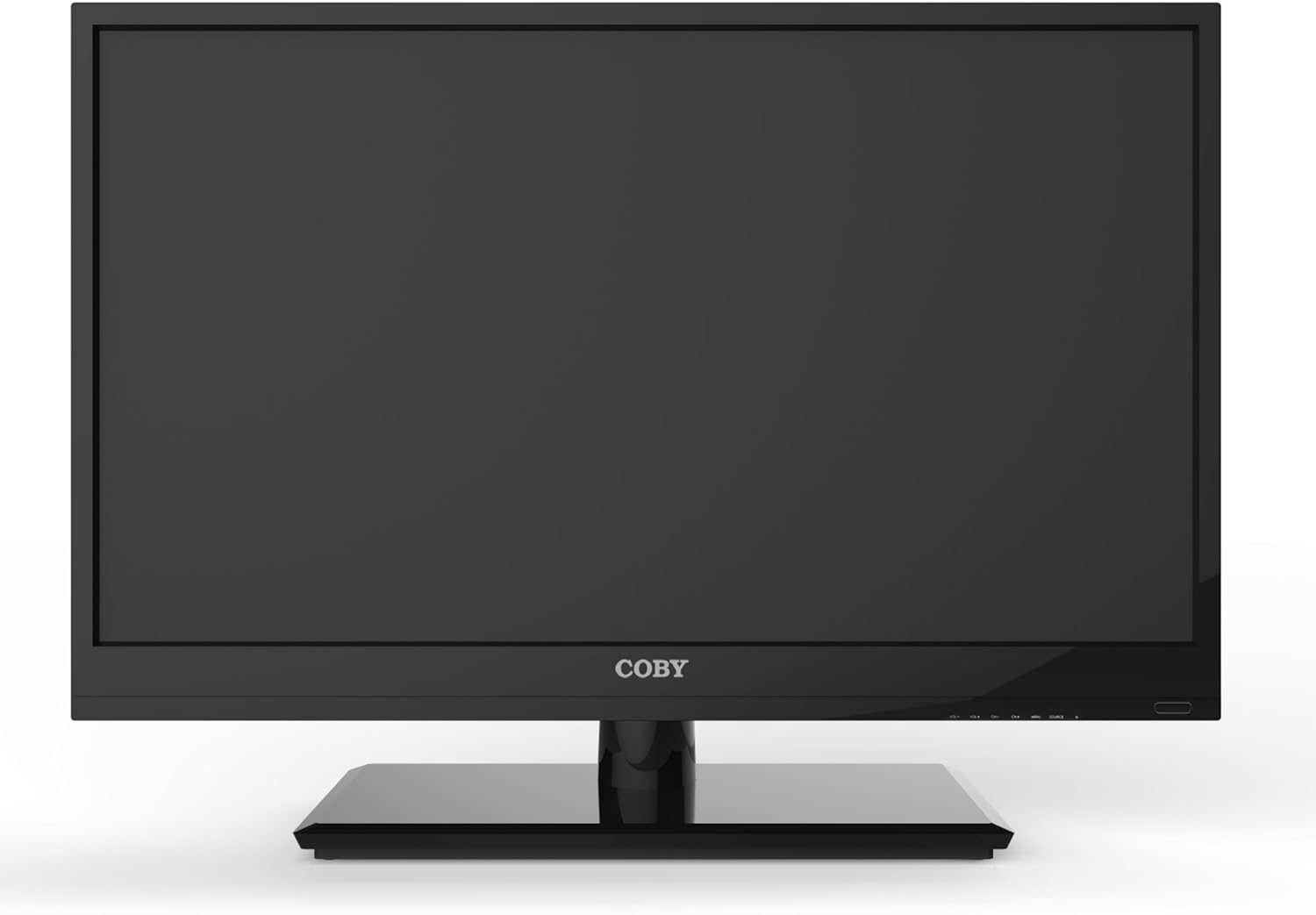
Figur 4.1: Foran view of the Coby LEDTV3216 with stand.
4.2 Veggmontering (valgfritt)
The TV supports VESA 200mm x 200mm wall mounts. Wall mount hardware is not included. For safe installation, it is recommended to have the TV wall-mounted by a professional.
4.3 Koble til enheter
The Coby LEDTV3216 offers various input ports on the rear panel for connecting external devices.
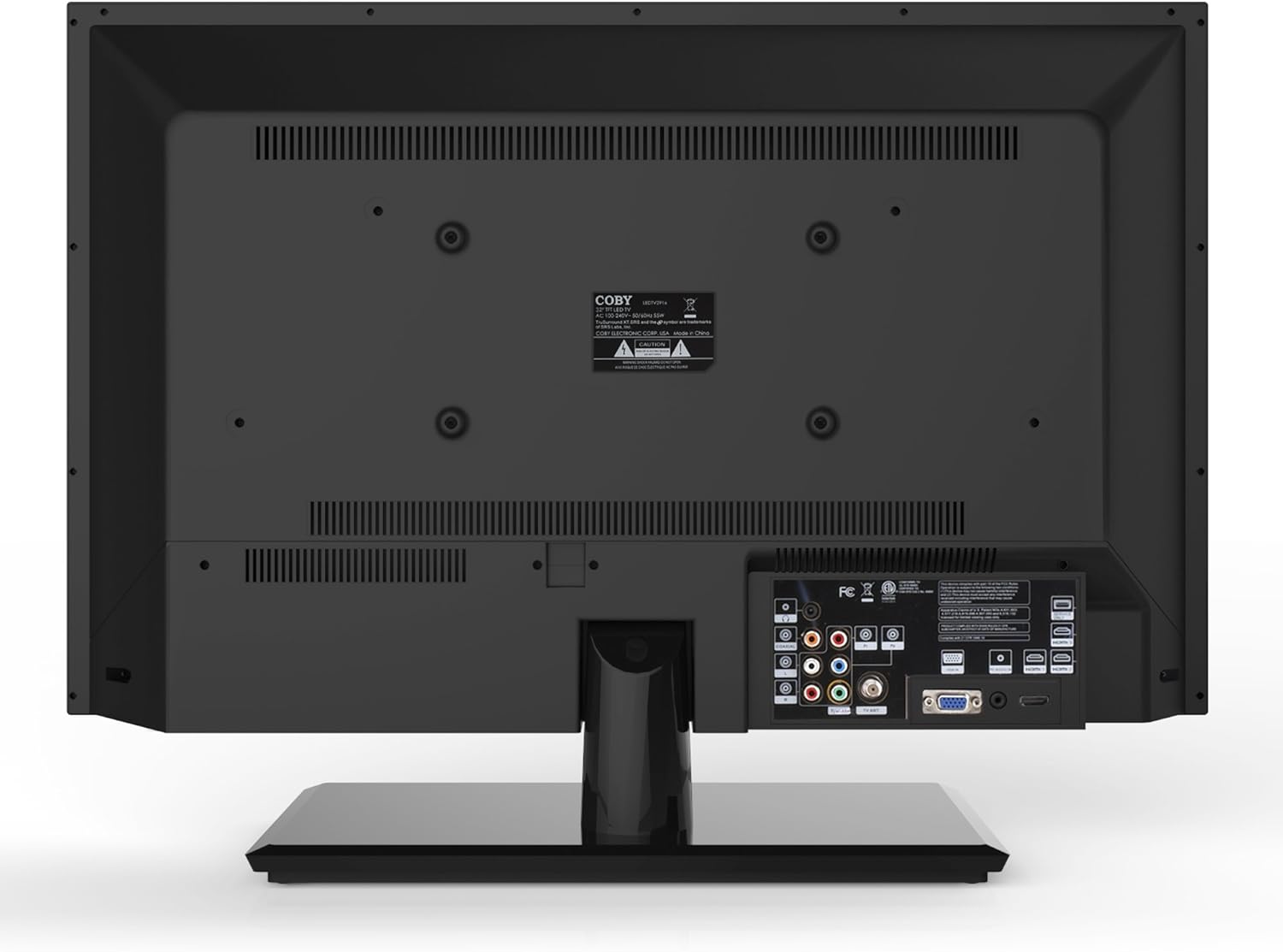
Figur 4.2: Bak view med inngangsporter.
- HDMI: Connect high-definition devices such as Blu-ray players, game consoles, or cable/satellite boxes using an HDMI cable. The TV has 1 HDMI port.
- VGA (PC Input): Connect a computer to use the TV as a monitor. Use a VGA cable for video and a 3.5mm audio cable for audio input.
- Antenne/kabel: Connect an antenna or cable TV feed to the RF input for receiving broadcast channels.
- Komponentvideo (YPbPr): Connect devices using component video cables (red, green, blue) and corresponding audio cables (red, white).
- Komposittvideo (AV): Connect older devices using composite video (yellow) and stereo audio (red, white) cables.
4.4 Første gangs strøm på
After connecting all desired devices and the power cord, press the Power button on the TV or remote control. Follow the on-screen prompts for initial setup, including language selection and channel scanning.
5. Betjening av TV-en
5.1 Fjernkontrollfunksjoner
The remote control allows you to access all TV functions. Insert the two included AAA batteries into the remote control, observing polarity.
- Makt: Slår TV-en på eller av.
- Inndata/kilde: Selects the input source (HDMI, VGA, TV, AV, Component).
- Volum (+/-): Justerer volumnivået.
- Kanal (CH +/-): Endrer TV-kanaler.
- Meny: Åpner skjermmenyen (OSD).
- Navigasjonsknapper (opp/ned/venstre/høyre): Naviger gjennom menyalternativer.
- OK/Enter: Bekrefter valg.
- Gå: Lukker menyen.
- Stum: Demper eller slår på lyden.
- Info: Displays channel or program information.
5.2 Menynavigasjon
Trykk på Meny button on the remote to access the main menu. Use the navigation buttons to select categories such as Picture, Sound, Channel, Time, and Setup. Press OK to enter a sub-menu and adjust settings. Press Gå for å forlate menyen.
5.3 Bildeinnstillinger
Adjust settings like Brightness, Contrast, Color, Tint, and Sharpness to optimize your viewing experience. Picture modes (e.g., Standard, Dynamic, Movie, User) are available for quick adjustments.

Figure 5.1: Coby LEDTV3216 displaying an image.
5.4 Lydinnstillinger
Adjust Bass, Treble, and Balance. Sound modes (e.g., Standard, Music, Movie, User) are available. The TV features premium sound powered by SRS Labs.
5.5 Kanalinnstillinger
Perform auto-scan or manual scan to find available channels. The built-in digital TV tuner supports ATSC, NTSC, and QAM standards.
5.6 Parental Control (V-Chip)
The V-chip parental control feature allows you to block programs based on their rating. Access this setting through the menu and follow the on-screen instructions to set up a password and content restrictions.
6. Funksjoner
Key features of the Coby LEDTV3216 include:
- Energy efficient technology (standby power less than 0.5W).
- Extended backlight life expectancy (30,000 hours).
- Built-in digital TV tuner (ATSC/NTSC/QAM).
- HDMI digital connection for perfect signal transmission.
- PC VGA connection for use as a computer monitor.
- Premium sound powered by SRS Labs.
- Digital støyreduksjon.
- V-chip parental control, Closed-Caption, and Electronic Program Guide support.
- Energy Star 5.3 compliant.
- Multi-language on-screen display.
- Wall-Mountable design (200mm x 200mm VESA Mount).
7. Spesifikasjoner
| Trekk | Spesifikasjon |
|---|---|
| Modellnavn | LEDTV3216 |
| Skjermstørrelse | 32 tommer |
| Skjermteknologi | LED |
| Oppløsning | 720p |
| Oppdateringsfrekvens | 60 Hz |
| Kontrastforhold | 3,000:1 |
| Responstid | 6 millisekunder |
| Tilkoblingsteknologi | hdmi, vga |
| Totalt antall HDMI-porter | 1 |
| Tuner Type | ATSC, NTSC, QAM |
| Foreldrekontroll | V-Chip |
| VESA-monteringsstandard | 200 x 200 mm |
| Varevekt | 18.08 pund |
| Farge | Svart |

Figure 7.1: Estimated Yearly Energy Cost for LEDTV3216.
8. Vedlikehold
8.1 Rengjøring av skjermen
Tørk forsiktig av skjermen med en myk, lofri klut. Tørk forsiktig av gjenstridige flekker.ampTørk kluten med vann eller et spesielt skjermrensemiddel. Spray aldri rengjøringsmiddel direkte på skjermen.
8.2 Rengjøring av skapet
Tørk av TV-kabinettet med en myk, tørr klut. Unngå å bruke slipende rengjøringsmidler eller løsemidler som kan skade overflaten.
9. Feilsøking
Hvis du støter på problemer med TV-en, kan du se følgende vanlige problemer og løsninger:
| Problem | Mulig årsak/løsning |
|---|---|
| Ingen strøm | Ensure the power cord is securely plugged into the TV and a working electrical outlet. Check the power indicator light. |
| Ikke noe bilde, men det er lyd | Kontroller at riktig inngangskilde er valgt. Kontroller kabeltilkoblingene til eksterne enheter. |
| Ingen lyd, men bildet er der | Sjekk volumnivået og sørg for at TV-en ikke er dempet. Kontroller lydkabeltilkoblingene for eksterne enheter. |
| Dårlig bildekvalitet | Adjust picture settings (brightness, contrast, sharpness). Ensure the antenna or cable connection is secure. For digital channels, perform a channel scan. |
| Fjernkontrollen virker ikke | Check and replace batteries if necessary. Ensure there are no obstructions between the remote and the TV's IR sensor. |
10. Garanti og støtte
The Coby LEDTV3216 comes with a limited warranty. Please refer to the warranty card included with your product for specific terms and conditions. For technical support or service inquiries, please contact Coby customer service through their official webnettstedet eller kontaktinformasjonen som er oppgitt i garantidokumentasjonen.