
Sharp RRMCGA535WJSA
Sharp Aquos LCD TV Remote Control Instruction Manual
Modell: RRMCGA535WJSA
Merke: Sharp
Introduksjon
This manual provides comprehensive instructions for the operation and maintenance of your new Sharp Aquos LCD TV Remote Control, model RRMCGA535WJSA. This genuine Sharp remote transmitter is designed to provide seamless control over your compatible Sharp Aquos LCD TV models. Please read this manual thoroughly before use to ensure proper functionality and to maximize your viewopplevelse.
Sikkerhetsinformasjon
Vennligst observer følgende sikkerhetsregler:
- Do not expose the remote control to direct sunlight, high humidity, or extreme temperatures.
- Unngå å miste fjernkontrollen eller utsette den for harde støt.
- Ikke forsøk å demontere eller modifisere fjernkontrollen. Dette kan ugyldiggjøre garantien og forårsake skade.
- Oppbevar batterier utilgjengelig for barn. Ved svelging, søk øyeblikkelig legehjelp.
- Kast brukte batterier i henhold til lokale forskrifter. Ikke brenn.
Pakkeinnhold
Bekreft at alle varene er til stede i pakken:
- Sharp Aquos LCD TV Remote Control (Model: RRMCGA535WJSA)
- Bruksanvisning (dette dokumentet)
Merk: Batterier er vanligvis ikke inkludert og må kjøpes separat.
Produkt overview
Familiarize yourself with the buttons and features of your remote control.

Figur 1: Foran View av fjernkontroll
This image displays the front of the Sharp Aquos remote control, showing all primary buttons including power, input selection, channel, volume, numeric keypad, and navigation controls. The Sharp and Aquos logos are visible at the bottom.
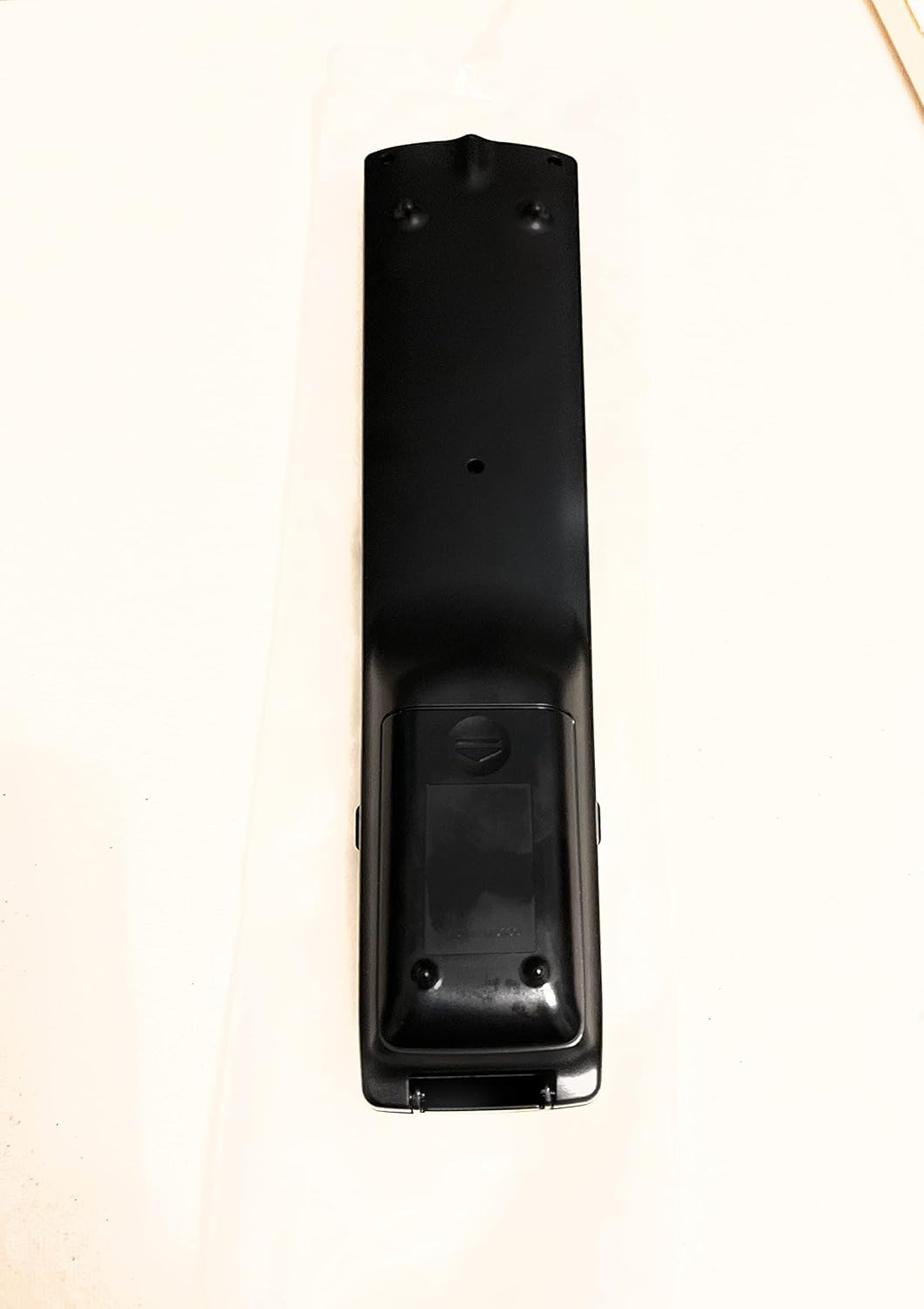
Figur 2: Bakside View av fjernkontroll
This image shows the rear side of the Sharp Aquos remote control, highlighting the smooth, ergonomic design and the battery compartment cover.

Figure 3: Remote Control with Battery Compartment Open
This image illustrates the Sharp Aquos remote control with its battery compartment cover slid open, revealing the space for battery insertion.

Figure 4: Close-up of Hidden Panel
This close-up image shows the lower section of the Sharp Aquos remote control with its hinged panel opened, revealing additional function buttons such as SLEEP, AUDIO, AV MODE, and CC (Closed Caption).
Knappefunksjoner:
| Knapp | Funksjon |
|---|---|
| MAKT | Slår TV-en på eller av. |
| INPUT / SOURCE | Velger inngangskilde (f.eks. HDMI, AV, Komponent). |
| CH +/- | Endrer TV-kanalen opp eller ned. |
| VOL +/- | Justerer volumnivået. |
| STUM | Demper eller opphever lyden på TV-en. |
| MENY | Åpner TV-skjermmenyen. |
| GÅ | Bekrefter valg i menyen. |
| Navigasjonspiler (opp/ned/venstre/høyre) | Navigerer gjennom menyalternativene. |
| EXIT / RETURN | Går ut av gjeldende meny eller går tilbake til forrige skjermbilde. |
| Numerisk tastatur (0-9) | Legger inn kanalnumre direkte. |
| SOVE (under hidden panel) | Sets the TV to turn off automatically after a set period. |
| LYD (under hidden panel) | Selects audio modes or tracks. |
| AV-MODUS (under hidden panel) | Adjusts picture and sound settings for different content types. |
| CC (teksting for hørselshemmede) (under hidden panel) | Turns closed captions on or off. |
Oppsett
Batteriinstallasjon:
- Finn batterirommet på baksiden av fjernkontrollen (se figur 2).
- Slide the battery compartment cover downwards to open it (refer to Figure 3).
- Sett inn to (2) AAA-batterier (ikke inkludert), og sørg for at de positive (+) og negative (-) polene er riktig justert med indikatorene inne i batterirommet.
- Skyv batteridekselet tilbake på plass til det klikker ordentlig.
Note: Always use new batteries of the same type. Do not mix old and new batteries, or different types of batteries.
Bruksanvisning
Grunnleggende operasjon:
- Slå på/av: Trykk på MAKT button to turn your Sharp Aquos TV on or off.
- Volumkontroll: Trykk på VOL+ knappen for å øke volumet og VOLUM - for å redusere volumet.
- Kanalvalg: Bruk CH+ or CH - buttons to change channels sequentially. Alternatively, use the numeric keypad to directly enter a channel number.
- Valg av inngangskilde: Trykk på INNGANG or KILDE button to cycle through available input sources (e.g., HDMI 1, HDMI 2, AV, Component).
- Stum: Trykk på STUM -knappen for å midlertidig slå av TV-lyden. Trykk igjen for å gjenopprette lyden.
Menynavigering:
- Trykk på MENY button to display the TV's on-screen menu.
- Bruk Navigasjonspiler (Up, Down, Left, Right) to move through menu options.
- Trykk på GÅ button to select a highlighted option or confirm a setting.
- Trykk på EXIT or RETUR button to close the menu or go back to the previous menu level.
Advanced Functions (Hidden Panel):
Some advanced functions are located under a hinged panel at the bottom of the remote control (refer to Figure 4). Gently open this panel to access buttons such as:
- SOVE: Stiller inn en timer for automatisk avslåing av TV-en.
- LYD: Adjusts audio settings or selects audio tracks.
- AV-MODUS: Cycles through preset picture and sound modes (e.g., Standard, Movie, Game).
- CC (teksting for hørselshemmede): Slår teksting for hørselshemmede av eller på.
Vedlikehold
Rengjøring:
To clean the remote control, wipe it gently with a soft, dry cloth. Do not use liquid cleaners, abrasive cleaners, or chemical solvents, as these may damage the surface or internal components.
Batteribytte:
Replace batteries when the remote control's response becomes sluggish or stops working. Follow the battery installation steps outlined in the "Setup" section. Always replace both batteries at the same time.
Feilsøking
| Problem | Mulig årsak | Løsning |
|---|---|---|
| Fjernkontrollen virker ikke. | Døde eller feil innsatte batterier. | Skift batteriene med nye, og sørg for at polariteten (+/-) er riktig. |
| Fjernkontrollens rekkevidde er dårlig. | Weak batteries; obstruction between remote and TV; infrared sensor on TV is blocked. | Replace batteries. Ensure no objects are blocking the line of sight between the remote and the TV's IR sensor. |
| Spesifikke knapper reagerer ikke. | Dirt or debris under the button; internal malfunction. | Clean the remote control. If the issue persists, the remote may require replacement. |
| TV not responding to any remote commands. | TV is unplugged or turned off; TV's IR sensor is faulty. | Ensure the TV is powered on and plugged in. Test with another remote if available. Consult TV's manual for IR sensor location. |
Spesifikasjoner
| Trekk | Detalj |
|---|---|
| Modellnummer | RRMCGA535WJSA |
| Merke | Skarp |
| Kompatible enheter | Sharp Aquos LCD Televisions (various models, see product title for list) |
| Tilkoblingsteknologi | Infrarød (IR) |
| Strømkilde | 2 x AAA-batterier (ikke inkludert) |
| Dimensjoner (ca.) | 8.8 x 2.4 x 0.9 tommer (pakkedimensjoner) |
| Vekt (ca.) | 4 unser |
| Spesialfunksjon | Ergonomic design, Hidden function panel |
Garanti og støtte
Juridisk ansvarsfraskrivelse:
This item is provided in new condition. Please note that this item is offered "as is" as it is past its original manufacturer's warranty period. Any implied warranties are disclaimed to the fullest extent permitted by law.
Kundestøtte:
For further assistance or inquiries regarding your Sharp Aquos LCD TV, please refer to your television's original instruction manual or visit the official Sharp support website. For issues specifically with this replacement remote control, please contact the seller from whom it was purchased.
Ask a question about this manual
Ask about setup, troubleshooting, compatibility, parts, safety, or missing instructions. Manuals+ will review the question and use this page’s manual context to help answer it.