
Introduksjon
Takk for kjøpetasing the iCES IBT-1 Portable Bluetooth Speaker. This manual provides essential information for setting up, operating, and maintaining your device. Please read it carefully before use to ensure optimal performance and longevity.
Pakkeinnhold
Sørg for at alle varene er til stede i pakken:
- iCES IBT-1 Portable Bluetooth Speaker
- Mini USB-ladekabel
- Brukerhåndbok (dette dokumentet)
Produkt overview
The iCES IBT-1 is a compact and versatile portable speaker designed for wireless audio playback via Bluetooth. It also supports audio playback from Micro SD cards and external devices via its AUX input.

Image: Two iCES IBT-1 speakers, one red and one silver, highlighting the product's design and portability.
Komponentidentifikasjon
Familiarize yourself with the speaker's various ports and controls:
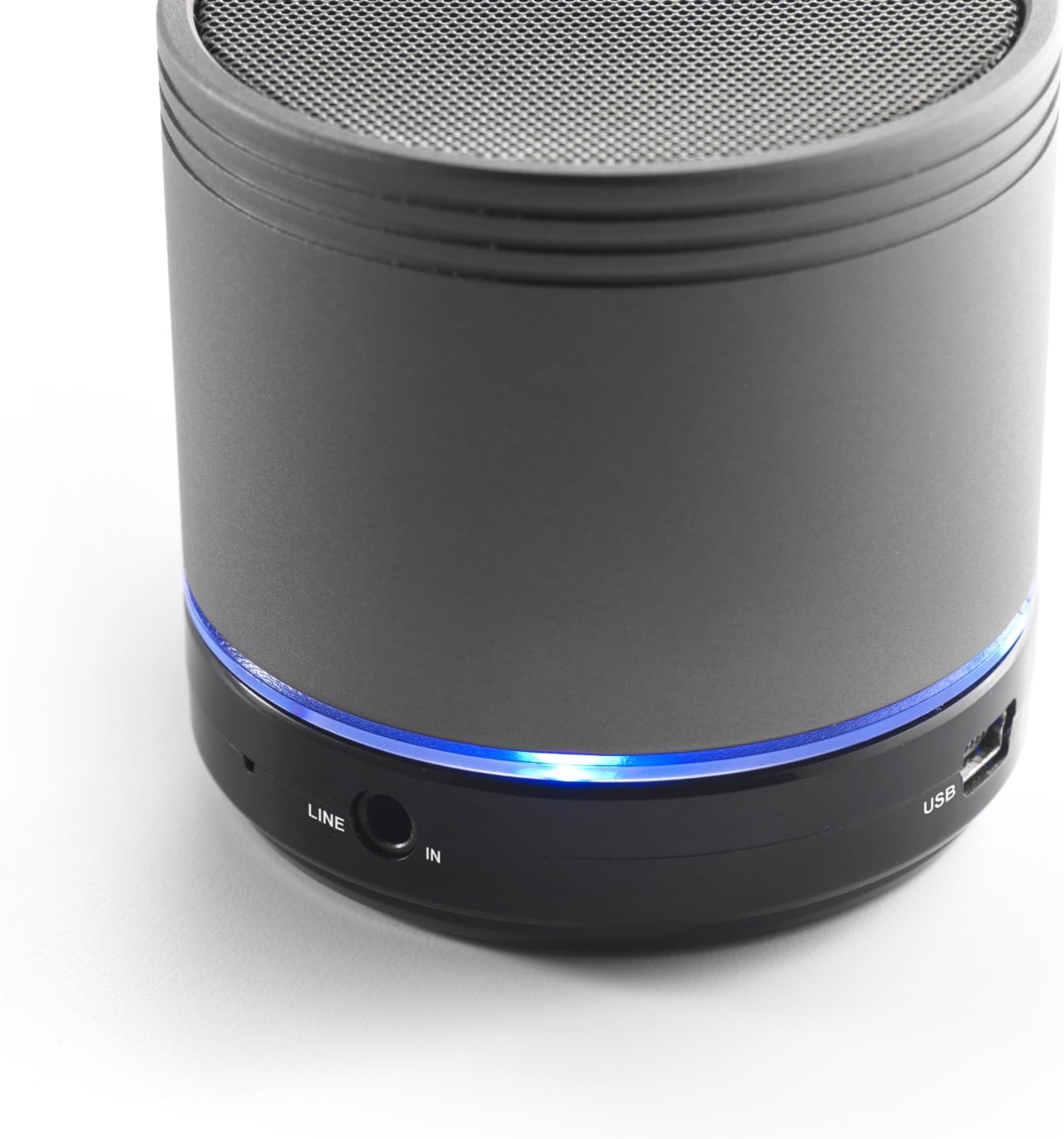
Image: Bottom section of the iCES IBT-1 speaker, displaying the LINE IN and USB ports, along with a glowing blue LED indicator.
- USB-port: For lading av det interne batteriet.
- LINE IN (AUX) Port: For tilkobling av eksterne lydenheter med en 3.5 mm lydkabel.
- Micro SD -kortspor: For avspilling av lyd filedirekte fra et Micro SD-kort.
- Strømbryteren: ON/OFF control for the speaker.
- Kontrollknapper: Play/Pause, Volume Up/Next Track, Volume Down/Previous Track.
- LED-indikator: Viser strømstatus, ladestatus og Bluetooth-paringsstatus.
Oppsett
Lader batteriet
Before first use, fully charge the speaker's internal battery. Use the provided Mini USB cable.
- Connect the Mini USB end of the cable to the USB port on the speaker.
- Koble standard USB-enden av kabelen til en USB-strømadapter (ikke inkludert) eller en datamaskins USB-port.
- The LED indicator will illuminate to show charging status. It will change or turn off once fully charged.
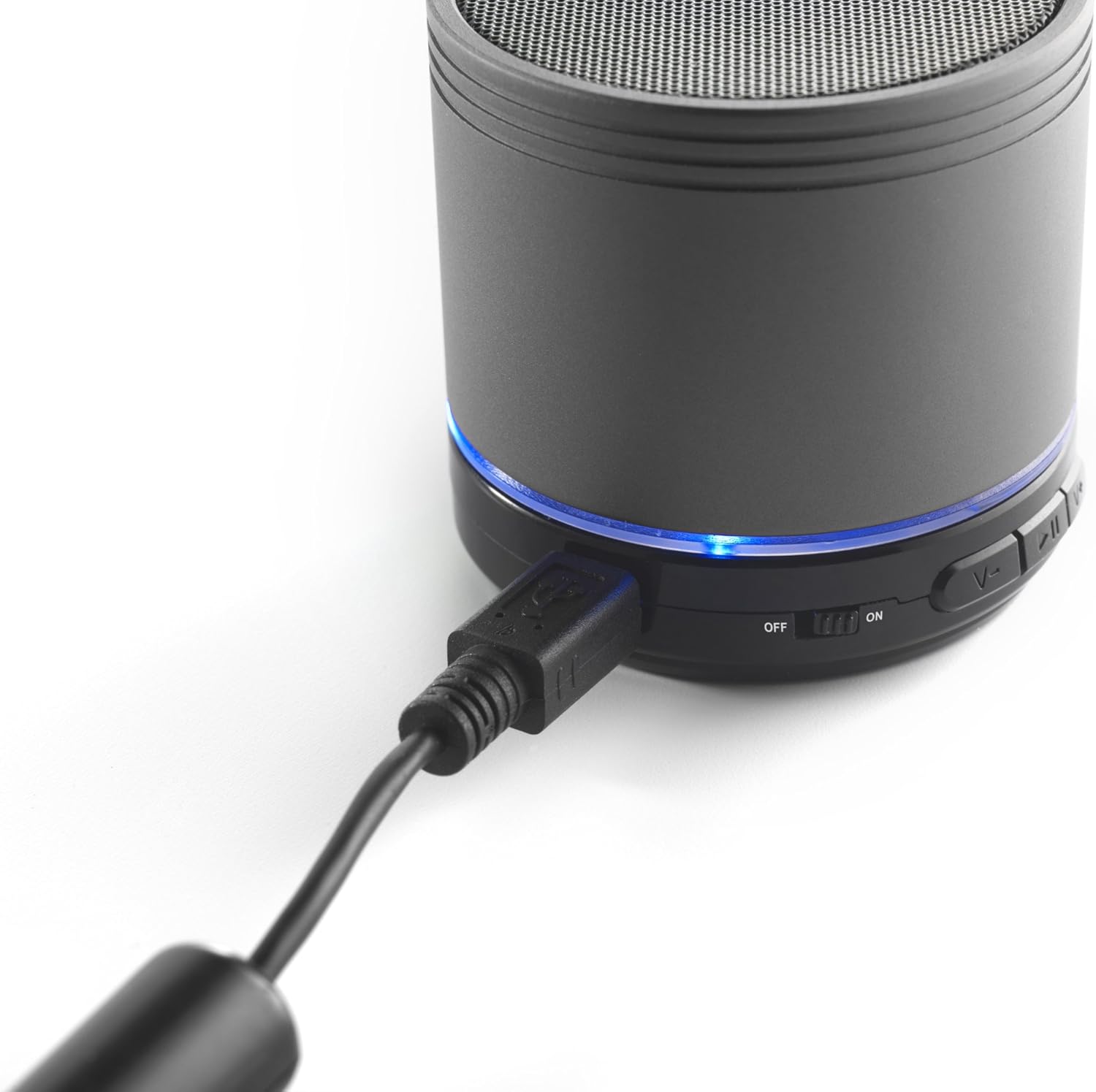
Image: The iCES IBT-1 speaker with the mini USB charging cable connected, illustrating the charging process.
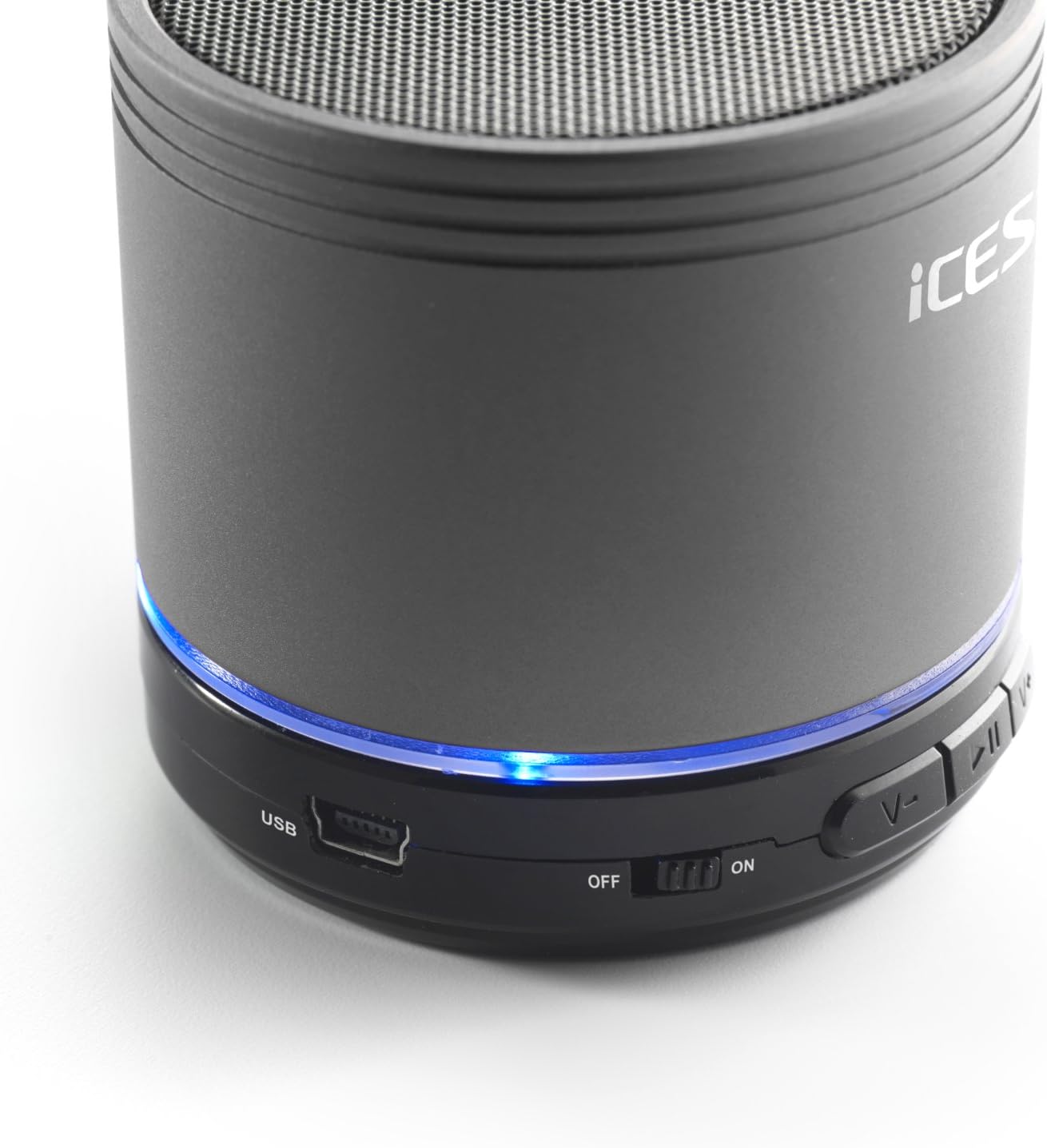
Image: The iCES IBT-1 speaker's base, highlighting the USB port and the power switch in the 'ON' position.
Bruksanvisning
Slår på/av
- To power on, slide the power switch to the "ON" position. The LED indicator will light up.
- To power off, slide the power switch to the "OFF" position. The LED indicator will turn off.
Bluetooth-tilkobling
- Ensure the speaker is powered on. The LED indicator will flash, indicating it's in pairing mode.
- Gå til Bluetooth-innstillingene på den Bluetooth-aktiverte enheten din (smarttelefon, nettbrett osv.).
- Søk etter available devices. You should see "IBT-1" in the list.
- Select "IBT-1" to pair. Once connected, the LED indicator will stop flashing and remain solid.
- You can now play audio from your device through the iCES IBT-1 speaker.
Micro SD-kortavspilling
The speaker supports Micro SD cards up to 32 GB.
- Sett inn et Micro SD-kort (med lyd files) into the Micro SD card slot on the speaker.
- The speaker will automatically switch to Micro SD card mode and begin playing audio.
- Use the control buttons on the speaker to play/pause, skip tracks, or adjust volume.

Image: The iCES IBT-1 speaker's base, illustrating the Micro SD card slot and the LINE IN port.
AUX Input Playback
Connect external audio devices without Bluetooth capability.
- Connect one end of a 3.5mm audio cable (not included) to the LINE IN port on the speaker.
- Connect the other end of the 3.5mm audio cable to the headphone jack or audio output of your external device (e.g., MP3 player).
- Høyttaleren vil automatisk bytte til AUX-modus.
- Kontroller avspilling og volum fra den eksterne enheten din.
Kontrollknapper
- Spill av/pause-knapp: Trykk én gang for å spille av eller pause lyd.
- Volum opp / Neste spor-knapp:
- Kort trykk: Øk volumet.
- Langt trykk: Hopp til neste spor.
- Volum ned / Forrige spor-knapp:
- Kort trykk: Reduser volumet.
- Langt trykk: Gå til forrige spor.
Vedlikehold
- Keep the speaker dry. Do not expose it to water or excessive moisture.
- Rengjør høyttaleren med en myk, tørr klut. Ikke bruk slipende rengjøringsmidler eller løsemidler.
- Avoid extreme temperatures. Store the speaker in a cool, dry place.
- Ikke forsøk å demontere eller reparere høyttaleren selv. Dette vil ugyldiggjøre garantien.
- Lad batteriet regelmessig, selv om det ikke er i bruk, for å opprettholde batteristatusen.
Feilsøking
| Problem | Løsning |
|---|---|
| Høyttaleren slås ikke på. | Sørg for at batteriet er ladet. Koble høyttaleren til en strømkilde med USB-kabelen. |
| Kan ikke pares via Bluetooth. |
|
| Ingen lyd fra høyttaleren. |
|
| Dårlig lydkvalitet. |
|
Spesifikasjoner
| Modell | IBT-1 |
| Tilkobling | Bluetooth, Micro SD Card, AUX Input (3.5mm) |
| Utgangseffekt | 3 watt (RMS) |
| Batteritype | Integrated Lithium-Polymer |
| Batterikapasitet | 500 mAh |
| Strømforsyning | 5V / 1A (via Mini USB) |
| Dimensjoner (L x B x H) | 60 x 60 x 58 mm |
| Vekt | 180 g |
| Supported Micro SD Card Size | Opptil 32 GB |
Garanti og støtte
For warranty information and technical support, please refer to the documentation provided at the time of purchase or visit the official iCES webIkke forsøk å reparere enheten selv, da dette kan gjøre garantien ugyldig.