
Introduksjon
This manual provides instructions for the proper use, setup, and maintenance of your Beats by Dr. Dre In-Ear Headphones, Model OMEL-MR-PN-6694832. Please read this manual thoroughly before using the product to ensure optimal performance and longevity.
Produkt overview
The Beats by Dr. Dre In-Ear Headphones are designed for high-quality audio delivery and convenience. Key features include:
- Solid Metal Housing: Constructed with durable metal for enhanced resilience.
- Grid-Iron Tough Build: Engineered for robustness and durability.
- Innebygd mikrofon: Facilitates hands-free calls. Note that inline remote or microphone functionality may be limited with Apple devices.
- Tangle-Free Cables: Designed to prevent tangling for ease of use and storage.
- Lett og sammenleggbar design: Offers portability and comfort during extended wear.
- Volumkontroll: Integrated controls for easy audio adjustments.
- Android Phone Control Support: Optimized for use with Android devices.
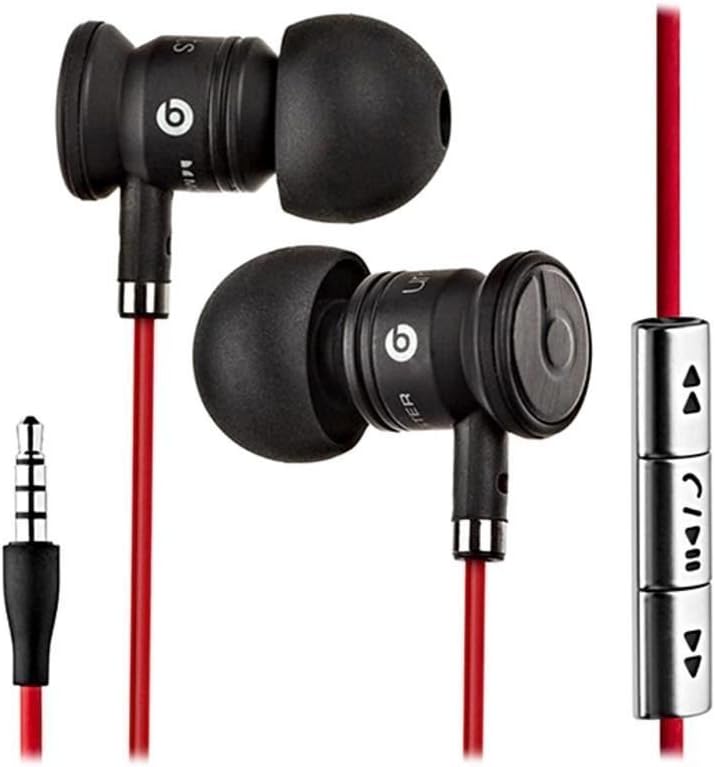
Image: The Beats by Dr. Dre In-Ear Headphones, featuring black earbuds, a red tangle-free cable, and an inline remote with control buttons.
Oppsett
- Velg ørepropper: Choose the ear tips that provide the most comfortable and secure fit for your ears. The headphones come with various sizes to ensure optimal sound isolation and comfort.

Image: The Beats by Dr. Dre In-Ear Headphones displayed with a selection of different sized ear tips and a branded carrying pouch.
- Koble til enheten: Insert the 3.5mm audio jack into the headphone port of your audio device (smartphone, tablet, MP3 player, etc.).
- Posisjon ørepropper: Gently insert the earbuds into your ears, ensuring a snug fit. The cable should hang comfortably.
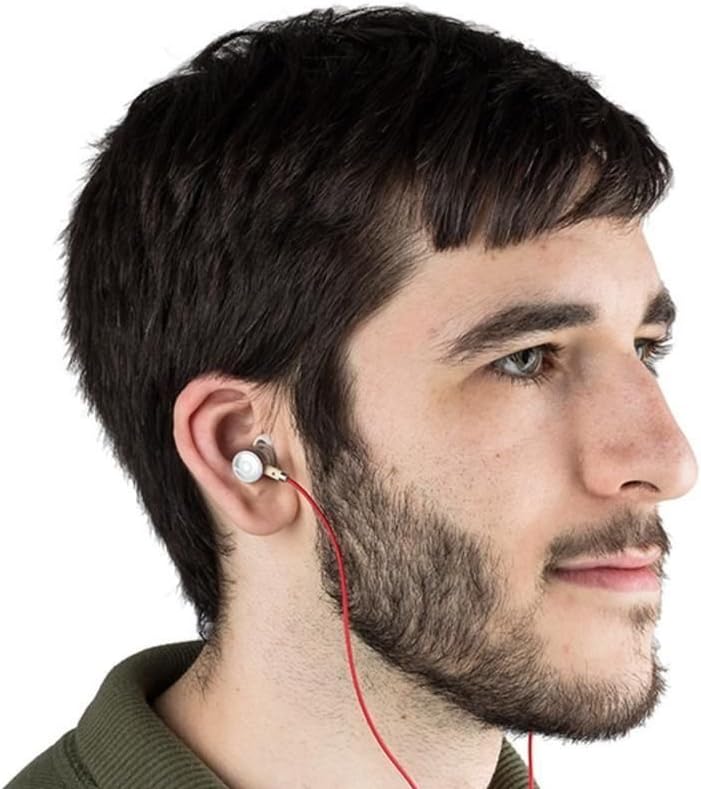
Image: A person wearing the Beats by Dr. Dre In-Ear Headphones, demonstrating proper earbud placement.
Bruksanvisning
Lydavspilling
- Spill av/pause: Press the center button on the inline remote once.
- Neste spor: Trykk på midtknappen raskt to ganger.
- Forrige spor: Trykk på midtknappen raskt tre ganger.
- Volum opp: Press the '+' button on the inline remote.
- Volum ned: Press the '-' button on the inline remote.
Samtalehåndtering
- Svar/avslutt samtale: Press the center button once during an incoming call or an active call.
- Avvis samtale: Press and hold the center button for approximately two seconds during an incoming call.
Note: Functionality of the inline remote and microphone may be limited or vary when used with Apple devices compared to Android devices.
Vedlikehold
- Rengjøring: Regularly wipe the earbuds and cable with a soft, dry, lint-free cloth. Do not use harsh chemicals or abrasive materials.
- Ear Tip Care: Fjern øreproppene med jevne mellomrom og rengjør dem med mild såpe og vann. Sørg for at de er helt tørre før du setter dem på igjen.
- Lagring: When not in use, store your headphones in the provided carrying pouch to protect them from dust, dirt, and tangling.

Image: The black carrying pouch with the Beats by Dr. Dre logo, designed for headphone storage.
- Unngå fuktighet: Hold hodetelefonene unna vann og overdreven fuktighet.
Feilsøking
- Ingen lyd:
- - Ensure the 3.5mm jack is fully inserted into your device.
- - Check the volume level on both your device and using the inline remote.
- - Test the headphones with another audio device to rule out device issues.
- Mikrofonen virker ikke:
- - Verify that your device's microphone settings are correctly configured.
- - Remember that microphone functionality may be limited with Apple devices.
- - Ensure the microphone is not obstructed.
- Problemer med fjernkontroll:
- - Confirm compatibility with your device. Full functionality is primarily supported on Android devices.
- - Ensure the connection is secure.
Spesifikasjoner
| Trekk | Detalj |
|---|---|
| Merke | Beats |
| Modellnummer | OMEL-MR-PN-6694832 |
| Øreplassering | In Ear |
| Formfaktor | In Ear |
| Tilkoblingsteknologi | Kablet |
| Varevekt | 0.3 unser |
| Innkapslingsmateriale | Metall |
| Kabelfunksjoner | Tangle Free |
| Ekstra funksjoner | Foldable, Lightweight, Volume Control, Android Phone Control |
| Kontroll Type | Fjernkontroll |
Offisiell produktvideo
Video: En offisiell overview of the Beats by Dr. Dre In-Ear Headphones, demonstrating key features and design elements. Note: The video narration incorrectly refers to the product as wireless; these headphones are wired as shown in the video and product images.
Garanti og støtte
For warranty information and customer support, please refer to the official Beats by Dr. Dre webnettstedet eller kontakt forhandleren din. Ta vare på kjøpsbeviset for garantikrav.
For ytterligere hjelp kan du besøke Beats Store on Amazon.