
Introduksjon
Takk for kjøpetasing the GPX 9-inch Portable DVD Player, Model PD901BDLP. This manual provides essential information for the safe and efficient operation of your device. Please read it thoroughly before use and retain it for future reference.
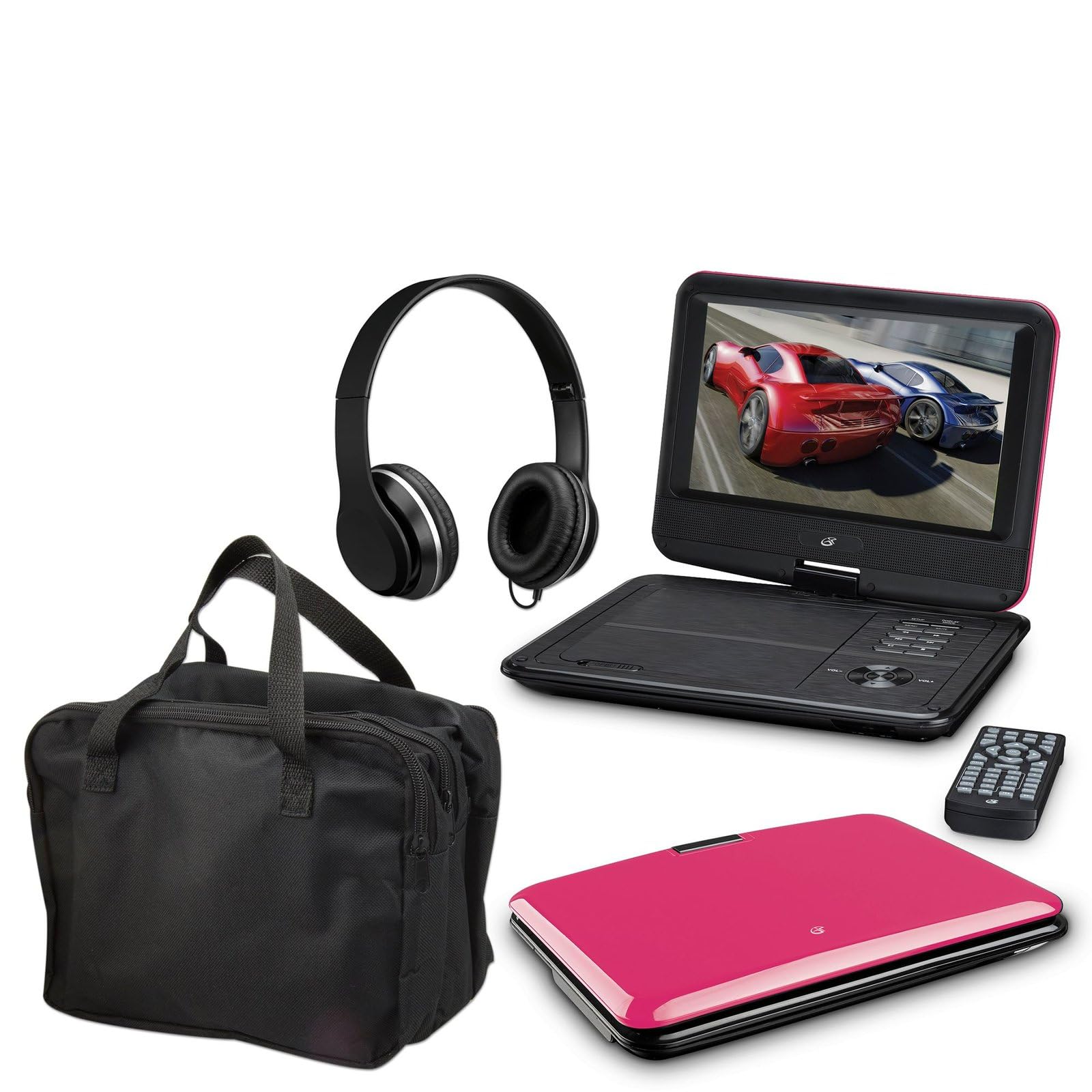
Image: The GPX 9-inch Portable DVD Player in its closed position, showcasing its vibrant pink top casing and sleek design.
Pakkeinnhold
Bekreft at alle varene som er oppført nedenfor er inkludert i pakken din:
- GPX 9-inch Portable DVD Player (Model PD901BDLP)
- Fjernkontroll (krever 2 AAA-batterier, inkludert)
- AC/DC strømadapter
- 12V biladapter
- 3.5 mm-til-RCA lyd-/videokabel
- Bæreveske
- Hodetelefoner
- Bruksanvisning (dette dokumentet)
Produktfunksjoner
- 9-inch 800x480 LCD screen
- Screen tilts and swivels for versatile viewing vinkler
- Rechargeable lithium polymer battery with up to 2 hours of battery life
- Innebygde stereohøyttalere
- Hodetelefonkontakt for privat lytting
- RCA output for connection to external displays
- Supports DVD, DVD-R/RW, DVD+R/RW, CD, CD-R/RW, JPEG, MP3 formats
Oppsett
1. Lader batteriet
Before first use, fully charge the internal lithium polymer battery. Connect the AC/DC power adapter to the DC IN port on the DVD player and plug the other end into a standard wall outlet. The charging indicator light will illuminate. Charging typically takes approximately 3-4 hours for a full charge, providing up to 2 hours of playback.
2. Installere fjernkontrollbatterier
Open the battery compartment on the back of the remote control. Insert two (2) AAA batteries, ensuring correct polarity (+/-). Close the compartment securely.
3. Connecting to a Television (Optional)
Til view content on a larger screen, use the included 3.5mm-to-RCA audio/video cable. Connect the 3.5mm end to the AV OUT port on the DVD player. Connect the RCA (red, white, yellow) ends to the corresponding AV INPUT ports on your television. Select the correct AV input source on your TV.
4. Using the Car Adapter (Optional)
For in-car use, connect the 12V car adapter to the DC IN port on the DVD player and plug the other end into your vehicle's cigarette lighter socket.
Bruksanvisning
1. Slå på/av
Trykk og hold inne MAKT button on the player or remote control to turn the device on or off.
2. Sette inn en DVD
- Gently open the DVD player lid.
- Plasser en DVD-plate på spindelen med etikettsiden opp.
- Trykk forsiktig ned på midten av platen til den klikker på plass.
- Close the lid. The player will automatically begin reading the disc.
3. Skjermjustering
The LCD screen can be tilted and swiveled to achieve the optimal viewing angle. Carefully adjust the screen to your preferred position.
4. Grunnleggende avspillingskontroller
- SPILL/PAUSE: Press to start or pause playback.
- STOPPE: Trykk for å stoppe avspillingen.
- SKIP (<< / >>): Press to skip to the previous or next chapter/track.
- FF / REW: Press and hold to fast forward or rewind.
- VOLUM (+/-): Adjust the audio volume.
5. Bruke hodetelefoner
Plug the included headphones into the HODETELEFON jack for private listening. The built-in speakers will automatically mute when headphones are connected.
Vedlikehold
- Rengjøring av skjermen: Use a soft, lint-free cloth to gently wipe the LCD screen. Do not use liquid cleaners or abrasive materials.
- Cleaning the Disc Tray: Keep the disc tray free of dust and debris. Use a soft brush or compressed air if necessary.
- Batteripleie: To prolong battery life, avoid fully discharging the battery frequently. If storing the player for an extended period, charge it periodically.
- Lagring: Store the DVD player in a cool, dry place away from direct sunlight and extreme temperatures. Use the included carrying case for protection during transport.
Feilsøking
| Problem | Løsning |
|---|---|
| Spilleren slår seg ikke på. | Ensure the battery is charged or the AC/DC adapter is securely connected to a working power outlet. Check the power switch. |
| Ingen plate oppdaget. | Verify the disc is inserted correctly with the label side up and seated properly on the spindle. Ensure the disc is clean and free of scratches. Try a different disc. |
| Ingen lyd. | Check the volume level. Ensure headphones are not plugged in if you intend to use the built-in speakers. If connected to a TV, check the TV's volume and input settings. |
| Fjernkontrollen virker ikke. | Check and replace the AAA batteries in the remote. Ensure there are no obstructions between the remote and the player's IR sensor. |
| Bildet er forvrengt eller uskarpt. | Clean the disc. Adjust the screen angle. If connected to a TV, check the AV cable connections. |
Spesifikasjoner
- Modell: PD901BDLP
- Skjermstørrelse: 9 tommer
- Visningstype: LCD
- Innebygd oppløsning: 800 x 480
- Medietype: DVD, DVD-R/RW, DVD+R/RW, CD, CD-R/RW, JPEG, MP3
- Batteri: Oppladbar litiumpolymer
- Batterilevetid: Opptil 2 timer
- Tilkobling: 3.5mm AV Out, Headphone Jack, DC In
- Strøminngang: AC/DC Adapter, 12V Car Adapter
- Vekt: Omtrent 0.86 kg
- Farge: Rosa
- UPC: 047323179044
Garanti og støtte
This GPX Portable DVD Player is covered by a 90-dagers begrenset produsentgaranti fra datoen for den opprinnelige kjøpsdatoen. Denne garantien dekker material- og produksjonsfeil ved normal bruk.
For warranty service or technical support, please refer to the contact information provided with your product packaging or visit the official GPX webnettstedet. Ta vare på kjøpskvitteringen som kjøpsbevis.
For mer informasjon kan du besøke GPX Store on Amazon.