
Biconic Bluetooth Tough Weatherproof Portable Wireless Speaker User Manual
Model: ABC-AU-BS-103-BK
Merke: Bytech
1. Produktet er overview
The Biconic Bluetooth Tough Weatherproof Portable Wireless Speaker is designed for robust outdoor and indoor use, providing enhanced bass and clear audio. Its wireless capabilities allow for easy connection to various devices, and its durable, weatherproof construction ensures reliable performance in diverse environments.

Figur 1.1: Foran view of the Biconic Bluetooth Speaker, showcasing dens robuste design og høyttalergrill.
Nøkkelfunksjoner:
- Trådløs tilkobling: Seamless Bluetooth pairing with smartphones, tablets, and other compatible devices.
- Værbestandig design: IPX6 water resistance protects against strong jets of water, making it suitable for outdoor use.
- Forbedret bass: Delivers rich, deep bass for a superior audio experience.
- Bærbar: Compact design with a durable strap for easy transport.
- Lang spilletid: Opptil 4 timer med kontinuerlig lydavspilling på én lading.
2. Sikkerhetsinformasjon
Les alle sikkerhetsadvarsler og instruksjoner nøye før du bruker dette produktet for å sikre sikker bruk og forhindre skade.
- Ikke utsett høyttaleren for ekstreme temperaturer (varme eller kalde).
- Do not immerse the speaker in water. While it is IPX6 water resistant, it is not designed for submersion.
- Keep the speaker away from direct heat sources, open flames, and flammable liquids.
- Use only the provided charging cable and a compatible power adapter (5V/1A recommended) to charge the device.
- Ikke forsøk å demontere, reparere eller modifisere høyttaleren. Dette vil ugyldiggjøre garantien og kan forårsake skade.
- Oppbevares utilgjengelig for barn.
- Rengjør høyttaleren med en myk, tørr klut. Ikke bruk slipende rengjøringsmidler eller løsemidler.
3. Pakkens innhold
Kontroller at alle varene er til stede i pakken når du pakker ut:
- Biconic Bluetooth Tough Weatherproof Portable Wireless Speaker
- USB ladekabel
- Brukerhåndbok (dette dokumentet)
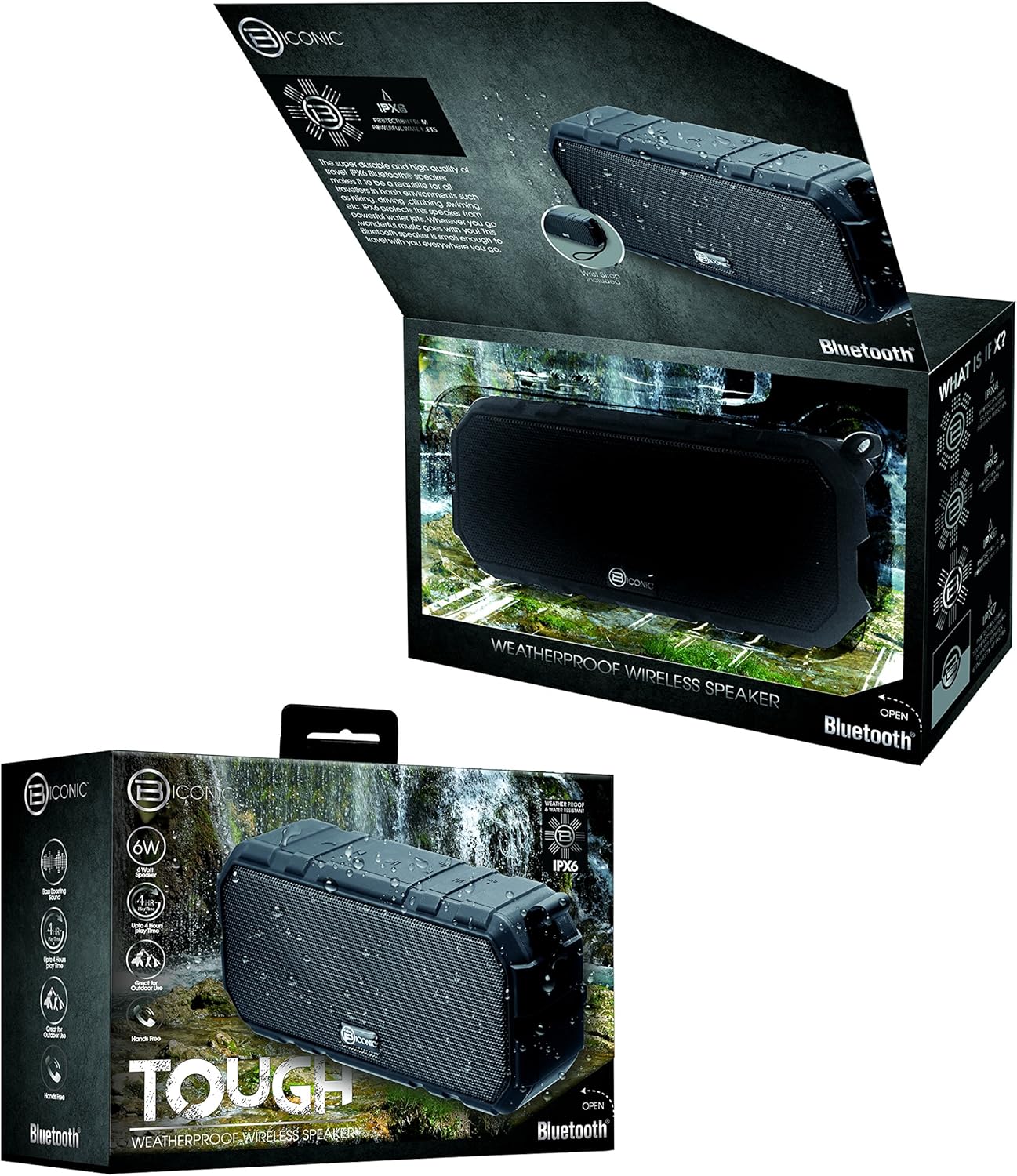
Figure 3.1: The Biconic Bluetooth Speaker shown with its retail packaging, indicating typical package contents.
4. Oppsett
4.1 Lade høyttaleren
- Locate the charging port on the side of the speaker. This port is typically protected by a rubber flap to maintain water resistance.
- Åpne gummiklaffen.
- Koble den lille enden av den medfølgende USB-ladekabelen til høyttalerens ladeport.
- Koble den større enden av USB-kabelen til en USB-strømkilde (f.eks. en datamaskins USB-port eller en USB-veggadapter).
- Ladeindikatorlampen vil lyse, vanligvis rødt, for å vise at høyttaleren lader.
- Once fully charged (approximately 2-3 hours), the indicator light will change color (e.g., turn off or turn blue/green). Disconnect the charging cable and close the rubber flap securely to maintain water resistance.
4.2 Slå på/av
- For å slå på: Press and hold the Power button (usually marked with a power symbol) for a few seconds until you hear an audible tone or see an indicator light illuminate.
- Slik slår du av: Press and hold the Power button again for a few seconds until you hear an audible tone or the indicator light turns off.
5. Bruksanvisning
5.1 Bluetooth-paring
Before first use, you need to pair the speaker with your Bluetooth-enabled device.
- Ensure the speaker is fully charged and powered on. It will automatically enter pairing mode, indicated by a flashing blue LED light.
- On your smartphone, tablet, or other Bluetooth device, go to the Bluetooth settings menu.
- Aktiver Bluetooth hvis det ikke allerede er aktivert.
- Scan for available devices. You should see "Biconic Speaker" or a similar name appear in the list.
- Select "Biconic Speaker" to connect. Once successfully paired, you will hear a confirmation tone, and the blue LED light on the speaker will stop flashing and remain solid.
- Hvis du blir bedt om et passord, skriv inn «0000».
- Høyttaleren vil automatisk koble seg til den sist parede enheten når den slås på, hvis enheten er innenfor rekkevidde og Bluetooth er aktivert.
5.2 Musikkavspilling
Once paired, you can control music playback directly from your connected device or using the speaker's controls.
- Spill av/pause: Press the Play/Pause button (often marked with a triangle or || symbol) once to play or pause music.
- Volum opp: Press the Volume Up button (+) to increase the volume.
- Volum ned: Press the Volume Down button (-) to decrease the volume.
- Neste spor: Press and hold the Volume Up button (+) for a few seconds to skip to the next track.
- Forrige spor: Press and hold the Volume Down button (-) for a few seconds to go to the previous track.

Figur 5.1: Øverst view of the Biconic Bluetooth Speaker, highlighting the control buttons for power, volume, and playback.
5.3 Answering Calls (Hands-Free Function)
The speaker supports hands-free calling when connected to a smartphone.
- Svar på anrop: Når du kommer inn en samtale, trykker du på Spill av/Pause-knappen én gang for å svare.
- Avslutt samtale: During a call, press the Play/Pause button once to end the call.
- Avvis anrop: Trykk og hold nede Spill av/Pause-knappen i noen sekunder for å avvise et innkommende anrop.
6. Vedlikehold
Riktig vedlikehold sikrer høyttalerens levetid og optimale ytelse.
- Rengjøring: Tørk av høyttaleren med en myk, damp cloth. Do not use harsh chemicals, solvents, or abrasive cleaners. Ensure the charging port flap is closed before cleaning with a damp klut.
- Lagring: Oppbevar høyttaleren på et kjølig og tørt sted, unna direkte sollys og ekstreme temperaturer når den ikke er i bruk over lengre tid.
- Batteripleie: To preserve battery life, fully charge the speaker before storing it for long periods. Recharge every 3-6 months if not used regularly.
- Vannmotstand: Always ensure the rubber flap covering the charging port is securely closed to maintain the IPX6 water resistance rating.

Figure 6.1: The Biconic Bluetooth Speaker demonstrating its water-resistant capabilities, highlighting the importance of proper sealing for maintenance.
7. Feilsøking
| Problem | Mulig årsak | Løsning |
|---|---|---|
| Høyttaleren slår seg ikke på. | Batteriet er utladet. | Lad høyttaleren helt opp. |
| Kan ikke pare med Bluetooth-enhet. | Bluetooth is off on your device; speaker is not in pairing mode; device is too far. | Ensure Bluetooth is enabled on your device. Power off and on the speaker to re-enter pairing mode. Move device closer to the speaker (within 10 meters). Forget the device on your phone and try pairing again. |
| Ingen lyd eller lavt volum. | Volumet på høyttaleren eller enheten er for lavt; høyttaleren er ikke tilkoblet. | Øk volumet på både høyttaleren og den tilkoblede enheten. Sørg for at høyttaleren er riktig paret og koblet til. |
| Lydforvrengning. | For høyt volum; forstyrrelser; lavt batteri. | Reduce volume. Move speaker away from other electronic devices. Charge the speaker. |
8. Spesifikasjoner
| Trekk | Detalj |
|---|---|
| Modellnummer | ABC-AU-BS-103-BK |
| Merke | Bytech |
| Tilkoblingsteknologi | Bluetooth |
| Høyttaler Maksimal utgangseffekt | 3 watt |
| Lydutgangsmodus | Stereo |
| Vannmotstandsvurdering | IPX6 (Water resistant, not submersible) |
| Batteritype | 1 litiumionbatteri (påkrevd) |
| Spilletid | Opptil 4 timer |
| Produktdimensjoner | 2.54 x 2.54 x 2.54 cm |
| Varevekt | 522 g |
| Monteringstype | Bordplate |
9. Garanti og støtte
For warranty information and technical support, please contact Bytech customer service. Details are typically provided on the product packaging or the official Bytech webnettstedet.
Vennligst ta vare på kjøpsbeviset for eventuelle garantikrav.
Merk: Garantivilkårene kan variere fra region til region.