
Introduksjon
This manual provides detailed instructions for the use and maintenance of your Strong SRT 7404 HD remote control. This remote is designed as an original replacement for the Strong SRT 7404 HD FRANSAT receiver, ensuring full compatibility and functionality.
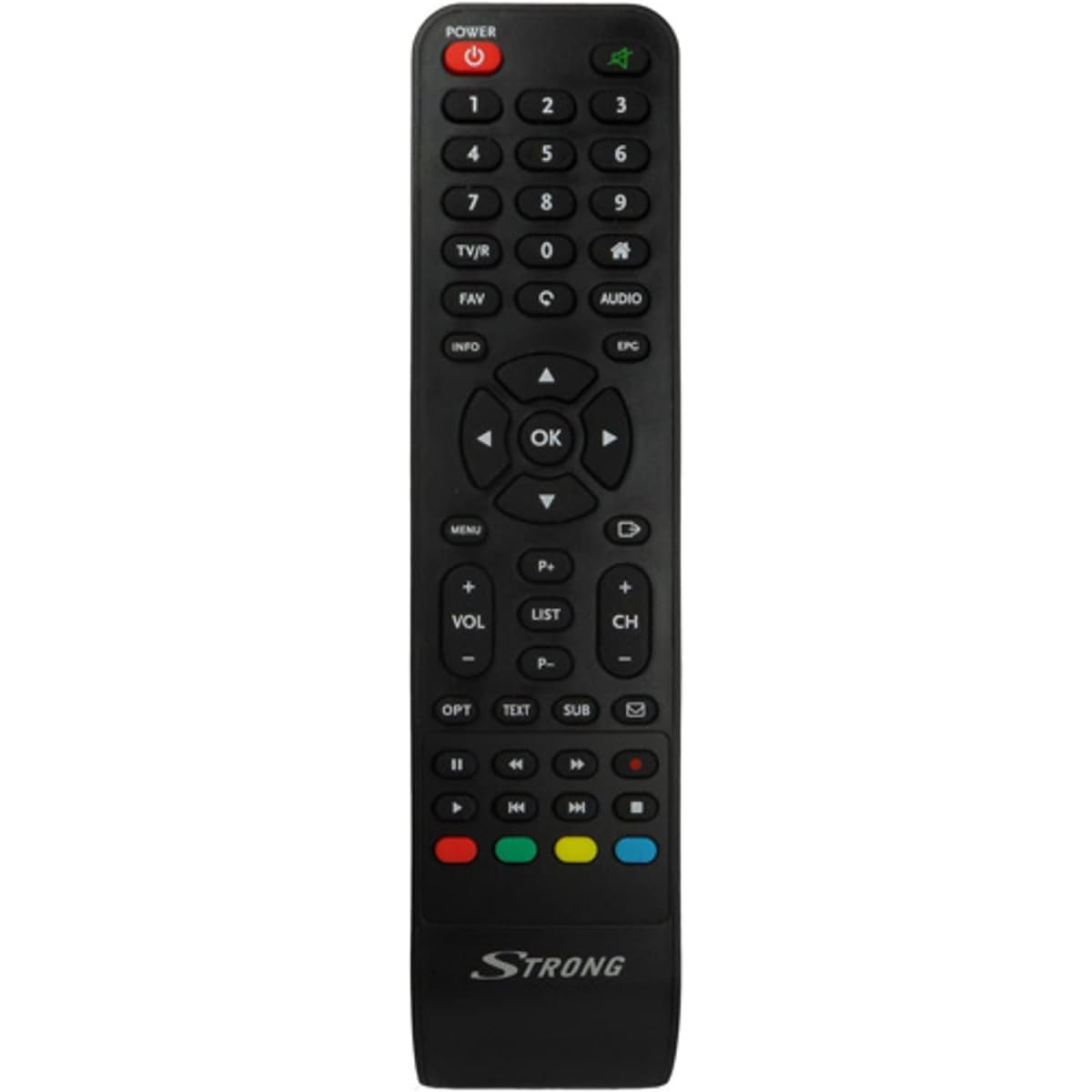
Image: The Strong SRT 7404 HD remote control, black in color, featuring various control buttons for television and receiver functions.
Oppsett
1. Installasjon av batteri
- Finn batterirommet på baksiden av fjernkontrollen.
- Skyv batteridekselet nedover eller i pilens retning for å åpne det.
- Insert two AAA alkaline batteries (not included), ensuring the positive (+) and negative (-) terminals align correctly with the markings inside the compartment.
- Sett batteridekselet på igjen ved å skyve det tilbake på plass til det klikker ordentlig.
Note: Always use new alkaline batteries for optimal performance. Do not mix old and new batteries, or different types of batteries.
2. Førstegangsbruk
The Strong SRT 7404 HD remote control is an original replacement and is pre-programmed for the Strong SRT 7404 HD FRANSAT receiver. No additional setup or pairing is typically required. Simply install the batteries and point the remote control towards your receiver to begin operation.
Bruksanvisning
This section outlines the basic functions of the remote control buttons.
- Strømknapp: Slår mottakeren på eller av.
- Kanal opp/ned: Navigates through television channels.
- Volum opp/ned: Justerer lydvolumet.
- Dempeknapp: Silences or restores the audio.
- Tallknapper (0-9): Directly selects channels or enters numerical data.
- Menyknapp: Accesses the receiver's main menu.
- Navigasjonsknapper (opp, ned, venstre, høyre, OK): Brukes til å navigere i menyer og bekrefte valg.
- Avslutt/Tilbake-knapp: Går tilbake til forrige skjermbilde eller avslutter en meny.
- Info -knapp: Viser programinformasjon.
- Fargeknapper (rød, grønn, gul, blå): Functions vary depending on the on-screen menu or application.
Refer to your Strong SRT 7404 HD FRANSAT receiver's manual for specific functions related to its menu system and advanced features.
Vedlikehold
Rengjøring
For å rengjøre fjernkontrollen, tørk forsiktig av overflaten med en myk, tørr klut. For gjenstridig smuss, tørk littampen the cloth with water. Avoid using abrasive cleaners, solvents, or alcohol, as these can damage the remote's finish or internal components.
Batteribytte
Replace batteries when the remote control becomes unresponsive or its range decreases significantly. Follow the battery installation steps outlined in the "Setup" section. Dispose of used batteries according to local regulations.
Lagring
When not in use for extended periods, remove the batteries to prevent leakage, which can damage the remote control. Store the remote in a cool, dry place away from direct sunlight and extreme temperatures.
Feilsøking
- Fjernkontrollen svarer ikke:
- Check if the batteries are correctly inserted with the correct polarity (+/-).
- Bytt ut gamle batterier med nye alkaliske batterier.
- Sørg for at det ikke er noen hindringer mellom fjernkontrollen og mottakerens infrarøde sensor.
- Make sure you are within the effective operating range (up to 10 meters).
- Rett fjernkontrollen direkte mot mottakeren.
- Spesifikke knapper som ikke fungerer:
- Clean the remote control surface, especially around the unresponsive buttons, to remove any dirt or debris that might be preventing proper contact.
- If cleaning and battery replacement do not resolve the issue, the button or remote may be faulty.
Spesifikasjoner
| Trekk | Detalj |
|---|---|
| Merke | STERK |
| Modellnavn | 7404 |
| Spesialfunksjon | Lett |
| Farge | Svart |
| Maks støttede enheter | 1 |
| Kompatible enheter | TV Decoder (Strong SRT 7404 HD FRANSAT Receiver) |
| Tilkoblingsteknologi | Radiofrekvens |
| Antall knapper | 5 |
| Kontrollertype | Fjernkontroll |
| Maksimal rekkevidde | 10 meter |
| Batteritype | Alkaline (AAA, not included) |
| Opprinnelsesland | Kina |
Garanti og støtte
Garantiinformasjon
This Strong SRT 7404 HD remote control comes with a 2-year warranty from the date of purchase. This warranty covers manufacturing defects under normal use. Please retain your proof of purchase for warranty claims.
Kundestøtte
For further assistance, technical support, or warranty inquiries, please contact Strong customer service. Contact details can typically be found on the official Strong webnettstedet eller gjennom produktforhandleren din.
You can visit the official Strong brand store for more information: Strong Brand Store