
ENEGON EN-LP-E8
ENEGON LP-E8 Battery and Dual Charger User Manual
Model: EN-LP-E8
Introduksjon
This manual provides instructions for the safe and efficient use of your ENEGON LP-E8 Battery and Dual Charger. This product is designed to provide reliable power for compatible Canon digital cameras.
Pakkeinnhold:
- 2 x ENEGON LP-E8 Batteries (1800mAh)
- 1 x ENEGON Dual LP-E8 Charger
- 1 x mikro-USB-kabel
Kompatibilitet
The ENEGON LP-E8 batteries and dual charger are fully compatible with the following Canon camera models:
- Canon EOS Rebel T2i
- Canon EOS Rebel T3i
- Canon EOS Rebel T4i
- Canon EOS Rebel T5i
- Canon EOS 550D
- Canon EOS 600D
- Canon EOS 650D
- Canon EOS 700D
- Canon Kiss X4
- Canon Kiss X5
- Canon Kiss X6
- Canon Kiss X6i
- Canon Kiss X7i
- Canon LC-E8E Digital Camera
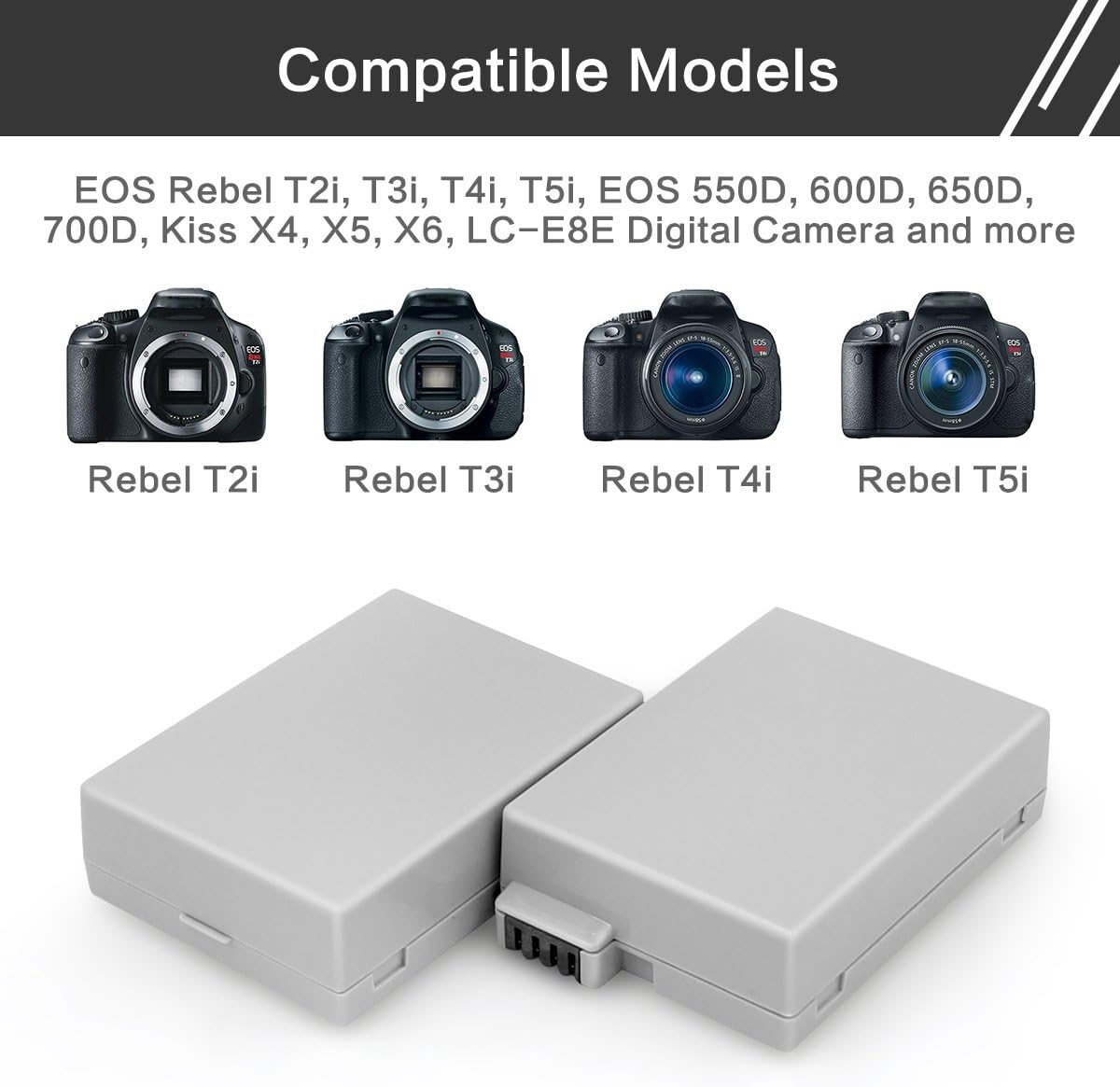
Figure 1: Compatible Canon Camera Models.
Setup and Charging Instructions
- Koble til laderen: Connect the provided Micro-USB cable to the ENEGON Dual LP-E8 Charger.
- Strømkilde: Connect the other end of the Micro-USB cable to a compatible USB power source (e.g., wall charger, car charger, power bank, or laptop USB port). A wall charger is not included.
- Sett inn batterier: Insert one or two ENEGON LP-E8 batteries into the charging slots of the dual charger. Ensure the battery contacts align correctly with the charger pins.
- Skjermens ladestatus:
- When the charger is powered on and no batteries are inserted, the LED lights will flash red and green alternately.
- When batteries are charging, the corresponding LED lights will turn RED.
- When charging is complete, the corresponding LED lights will turn GREEN.
- Ta ut batterier: Når batteriene er fulladet, fjern dem fra laderen.

Figure 2: Step-by-step battery charging process.

Figure 3: LED indicator status for charging.
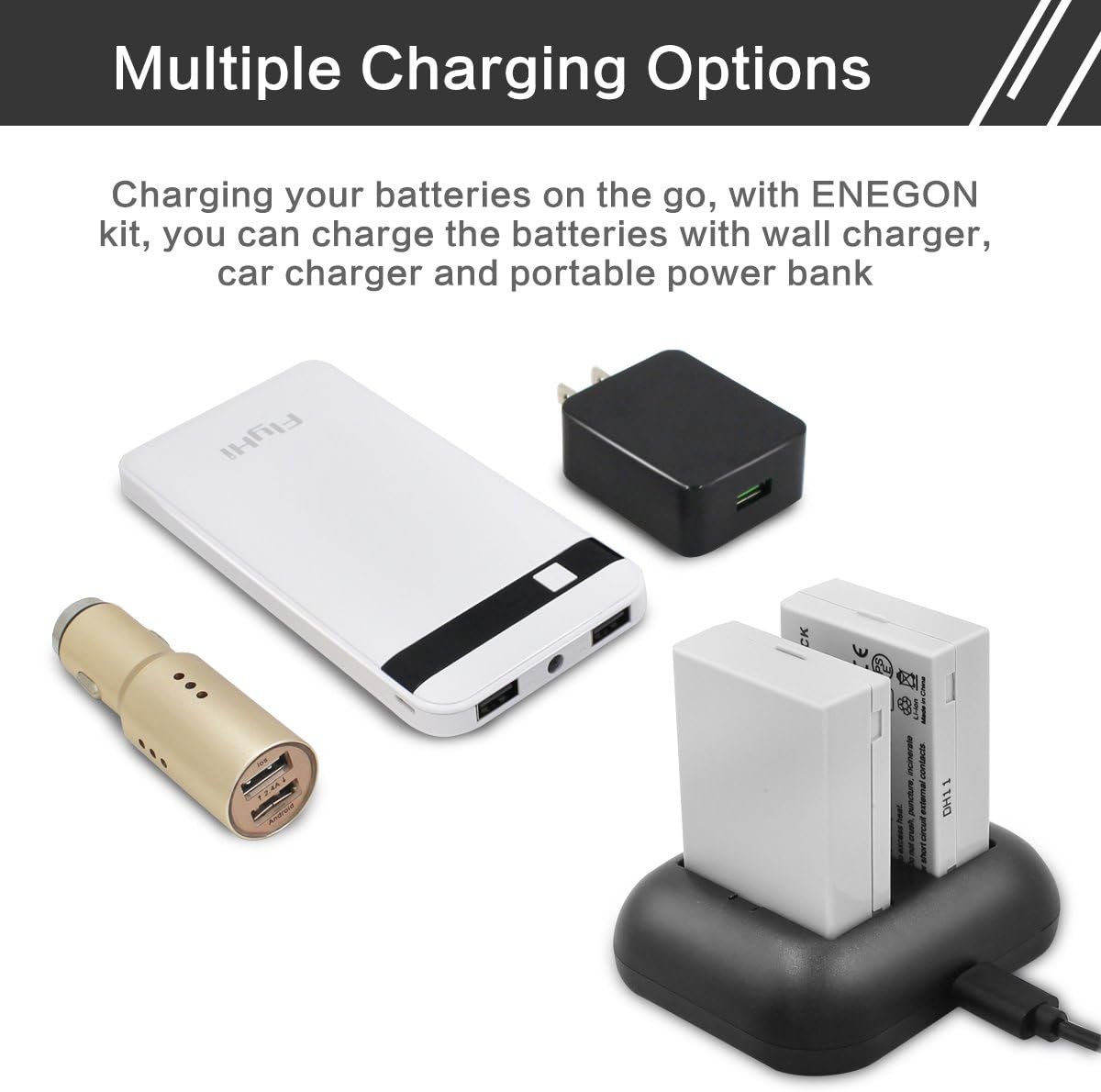
Figur 4: Flere ladealternativer for enkelhets skyld.
Bruksanvisning
To use the ENEGON LP-E8 battery with your compatible Canon camera:
- Ensure the battery is fully charged (green LED on the charger).
- Open the battery compartment of your Canon camera.
- Insert the ENEGON LP-E8 battery into the compartment, ensuring correct orientation and a secure fit.
- Lukk batteridekselet.
- Turn on your camera. The camera should recognize the battery and display its charge level.

Figure 5: ENEGON battery ready for camera use.
Vedlikehold og sikkerhet
Proper maintenance ensures the longevity and safe operation of your ENEGON batteries and charger.
Batteripleie:
- Oppbevar batteriene på et kjølig, tørt sted vekk fra direkte sollys og ekstreme temperaturer.
- Do not connect batteries improperly.
- Do not dispose of batteries in fire or expose to excess heat.
- Ikke knus, punkter, brenn eller kortslut eksterne kontakter.
- If a battery shows signs of damage, swelling, or leakage, discontinue use immediately and dispose of it properly.
Vedlikehold av lader:
- Hold laderen ren og fri for støv og rusk.
- Unngå å miste laderen eller utsette den for harde støt.
- Ikke forsøk å demontere eller modifisere laderen.
- Use only the provided Micro-USB cable or a compatible replacement.
WARNING: Built-in multiple circuit protection (over-charging, short-circuit, high-temperature, and surge protection) and fire-resistant construction are integrated for safety. However, always follow these guidelines to prevent potential hazards.
Feilsøking
| Problem | Mulig årsak | Løsning |
|---|---|---|
| Batteries not charging (LEDs not red) |
|
|
| Camera does not power on with ENEGON battery. |
|
|
| Kort batterilevetid. |
|
|
Spesifikasjoner
| Trekk | Detalj |
|---|---|
| Modellnummer | EN-LP-E8 |
| Batteritype | Litiumion |
| Batterikapasitet | 1800 mAh (7.4 V, 13.3 Wh) |
| Laderinngang | 5V/2A (Micro-USB) |
| Laderutgang | 8.4V/0.8A * 2 |
| Produktdimensjoner | 2.76 x 1.97 x 1.18 inches (Charger) |
| Vekt | 0.35 ounces (approx. per battery) |
Garanti og støtte
ENEGON provides an 18-month manufacturer warranty for this product. For customer service and support, please contact ENEGON directly. Contact information can typically be found on the product packaging or the official ENEGON webnettstedet.
Legal Disclaimer: Statements regarding dietary supplements have not been evaluated by the FDA and are not intended to diagnose, treat, cure, or prevent any disease or health condition. This disclaimer is provided as per product information and may not directly apply to this electronic accessory.
Ask a question about this manual
Ask about setup, troubleshooting, compatibility, parts, safety, or missing instructions. Manuals+ will review the question and use this page’s manual context to help answer it.