
Viktig sikkerhetsinformasjon
Please read all instructions carefully before installation. If you do not understand these instructions or have doubts about the safety of the installation, consult a qualified installer. Improper installation may cause serious injury or damage.
- This product is designed for installation on wood stud walls or solid concrete/brick walls. Do not install on drywall alone.
- Sørg for at veggkonstruksjonen trygt kan bære den kombinerte vekten av festet og TV-en.
- Do not exceed the maximum weight capacity of 80 pounds (36.3 kg) or the specified TV size range (22-55 inches).
- Bruk verneutstyr og riktig verktøy under installasjonen.
- Hold barn og kjæledyr unna under installasjonen.
Pakkeinnhold
Kontroller at alle komponenter er til stede og uskadet før installasjonen starter.
- Artikulerende TV-veggfeste
- High-Speed HDMI Cable (6 Feet)
- Mounting Hardware Kit (various screws, anchors, washers)

Image: The complete package contents, including the articulating TV wall mount and the 6-foot HDMI cable.
Spesifikasjoner
| Merke | Grunnleggende om Amazon |
| Modell | B071VTNJ3Y |
| Monteringstype | Articulating, Tilt |
| Bevegelsestype | Artikulerende |
| Materiale | Metall |
| Kompatible enheter | Fjernsyn |
| Maksimal helningsvinkel | 15 Degrees (+10 to -5 degrees) |
| TV -størrelse kompatibilitet | 22-tommer til 55-tommer |
| Vekt kapasitet | Opptil 80 pund (36.3 kg) |
| HDMI Cable Features | Supports Ethernet, 3D, 4K video, Audio Return Channel (ARC) |
Oppsett
1. TV Wall Mount Installation
- Kontroll før installasjon: Identify the wall type (wood stud or concrete/brick). Use a stud finder to locate the center of wood studs. For concrete/brick, ensure the wall is solid. Mark the desired mounting height.
- Mounting the Wall Plate: Position the wall plate at the marked location. Use a level to ensure it is straight. Mark the drilling points. Drill pilot holes according to the instructions provided with the mounting hardware. Secure the wall plate to the wall using the appropriate screws and anchors.
- Attaching TV Brackets: Carefully place your TV face down on a soft, clean surface. Attach the two vertical brackets to the back of your TV using the screws and spacers that fit your TV's VESA pattern. Ensure the brackets are centered and securely fastened.
- Mounting the TV to the Wall Plate: With assistance, carefully lift the TV and hook the attached brackets onto the wall plate. Ensure the TV is securely seated on the mount. Tighten any safety screws or locking mechanisms as per the mount's design to prevent accidental dislodgement.
- Justeringer: The mount allows for tilt and swivel adjustments. Loosen the adjustment knobs or screws, position the TV to your desired viewing angle, and then securely tighten them.

Image: The articulating TV wall mount with its arms extended, showing the TV mounting plate.
2. HDMI Cable Connection
- Identifiser porter: Locate the HDMI output port on your source device (e.g., Blu-ray player, game console, streaming device) and the HDMI input port on your TV.
- Koble til kabel: Insert one end of the Amazon Basics High-Speed HDMI Cable into the HDMI output port of your source device. Insert the other end into an available HDMI input port on your TV.
- Velg inngang: Turn on your TV and source device. Use your TV remote to select the corresponding HDMI input channel.
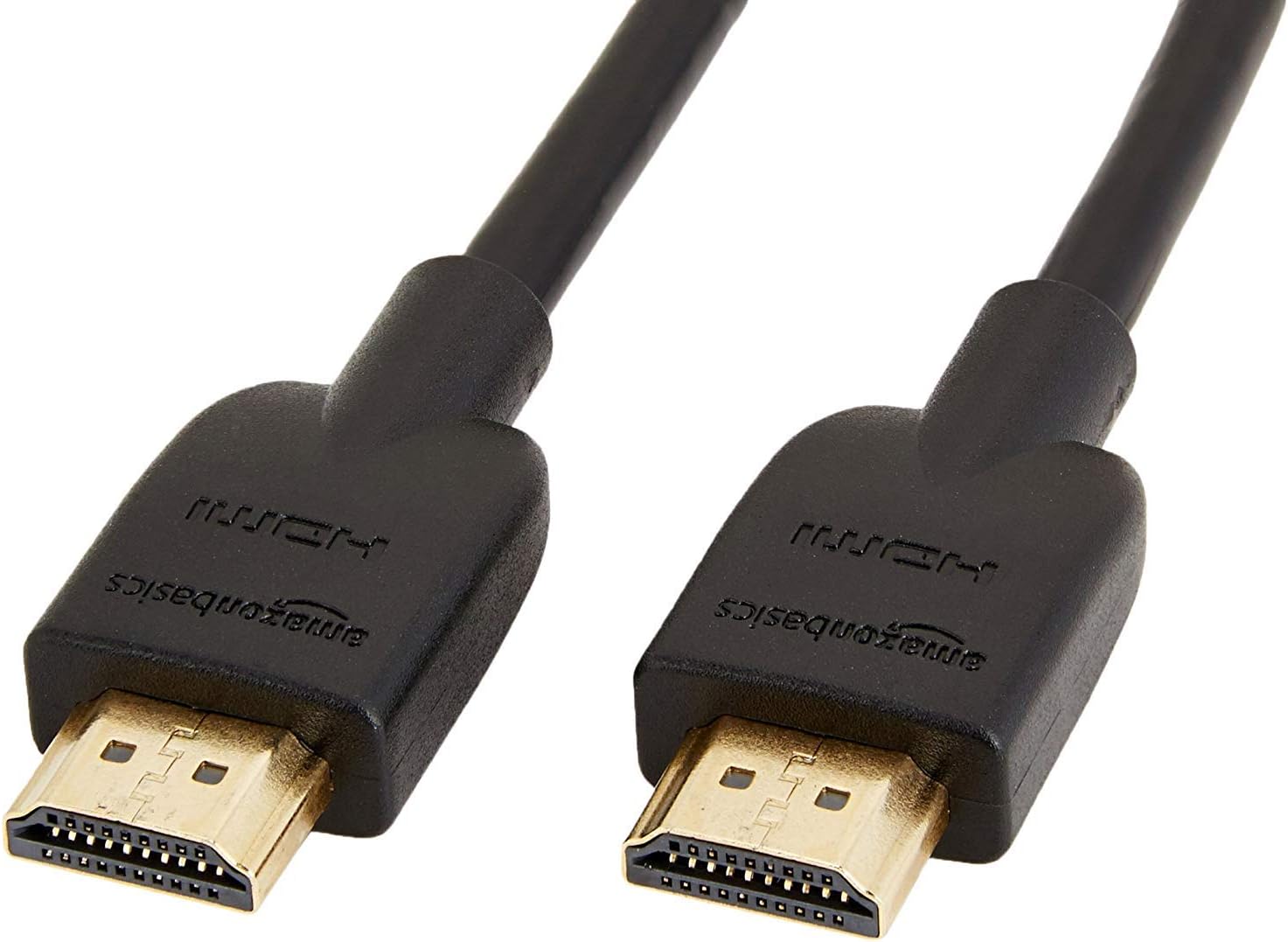
Image: The 6-foot Amazon Basics High-Speed HDMI cable, ready for connection.
Drift
TV Wall Mount Adjustments
- Tilt: The mount allows for a tilt range of +10 to -5 degrees. Gently push or pull the top or bottom of the TV to achieve the desired vertical angle. Some mounts may require loosening and re-tightening adjustment screws.
- Swivel/Articulation: The articulating arm allows the TV to swivel left or right and extend away from the wall. Carefully push or pull the TV to adjust its horizontal position.
- Kabeladministrasjon: Utilize any integrated cable management clips or channels on the mount arms to keep cables tidy and prevent them from being pinched or damaged during adjustments.
Bruk av HDMI-kabel
The High-Speed HDMI Cable supports various features for optimal audio and video performance:
- 4K Video: Enjoy high-resolution video content up to 4K.
- 3D: Compatible with 3D content when connected to 3D-enabled devices and displays.
- Audio Return Channel (ARC): Allows audio to be sent from your TV back to an AV receiver or soundbar through the HDMI cable, reducing the need for a separate audio cable.
- Ethernet: Provides a dedicated data channel for network connectivity between compatible devices.
Vedlikehold
- Rengjøring: Clean the mount and cable with a soft, dry cloth. Avoid using abrasive cleaners or solvents that could damage the finish.
- Periodiske kontroller: Sjekk alle skruer og tilkoblinger med jevne mellomrom for å sikre at de er stramme og sikre. Vibrasjoner eller hyppige justeringer kan føre til at festene løsner over tid.
- Kabelinspeksjon: Inspect the HDMI cable for any signs of wear, fraying, or damage. Replace if necessary to maintain optimal performance and safety.
Feilsøking
- TV-en er ikke i vater: Ensure the wall plate is level during installation. Some mounts offer post-installation leveling adjustments on the TV brackets.
- TV-en er ikke ordentlig festet: Double-check that the TV brackets are correctly hooked onto the wall plate and any safety screws or locking mechanisms are engaged.
- No picture/sound via HDMI:
- Ensure the HDMI cable is firmly connected to both the source device and the TV.
- Verify that the correct HDMI input is selected on your TV.
- Try a different HDMI port on your TV or a different HDMI cable to rule out a faulty port or cable.
- Restart both the source device and the TV.
- Festet føles løst: Re-tighten all mounting screws on the wall plate and TV brackets. If the issue persists, consult a professional installer.
Garanti og støtte
This Amazon Basics product is covered by a limited warranty. For detailed warranty information, please refer to the documentation included with your purchase or visit the Amazon Basics official webnettstedet.
For technical support, troubleshooting assistance, or to inquire about replacement parts, please contact Amazon Basics Customer Service through the Amazon webnettstedet eller kjøpsplattformen din.
Online støtte: Amazon kundeservice