
1. Introduksjon
Takk for kjøpetasing the Coby CSB04 Bluetooth Soundbar Speaker. This manual provides important information regarding the setup, operation, and maintenance of your new soundbar. Please read this manual thoroughly before using the device and retain it for future reference.
The Coby CSB04 is a sleek and compact soundbar designed to enhance your audio experience. It features wireless Bluetooth connectivity, an RCA line input, and comes with a remote control for convenient operation.
2. Sikkerhetsinformasjon
Vennligst følg følgende sikkerhetsregler for å forhindre skade på enheten eller skade på deg selv:
- Ikke utsett lydplanken for regn, fuktighet eller ekstreme temperaturer.
- Ikke åpne c-enasing. Overlat all service til kvalifisert personell.
- Sørg for at strømadapteren er kompatibel med din lokale strømforsyning.
- Keep the soundbar away from heat sources and direct sunlight.
- Rengjør kun med en tørr klut.
3. Pakkens innhold
Carefully unpack your Coby CSB04 Soundbar and check that all items are present and in good condition. If any items are missing or damaged, contact your retailer.
- Coby CSB04 Bluetooth Soundbar Speaker
- Strømadapter
- RCA-kabel
- Fjernkontroll
- Brukerhåndbok (dette dokumentet)

Image 3.1: Coby CSB04 Soundbar packaging. The box displays the Coby logo and "Slim 2.0 Sound Bar" text.
4. Produktet er overview
Familiarize yourself with the components and controls of your Coby CSB04 Soundbar.
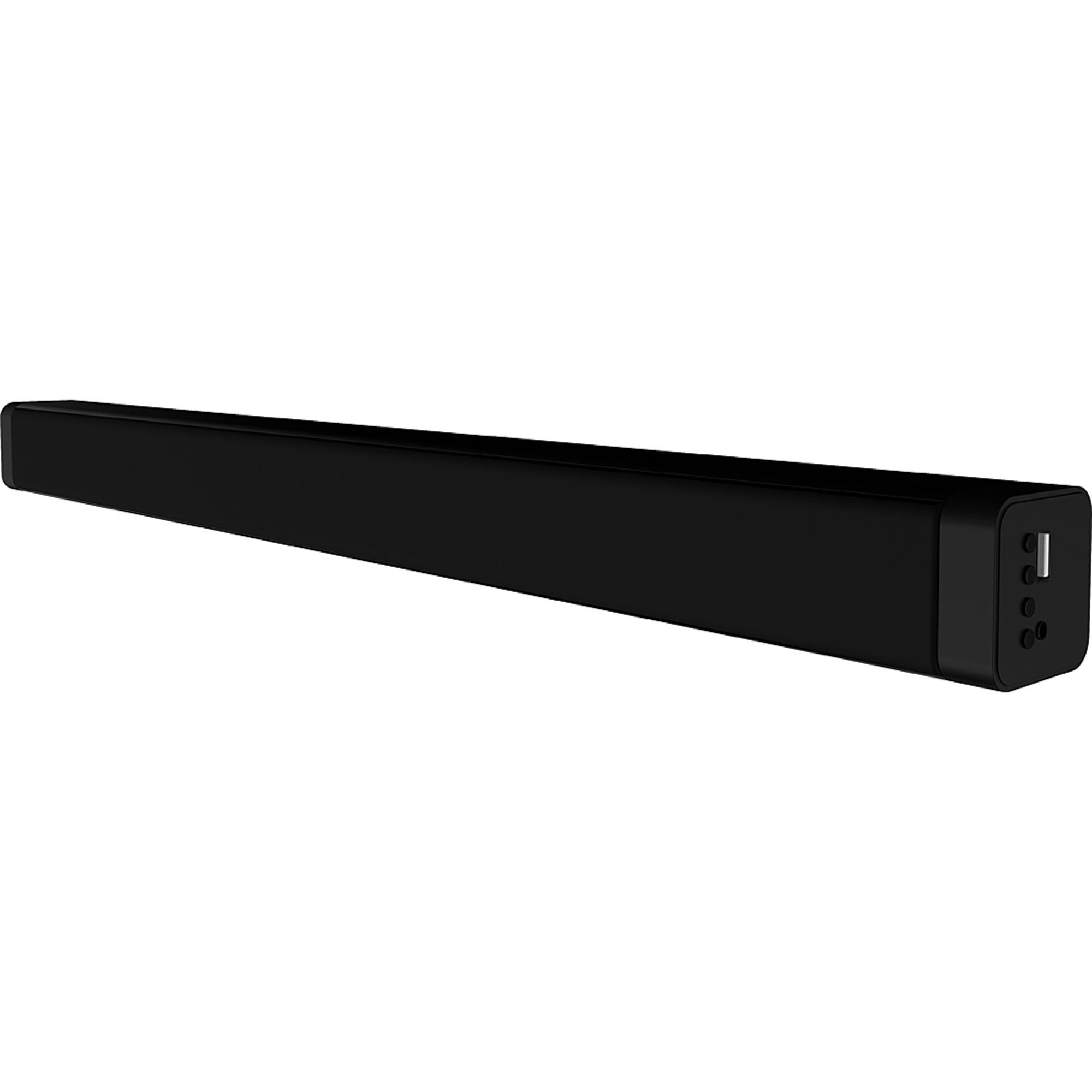
Bilde 4.1: Foran view of the Coby CSB04 Bluetooth Soundbar. The soundbar is black and rectangular.

Bilde 4.2: Side view of the Coby CSB04 Soundbar, showing a USB port and other connection points.
4.1. Front Panel / Top Panel Controls
- Strømknapp: Slår lydplanken på eller av.
- Volum opp/ned: Justerer volumnivået.
- Modusknapp: Switches between input modes (Bluetooth, RCA).
- LED-indikator: Shows current status (e.g., Bluetooth pairing, input mode).
4.2. Tilkoblinger på bakpanelet
- DC IN: Koble til strømadapteren her.
- RCA L/R Input: Connect external audio devices using the RCA cable.
- USB-port: For potential firmware updates or specific media playback (functionality may vary).
4.3. Fjernkontroll
The included remote control allows for convenient operation of the soundbar from a distance. Functions typically include Power, Volume Up/Down, Mode Selection, Mute, and Playback controls for Bluetooth mode.
5. Oppsett
5.1. Strømtilkobling
- Connect the AC power adapter to the DC IN port on the rear of the soundbar.
- Koble den andre enden av strømadapteren til en stikkontakt.
- The soundbar will enter standby mode.
5.2. Lydtilkobling
You can connect audio sources to the soundbar via Bluetooth or RCA cable.
5.2.1. Bluetooth-tilkobling
- Power on the soundbar using the Power button on the unit or remote control.
- Trykk på Modus button repeatedly until the LED indicator shows Bluetooth mode (usually a blinking blue light).
- Aktiver Bluetooth på smarttelefonen eller en annen Bluetooth-aktivert enhet og søk etter tilgjengelige enheter.
- Select "CSB04" (or similar name) from the list of devices.
- Når paringen er fullført, vil LED-indikatoren lyse blått, og du vil høre en bekreftelsestone.
- Du kan nå spille av lyd fra enheten din via lydplanken.
5.2.2. RCA-tilkobling
- Connect one end of the RCA cable to the RCA L / R-inngang ports on the soundbar.
- Connect the other end of the RCA cable to the audio output ports (usually "Audio Out" or "L/R Out") of your TV, DVD player, or other audio source.
- Slå på lydplanken.
- Trykk på Modus button repeatedly until the LED indicator shows RCA mode (e.g., a green light).
- Spill av lyd fra den tilkoblede enheten.
6. Bruksanvisning
6.1. Slå på/av
Trykk på Makt -knappen på lydplanken eller fjernkontrollen for å slå enheten av eller på.
6.2. Justere volumet
Bruk Volum opp (+) og Volum ned (-) buttons on the soundbar or remote control to adjust the audio level.
6.3. Changing Input Mode
Trykk på Modus button on the soundbar or remote control to cycle through available input sources: Bluetooth, RCA.
6.4. Bluetooth-avspilling
Once paired, your Bluetooth device will automatically connect to the soundbar when both are powered on and within range. Use your device's controls or the soundbar's remote control (if applicable) for playback functions like Play/Pause, Next Track, and Previous Track.
7. Vedlikehold
Riktig vedlikehold sikrer lang levetid og optimal ytelse for lydplanken din.
- Rengjøring: Use a soft, dry cloth to wipe the exterior of the soundbar. Do not use liquid cleaners or aerosols.
- Lagring: Hvis du oppbevarer lydplanken over lengre tid, må du koble den fra strømmen og oppbevare den på et kjølig og tørt sted.
- Ventilasjon: Ensure the soundbar has adequate ventilation and is not covered, to prevent overheating.
8. Feilsøking
If you encounter issues with your Coby CSB04 Soundbar, refer to the following common problems and solutions:
| Problem | Mulig årsak | Løsning |
|---|---|---|
| Ingen strøm | Strømadapteren er ikke tilkoblet, eller stikkontakten er defekt. | Ensure the power adapter is securely connected to the soundbar and a working power outlet. Try a different outlet. |
| Ingen lyd | Feil inngangsmodus, lavt volum eller feil kabeltilkobling. |
|
| Bluetooth-sammenkobling mislyktes | Soundbar not in pairing mode, device too far, or interference. |
|
| Fjernkontrollen virker ikke | Utladede batterier eller hindringer. | Replace the batteries in the remote control. Ensure there is no obstruction between the remote and the soundbar's sensor. |
9. Spesifikasjoner
Here are the technical specifications for the Coby CSB04 Bluetooth Soundbar Speaker:
- Modell: CSB04
- Høyttalertype: Soundbar
- Tilkoblingsteknologi: Bluetooth
- Maks. høyttalerutgangseffekt: 10 watt
- Kompatible enheter: Smartphone (and other Bluetooth/RCA audio sources)
- Kontrollmetode: Fjernkontroll
- Strømkilde: Electric Cable (AC Adapter)
- Farge: Svart
- Dimensjoner: 85.09 x 14.22 x 38.35 cm (omtrent 33.5 x 5.6 x 15.1 tommer)
- Vekt: 1.54 kg (omtrent 3.4 lbs)
- Monteringstype: Bordfeste
10. Garanti og støtte
For warranty information and technical support, please refer to the warranty card included with your product or visit the official Coby webnettstedet. Ta vare på kjøpskvitteringen som kjøpsbevis.
For further assistance, you may contact Coby customer service through their official channels.