
1. Produktet er overview
The SAMCOM FPCN10A is a professional-grade UHF two-way radio designed for reliable long-range communication. It features a durable build, a high-capacity battery, and multiple channels with privacy codes for clear and secure conversations.
Pakkeinnhold
The SAMCOM FPCN10A radio kit includes the following items:
- SAMCOM FPCN10A Radios (2 units)
- Earpieces (2 units)
- Charger Bases with AC adapters (2 units)
- Belteklips (2 enheter)
- Batteries (2 units)
- Antennas (2 units)
- Brukerhåndbok

2. Oppsett
2.1 Batteriinstallasjon og lading
The SAMCOM FPCN10A radios are powered by a 3000mAh Lithium Polymer battery. Ensure the battery is fully charged before first use.
- For å sette inn batteriet, juster batteripakken med baksiden av radioen og skyv den oppover til den klikker på plass.
- To remove the battery, press the two small tabs on the sides of the radio (near the top of the battery compartment) and slide the battery downwards.
- Place the radio (with battery installed) into the charger base. The charger base connects to a standard AC wall outlet.
- The charging indicator light on the charger base will show the charging status. A full charge typically takes 4-5 hours.


2.2 Antennefeste
The radio comes with a detachable SMA female connector antenna. Carefully screw the antenna onto the connector at the top of the radio until it is finger-tight. Do not overtighten.
2.3 Feste belteklipsen
The belt clip can be attached to the back of the radio for convenient carrying. Align the belt clip with the designated slots on the battery pack and secure it with the provided screws.

3. Bruksanvisning
3.1 Av/på-funksjon og volumkontroll
- To power on the radio, rotate the top-left knob clockwise. You will hear a power-on tone and the display will illuminate.
- Continue rotating the same knob to adjust the volume. Clockwise increases volume, counter-clockwise decreases it.
- For å slå av, roter knotten mot klokken til den klikker.
3.2 Kanalvalg
The SAMCOM FPCN10A features 20 channels. To select a channel:
- Rotate the top-right knob to cycle through the available channels. The selected channel number will be displayed on the LCD screen.
- The radio supports CTCSS/DCS codes to minimize interference and ensure private conversations within your group. These are typically pre-programmed.
3.3 Sende og motta
- For å sende, trykk og hold inne Push-to-Talk (PTT)-knappen på siden av radioen. Snakk tydelig inn i mikrofonen.
- Slipp PTT-knappen for å stoppe sendingen og gå tilbake til mottaksmodus.
- The radio also supports Voice-Activated Transmission (VOX) for hands-free operation. This feature can be enabled or disabled through programming.
3.4 Group Call Function
The FPCN10A radios support a group call function, allowing you to communicate with multiple team members simultaneously across different channels. This feature enhances coordination for various operations.

3.5 Scanning Feature
The radio includes a scanning feature that allows it to automatically scan through programmed channels to detect active transmissions. This can be useful for monitoring multiple channels without manual switching.
3.6 Kommunikasjonsrekkevidde
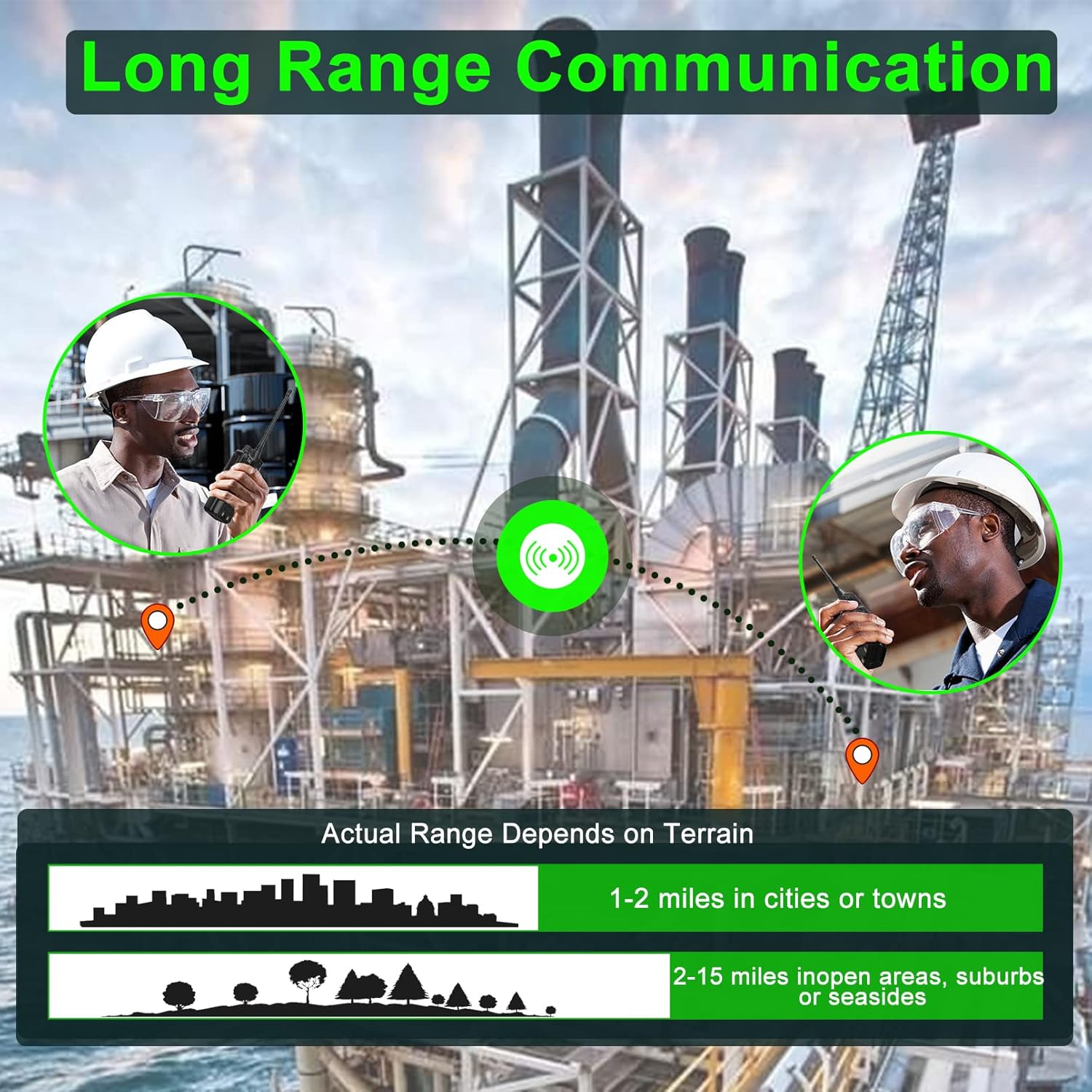
The actual communication range of the FPCN10A radios varies depending on terrain and environmental conditions. Typical ranges are:
- 1-2 miles in cities or towns
- 2-15 miles in open areas, suburbs, or seasides
4. Vedlikehold
4.1 Batteristell
The 3000mAh battery provides over 24 hours of talk time and up to 250 hours of standby time. To maximize battery life:
- Lad batteriet helt opp før første gangs bruk.
- Unngå overlading eller å tømme batteriet helt.
- Oppbevar radioen og batteriet på et kjølig og tørt sted når de ikke er i bruk.

4.2 Cleaning and Durability
The FPCN10A radios are designed to be rugged and durable, with resistance to dust, shock, and vibration, and a 2-meter drop rating. They are also water-resistant.
- Rengjør radioens utside med en myk klutamp klut. Ikke bruk sterke kjemikalier eller skurende rengjøringsmidler.
- Ensure the battery contacts are clean and dry.
- While water-resistant, avoid submerging the radio or exposing it to high-pressure water jets.
5. Feilsøking
5.1 Ingen strøm
- Sjekk om batteriet er riktig installert og fulladet.
- Ensure the power/volume knob is rotated clockwise to the 'ON' position.
5.2 Kan ikke sende eller motta
- Verify that the radio is on the correct channel.
- Sørg for at antennen er ordentlig festet.
- Check that the battery has sufficient charge.
- Confirm that you are within the effective communication range.
- If using CTCSS/DCS codes, ensure they match the receiving radio.
5.3 Dårlig lydkvalitet
- Juster volumknappen.
- Sørg for at mikrofonen og høyttaleren ikke er blokkert.
- Move to an area with less interference or closer to the other radio.
5.4 Programmeringsproblemer
The SAMCOM FPCN10A radios are programmable. If you encounter issues with channel settings or advanced features, specialized programming software and a programming cable are required. Refer to the SAMCOM support website for programming guides and software downloads.
6. Spesifikasjoner
| Trekk | Detalj |
|---|---|
| Modellnummer | FPCN10A-2025 |
| Frekvensområde | UHF 406.1MHz-470MHz |
| Antall kanaler | 20 |
| Batteritype | Litium polymer |
| Batterikapasitet | 3000mAh |
| RF utgangseffekt | Opptil 2 watt |
| Voltage | 7.4 volt |
| Varevekt | 1.98 pund |
| Produktdimensjoner | 1.81" D x 5.63" B x 1.81" H |
| Visningstype | LCD |
| Vannmotstandsnivå | Vannbestandig |
| FCC ID | 2AIOQ-FPCN10A |
7. Garanti og støtte
7.1 Garantiinformasjon
The SAMCOM FPCN10A radios come with a 3-year manufacturer's warranty. Please retain your proof of purchase for warranty claims. The warranty covers defects in materials and workmanship under normal use.
7.2 Kundestøtte
For technical assistance, troubleshooting, or warranty inquiries, please visit the official SAMCOM webnettstedet eller kontakt kundeserviceavdelingen deres. Kontaktinformasjonen finner du vanligvis på produktemballasjen eller i produsentens webnettstedet.