
1. Introduksjon
This manual provides essential instructions for the proper setup, operation, and maintenance of your Black Box EVNDVI01-0010 DVI-A to VGA HD15 Cable. Please read this manual thoroughly before using the product to ensure optimal performance and longevity.
2. Produktet er overview
The Black Box EVNDVI01-0010 is a DVI-A to VGA HD15 cable designed to connect a digital DVI-A output from a source device to an analog VGA input on a display device. This cable facilitates the transmission of analog video signals, allowing compatibility between DVI-A enabled devices and traditional VGA monitors or projectors.
Nøkkelfunksjoner:
- Connects digital DVI-A display outputs to analog VGA device inputs.
- Supports resolutions up to 1600 x 1200.
- Features a 17-pin single link configuration for DVI-A.
- Male-to-Male connector gender.
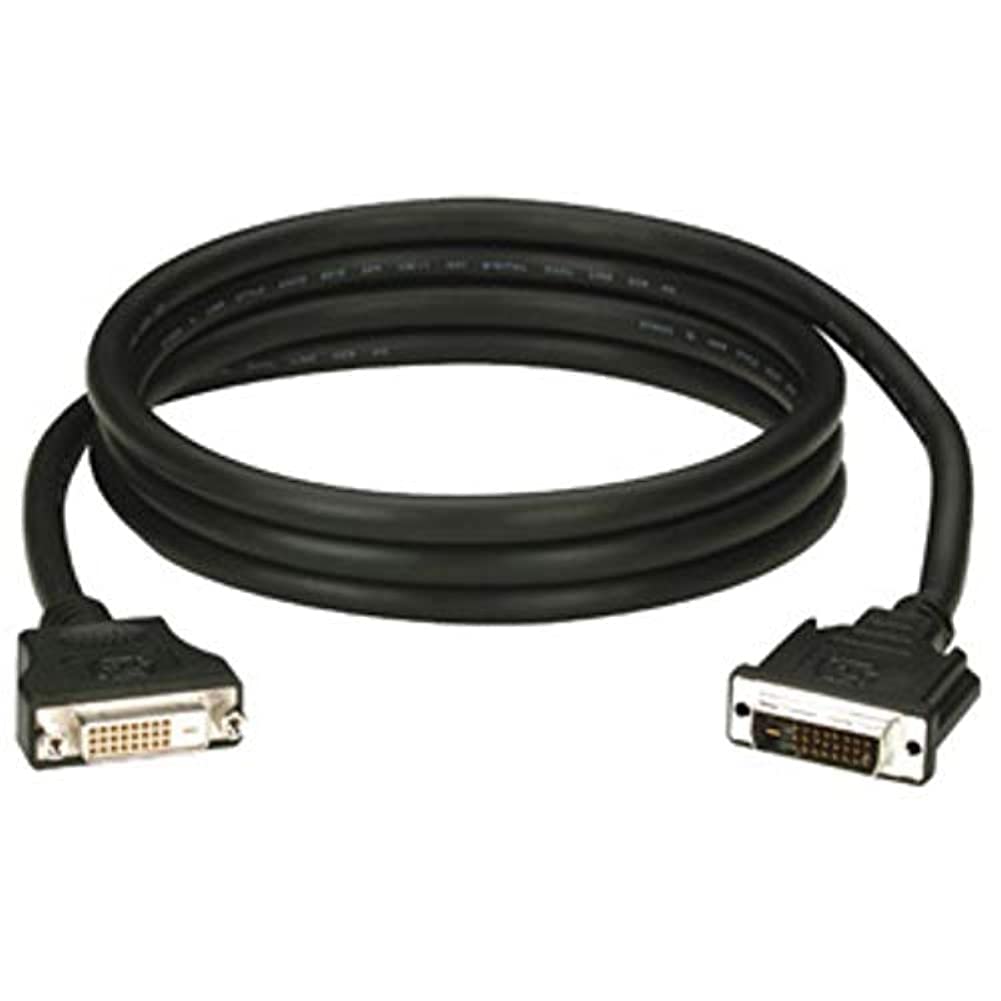
Figure 1: Black Box DVI-A to VGA HD15 Cable. This image displays the cable with its DVI-A (white) and VGA (blue) connectors, illustrating its male-to-male configuration.
3. Oppsett
Follow these steps to properly connect your DVI-A to VGA cable:
- Identifiser porter: Locate the DVI-A output port on your source device (e.g., computer graphics card) and the VGA input port on your display device (e.g., monitor, projector). The VGA port is typically blue.
- Connect DVI-A: Carefully insert the DVI-A connector of the cable into the DVI-A output port of your source device. Ensure the pins align correctly and gently push until it is fully seated.
- Koble til VGA: Insert the VGA HD15 connector of the cable into the VGA input port of your display device. Tighten the thumbscrews on the VGA connector to secure the connection and prevent accidental disconnections.
- Slå på enheter: Slå på både kildeenheten og skjermenheten.
- Velg inngang: On your display device, select the correct input source (e.g., 'VGA', 'PC', 'Input 1') using the display's menu or input selection button.
A proper connection should result in the display device showing the video output from the source device.
4. Drift
Once the Black Box EVNDVI01-0010 cable is correctly connected, its operation is passive. The cable transmits the analog video signal directly from the source to the display. No additional software or drivers are required for the cable itself.
- Oppløsningsinnstillinger: Ensure your source device's display settings are configured to a resolution supported by both the source and the display device, up to 1600 x 1200.
- Skjermmodus: If using a computer, you may need to configure your display mode (e.g., duplicate, extend, second screen only) through your operating system's display settings.
5. Vedlikehold
To ensure the longevity and reliable performance of your Black Box DVI-A to VGA cable, follow these maintenance guidelines:
- Håndteres med forsiktighet: Unngå å bøye kabelen kraftig eller bruke for mye kraft på kontaktene.
- Hold rent: Periodically wipe the cable and connectors with a soft, dry cloth to remove dust and debris. Do not use liquid cleaners directly on the connectors.
- Lagre riktig: When not in use, coil the cable loosely and store it in a clean, dry environment away from extreme temperatures.
- Inspiser for skade: Regularly check the cable and connectors for any signs of wear, fraying, or damage. Discontinue use if damage is observed.
6. Feilsøking
If you encounter issues with your DVI-A to VGA cable, consider the following troubleshooting steps:
- Ikke noe signal på skjermen:
- Sørg for at begge endene av kabelen er godt tilkoblet.
- Verify that both the source and display devices are powered on.
- Confirm the correct input source is selected on your display device.
- Test with another cable if available to rule out a faulty cable.
- Poor Picture Quality (Flickering, Distorted Image):
- Check for loose connections at both ends of the cable. Tighten VGA thumbscrews.
- Adjust the display resolution on your source device to a lower setting to see if the issue resolves.
- Ensure there are no strong electromagnetic interference sources near the cable.
- Inspect the cable for any physical damage.
- Feil farger:
- Verify the cable is fully seated and not bent or damaged.
- Check the color settings on your display device and source device.
7. Spesifikasjoner
| Merke | Black Box |
| Modellnummer | EVNDVI01-0010 |
| Koblingstype | DVI-A Male, VGA HD15 Male |
| Kabeltype | DVI-A to VGA |
| Støttet oppløsning | Opptil 1600 x 1200 |
| Koblingskjønn | Mann til mann |
| Farge | Svart, blå |
| Varevekt | 0.35 kilo (12.3 unser) |
| Innendørs/utendørs bruk | Innendørs, Utendørs |
| UPC | 822088058960 |
8. Garanti og støtte
For specific warranty information regarding your Black Box EVNDVI01-0010 DVI-A to VGA HD15 Cable, please refer to the official Black Box webnettstedet eller kontakt kundestøtten deres direkte. Garantivilkårene kan variere.
If you require technical assistance or have questions not covered in this manual, please contact Black Box customer support through their official channels.