
1. Introduksjon
Takk for kjøpetasing the Sytech SY-1671NG Digital Pocket Radio. This compact and portable radio features AM/FM stereo reception, a clear LCD display, and convenient functions like an alarm and timer. Please read this manual carefully to ensure proper use and optimal performance of your device.
2. Sikkerhetsinformasjon
- Ikke utsett enheten for vann, fuktighet eller ekstreme temperaturer.
- Unngå å miste radioen i bakken eller utsette den for harde støt.
- Ikke forsøk å demontere eller modifisere enheten. Dette vil ugyldiggjøre garantien.
- Bruk kun den angitte batteritypen og sørg for riktig polaritet under installasjon.
- Langvarig lytting på høyt volum kan forårsake hørselsskade. Juster volumet til et komfortabelt nivå.
3. Pakkens innhold
Vennligst sjekk at alle varene er til stede i pakken:
- Sytech SY-1671NG Digital Pocket Radio
- Stereo hodetelefoner
- Bruksanvisning
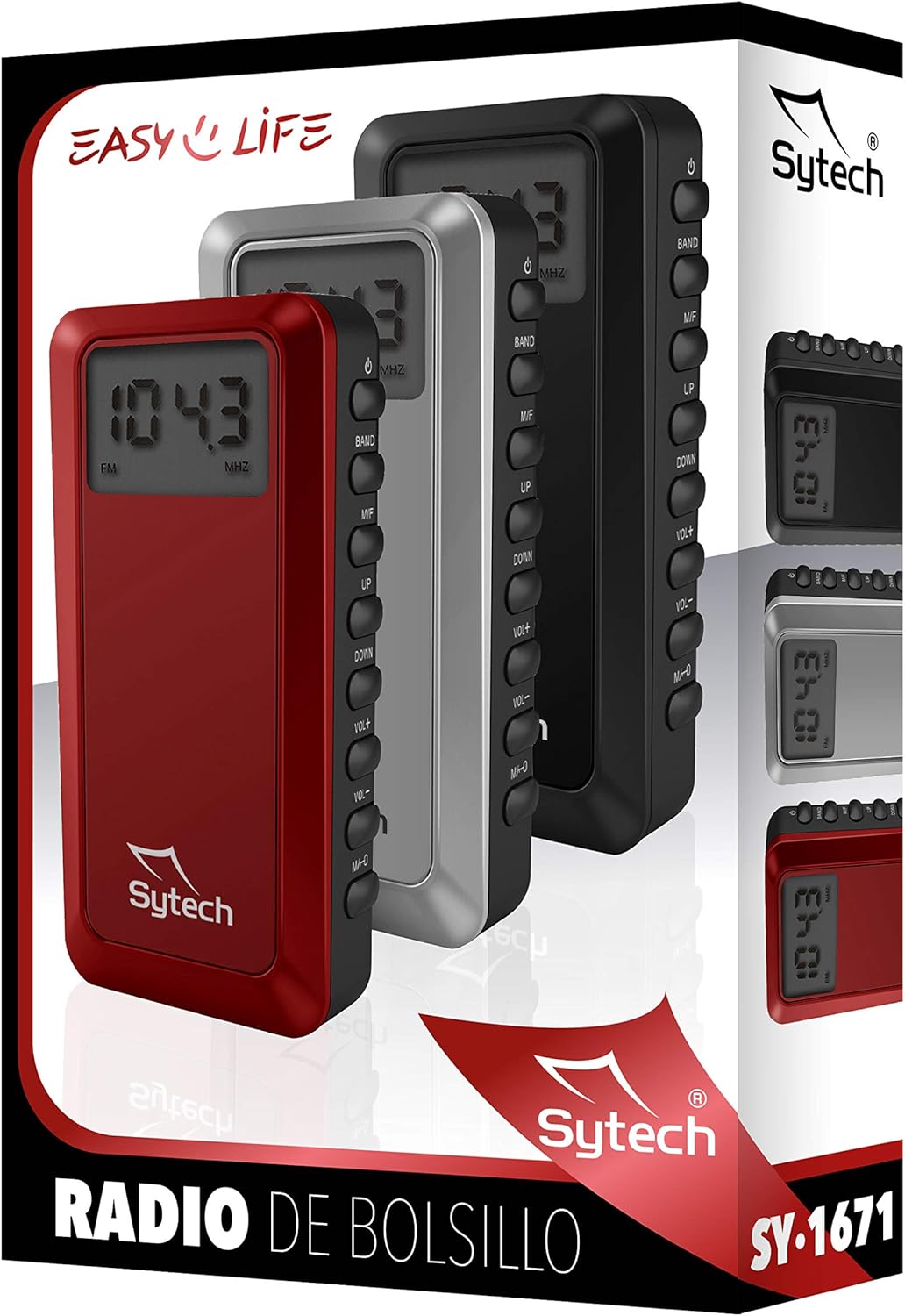
Image: Packaging of the Sytech SY-1671NG Digital Pocket Radio, illustrating the product and its branding.
4. Produktet er overview
4.1. Skjerm
The 1.4-inch LCD display shows the current frequency, selected band (AM/FM), battery status, and other relevant information for easy operation.

Bilde: Foran view of the radio, highlighting the digital display.
4.2. Kontroller
The radio features several buttons on its side for easy control:
- På-knapp (⏻): Turns the radio on or off.
- BAND-knapp: Switches between FM and AM radio bands.
- M/T Button: Used for mode selection, such as switching between manual tuning and memory recall.
- OPP (▲) / DOWN (▼) Knapper: Adjusts frequency, navigates menus, or selects presets.
- VOL+ / VOL- knapper: Increases or decreases the volume level.
- MEM-knapp: Used for saving and recalling radio station presets.

Bilde: Side view of the radio, showing the control buttons.
5. Oppsett
5.1. Installasjon av batteri
This radio operates on batteries. Locate the battery compartment on the device. Open the compartment cover and insert the required batteries (typically 2 x AAA batteries), ensuring that the positive (+) and negative (-) terminals align correctly with the markings inside the compartment. Close the cover securely.
5.2. Hodetelefontilkobling
Connect the included stereo headphones to the headphone jack on the radio. The headphone cable also functions as the FM antenna, so ensure it is fully extended for optimal reception.
6. Bruksanvisning
6.1. Slå på/av
Trykk og hold inne Makt knapp (⏻) for a few seconds to turn the radio on or off.
6.2. Bandvalg
Once the radio is on, press the BÅND button to switch between FM and AM radio bands. The selected band will be displayed on the LCD screen.
6.3. Automatic Station Search
To automatically scan and save available stations, press and hold the M / T button. The radio will scan through the frequencies and store strong signals as presets. The number of saved presets can reach up to 100.
6.4. Manuell innstilling
To manually tune to a specific frequency, briefly press the UP (▲) eller NED (▼) buttons to adjust the frequency step by step. For faster tuning, press and hold either button.
6.5. Setting Presets
- Tune to your desired station using manual or automatic search.
- Trykk på MEM knappen. Et forhåndsinnstilt nummer vil blinke på displayet.
- Bruk UP (▲) eller NED (▼) buttons to select the desired preset number (e.g., P01, P02).
- Trykk på MEM button again to confirm and save the station to the selected preset number.
6.6. Recalling Presets
To listen to a saved preset station, briefly press the M / T button to enter preset recall mode. Then, use the UP (▲) eller NED (▼) buttons to cycle through your saved stations.
6.7. Volumjustering
Trykk på VOL+ for å øke volumet og VOL- button to decrease it. The volume level may be indicated on the display.
6.8. Alarm and Timer Function
The radio includes an alarm clock and sleep timer function. To set these features, refer to the on-screen prompts and specific button combinations, often involving the M / T og MEM buttons. Detailed instructions for setting the alarm and timer are typically found within the device's menu system.
7. Vedlikehold
7.1. Rengjøring
Wipe the radio's exterior with a soft, dry cloth. Do not use liquid cleaners, abrasive materials, or chemical solvents, as these can damage the finish or internal components.
7.2. Batteribytte
Replace the batteries when the low battery indicator appears on the display or when the radio's performance (e.g., sound quality, reception) begins to degrade. Always use new batteries of the specified type and dispose of old batteries responsibly.
7.3. Oppbevaring
When not in use for extended periods, store the radio in a dry, cool place away from direct sunlight, high humidity, and extreme temperatures. It is advisable to remove the batteries if storing for a long time to prevent leakage.
8. Feilsøking
| Problem | Mulig årsak | Løsning |
|---|---|---|
| Radioen slår seg ikke på. | Depleted or incorrectly installed batteries. | Check battery installation and replace with fresh batteries, ensuring correct polarity. |
| Dårlig radiomottak. | Headphone cable not fully extended or weak signal area. | Ensure headphones are fully plugged in and the cable is extended. Try repositioning the radio or moving to an area with better signal. For AM, rotate the radio for optimal reception. |
| Ingen lyd fra hodetelefonene. | Volume too low or headphones not properly connected. | Increase the volume using the VOL+ button. Ensure headphones are securely plugged into the jack. |
| Cannot save or recall presets. | Incorrect procedure followed. | Refer to section 6.5 and 6.6 for detailed instructions on saving and recalling presets. |
| Skjermen er tom eller flimrer. | Lavt batteri eller intern feil. | Skift batterier. Kontakt kundestøtte hvis problemet vedvarer. |
9. Spesifikasjoner
- Modellnummer: SY-1671NG
- Merke: Sytech
- Farge: Svart
- Dimensjoner (L x B x H): 10 x 2 x 5 cm (approximately)
- Vekt: Omtrent 70 g
- Tuner-teknologi: PLL Digital Tuner
- Radioband: AM, FM (2 bands)
- FM-frekvensområde: 87.5 - 108 MHz
- AM Frekvensområde: 522 - 1620 KHz
- Utstilling: 1.4-inch LCD
- Spesielle funksjoner: Portable, Alarm Function, Timer, 100 Presets
- Strømkilde: Battery Operated (e.g., 2 x AAA batteries, not included)
- Tilkobling: 3.5mm Headphone Jack (Auxiliary)
- Komponenter inkludert: Radio, Headphones
10. Garantiinformasjon
This Sytech product is covered by a limited manufacturer's warranty from the date of purchase. The warranty covers defects in materials and workmanship under normal use. It does not cover damage caused by misuse, accidents, unauthorized modifications, or normal wear and tear. Please retain your proof of purchase for warranty claims. For specific warranty terms and conditions, refer to the warranty card included with your product or visit the official Sytech webnettstedet.
11. Støtte
If you encounter any issues or have questions regarding your Sytech SY-1671NG Digital Pocket Radio that are not addressed in this manual, please visit the official Sytech website for frequently asked questions, support resources, or to contact customer service. You can also refer to the Sytech Store on Amazon for ytterligere produktinformasjon.