
Introduksjon
The VTech KidiSecrets Selfie Music is a 7-in-1 electronic diary designed for children aged 6 to 12 years. It features facial recognition technology, an integrated camera for photos and videos, educational games, and an MP3 player. This device allows children to keep their secrets safe, express their creativity, and engage with interactive activities.
Key features include a color screen, dual lenses for selfies and group photos, a real keyboard for writing, and internal memory for storing photos and videos. It also includes functions like a clock, alarm, and volume/contrast adjustment.
Oppsett
Installasjon av batteri
The KidiSecrets Selfie Music requires 4 LR6 (AA) batteries, which are included. To install or replace batteries:
- Finn batterirommet på baksiden av enheten.
- Bruk en skrutrekker til å åpne batteridekselet.
- Insert 4 new LR6 (AA) batteries, ensuring correct polarity (+/-).
- Sett på plass dekselet og stram til skruen.
Note: Always use new batteries of the same type. Do not mix old and new batteries or different types of batteries.
Første oppstart og oppsett
Upon first power-on, the device will guide you through initial setup, including language selection and setting up facial recognition or a 4-digit secret code for access.
- Trykk på strømknappen for å slå på enheten.
- Follow the on-screen prompts to select the language (French is the default language for this product).
- Set up facial recognition: Position your face within the frame on the screen. The device will scan and register your face.
- Alternatively, you can disable facial recognition and set a 4-digit secret code for access.
Bruksanvisning
Accessing the Diary
The KidiSecrets Selfie Music opens only if it recognizes its owner's face or if the correct 4-digit secret code is entered.

Image: The KidiSecrets Selfie Music device, highlighting its facial recognition unlock capability.
Diary Functions
- Writing Secrets: Use the real keyboard to write entries. The diary supports over 750 pages. You can decorate entries with backgrounds, icons, and emoticons.
- Talememo: Record voice messages to add to your diary entries.
- Photo Integration: Add photos taken with the built-in camera to your diary entries.
Kamera og video
The device features a color screen and dual lenses, allowing you to take photos and videos with friends or selfies.

Image: A young girl holding the KidiSecrets Selfie Music, demonstrating its use for taking photos and selfies.
- Ta bilder/videoer: Use the dual lenses to capture moments.
- Redigering: Add frames and fun effects to your photos and videos for unique results.
- Lagring: The internal memory can store over 1000 photos or 100 videos. An SD card slot is available for expanded storage (micro SD card not included).
Musikkspiller
The KidiSecrets Selfie Music includes a music player with 4 pre-loaded songs. You can add your favorite music via a micro SD card (not included).

Image: The KidiSecrets Selfie Music opened, revealing the keyboard and screen, illustrating its ability to transform into a music speaker.
- Spille musikk: Use the media controls to play, pause, skip, and adjust volume.
- Legge til musikk: Overfør MP3 files to a micro SD card and insert it into the device.
Activities and Games
The device offers 6 main activities and 10 mini-games covering themes like fashion, logic, math, and music.
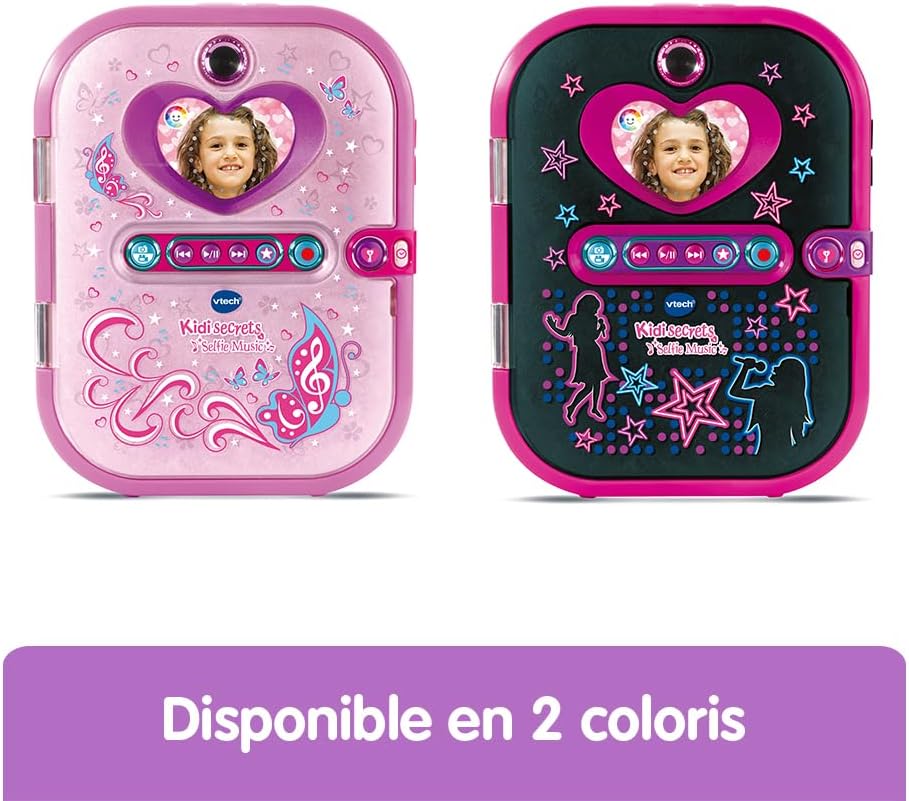
Image: The KidiSecrets Selfie Music opened, displaying the keyboard and screen, with text indicating it includes over 16 activities and games.
- Virtual Pet: Interact with a virtual pet that recognizes its owner's face.
- Photo Editing & Styling Activities: Engage in creative activities related to photos and styling.
- Friend Information: Store friends' addresses, birthdays, and other details.
- Minispill: Play various educational and entertaining games.
Tilleggsfunksjoner
- Klokke og alarm: Use the built-in clock and set alarms.
- Volume and Contrast Adjustment: Adjust sound volume and screen contrast for optimal viewing.
Vedlikehold
Rengjøring
To clean the device, wipe it with a slightly damp klut. Ikke bruk sterke kjemikalier eller slipende rengjøringsmidler. Sørg for at enheten er slått av før rengjøring.
Lagring
Når den ikke er i bruk over lengre tid, ta ut batteriene for å forhindre lekkasje. Oppbevar enheten på et kjølig og tørt sted, unna direkte sollys og ekstreme temperaturer.
Feilsøking
- Enheten slår seg ikke på:
- Sjekk om batteriene er riktig installert med riktig polaritet.
- Replace with new LR6 (AA) batteries.
- Facial recognition not working:
- Sørg for tilstrekkelig belysning.
- Make sure your face is clearly visible within the camera frame.
- Try resetting the facial recognition in the settings menu.
- Consider using the 4-digit secret code as an alternative.
- Screen is dim or unclear:
- Adjust the screen contrast in the settings.
- Sjekk batterinivået.
- Lydproblemer:
- Juster volumnivået.
- Sørg for at enheten ikke er dempet.
- Cannot save photos/videos or add music:
- Check available internal memory.
- If using an SD card, ensure it is correctly inserted and formatted (if necessary).
- Verify the SD card is not full or corrupted.
Spesifikasjoner
| Trekk | Detalj |
|---|---|
| Produktdimensjoner (L x B x H) | 17.2 x 2.8 x 14.2 cm; 590 gram |
| Anbefalt alder | 6 - 12 år |
| Språk | fransk |
| Produsentreferanse | 163675 |
| Batterier påkrevd | Ja |
| Batterier inkludert | Yes (4 x LR6) |
| Hovedmateriale | Plast |
| Farge | Svart |
| Internt minne | Stores over 1000 photos or 100 videos |
| Utvidbart minne | Micro SD-kortspor (kort ikke inkludert) |
| Pages for Diary | Over 750 virtual pages |
Garanti og støtte
For warranty information and customer support, please refer to the documentation included in the product packaging or visit the official VTech webnettstedet. Ta vare på kjøpsbeviset for garantikrav.
Sikkerhetsadvarsel: This product is suitable for children aged 6 to 12 years. Not suitable for children under 36 months due to small parts that may present a choking hazard.