
Yaheetech B07JFCTBQD
Yaheetech Computer Desk Instruction Manual
Model: B07JFCTBQD
Produkt overview
The Yaheetech Computer Desk is a modern and versatile workstation designed for home or office use. It features a durable MDF construction, a removable sliding keyboard tray, and four wheels for mobility, two of which are lockable for stability. The desk also includes a bottom shelf suitable for a CPU or audio platform, providing ample lagringsplass.

Image: The Yaheetech Computer Desk, showcasing its design with a laptop, books, and other items. The desk is black and features multiple shelves and a pull-out keyboard tray.

Image: The Yaheetech Computer Desk positioned in a room, demonstrating its compact size and suitability for various interior spaces.
Sikkerhetsinformasjon
Always engage the brakes on the wheels to prevent the desk from moving during use.
To ensure safe assembly and use, please observe the following:
- It is recommended that 2 or more people participate in the assembly process.
- Holdes unna brann eller andre varmekilder.
- Wear protective gloves during assembly to prevent injury.
- Dette produktet er ikke beregnet for bruk av barn.
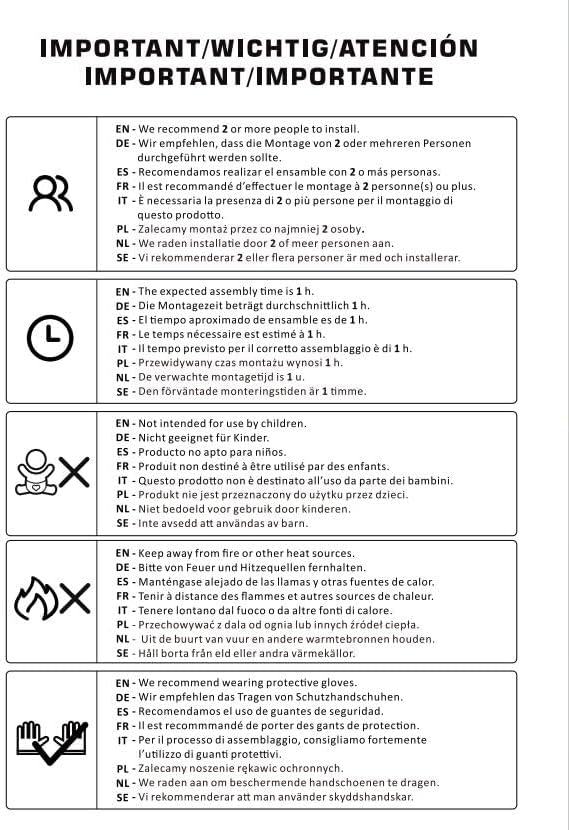
Image: A diagram illustrating important safety and assembly instructions, including recommendations for multiple people for assembly, estimated assembly time, keeping away from heat, and wearing protective gloves.
Oppsett og montering
The Yaheetech Computer Desk is designed for easy assembly. Please follow these steps carefully. It is recommended to use a pad or blanket to protect the product and your floor during assembly.
- Pakk ut komponenter: Carefully remove all parts from the packaging. Verify that all components and accessories listed in the included instruction manual are present.
- Forbered arbeidsområde: Lay out all components on a clean, flat surface, preferably covered with a protective pad to prevent scratches.
- Sett sammen ramme: Begin by assembling the main frame of the desk according to the provided diagrams. Ensure all screws and fasteners are tightened securely.
- Installer hjul: Attach the four wheels to the base of the desk. Ensure the two lockable wheels are positioned where they can be easily accessed for locking.
- Attach Keyboard Tray: Install the sliding rails for the keyboard tray, then attach the keyboard tray itself. Ensure it slides smoothly.
- Plasser hyller: Insert the internal shelves into their designated slots.
- Sluttsjekk: Once assembled, gently shake the desk to ensure stability. Re-tighten any loose fasteners if necessary.

Image: A detailed diagram showing the dimensions of the Yaheetech Computer Desk, including overall height, width, depth, and measurements for the keyboard tray and internal shelves.

Image: A visual guide illustrating the importance of careful unpacking and assembly, showing a damaged box and product if not handled properly, versus a properly assembled product from a well-handled box.
Bruksanvisning
The Yaheetech Computer Desk is designed for functional use in various settings.
- Mobilitet: The desk is equipped with four wheels for easy movement. To move the desk, ensure the two lockable wheels are disengaged.
- Stabilitet: Once the desk is in its desired position, engage the brakes on the two lockable wheels to secure the desk and prevent unintended movement during use.
- Tastaturbrett: The pull-out keyboard tray provides convenient storage for your keyboard and mouse. Gently pull the tray outwards for use and push it back in when not needed.
- Lagring: Utilize the various shelves for organizing books, documents, computer peripherals, or a CPU unit on the bottom shelf.
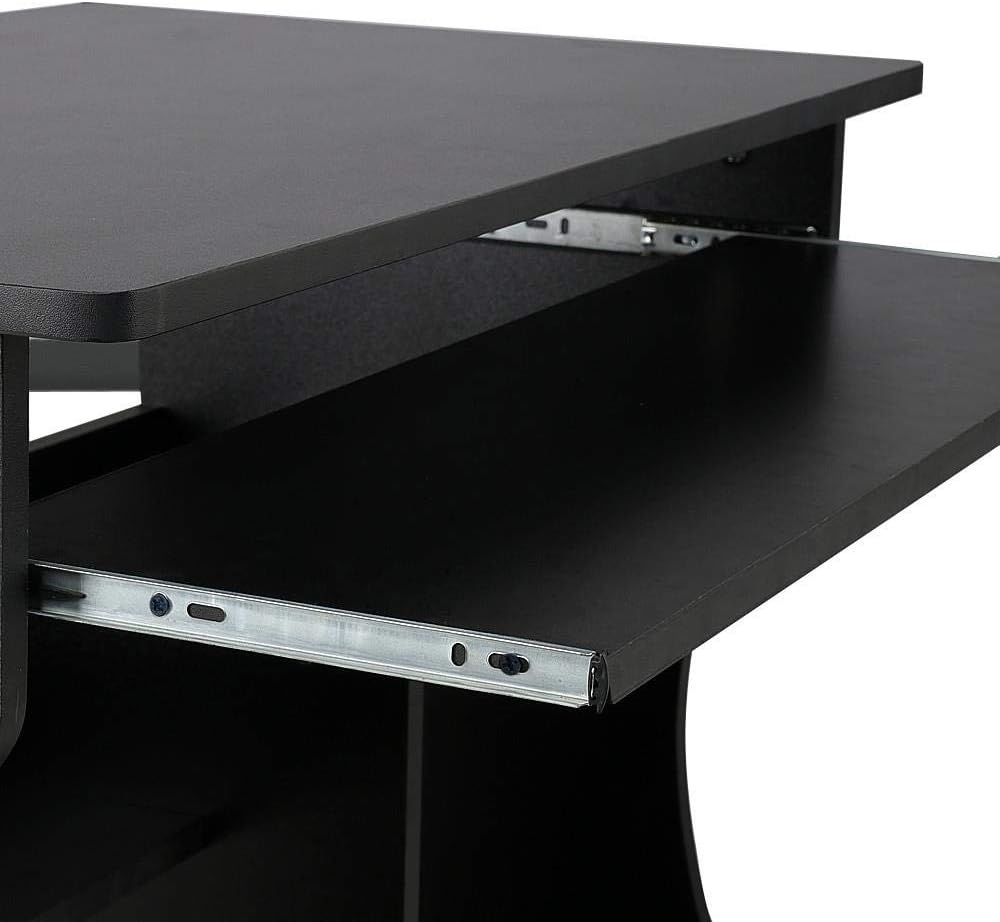
Bilde: Et nærbilde view of the desk's sliding keyboard tray, highlighting its smooth mechanism and design.

Image: A close-up of one of the desk's wheels, indicating its 360-degree rotation capability and the locking mechanism for stability.
Vedlikehold
Regular maintenance will help preserve the appearance and functionality of your Yaheetech Computer Desk.
- Rengjøring: Tørk av skrivebordsoverflatene med en myk klutamp klut. Unngå å bruke sterke kjemikalier eller slipende rengjøringsmidler, da disse kan skade overflaten.
- Søl: Tørk opp søl umiddelbart for å forhindre flekker eller skade på det konstruerte trematerialet.
- Festemidler: Sjekk alle skruer og festemidler med jevne mellomrom for å sikre at de sitter godt fast. Stram til om nødvendig for å opprettholde stabiliteten.
- Hjul: Keep the wheels free of debris to ensure smooth movement. Lubricate if necessary.

Bilde: Et nærbilde view of the desk's black surface, showing its texture and finish, which is easy to clean and maintain.
Feilsøking
| Problem | Mulig årsak | Løsning |
|---|---|---|
| Skrivebordet er ustø eller ustabilt. | Loose fasteners; uneven floor; wheels not locked. | Check and tighten all screws and bolts. Ensure the desk is on a level surface. Engage the brakes on the lockable wheels. |
| Tastaturbrettet glir ikke jevnt. | Debris in rails; misaligned rails; lack of lubrication. | Clean the rails of any dust or debris. Check if the rails are properly aligned. Apply a small amount of silicone lubricant if needed. |
| Hjulene er vanskelige å bevege. | Wheels are locked; debris caught in wheels. | Disengage the wheel brakes. Remove any hair or debris from the wheel casters. |
Spesifikasjoner
- Merke: Yaheetech
- Modell: B07JFCTBQD
- Farge: Svart
- Materiale: Konstruert treverk (MDF)
- Produktdimensjoner (L x B x H): 80.1 x 48.1 x 76.2 cm (31.5 x XUMX x 18.9 inches)
- Varevekt: 19.2 kg (42.3 lbs)
- Spesielle funksjoner: Durable, Mobile (with 4 wheels, 2 lockable), Removable Keyboard Tray, Bottom CPU/Storage Shelf
Garanti og støtte
For warranty information or technical support, please contact Yaheetech customer service through their official website or the retailer where the product was purchased. Please have your model number (B07JFCTBQD) and purchase date ready when contacting support.
For mer informasjon, besøk Yaheetech brand page on Amazon.eg.