
Introduksjon
This manual provides essential instructions for the safe operation, setup, and maintenance of your Protocol Director HD Foldable Drone. Please read this manual thoroughly before operating the drone to ensure proper function and to prevent damage or injury.
The Protocol Director HD is a foldable drone equipped with a live streaming HD camera, designed for capturing aerial video and photos. It features an intuitive 2.4 GHz remote control, an altitude sensor for stable flight, and a free downloadable app for enhanced camera control and flight path drawing.
Sikkerhetsregler
- Bruk alltid dronen i åpne, uhindrede områder, unna mennesker, dyr og hindringer.
- Do not operate near airports, restricted airspace, or sensitive facilities.
- Maintain a safe distance from power lines, trees, and water bodies.
- Sørg for at alle propeller er godt festet og uskadet før hver flyging.
- Ikke fly i sterk vind eller ugunstige værforhold.
- Hold fingre og hår unna roterende propeller.
- Adult supervision is recommended for users under 18 years of age. Recommended age for operation is 14 years and up.
- Only use original Protocol replacement parts and accessories.
- Do not attempt to modify the drone or its components.
- Turn off the drone and remote control when not in use.
Pakkeinnhold
Bekreft at alle varene er til stede i pakken:
- Protocol Director HD Foldable Drone with Camera
- Remote Control with Phone Mount
- USB ladekabel
- 2 x dronebatterier
- Reiseveske
- Bruksanvisning (dette dokumentet)
- Spare Parts: Blades, Screwdriver

Image: The Protocol Director HD Foldable Drone, showcasing its compact design with propellers extended and camera visible at the front.
Oppsett
1. Lading av dronens batteri
- Insert one of the drone batteries into the USB charging cable.
- Connect the USB charging cable to a USB power source (e.g., computer USB port, USB wall adapter).
- Ladeindikatorlampen på USB-kabelen lyser under lading og slukker når den er fulladet.
- Lading tar vanligvis omtrent 60–90 minutter. Ikke overlad.
2. Installere fjernkontrollbatterier
- Åpne batterirommet på baksiden av fjernkontrollen.
- Sett inn 4 AA-batterier (ikke inkludert), og sørg for riktig polaritet (+/-).
- Lukk batterirommet godt.

Image: The drone's remote control with a smartphone securely mounted, displaying a live feed from the drone's camera.
3. Utfolding av dronen
- Gently unfold each of the four rotor arms until they click into place.
- Sørg for at alle armer er helt utstrakt og låst før flyturen.
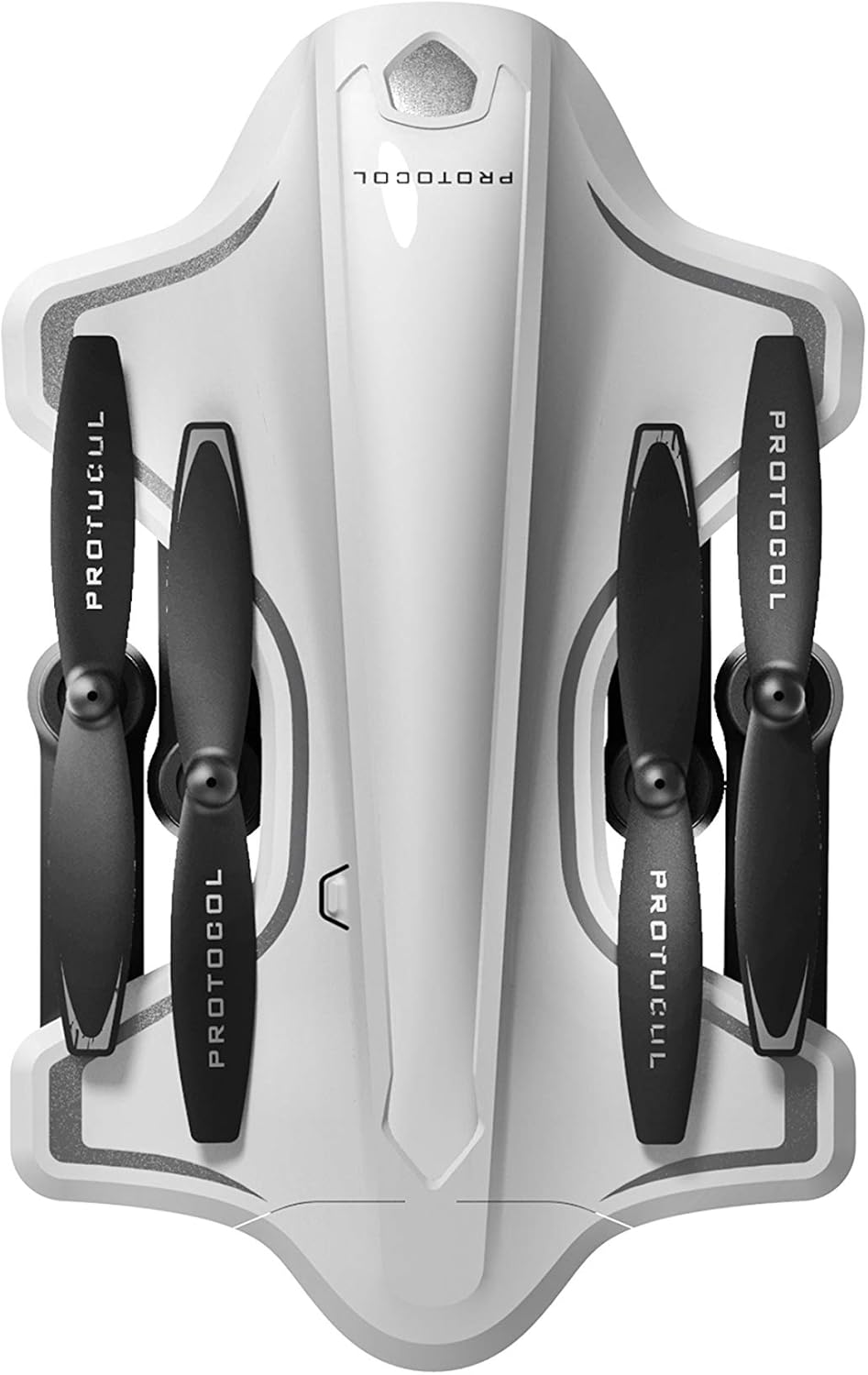
Image: The Protocol Director HD Foldable Drone in its compact, folded configuration, ready for transport.
4. Installere dronebatteriet
- Finn batterirommet på dronen.
- Insert the fully charged drone battery, ensuring it is securely seated.
- Lukk batteridekselet.
5. Downloading the App (Optional for Camera Features)
- Søk etter the "Protocol Director HD" app in your smartphone's app store (iOS or Android).
- Download and install the free application.
- Mount your smartphone onto the remote control's phone mount.
Bruksanvisning
1. Slå på og sammenkoble
- Plasser dronen på et plant, plant underlag.
- Slå på dronen ved å trykke på av/på-knappen. Dronelysene vil blinke.
- Slå på fjernkontrollen.
- Skyv venstre joystick (gass) helt opp, deretter helt ned. Dronelysene vil lyse kontinuerlig, noe som indikerer vellykket paring.
2. Calibrating the Gyroscope
After pairing, it is recommended to calibrate the gyroscope for stable flight:
- With the drone on a flat surface, push both joysticks down and to the right simultaneously for a few seconds.
- The drone's lights will flash rapidly and then become solid, indicating calibration is complete.
3. Grunnleggende flykontroller
The Protocol Director HD features auto launch, hover, and land functions due to its altitude sensor.
- Auto Launch: Press the dedicated auto launch button on the remote. The drone will ascend to a stable hovering altitude.
- Gass (venstre joystick):
- Push up: Increase altitude
- Push down: Decrease altitude
- Push left/right: Rotate drone left/right (yaw)
- Retningskontroll (høyre joystick):
- Push up: Fly fremover
- Push down: Fly backward
- Skyv til venstre: Fly til venstre (strafe)
- Trykk til høyre: Fly til høyre (strafe)
- Auto Land: Press the dedicated auto land button. The drone will slowly descend and land.
- Hastighetsvalg: Use the speed button on the remote to cycle through three selectable speeds (low, medium, high).
4. Camera and App Features
Connect your smartphone to the drone's Wi-Fi network (usually named "Protocol_Drone_XXXXXX") to access live streaming and advanced camera functions via the app.
- Direktesending: View the drone's camera feed in real-time on your smartphone.
- Videoopptak: Initiate and stop video recording (480p resolution) through the app.
- Bildefangst: Take still images through the app.
- Multiple Camera Angles: The app supports three different camera angles (Aerial, POV, Selfie) for varied content creation.
- Lydopptak: The app allows for audio recording alongside video.
- Draw Your Own Flight Path: Utilize the app's feature to draw a flight path on your screen, and the drone will follow it.
- VR Capability: The app is VR capable; VR goggles are sold separately.
Vedlikehold
- Propellinspeksjon: Regularly check propellers for cracks, bends, or damage. Replace any damaged propellers using the provided spare parts and screwdriver.
- Rengjøring: Use a soft, dry cloth to clean the drone and remote control. Avoid using liquids or harsh chemicals.
- Batteripleie:
- Ikke overlad batteriene.
- Oppbevar batteriene på et kjølig, tørt sted.
- Remove batteries from the drone and remote control during long periods of non-use.
- Lagring: Fold the drone arms for compact storage in the provided travel bag when not in use. Store in a cool, dry environment.
Feilsøking
| Problem | Mulig årsak | Løsning |
|---|---|---|
| Dronen slår seg ikke på. | Batteriet er ikke ladet eller feil installert. | Sørg for at batteriet er fulladet og riktig satt inn. |
| Remote control does not power on. | AA batteries are dead or incorrectly installed. | Replace AA batteries, checking polarity. |
| Drone and remote do not pair. | Pairing sequence not followed correctly. | Ensure drone is on, then remote. Push left joystick up then down completely. |
| Drone driver under flyturen. | Gyroscope needs calibration; uneven surface at launch. | Land the drone, place on a flat surface, and recalibrate the gyroscope (both joysticks down and right). |
| One propeller does not spin. | Propeller damaged or motor issue. | Check for obstructions. Replace damaged propeller. If issue persists, contact support. |
| No live video feed on smartphone. | Ikke koblet til dronens Wi-Fi; appen er ikke åpen. | Ensure smartphone is connected to the drone's Wi-Fi network and the app is running. |
Spesifikasjoner
| Merke | Protokoll |
| Modellnavn | Director HD |
| Modellnummer | 6182-7RCHA |
| Mål (brettet) | Omtrent 4.75 tommer (lengde) |
| Dimensjoner (utvidet) | Approximately 9 inches (length, including blades) |
| Vekt | 0.94 kilo (940 g) |
| Kameraoppløsning | 480p (videoopptak) |
| Tilkobling | Wi-Fi (for app control and live streaming), 2.4 GHz (for remote control) |
| Stabilisering | 6-axis motion-sensitive auto stabilizers, Altitude sensor |
| Hastighetsmodus | Three selectable speeds |
| Drone-batteri | Oppladbare (2 inkludert) |
| Fjernkontroll batteri | 4 x AA-batterier (ikke inkludert) |
| Materiale | Plastic (Crash-resistant) |
| Anbefalt alder | 14 år og oppover |
Garanti og støtte
For warranty information, technical support, or to purchase replacement parts, please visit the official Protocol webnettstedet eller kontakt kundeserviceavdelingen deres. Ta vare på kjøpskvitteringen som kjøpsbevis.
Webnettsted: www.protocolny.com (Eksamplenken, den faktiske lenken kan variere)
Kontakt: Refer to the Protocol website for contact details, including phone numbers or email support.