
1. Introduksjon
Thank you for choosing the DreamSky DS312 Small Digital Alarm Clock. This manual provides detailed instructions for setting up and operating your new alarm clock. Designed for clarity and ease of use, it features a large display, adjustable brightness, and convenient USB charging capabilities. Please read this manual thoroughly before use and retain it for future reference.
2. Pakkens innhold
- DreamSky DS312 digital vekkerklokke
- USB-C strømadapter
- Brukerhåndbok
3. Produktet er overview
The DreamSky DS312 features a sleek design with a large LED display for easy readability. Key controls are located on the back panel for intuitive operation.

Figur 1: Front view of the DreamSky DS312 Digital Alarm Clock showing the large green time display.
Figur 2: Bak view of the alarm clock, highlighting the control buttons for time, alarm, volume, and dimmer settings, along with the USB power input and an additional USB charging port.
Kontrollknapper og porter:
- Slumre-knapp: Located on top, for temporary alarm pause.
- TIDSINNSTILLING-knapp: Trykk og hold for å gå inn i tidsinnstillingsmodus.
- ALARM SET-knapp: Trykk og hold for å gå inn i alarminnstillingsmodus.
- PÅ/AV-knapp: Toggles alarm function.
- +/- knapper: Adjust time, alarm, volume, and brightness settings.
- 12/24HR Button: Veksler mellom 12-timers og 24-timers tidsvisning.
- LOW VOLUME/HIGH VOLUME Slider: Adjusts alarm sound level.
- LOW DIMMER/HIGH DIMMER Slider: Justerer skjermens lysstyrke.
- USB IN-port: For tilkobling av strømadapter.
- USB OUT-port: For lading av eksterne enheter.
- Batterirom: For 2 x AAA backup batteries (not included).
4. Oppsett
4.1 Powering the Clock
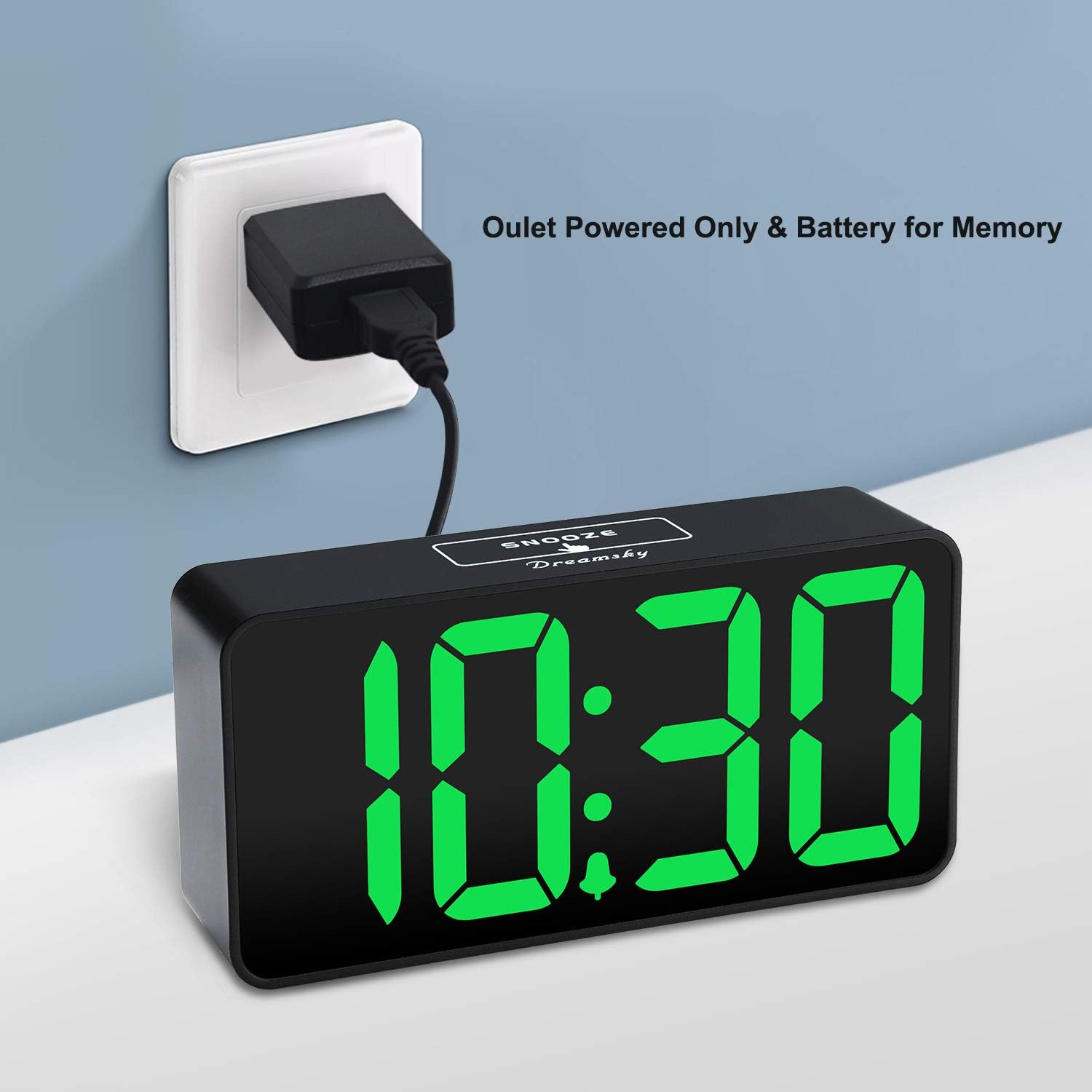
The DreamSky DS312 is primarily powered by the included USB-C adapter. Connect the USB-C cable to the USB IN port on the back of the clock and plug the adapter into a standard electrical outlet.

Figur 3: The alarm clock receiving power via its USB-C adapter plugged into a wall socket.
4.2 Batterisikkerhetskopiering (valgfritt)
For memorizing time and alarm settings during a power outage, insert 2 x AAA batteries (not included) into the battery compartment on the back of the clock. Note that with battery power only, the screen will go blank and the alarm will not sound; batteries only retain settings until power is restored.
5. Bruksanvisning
5.1 Stille inn tiden
- Trykk og hold inne TIDEN SATT button for 2 seconds until the hour digits flash.
- Bruk + or - knapper for å justere timen.
- Pressen TIDEN SATT igjen for å bekrefte timen og gå videre til minuttinnstilling.
- Bruk + or - knapper for å justere minuttene.
- Pressen TIDEN SATT one more time to save the settings and exit.
5.2 Stille inn alarmen
- Trykk og hold inne ALARM SETT button for 2 seconds until the alarm hour digits flash.
- Bruk + or - knapper for å justere alarmtiden.
- Pressen ALARM SETT again to confirm the alarm hour and move to alarm minute setting.
- Bruk + or - knappene for å justere alarmminuttene.
- Pressen ALARM SETT one more time to save the alarm settings and exit.
5.3 Slå alarmen av/på
Trykk på PÅ/AV button to activate or deactivate the alarm. An alarm icon will appear on the display when the alarm is active.
5.4 Justere skjermens lysstyrke
Bruk LOW DIMMER/HIGH DIMMER slider on the back of the clock to adjust the brightness of the LED display to your preference. This allows for optimal visibility during the day and minimal disturbance at night.

Figur 4: Illustration of the alarm clock's adjustable brightness dimmer, showing various display intensities from bright to completely off.
5.5 Justere alarmvolum
Bruk LOW VOLUME/HIGH VOLUME slider on the back of the clock to set the desired alarm sound level (30-90 dB). This ensures the alarm is neither too soft to wake you nor too loud to startle you.

Figur 5: The alarm clock displaying time with a graphic indicating adjustable alarm volume levels.
5.6 Bruk av slumrefunksjon
Når alarmen går, trykker du på den store SLUM button on the top of the clock to temporarily pause the alarm for 9 minutes. The alarm will sound again after the snooze period.
5.7 12/24 timers format
Trykk på 12/24 timer button to switch between 12-hour (with AM/PM indicator) and 24-hour time display formats.
5.8 USB-ladeport
The clock includes a convenient USB OUT port on the back, allowing you to charge your smartphone or other small electronic devices directly from the clock, reducing the need for additional wall adapters.

Figur 6: A smartphone connected to the alarm clock's USB charging port, illustrating its charging capability.
6. Funksjoner
- Stor skjerm: 2-inch jumbo illuminated LED digits for easy visibility.
- Lysstyrkedimmer: Adjustable display brightness to suit day or night viewpreferanser.
- Justerbar alarmlyd: Alarm volume can be set from 30-90 dB.
- Snooze-funksjon: 9-minute snooze duration.
- USB-ladeport: Conveniently charge your smartphone or other devices.
- Enkel betjening: Intuitive buttons for straightforward time and alarm setting.
- Reserve batteri: Retains time and alarm settings during power outages (requires 2 x AAA batteries, not included).
7. Feilsøking
Q: Can this digital clock run on batteries alone?
A: No. Battery function only works to store the clock time and settings in the case of a main power outage. The adapter is required as the main power source for this alarm clock.
Q: How do you turn off the alarm once it wakes you up?
A: When the alarm goes off, you can press any button at the back of the clock to turn off the alarm.
Q: How long does the alarm stay on?
A: The alarm will last for 2 minutes then shut off automatically if not manually turned off or snoozed.
8. Spesifikasjoner
| Attributt | Detalj |
|---|---|
| Merke | DreamSky |
| Modellnummer | DS312 |
| Visningstype | Digital LED |
| Produktdimensjoner | 5.3 cm B x 2.6 cm H |
| Strømkilde | Corded Electric (USB-C Adapter) |
| Batterisikkerhetskopiering | 2 x AAA-batterier (ikke inkludert) |
| Materiale | Plast |
| Spesielle funksjoner | Large display, brightness dimmer, adjustable alarm volume, USB charging port |
9. Garanti og støtte
9.1 Garantiinformasjon
This DreamSky DS312 Digital Alarm Clock comes with a Limited Warranty. Please refer to the product packaging or contact customer support for specific warranty terms and conditions.
9.2 Kundestøtte
For any questions, technical assistance, or warranty inquiries, please contact DreamSky Customer Support at: info@dreamsky4u.com