
1. Produktet er overview
The MOOER Micro Preamp 18 Custom 100 (MMPA18) is a compact digital preamp pedal designed to accurately recreate the sound, dynamics, and response of popular tube amplifiers. Utilizing advanced digital technology, this pedal offers a versatile solution for guitarists seeking high-quality amplifier tones in a miniature form factor.
Key features include dual channels for diverse tonal options, an integrated speaker cabinet simulation for direct recording or PA connection, and dual operating modes to adapt to various performance and recording setups.
2. Funksjoner
- Sonically accurate digital recreations of classic tube amplifier preamp seksjoner.
- Dual channels for versatile clean and gain tones.
- Integrated speaker cabinet simulation for direct output.
- Dual operating modes to suit various user needs.
- Kompakt og slitesterk design.
3. Kontroller og tilkoblinger
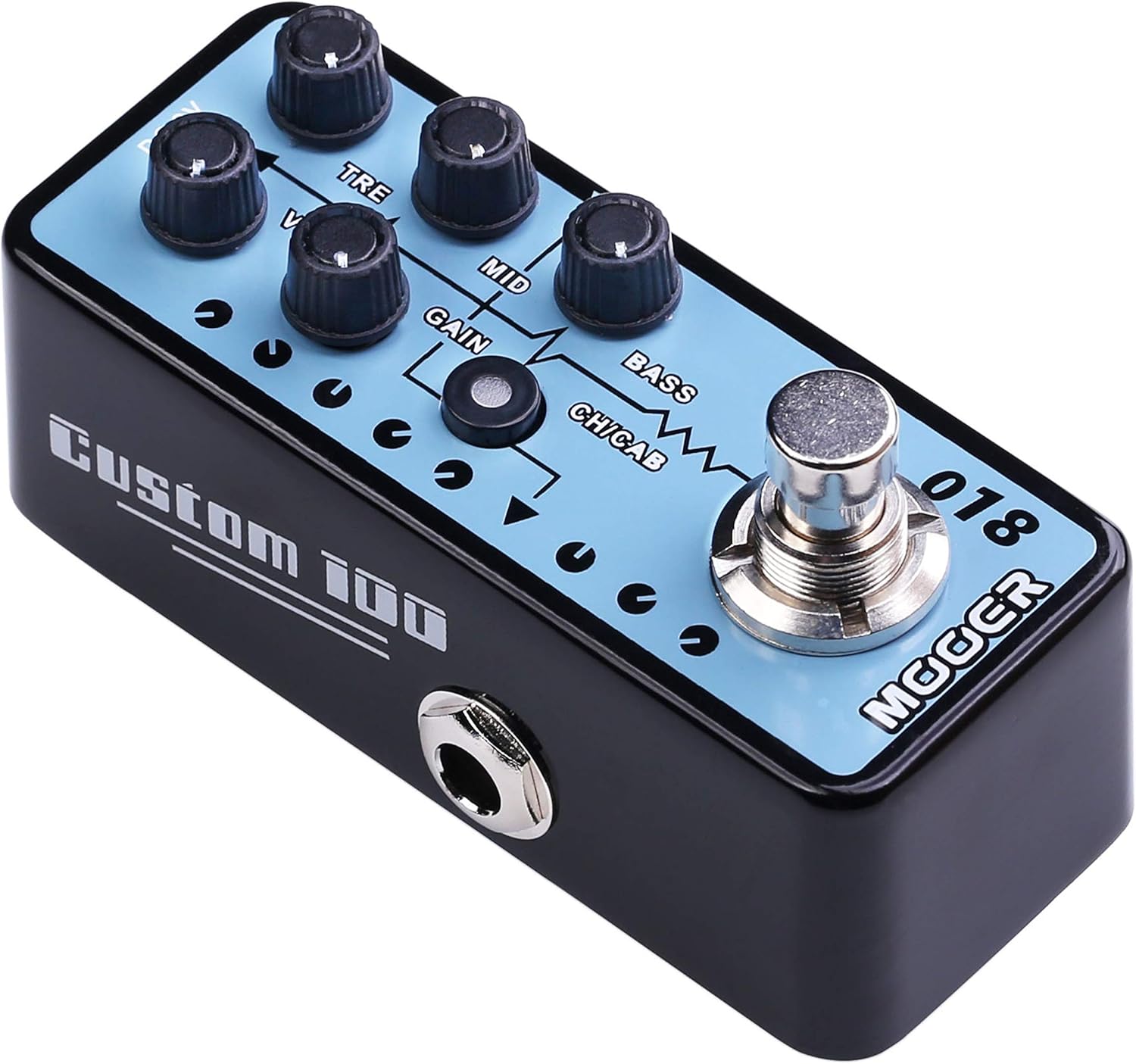
Figur 1: Øverst view of the MOOER Micro Preamp 18 Custom 100, highlighting the control knobs and footswitch.
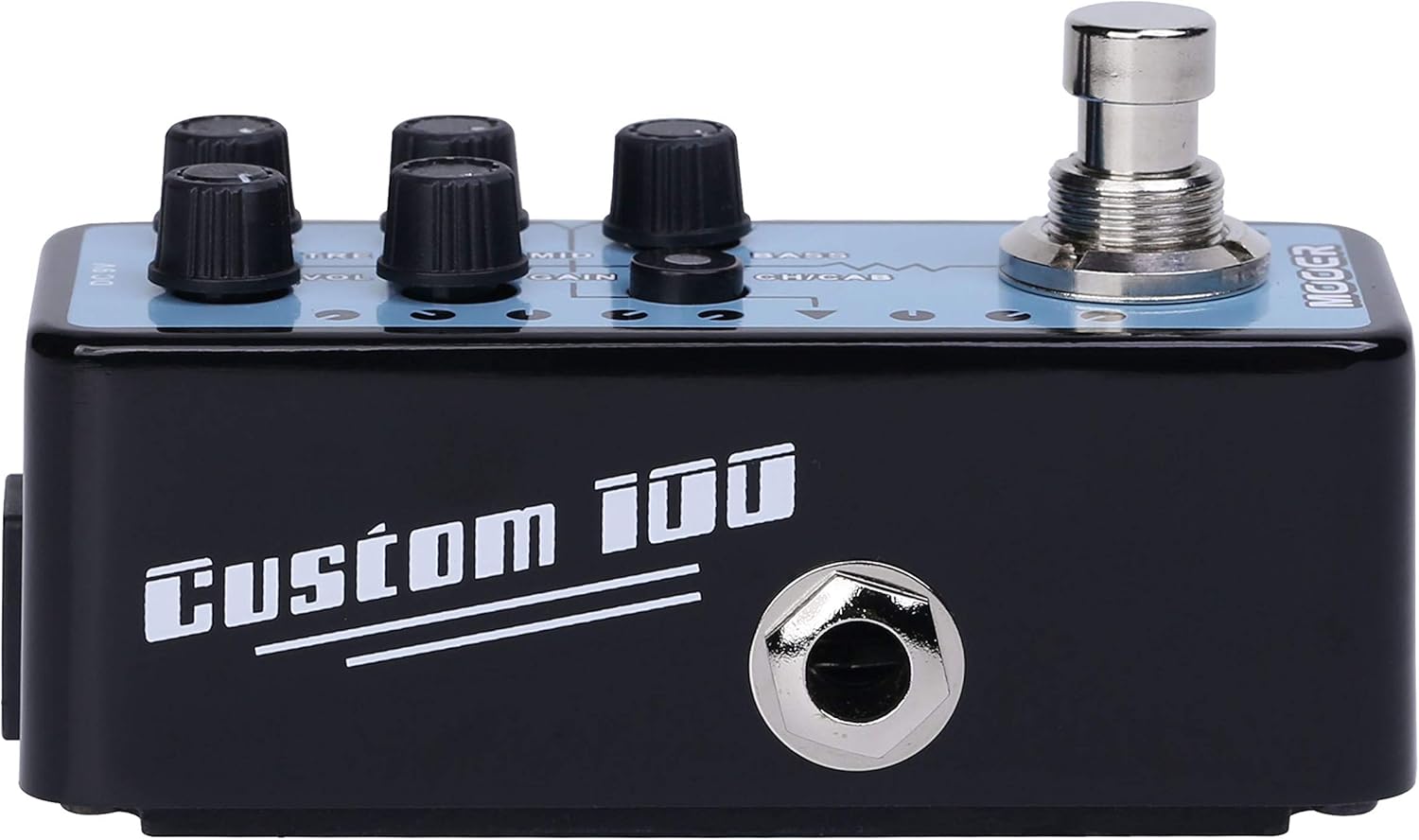
Figur 2: Side view of the MOOER Micro Preamp 18 Custom 100, illustrating the 1/4" input and output jacks.
Kontroller:
- VOL (volum): Justerer det generelle utgangsnivået til preamp.
- TRE (Treble): Styrer høyfrekvensresponsen.
- MID (Middle): Adjusts the mid-range frequency response.
- GEVINST: Kontrollerer mengden overdrive/forvrengning.
- BASS: Justerer lavfrekvensresponsen.
- CH/CAB (Channel/Cabinet Simulation Switch): This switch serves two functions:
- In normal operation, it switches between the two available channels (e.g., Clean and Gain).
- When held down, it toggles the integrated speaker cabinet simulation on or off.
- Fotbryter: Engages or bypasses the pedal.
Tilkoblinger:
- Input Jack (1/4" / 6.35mm): Koble til gitaren eller et annet instrument her.
- Output Jack (1/4" / 6.35mm): Koble til din amplifier, audio interface, or other effects pedals.
- DC 9V-inngang: Connect a 9V DC power adapter (center negative, 300mA minimum).
- USB 2.0 (Hardware Interface): For firmware updates or potential software integration.
4. Oppsett og drift
Førstegangs oppsett:
- Sørg for din amplifier and other audio equipment are turned off.
- Koble gitaren til Inngangskontakt of the MMPA18.
- Koble til Utgangskontakt of the MMPA18 to the input of your amplifier eller lydgrensesnitt.
- Connect a 9V DC power adapter (center negative, 300mA minimum) to the DC 9V inngang.
- Slå på din amplifier and other audio equipment.
Grunnleggende operasjon:
- Engaging/Bypassing: Press the footswitch to turn the preamp effect on or off. The LED indicator will illuminate when the effect is active.
- Kanalbytte: Trykk kort på CH/CAB switch to toggle between the two channels (e.g., a clean channel and a gain channel). The LED color or state may change to indicate the active channel.
- Skapsimulering: Trykk og hold inne CH/CAB switch for a few seconds to activate or deactivate the integrated speaker cabinet simulation. This is particularly useful when connecting directly to a mixing console, audio interface, or headphones, providing a more natural, mic'd cabinet sound.
- Justering av tone: Bruk VOL, TRE, MID, GAIN, og BASS knobs to sculpt your desired tone. Experiment with different settings for each channel.
5. Vedlikehold
- Rengjøring: Bruk en myk, tørr klut til å rengjøre pedalen. Unngå slipende rengjøringsmidler eller løsemidler.
- Lagring: Oppbevar pedalen på et kjølig og tørt sted, unna direkte sollys og ekstreme temperaturer.
- Strømforsyning: Always use a compatible 9V DC (center negative) power supply with a minimum of 300mA. Using an incorrect power supply can damage the unit and void the warranty.
- Tilkoblinger: Sjekk alle kabeltilkoblinger med jevne mellomrom for slitasje. Sørg for at kontaktene er fri for støv og rusk.
6. Feilsøking
- Ingen lyd:
- Sjekk alle kabeltilkoblinger (gitar, pedal, amplifier, power supply).
- Ensure the power supply is correctly connected and providing power.
- Verify the pedal is engaged (LED illuminated).
- Check the volume settings on the pedal and your amplivligere.
- Dårlig lydkvalitet / Overdreven støy:
- Sørg for at alle kablene er i god stand og skikkelig skjermet.
- Try a different power supply to rule out power-related noise.
- Adjust the GAIN knob; very high gain settings can introduce noise.
- If using the cabinet simulation, ensure it is appropriate for your output device.
- Sørg for at pedalen ikke plasseres for nær strømtransformatorer eller andre kilder til elektromagnetisk interferens.
- Pedalen reagerer ikke:
- Koble fra og koble til strømforsyningen igjen.
- If issues persist, contact MOOER support.
- Overoppheting: While normal operation may cause some warmth, excessive heat could indicate an issue. Ensure proper ventilation and use the correct power supply. If the pedal becomes unusually hot, discontinue use and contact support.
7. Spesifikasjoner
| Spesifikasjon | Verdi |
|---|---|
| Modellnummer | MMPA18 |
| Varevekt | 5.8 unser (165 gram) |
| Produktdimensjoner | 3.54 x 3.54 x 3.54 tommer |
| Kompatible enheter | Musical Instrument(s) |
| Koblingstype | 1/4" (6.35mm) Jack, 1/8" (3.5mm) Jack |
| Maskinvaregrensesnitt | USB 2.0 |
| Signalformat | Digital |
| Utgang Wattage | 100 watt |
| Strømkilde | AC-adapter |
| Voltage | 9 volt |
| Merke | mooer |
| Farge | Mehrfarbig |
8. Garanti og støtte
MOOER products are designed for reliability and performance. For specific warranty information, please refer to the warranty card included with your product or visit the official MOOER website. In case of any issues or technical support needs, please contact MOOER customer service through their official channels.
For ytterligere hjelp kan du besøke MOOER-butikken på Amazon.