
Introduksjon
The Sony BDP-S6700 is a versatile Blu-ray Disc player designed to enhance your home entertainment experience. It features 4K upscaling for improved picture quality on compatible displays, 3D playback capabilities, and access to a wide range of streaming services. This player also supports wireless connectivity for Bluetooth headphones and speakers, and allows playback of music and other media from CDs and USB devices.
Sikkerhetsinformasjon
- Strømkilde: Connect the player only to the type of power source indicated on the marking label.
- Ventilasjon: Sørg for tilstrekkelig ventilasjon rundt enheten. Ikke blokker ventilasjonsåpningene.
- Væskeeksponering: Ikke utsett enheten for regn eller fuktighet. Ikke plasser gjenstander fylt med væske, som for eksempel vaser, oppå enheten.
- Rengjøring: Trekk støpselet til enheten ut av stikkontakten før rengjøring. Bruk en myk, tørr klut.
- Service: Ikke forsøk å utføre service på enheten selv. Overlat all service til kvalifisert servicepersonell.
Hva er i esken
Kontroller at alle varene er tilstede i emballasjen:
- Sony BDP-S6700 Blu-ray-spiller
- Fjernkontroll (RMT-VB200U)
- AAA -batterier (x2)
- Bruksanvisning (Enkel Web Håndbok)
- Garantikort
- 6ft High Speed HDMI Cable
Oppsett
1. Fysiske forbindelser
Connect the Blu-ray Disc player to your television and power source.

Bilde: Foran view of the Sony BDP-S6700 Blu-ray Disc Player, showing its sleek black design and front panel controls.
- HDMI-tilkobling: Use the supplied 6ft High Speed HDMI Cable to connect the HDMI OUT port on the player to an HDMI IN port on your TV. Note the HDMI input number on your TV.
- Strømtilkobling: Connect the AC power cord to the player's AC IN jack, then plug the other end into a wall outlet.

Bilde: En spiralformet 6 meter lang høyhastighets HDMI-kabel, som brukes til å koble spilleren til en TV.
2. Nettverksoppsett (Wi-Fi)
The BDP-S6700 supports Wi-Fi for internet connectivity, enabling access to streaming services and firmware updates.
Image: The Wi-Fi Certified logo, indicating the player's wireless network capability.
- Turn on your TV and select the correct HDMI input for the player.
- Power on the Blu-ray Disc player.
- From the player's Home menu, navigate to Innstillinger > Nettverksinnstillinger > Internett-innstillinger.
- Velge Trådløst oppsett and follow the on-screen instructions to connect to your home Wi-Fi network. You may need to enter your network password.
3. Innledende innstillinger
After connecting, the player may guide you through initial setup steps, including language selection and time zone settings.
Drift
1. Bruk av fjernkontroll
The supplied remote control (RMT-VB200U) provides full control over the player's functions.

Image: The Sony RMT-VB200U remote control, featuring dedicated buttons for Netflix and Bluetooth.
- Makt: Slår spilleren av eller på.
- Hjem: Får tilgang til hovedmenyen.
- Navigasjonsknapper: Use the arrow keys and ENTER button to navigate menus.
- Avspillingskontroller: Spill av, pause, stopp, spol fremover, spol tilbake, hopp over.
- Netflix-knapp: Direct access to the Netflix streaming service.
- Bluetooth-knapp: Toggles Bluetooth on/off for audio device pairing.
2. Playing Discs
The player supports Blu-ray Discs, DVDs, and CDs.
- Trykk på ÅPNE/LUKK -knappen på spilleren eller fjernkontrollen for å åpne plateskuffen.
- Plasser en plate forsiktig i skuffen med etikettsiden opp.
- Trykk på ÅPNE/LUKK knappen igjen for å lukke skuffen.
- Playback will usually start automatically. If not, select the disc icon from the Home menu.
3. Strømmetjenester
Access a variety of online streaming content directly from the player.
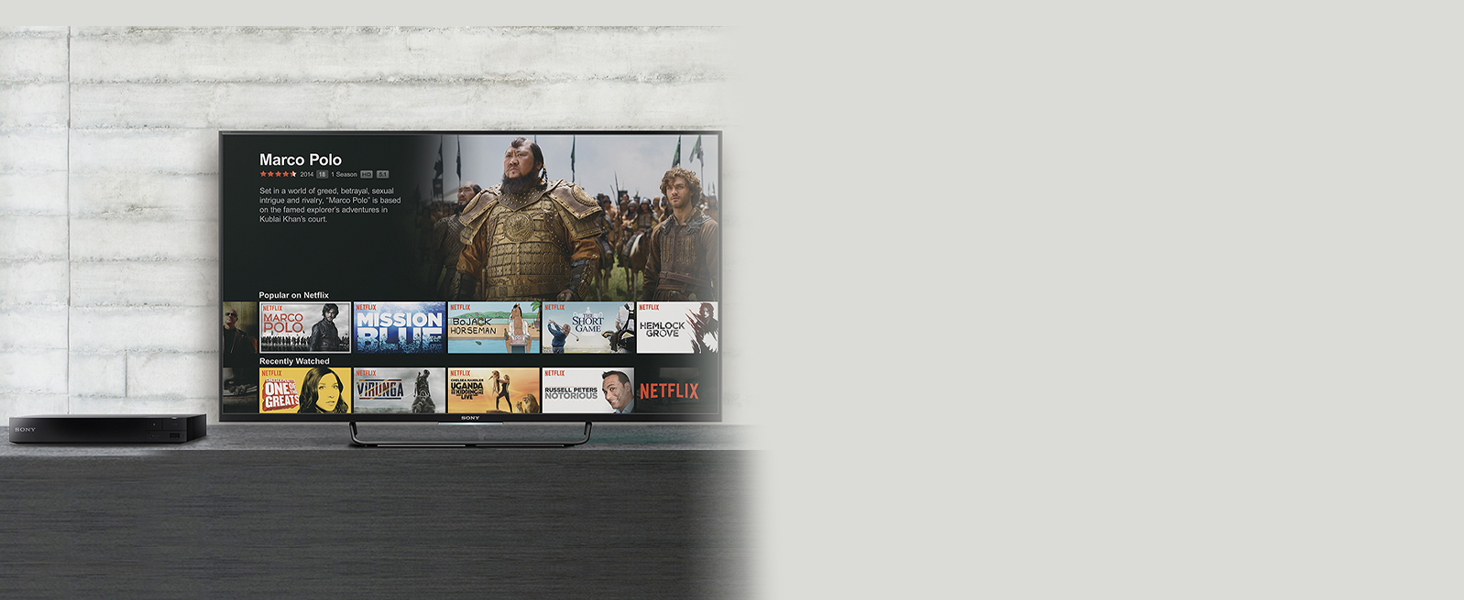
Image: A television screen displaying the Netflix streaming interface, accessible via the Blu-ray player.
- Ensure the player is connected to the internet via Wi-Fi.
- From the Home menu, navigate to the Utvalgte apper or Mine apper del.
- Select your desired streaming service (e.g., Netflix, YouTube, Tubi).
- Logg inn med kontoinformasjonen din hvis du blir bedt om det.
4. 4K-oppskalering
The player can enhance the resolution of standard Blu-ray Discs and DVDs to near-4K quality when connected to a 4K compatible television.

Image: A visual comparison showing the enhanced detail and color of a 4K upscaled image on the right, compared to a standard resolution image on the left.
- Connect the player to a 4K television using an HDMI cable.
- The upscaling process is automatic. No special settings are typically required.
5. 3D Playback
Enjoy 3D Blu-ray content with a compatible 3D TV and 3D glasses.
- Ensure your television supports 3D playback and you have active 3D glasses.
- Insert a 3D Blu-ray Disc. The player will automatically detect and prompt for 3D playback.
- 3D settings can be adjusted in the player's menu if needed.
6. Bluetooth-tilkobling
Connect wireless headphones or speakers for a personalized audio experience.

Image: A person wearing wireless headphones, enjoying content from the Blu-ray player on a television, demonstrating Bluetooth audio connectivity.
- Trykk på Bluetooth button on the remote control or navigate to Innstillinger > Bluetooth-innstillinger.
- Sett Bluetooth-lydenheten i sammenkoblingsmodus.
- Velg enheten din fra listen på TV-skjermen for å pare den.
7. USB-avspilling
Spill medier files fra en USB-lagringsenhet.
- Sett inn en USB-lagringsenhet i USB-porten på forsiden av spilleren.
- From the Home menu, select the USB icon or navigate to the media playback section.
- Browse and select the desired media file (e.g., MP3, AAC).
Vedlikehold
1. Rengjøring
- Tørk av utsiden av spilleren med en myk, tørr klut. Ikke bruk flytende rengjøringsmidler eller sprayrengjøringsmidler.
- Keep the disc tray and lens free of dust and debris. Do not use disc cleaning kits that insert into the player.
2. Fastvareoppdateringer
Regularly check for and install firmware updates to ensure optimal performance and access to the latest features and security enhancements.
- Sørg for at spilleren er koblet til internett.
- Naviger til Innstillinger > Systeminnstillinger > Programvareoppdatering.
- Follow the on-screen prompts to check for and install any available updates. Do not power off the player during an update.
Feilsøking
If you encounter issues with your player, refer to the following common solutions:
- Ingen strøm: Ensure the power cord is securely connected to the player and a working electrical outlet. Try a different outlet.
- Ikke noe bilde/lyd: Verify that the HDMI cable is securely connected to both the player and the TV. Ensure your TV is set to the correct HDMI input. Check TV volume and player audio settings.
- Platen spiller ikke: Ensure the disc is inserted correctly (label side up) and is clean and free of scratches. Verify the disc format is supported by the player (Blu-ray, DVD, CD).
- Ingen nettverkstilkobling: Check your Wi-Fi router and ensure it is powered on and functioning. Re-enter your Wi-Fi password in the player's network settings. Restart both the player and your router.
- Fjernkontrollen fungerer ikke: Check the batteries in the remote control and replace them if necessary. Ensure there are no obstructions between the remote and the player's IR sensor.
Spesifikasjoner
| Trekk | Beskrivelse |
|---|---|
| Merke | Sony |
| Modell | BDP-S6700 |
| Medietype | Blu-ray-plate, DVD, CD |
| Videoutgangsoppløsning | 1080p, 4K UHD (Upscaled) |
| Spesielle funksjoner | 4K Upscaling, 3D Playback, Streaming Services, Bluetooth, Wi-Fi |
| Tilkoblingsteknologi | Bluetooth, HDMI, USB, Wi-Fi |
| Koblingstype | HDMI, USB |
| Lydutgangsmodus | Omgi |
| Støttet lydformat | Dolby TrueHD, DTS-HD |
| Strømforbruk | 12 watt |
| Varevekt | 2 pund |
Garanti og støtte
For detailed warranty information, please refer to the Warranty Card included with your product. This card outlines the terms and conditions of your warranty coverage.
For technical assistance, product registration, or additional support resources, please visit the official Sony support webnettstedet eller kontakt Sonys kundeservice direkte. Kontaktinformasjonen finner du vanligvis på Sonys webnettstedet eller i produktdokumentasjonen din.