
1. Introduksjon
This manual provides detailed instructions for the setup, operation, and maintenance of your One For All URC4811 Universal Replacement Learning Remote Control. This remote is designed to be compatible with all LG Televisions, including LCD, LED, OLED, and Plasma models, offering a seamless replacement for your original LG remote.
2. Produktet er overview
The One For All URC4811 remote control is engineered for ease of use and broad compatibility with LG televisions. Key features include:
- Direkte kompatibilitet: Functions like your original LG television remote. For most LG TVs, no setup is required; simply insert batteries and it is ready to use.
- Læringsfunksjon: Allows customization of the remote to your specific needs by copying functions from your original remote.
- Appsnarveistaster: Provides direct access to your favorite streaming services.
- Antall nøkler: 50.
- Fjernkontrollteknologi: Infrared (IR).
Produktbilder




3. Oppsett
3.1. Installasjon av batteri
The remote requires 2 AAA batteries (not included). To install the batteries:
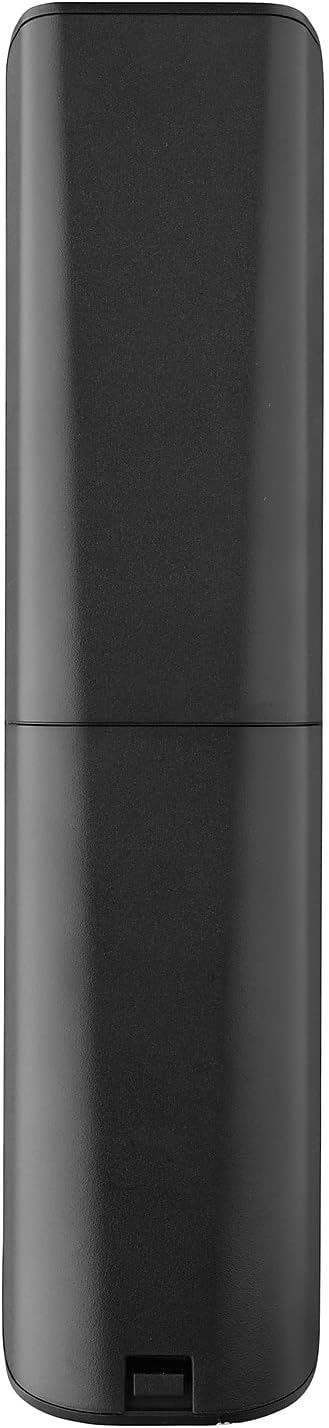
- Remove the battery compartment cover located on the back of the remote.
- Insert 2 AAA batteries, ensuring correct polarity (+ and - terminals).
- Sett på batteridekselet til det klikker ordentlig på plass.
3.2. Initial Pairing / Codeless Setup
For most LG Televisions, the One For All URC4811 remote control is ready to use immediately after battery installation, requiring no additional setup. Simply point the remote at your LG TV and begin using it. If your TV does not respond, refer to the 'Learning Feature' section for advanced setup options.
4. Bruksanvisning
4.1. Grunnleggende funksjoner
The remote provides all standard functions of an LG TV remote, including:
- Slå på/av: Use the dedicated power button to turn your TV on or off.
- Volumkontroll: Adjust volume up or down using the +/- buttons.
- Kanalnavigering: Change channels using the CH +/- buttons or direct number input.
- App-snarveier: Dedikerte knapper gir rask tilgang til populære strømmetjenester.
4.2. Læringsfunksjon
The learning feature allows you to copy specific functions from your original LG remote control to your One For All URC4811 remote. This is useful if a particular function is not pre-programmed or if you prefer a custom button layout. Refer to the Quick Setup Guide included with your remote for detailed steps on using the learning feature.
4.3. Offisiell produktvideo
5. Vedlikehold
For å sikre fjernkontrollens levetid og optimale ytelse:
- Rengjøring: Tørk av fjernkontrollen med en myk, tørr klut. Unngå å bruke flytende rengjøringsmidler eller slipende materialer.
- Batteripleie: Replace batteries when the remote's performance degrades. Remove batteries if the remote will not be used for an extended period to prevent leakage.
- Lagring: Oppbevar fjernkontrollen på et kjølig og tørt sted, unna direkte sollys og ekstreme temperaturer.
6. Feilsøking
Hvis du støter på problemer med fjernkontrollen, kan du prøve følgende trinn:
- Fjernkontrollen svarer ikke: Sjekk om batteriene er riktig satt inn og har tilstrekkelig ladning. Skift dem ut om nødvendig.
- Siktelinjen: Sørg for at det ikke er noen hindringer mellom fjernkontrollen og TV-ens IR-mottaker.
- Spesifikke funksjoner som ikke fungerer: Use the learning feature to re-program the affected buttons from your original LG remote.
- TV Not Responding After Battery Change: For some LG models, the remote may require re-pairing or a quick setup process after battery replacement. Refer to the Quick Setup Guide.
7. Spesifikasjoner
| Trekk | Spesifikasjon |
|---|---|
| Produktdimensjoner | 8.03 x 2.01 x 0.94 tommer |
| Varevekt | 2.72 unser |
| Vare modellnummer | URC4811 |
| Batterier påkrevd | 2 AAA-batterier (ikke inkludert) |
| Merke | En for alle |
| Spesialfunksjon | Universal, Learning Function |
| Farge | Svart |
| Maks antall støttede enheter | 1 (specifically for LG TVs) |
| Kompatible enheter | LG Televisions (LCD, LED, OLED, Plasma) |
8. Garanti og støtte
For warranty information and technical support, please refer to the documentation included with your product or visit the official One For All webnettstedet. Ta vare på kjøpskvitteringen som kjøpsbevis for eventuelle garantikrav.