
1. Introduksjon
Thank you for choosing the RoHS EAL9001U Keyboard. This compact USB keyboard is designed for reliable performance and ease of use. This manual provides essential information on setting up, operating, maintaining, and troubleshooting your new keyboard to ensure optimal functionality.
1.1 Pakkeinnhold
- RoHS EAL9001U Keyboard
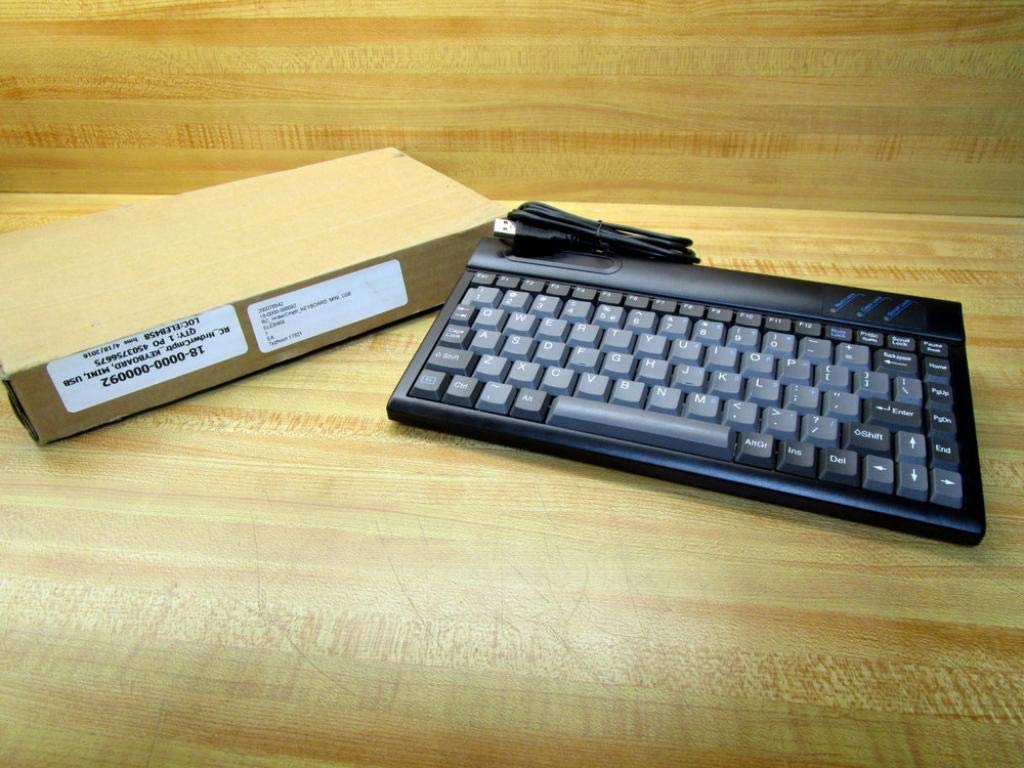
Figure 1.1: The RoHS EAL9001U Keyboard as packaged, alongside its brown cardboard box.
2. Produktet er overview
The RoHS EAL9001U is a compact, 85-key QWERTY keyboard designed for various computing environments. Its durable plastic construction and USB connectivity ensure a straightforward and reliable user experience.
2.1 Nøkkelfunksjoner
- Compact Design with 85 Keys
- Standard QWERTY Keyboard Layout
- USB Connectivity for Plug-and-Play Operation
- Slitesterkt plastmateriale
- USB-drevet
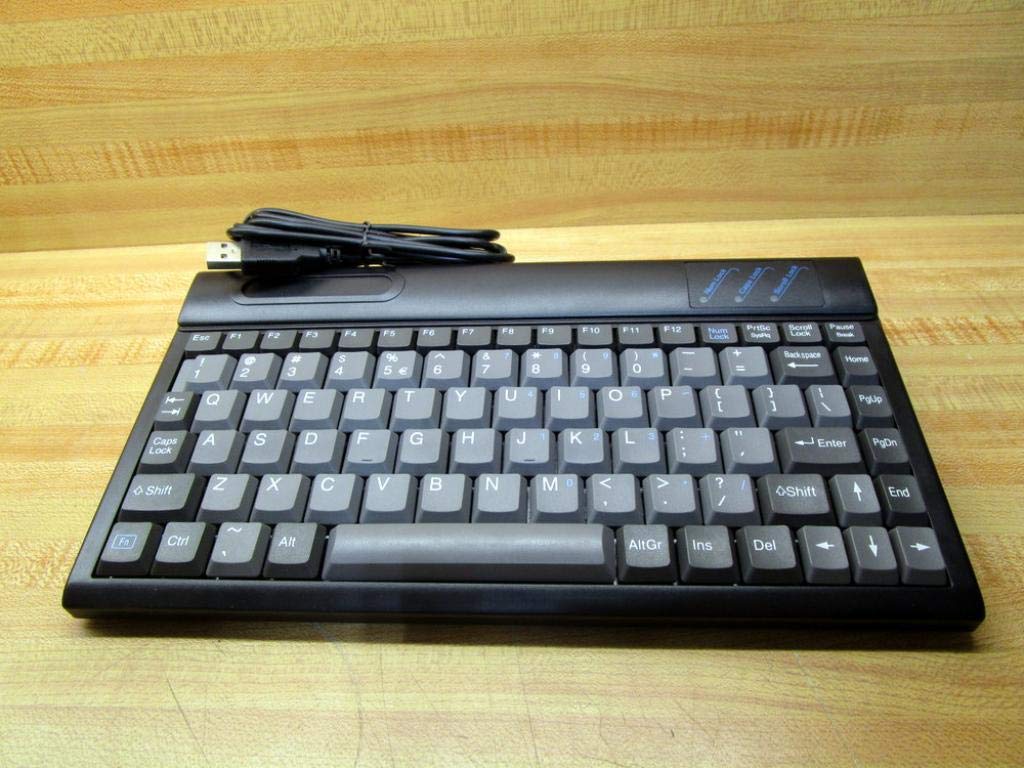
Figur 2.1: Øverst view of the RoHS EAL9001U Keyboard, showcasing its compact QWERTY layout.
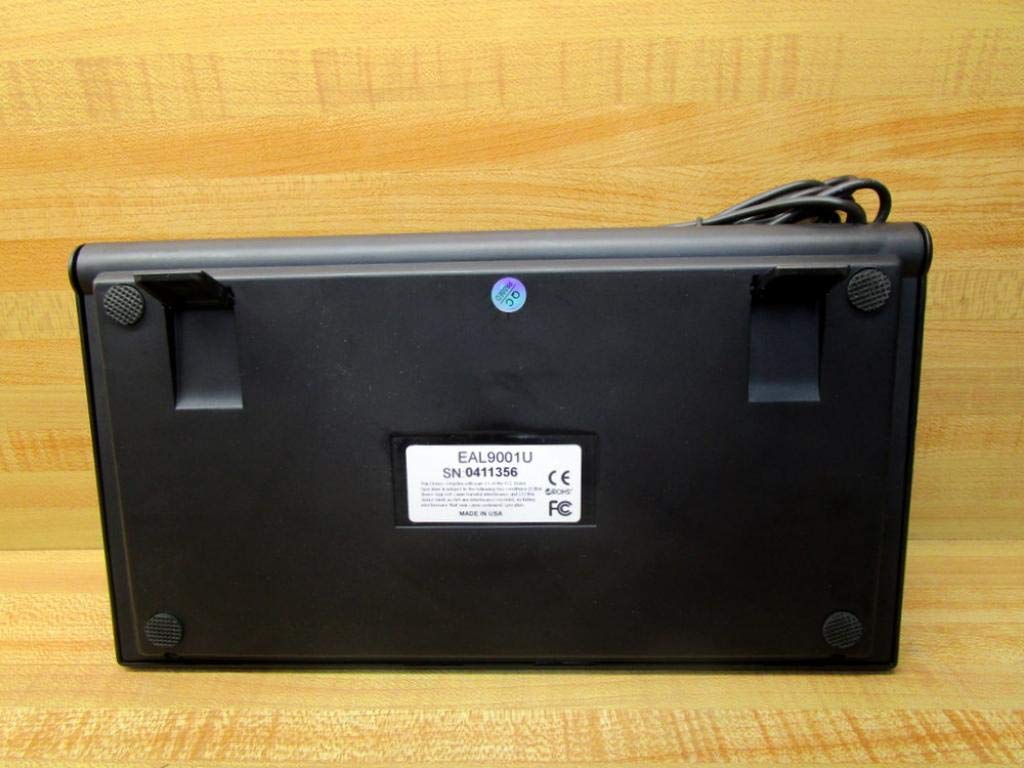
Figur 2.2: Nederst view of the RoHS EAL9001U Keyboard, showing its stable feet and smooth surface.
3. Oppsett
3.1 Koble til tastaturet
The RoHS EAL9001U Keyboard is a plug-and-play device, requiring no special drivers for most operating systems.
- Finn en ledig USB-port på datamaskinen eller enheten din.
- Sett USB-kontakten på tastaturet godt inn i USB-porten.
- Wait for your operating system to recognize the new hardware. This usually takes a few seconds.
- Tastaturet er nå klart til bruk.
4. Bruksanvisning
4.1 Grunnleggende betjening
The EAL9001U keyboard functions like a standard QWERTY keyboard. Simply type as you normally would. The 85-key layout includes all essential alphanumeric keys, function keys (F1-F12), and navigation keys.
4.2 Spesialfunksjoner
Due to its compact design, some less frequently used keys might be accessed via a function (Fn) key combination. Refer to your operating system's keyboard settings for any custom key assignments or shortcuts.
5. Vedlikehold
5.1 Rengjøring
Slik opprettholder du tastaturets utseende og funksjonalitet:
- Koble tastaturet fra datamaskinen før rengjøring.
- Bruk en myk, lofri klut litt dampened with water or a mild, non-abrasive cleaning solution to wipe the surface.
- Bruk trykkluft eller en liten børste for å fjerne støv og rusk mellom tastene.
- Unngå å spraye væsker direkte på tastaturet.
5.2 Oppbevaring
When not in use, store the keyboard in a cool, dry place away from direct sunlight and extreme temperatures to prevent damage.
6. Feilsøking
| Utgave | Mulig årsak | Løsning |
|---|---|---|
| Tastaturet svarer ikke | Loose USB connection; Faulty USB port; Driver issue (rare) | Sørg for at USB-kabelen er ordentlig koblet til. Prøv en annen USB-port. Start datamaskinen på nytt. |
| Spesifikke taster fungerer ikke | Debris under key; Key mechanism damage | Use compressed air to clear debris. If problem persists, contact support. |
| Keyboard recognized but input delayed | System resource issue; USB port conflict | Close unnecessary applications. Try a different USB port. |
7. Spesifikasjoner
| Trekk | Detalj |
|---|---|
| Modellnummer | EAL9001U (18-0000-000092) |
| Tilkoblingsteknologi | USB |
| Antall nøkler | 85 |
| Tastaturoppsett | QWERTY |
| Strømkilde | USB-drevet |
| Materiale | Plast |
| Produktdimensjoner | 3 x 11 x 11 tommer |
| Produktvekt | 1.38 pund |
| Produsent | Rohs |

Figure 7.1: Product label showing model EAL9001U, serial number, FCC, CE, and RoHS compliance, and 'MADE IN USA'.
8. Garantiinformasjon
This product is covered by a standard manufacturer's warranty. Please retain your proof of purchase for any warranty claims. For specific warranty terms and conditions, refer to the documentation provided at the time of purchase or contact the manufacturer directly.
9. Kundestøtte
For technical assistance, troubleshooting, or product inquiries, please contact your retailer or the manufacturer's customer support. Have your product model number (EAL9001U) and serial number (if applicable) ready when contacting support.