
1. Introduksjon
The Unitek Y-3036 is a tool-free external enclosure designed for 2.5-inch SATA I/II/III Hard Disk Drives (HDDs) and Solid State Drives (SSDs). It provides a convenient solution for connecting your 2.5-inch drives to a computer via USB 3.0, offering fast data transfer speeds and easy portability. This manual provides detailed instructions for the proper installation, operation, and maintenance of your Unitek Y-3036 enclosure.
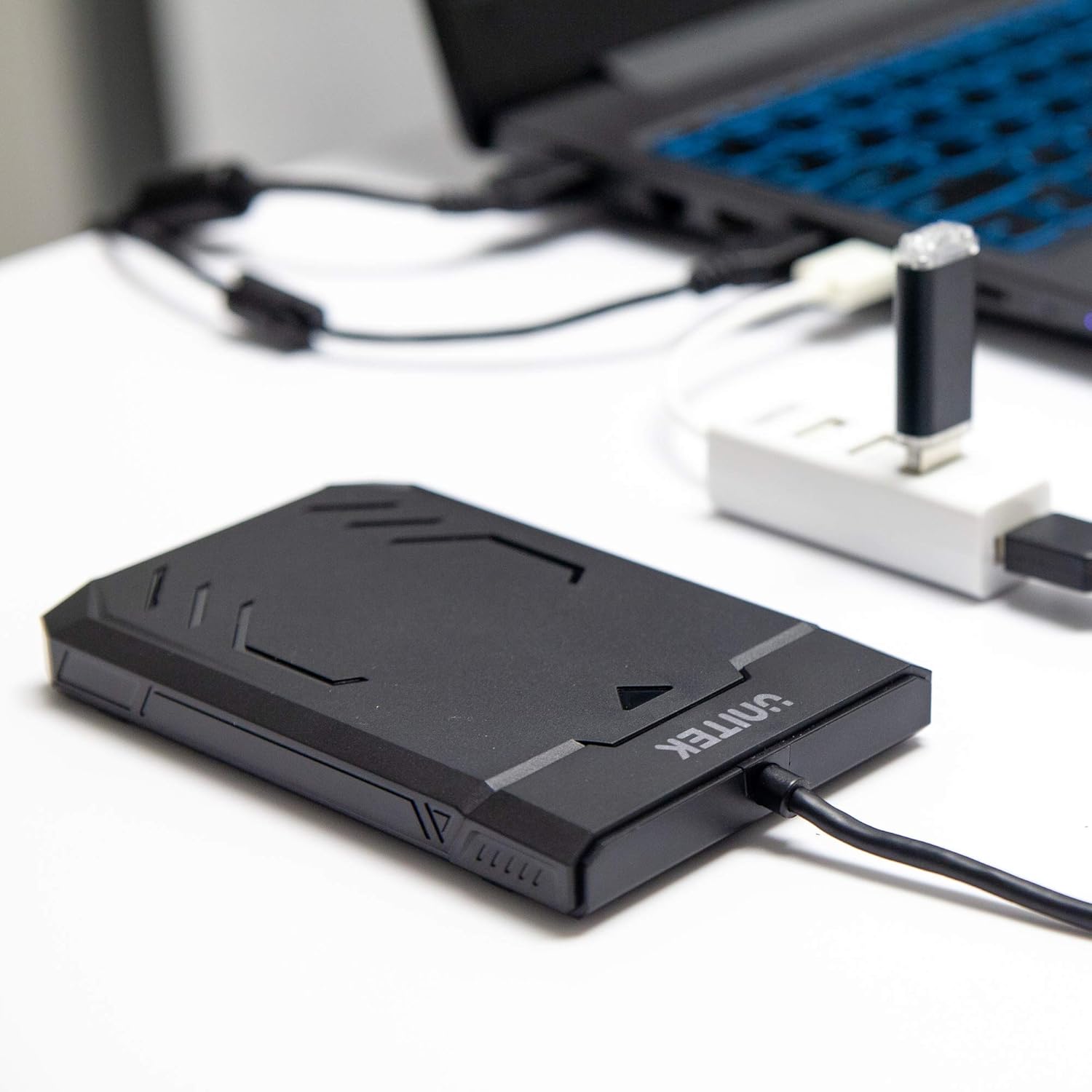
Image 1.1: Unitek Y-3036 enclosure connected to a laptop.
2. Pakkens innhold
Vennligst sjekk at alle varene er til stede i pakken din:
- Unitek Y-3036 2.5-inch Hard Drive Enclosure with integrated USB 3.0 cable
- Foam pad for drive stability
- Bruksanvisning (dette dokumentet)

Image 2.1: Enclosure with integrated cable and foam pad.
3. Spesifikasjoner
| Modell | Unitek Y-3036 |
| Kompatibel stasjonstype | 2.5-inch SATA I/II/III HDD/SSD (up to 9.5mm thickness) |
| Grensesnitt | USB 3.0 (bakoverkompatibel med USB 2.0) |
| Dataoverføringshastighet | Up to 6Gbps (SATA III), supports UASP |
| Dimensjoner (L x B x H) | 130 mm x 85 mm x 15 mm (5.12" x 3.27" x 0.59") |
| Materiale | Plast |
| Funksjoner | Tool-free assembly, Plug & Play, LED indicator, Sleep function, Built-in USB cable |

Bilde 3.1: Produktmål.
4. Oppsett og installasjon
The Unitek Y-3036 enclosure features a tool-free design for easy installation of your 2.5-inch HDD or SSD.
- Åpne innkapslingen: Skyv forsiktig på toppdekselet på kabinettet for å åpne det.
- Sett inn stasjonen: Align your 2.5-inch SATA HDD or SSD with the SATA connector inside the enclosure. Carefully push the drive into the connector until it is firmly seated. Ensure the drive is oriented correctly.
- Add Foam Pad (Optional): If your drive is thinner than 9.5mm, you may use the included foam pad to secure it snugly within the enclosure and prevent movement. Place the foam pad on top of the drive before closing the cover.
- Lukk innkapslingen: Slide the top cover back into place until it clicks securely.

Image 4.1: Enclosure open with a 2.5-inch HDD inserted.

Bilde 4.2: Detaljert view of drive insertion.
5. Bruksanvisning
Once your drive is installed in the enclosure, follow these steps to use it with your computer:
- Koble til datamaskin: Plug the integrated USB 3.0 cable from the enclosure into an available USB port on your computer. For optimal performance, use a USB 3.0 port.
- LED-indikator: The enclosure features an LED indicator. When connected, the LED will illuminate, indicating power. It will flash during data transfer activity.
- Stasjonsgjenkjenning: Your operating system should automatically detect the new drive. If it's a new drive, you may need to initialize and format it through your operating system's disk management utility before it appears in 'My Computer' or 'Finder'.
- Sikker fjerning: Koble alltid ut harddisken på en sikker måte fra operativsystemet før du kobler fra USB-kabelen for å forhindre dataødeleggelse.
6. Vedlikehold
To ensure the longevity and optimal performance of your Unitek Y-3036 enclosure:
- Rengjøring: Bruk en myk, tørr klut til å rengjøre utsiden av kabinettet. Unngå å bruke flytende rengjøringsmidler eller løsemidler.
- Lagring: Når den ikke er i bruk, oppbevar den på et kjølig og tørt sted, unna direkte sollys og ekstreme temperaturer.
- Håndtering: Handle the enclosure with care to avoid drops or impacts, which could damage the internal drive or the enclosure itself.
7. Feilsøking
If you encounter issues with your Unitek Y-3036 enclosure, refer to the following common problems and solutions:
- Stasjonen ikke oppdaget:
- Sørg for at USB-kabelen er ordentlig koblet til både kabinettet og datamaskinen.
- Prøv å koble til en annen USB -port på datamaskinen.
- Verify that the 2.5-inch HDD/SSD is properly seated in the enclosure's SATA connector.
- Sjekk datamaskinens Diskbehandling (Windows) eller Diskverktøy (macOS) for å se om stasjonen gjenkjennes, men ikke er initialisert eller uformatert.
- Test the enclosure with a different 2.5-inch SATA drive, or test your drive directly with another enclosure/adapter if available.
- Lave overføringshastigheter:
- Sørg for at du er koblet til en USB 3.0-port på datamaskinen. USB 2.0-porter vil operere med lavere hastigheter.
- Kontroller at operativsystemet og driverne er oppdaterte.
- The actual speed depends on the performance of the installed HDD/SSD.
- LED-indikator lyser ikke:
- Confirm the USB cable is fully plugged into a powered USB port.
- Prøv en annen USB-port.
8. Sikkerhetsinformasjon
Vennligst følg følgende sikkerhetsretningslinjer:
- Do not expose the enclosure to water, moisture, or extreme temperatures.
- Avoid dropping or subjecting the enclosure to severe impacts.
- Do not attempt to open or modify the enclosure beyond the intended drive installation. This may void any warranty and could cause damage.
- Oppbevares utilgjengelig for barn.
9. Garanti og støtte
Unitek products are designed for reliability and performance. For warranty information or technical support, please refer to the official Unitek webnettstedet eller kontakt din lokale forhandler. Ta vare på kjøpskvitteringen som kjøpsbevis for garantikrav.