
Introduksjon
This manual provides instructions for the Speedlink PIAVO Wireless Ergonomic Vertical Mouse (Model SL-630019-BK-01). This ergonomic mouse is designed to promote a natural, relaxed wrist posture, reducing strain on the hand, arm, shoulder, and neck during extended computer use. It features 5 buttons, adjustable DPI settings, and wireless 2.4 GHz connectivity.

Figur 1: Speedlink PIAVO Wireless Ergonomic Vertical Mouse, front view. This image shows the overall ergonomic design of the mouse.
Pakkeinnhold
Vennligst sjekk at alle varene er til stede i pakken:
- Speedlink PIAVO Wireless Ergonomic Vertical Mouse
- USB-A-mottaker
- Batteri (forhåndsinstallert eller inkludert separat)
- Bruksanvisning (dette dokumentet)

Figur 2: Packaging of the Speedlink PIAVO Wireless Ergonomic Vertical Mouse. The box indicates "Wireless Vertical Mouse" and "10m Range".
Oppsett
- Sett inn batteri: If the battery is not pre-installed, open the battery compartment on the underside of the mouse and insert the included battery, ensuring correct polarity.
- Koble til USB-mottaker: Locate an available USB-A port on your computer or laptop. Insert the USB-A receiver into the port.
- Slå på musen: Locate the On/Off switch on the underside of the mouse. Slide the switch to the "On" position.
- Driverinstallasjon: The mouse is designed for plug-and-play operation. Your operating system (e.g., Windows) should automatically detect and install the necessary drivers. This process typically takes a few seconds.
- Testing: Once installed, move the mouse to test cursor movement. If the cursor does not respond, ensure the mouse is powered on and the USB receiver is securely connected.

Figur 3: Underside of the mouse, illustrating the battery compartment and the On/Off switch. Ensure the switch is in the 'On' position for operation.
Bruksanvisning
The Speedlink PIAVO mouse features 5 buttons and adjustable DPI settings for optimal control.
- Venstreklikk-knapp: Standard primær klikkfunksjon.
- Høyreklikk-knapp: Standard sekundær klikkfunksjon.
- Rullehjul: For å bla gjennom dokumenter og web pages. Can also be pressed for a middle-click function.
- DPI-bryterknapp: Located near the scroll wheel. Press this button to cycle through the available DPI settings (800, 1200, 1600 DPI). This adjusts the cursor speed and sensitivity.
- Fremover/bakover-knapper: Located on the side of the mouse, typically used for navigation in web nettlesere eller file oppdagelsesreisende.
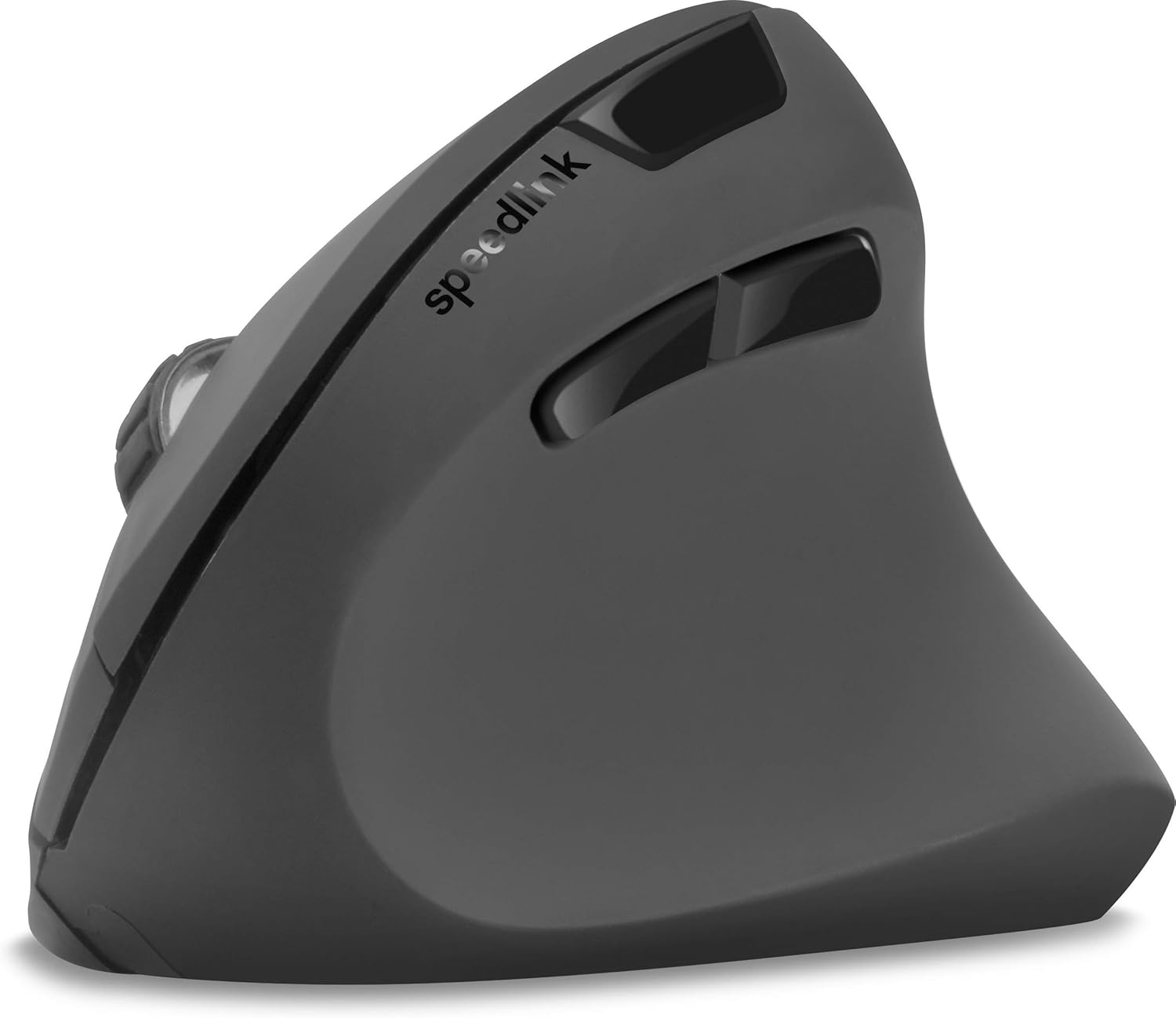
Figur 4: Top-down view of the mouse, highlighting the left/right click buttons, scroll wheel, and DPI switch button.

Figur 5: Side view of the mouse, illustrating the ergonomic grip and the forward/backward navigation buttons.
Energisparemodus
The mouse features an energy-saving mode to conserve battery life. If the mouse is inactive for a period, it will enter a sleep state. To wake it up, simply move the mouse or press any button.
Vedlikehold
To ensure the longevity and optimal performance of your Speedlink PIAVO mouse, follow these maintenance guidelines:
- Rengjøring: Use a soft, dry cloth to clean the exterior of the mouse. For stubborn dirt, a slightly damp cloth can be used, but ensure no moisture enters the mouse. Avoid using harsh chemicals or abrasive cleaners.
- Sensorrengjøring: Occasionally, dust or debris may accumulate around the optical sensor on the underside of the mouse. Use a soft brush or compressed air to gently clean the sensor area.
- Batteribytte: When the mouse performance degrades or it stops responding, it may be time to replace the battery. Open the battery compartment, remove the old battery, and insert a new one of the same type, observing polarity.
- Lagring: When not in use for extended periods, it is recommended to switch off the mouse using the On/Off switch to conserve battery life. Store the mouse and USB receiver in a dry, dust-free environment.
Feilsøking
| Problem | Mulig årsak | Løsning |
|---|---|---|
| Musen svarer ikke / Markøren beveger seg ikke. |
|
|
| Uregelmessig markørbevegelse. |
|
|
| DPI setting resets after sleep/reboot. | This is a known characteristic for some mice; the DPI setting may revert to default. | Press the DPI switch button to select your preferred sensitivity after waking the mouse or restarting the computer. |
Spesifikasjoner
| Modellnummer | SL-630019-BK-01 |
| Tilkobling | Wireless 2.4 GHz via USB-A Receiver |
| Bevegelsesdeteksjon | Optisk |
| Antall knapper | 5 |
| DPI-innstillinger | 800, 1200, 1600 DPI (justerbar) |
| Håndorientering | Høyrehendt |
| Wireless Range | Opp til 10 meter |
| Strømkilde | Battery-powered (Battery included) |
| Kompatible operativsystemer | Windows |
| Vekt | 106 gram |
| Farge | Svart |
Garanti og støtte
Informasjon om spesifikke garantivilkår og kontaktinformasjon for kundestøtte er ikke tilgjengelig i de oppgitte produktdataene. Se produktemballasjen eller produsentens offisielle informasjon. webnettstedet for den nyeste garantiinformasjonen og støttealternativene.
For ytterligere hjelp kan du besøke Speedlink official webnettstedet.