
Amazon Basics MPPDA-08CRN8-BCG2
Amazon Basics 3-In-1 Portable Air Conditioner User Manual
Model: MPPDA-08CRN8-BCG2 | Brand: Amazon Basics
Viktig sikkerhetsinformasjon
Please read all instructions carefully before operating the appliance and retain for future reference. Always follow basic safety precautions to reduce the risk of fire, electric shock, and personal injury.
- Sørg for at strømforsyningen samsvarer med voltage kravene til enheten.
- Ikke bruk enheten med en skadet ledning eller støpsel.
- Ikke blokker luftinntak eller -uttak.
- Hold enheten borte fra brannfarlige materialer.
- Koble alltid fra enheten før rengjøring eller service.
- Dette apparatet er ikke beregnet for bruk av personer (inkludert barn) med reduserte fysiske, sensoriske eller mentale evner, eller mangel på erfaring og kunnskap, med mindre de har fått tilsyn eller instruksjoner om bruk av apparatet av en person som er ansvarlig for deres sikkerhet.
Produkt overview
The Amazon Basics 3-In-1 Portable Air Conditioner provides cooling, dehumidifying, and fan-only functions for versatile climate control in your home or office.

Bilde: Foran view of the Amazon Basics Portable Air Conditioner unit with its remote control.
Nøkkelfunksjoner:
- 3-i-1 allsidighet: Cool, Dry (Dehumidifier), and Fan-only functions.
- Kjølekapasitet: 12,000 BTU (ASHRAE) / 8,000 BTU (SACC) for spaces up to 550 sq. ft.
- Advanced Comfort: Auto-swing louvers, Sleep mode, 3 fan speeds, 3 cooling settings.
- Brukervennlig: Digital display, programmable timer (0.5 to 24 hours), remote control with "FOLLOW ME" function.
- Mobilitet: Built-in wheels and ergonomic handles for easy movement.

Image: Diagram showing the dimensions of the portable air conditioner, adjustable fan levers, remote control range (26 ft / 8 m), and rolling caster wheels.
Oppsett og installasjon
Proper installation is crucial for efficient operation. The unit comes with a complete window kit for easy setup.
Installasjon av vindussett:
The window kit is compatible with standard, crank, and egress windows, allowing for both horizontal and vertical venting.

Image: Illustrations demonstrating how to install the window kit for both horizontal and vertical window orientations.
- Klargjør vinduet: Open the window where you intend to install the unit.
- Assemble Window Slider Kit: Connect the window slider panels to fit the width or height of your window opening.
- Insert Slider: Insert the assembled window slider into the window opening. Close the window sash to secure the slider.
- Secure Slider: Adjust the window slider to the height/width of the window assembly and secure it with the provided plastic bolt.
- Fest eksosslangen: Connect one end of the exhaust hose to the air conditioner's exhaust port and the other end to the window kit adapter. Ensure a tight seal to prevent hot air from re-entering the room.
- Posisjonsenhet: Place the portable AC unit on a flat, stable surface near the window, ensuring the exhaust hose is not kinked or bent sharply.

Image: Diagrams illustrating flexible installation options for both sash and sliding windows, showing compatible window dimensions (26.6 to 49.1 inches / 67.6 cm to 124.7 cm wide/tall).
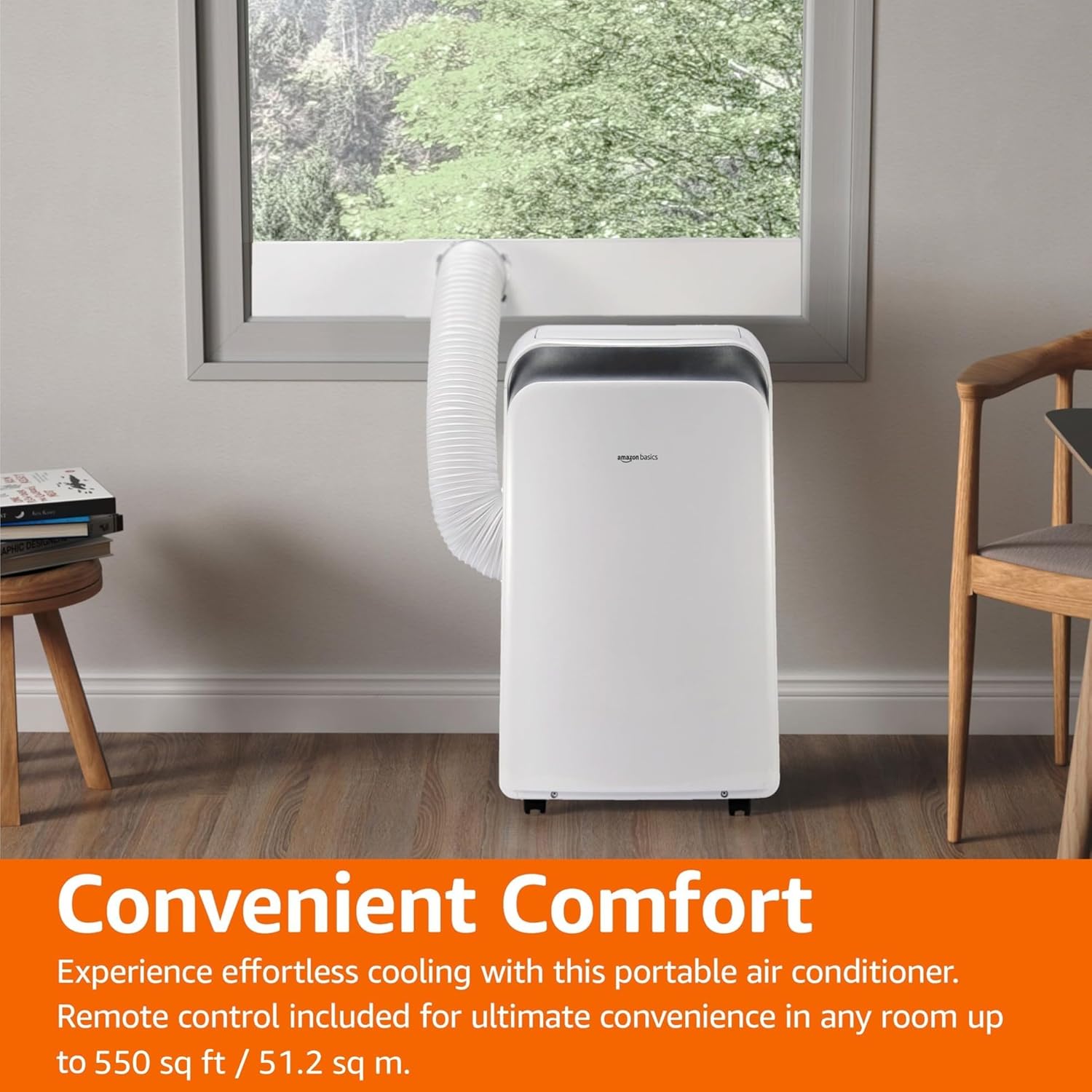
Image: The portable air conditioner unit installed in a living space, with the exhaust hose connected to a window, demonstrating its convenient placement.
Bruksanvisning
The unit can be operated using the control panel on the unit or the included remote control.

Image: Close-up of the portable air conditioner's digital display and control buttons, highlighting its 3-in-1 design, automatic timer, 3 cooling settings, and 12,000 BTU capacity.
Kontrollpanel og fjernkontroll:
- Strømknapp: Slår enheten PÅ/AV.
- Modusknapp: Går gjennom kjøle-, tørk- (avfukter)- og viftemodus.
- Temperaturknapper (+/-): Justerer ønsket temperatur.
- Viftehastighetsknapp: Velger viftehastighet (Lav, Middels, Høy).
- Timerknapp: Sets the auto ON/OFF timer (0.5 to 24 hours).
- Sove modus: Activates energy-saving sleep function.
- Automatisk modus: The unit intelligently selects between cooling and fan-only operation based on room temperature.
- Follow Me Function (Remote): The remote control acts as a thermostat, allowing the unit to cool to the temperature at the remote's location.
Driftsmoduser:
- Kul modus: Gir kraftig kjøling. Still inn ønsket temperatur og viftehastighet.
- Tørk (avfukter) modus: Removes excess moisture from the air. Fan speed is typically fixed in this mode.
- Viftemodus: Sirkulerer luft uten kjøling. Velg ønsket viftehastighet.
- Automatisk modus: The unit intelligently selects between cooling and fan-only operation to maintain the set temperature.
Vedlikehold
Regular maintenance ensures optimal performance and extends the life of your portable air conditioner.
Rengjøring av luftfilter:
Luftfilteret bør rengjøres annenhver uke eller oftere, avhengig av bruk og luftkvalitet.
- Koble enheten fra strømuttaket.
- Finn og fjern luftfilteret fra baksiden eller siden av enheten.
- Vask filteret med varmt såpevann. Skyll grundig.
- La filteret lufttørke helt før du setter det inn i enheten igjen.
Vannavløp:
In Dry (Dehumidifier) mode or high humidity conditions, the internal water tank may fill up. The unit will typically stop operating and display an error code when the tank is full.
- Plasser en grunn panne eller bøtte under dreneringsporten nederst bak på enheten.
- Fjern tappepluggen slik at vannet kan renne ut.
- Når den er tappet, sett tappepluggen godt på plass igjen.
- For continuous drainage, connect a drain hose (not included) to the continuous drain port.
Lagring:
Hvis enheten skal oppbevares over lengre tid, må du sørge for at den er helt tømt og at filteret er rent og tørt. Oppbevares kjølig og tørt, helst i originalemballasjen.
Feilsøking
Før du kontakter kundestøtte, vennligst se følgende vanlige problemer og løsninger.
| Problem | Mulig årsak | Løsning |
|---|---|---|
| Enheten slår seg ikke på. | Ingen strøm, strømledningen er koblet til, og sikringen er utløst. | Sjekk strømtilkoblingen, tilbakestill sikringen. |
| Enheten kjøler ikke ned effektivt. | Dirty air filter, blocked air intake/outlet, room too large, windows/doors open, exhaust hose not properly installed. | Clean air filter, clear obstructions, ensure room size is within capacity, close windows/doors, check exhaust hose connection. |
| Enheten er støyende. | Enheten står ikke på en jevn overflate, vifteblokkering. | Place unit on a flat surface, check for foreign objects in fan. |
| Vannlekasje. | Drain plug loose, continuous drain hose kinked or blocked, internal water tank full. | Ensure drain plug is secure, clear any kinks/blockages in drain hose, empty internal water tank. |
| Fjernkontrollen virker ikke. | Utladede batterier, hindring mellom fjernkontroll og enhet. | Replace batteries, ensure clear line of sight to unit's receiver. |
Spesifikasjoner
| Trekk | Detalj |
|---|---|
| Modellnummer | MPPDA-08CRN8-BCG2 |
| Kjølekapasitet (ASHRAE) | 12,000 XNUMX BTU |
| Kjølekapasitet (SACC) | 8,000 XNUMX BTU |
| Anbefalt dekningsområde | Opptil 550 sq. ft. |
| Funksjoner | Cool, Dry (Dehumidifier), Fan |
| Voltage | 115 volt |
| Kjølemiddel | R32 |
| Produktdimensjoner (L x B x H) | 45.39 x 36.5 x 70 cm (17.87 x XUMX x 14.37 inches) |
| Varevekt | 22.68 kg (50 lbs) |
| Sesongbasert energieffektivitetsforhold (SEER) | 10 |
| Spesielle funksjoner | 3-In-1 (Cool/Dry/Ventilation), Digital Display, Remote Control, Auto Mode, Sleep Mode, Auto-Swing Louvers |
Garanti og støtte
For warranty information or technical support, please refer to the Amazon Basics product page or contact Amazon customer service directly. Keep your purchase receipt for warranty claims.
Online støtte: Visit the Amazon Basics store page for FAQs and additional resources.
Kundeservice: Contact Amazon customer service for assistance with product issues or warranty claims.
Ask a question about this manual
Ask about setup, troubleshooting, compatibility, parts, safety, or missing instructions. Manuals+ will review the question and use this page’s manual context to help answer it.