
Cecotec 05606
Brukerhåndbok for Cecotec Big Dry 4000 Expert avfukter
Modell: 05606
1. Introduksjon
Takk for kjøpetasing the Cecotec Big Dry 4000 Expert Dehumidifier. This manual provides important information for the proper use, maintenance, and troubleshooting of your appliance. Please read it thoroughly before operation and keep it for future reference.
Sikkerhetsinformasjon
- Always place the dehumidifier on a flat, stable surface.
- Sørg for tilstrekkelig ventilasjon rundt enheten. Ikke blokker luftinntak eller -utløp.
- Ikke bruk enheten i nærheten av vann eller i ekstremt våte omgivelser.
- Trekk ut støpselet til enheten før rengjøring eller vedlikehold.
- Oppbevares utilgjengelig for barn og kjæledyr.
- Ikke stikk gjenstander inn i luftventilene.
- Bruk kun spesifisert strømforsyning.
2. Produktkomponenter
Familiarize yourself with the main parts of your Cecotec Big Dry 4000 Expert Dehumidifier.

Figur 2.1: Front view of the Cecotec Big Dry 4000 Expert Dehumidifier. This image shows the overall design of the dehumidifier, highlighting its compact and modern appearance with the Cecotec logo visible.

Figur 2.2: Side view of the dehumidifier with the removable water tank. The image clearly indicates the location and design of the 2.5-liter water collection tank, which slides out for easy emptying.

Figur 2.3: Close-up of the top control panel. This view displays the LED screen showing humidity and temperature, along with touch controls for Timer, Setting, and Power functions.

Figur 2.4: Topp view showing the air outlet. This image illustrates the dehumidifier's top grille where dry air is expelled, with visual cues of air circulation.
Nøkkelkomponenter:
- Kontrollpanel: LED display for humidity and temperature, touch buttons for various functions.
- Luftinntak/uttak: Located on the back and top for air circulation.
- Vanntank: Removable 2.5-liter tank for collecting condensed water.
- Hjul: For enkel portabilitet.
- Luftfilter: Located at the air inlet, requires regular cleaning.
3. Oppsett
- Utpakking: Ta avfukteren forsiktig ut av emballasjen. Ta vare på emballasjematerialene for senere oppbevaring eller transport.
- Plassering:
- Place the unit on a firm, level surface in the area where dehumidification is desired.
- Ensure there is at least 20 cm (8 inches) of clear space around all sides of the unit for proper airflow.
- Avoid placing the unit near heat sources, direct sunlight, or in areas with excessive dust.
- Strømtilkobling: Koble strømledningen til en jordet stikkontakt. Sørg for at volumet er riktig.tage samsvarer med enhetens spesifikasjoner.
- Innledende sjekk: Before first use, ensure the water tank is correctly inserted and empty.
4. Bruksanvisning
Slå på/av
- Trykk på Makt button (refer to Figure 2.3 for button location) on the control panel to turn the unit ON or OFF. The LED display will illuminate when the unit is on.
Innstilling av ønsket fuktighet
- Trykk på Innstilling button (refer to Figure 2.3 for button location) repeatedly to cycle through desired humidity levels (e.g., 40%, 50%, 60%, 70%, 80% or continuous operation). The display will show the selected humidity.
- The unit will automatically operate to maintain the set humidity level.
Timer funksjon
- Trykk på Timer button (refer to Figure 2.3 for button location) to set the operating time (e.g., 1-24 hours). The unit will automatically turn off after the set time.
- To cancel the timer, press the Timer button until "00" or "OFF" is displayed.
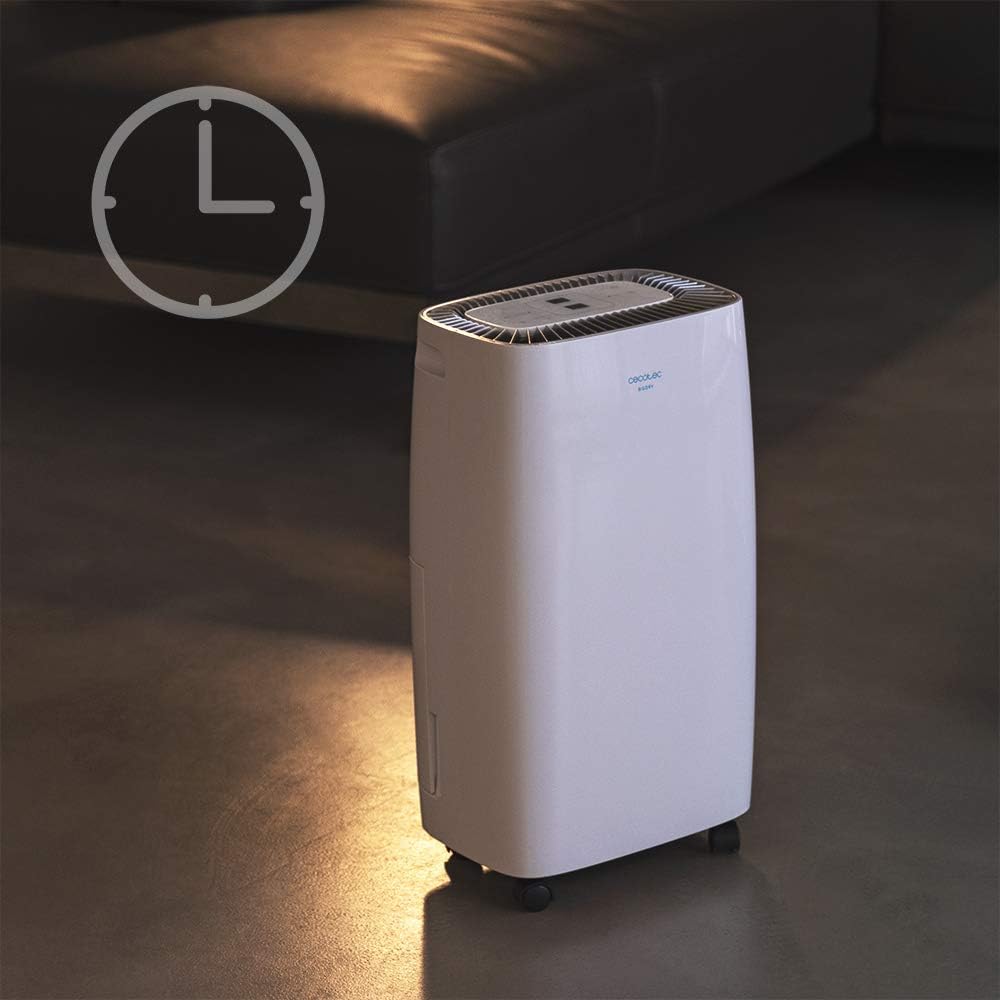
Figur 4.1: Dehumidifier operating with the timer function. This image visually represents the timer feature, showing the unit in a room setting with a clock icon overlay, indicating scheduled operation.
Viftehastighet
- The unit features 2 fan speeds. Refer to the control panel for specific fan speed adjustment options, usually indicated by fan blade icons or "High/Low" indicators.
Automatic Shut-off and Full Tank Indicator
- The dehumidifier will automatically shut off when the water tank is full to prevent overflow.
- A "FULL" indicator light (often red) on the control panel will illuminate, and the unit may beep to alert you.

Figur 4.2: Control panel showing the "FULL" indicator light. This close-up highlights the illuminated red light next to the "FULL" icon, signaling that the water tank needs to be emptied.
5. Vedlikehold
Tømme vanntanken
- When the "FULL" indicator light illuminates, gently pull out the water tank from the side of the unit.
- Bær tanken forsiktig til en vask eller et avløp og tøm det oppsamlede vannet.
- Rinse the tank with clean water periodically to prevent mold or mildew growth.
- Skyv den tomme tanken tilbake i enheten til den klikker på plass. Enheten vil gjenoppta driften.
Rengjøring av luftfilteret
Luftfilteret bør rengjøres annenhver uke eller oftere, avhengig av bruk og luftkvalitet.
- Slå av og koble fra avfukteren.
- Locate the air filter (usually on the back or side, behind a removable grille).
- Fjern filteret.
- Clean the filter using a vacuum cleaner to remove dust. For heavy dirt, wash it gently with warm, soapy water.
- La filteret lufttørke helt før du setter det inn igjen. Ikke bruk tørketrommel eller direkte varme.
- Reinsert the dry filter and close the grille.
Generell rengjøring
- Tørk av utsiden av enheten med en myk, damp klut. Ikke bruk skurende rengjøringsmidler eller løsemidler.
- Sørg for at det ikke kommer vann inn i de elektriske komponentene.
6. Feilsøking
| Problem | Mulig årsak | Løsning |
|---|---|---|
| Enheten slår seg ikke på. | No power; power cord loose; water tank full or incorrectly inserted. | Check power connection; ensure tank is empty and properly seated. |
| Avfukteren samler ikke opp vann. | Room humidity too low; temperature too low; air filter clogged; unit too small for space. | Check room conditions; clean air filter; ensure unit is appropriately sized for the area. |
| Enheten er støyende. | Enheten står ikke på en jevn overflate; luftfilteret er tett; problem med interne komponenter. | Place on a level surface; clean air filter. If noise persists, contact support. |
| "FULL"-indikatorlampen lyser, men tanken er ikke full. | Float switch stuck or sensor malfunction. | Remove and reinsert tank; check float switch for obstructions. |
7. Spesifikasjoner
| Trekk | Spesifikasjon |
|---|---|
| Merke | Cecotec |
| Modellnavn | Big Dry 4000 Expert (Model Number: 05606) |
| Avfuktingskapasitet | 10 liter per dag |
| Vanntankkapasitet | 2.5 liter |
| Anbefalt gulvareal | Up to 40 Square Meters (105 m³/h coverage) |
| Produktdimensjoner (D x B x H) | 20.87" D x 9.06" B x 12.2" H |
| Varevekt | 21.7 pund |
| Wattage | 4000 watt (Note: This value is from product specifications. Actual operational wattage for dehumidifiers is typically lower.) |
| Kjølemiddel Gass | R290 |
| Spesielle funksjoner | Removable Tank, 24h Timer, LED Display, Auto Power Off, Silent Operation |
8. Garanti og støtte
For garantiinformasjon, teknisk støtte eller serviceforespørsler, se garantikortet som følger med produktet, eller besøk den offisielle Cecotec-siden. webnettstedet. Ta vare på kjøpskvitteringen som kjøpsbevis for garantikrav.
Cecotec Official Webnettsted: www.cecotec.com
Ask a question about this manual
Ask about setup, troubleshooting, compatibility, parts, safety, or missing instructions. Manuals+ will review the question and use this page’s manual context to help answer it.