
Lorex W463AQD-E
Lorex 2K Dual Lens Indoor Wi-Fi Security Camera W463AQD-E User Manual
Model: W463AQD-E
1. Introduksjon
This manual provides detailed instructions for the installation, configuration, and operation of your Lorex 2K Dual Lens Indoor Wi-Fi Security Camera, model W463AQD-E. Please read this manual thoroughly before using the product to ensure proper functionality and safety. Keep this manual for future reference.

Image 1.1: Lorex 2K Dual Lens Indoor Wi-Fi Security Camera with its retail packaging.
2. Pakkens innhold
Verify that all items listed below are included in your package. If any items are missing or damaged, please contact Lorex customer support.
- 1 × 2K Dual-Lens Indoor Pan-Tilt Camera
- 1 × 32GB MicroSD Card (pre-installed)
- 1 × 6.5 ft (2 m) Power Cable
- 1 × monteringsbrakett
- 3 × ankere og skruer
- 1 × strømadapter
3. Produktet er overview
Familiarize yourself with the components and features of your Lorex security camera.
3.1 Kamerakomponenter

Bilde 3.1: Foran view of the camera, showing the dual lenses and call button.

Bilde 3.2: Side view of the camera, highlighting its dome shape.

Bilde 3.3: Bakside view of the camera, showing the power input and reset button.

Image 3.4: Bottom label displaying model number W463AQD-E and other regulatory information.
3.2 Nøkkelfunksjoner
- 2K Quad HD-video: Fanger klar og detaljert videofootage.
- Dual Lens Design: Provides enhanced surveillance capabilities.
- 360° Pan-Tilt: Juster kameraets viewing angle to cover a full 360-degree area.
- Automatisk sporing: Automatically follows detected movement within its field of view.
- Smart Person & Pet Detection: Differentiates between human and pet activity to reduce false alerts.
- IR nattesyn: Provides clear video in low-light conditions up to 33 feet.
- Toveis snakk: Allows for real-time communication through the camera's built-in microphone and speaker.
- Quick Call Button: Enables visitors to initiate a call to your connected device.
- Fleksibel lagring: Supports local storage via an included 32GB MicroSD card and optional cloud storage or Lorex Fusion recorders.
- Personvernmodus: Physically hides the camera lens for enhanced privacy when needed.
- Wi-Fi-tilkobling: Connects to your home network wirelessly (2.4GHz).
4. Oppsett
4.1 Første oppsett og apptilkobling
- Strøm på: Koble strømadapteren til kameraet og koble den til en stikkontakt. Kameraet vil slå seg på og starte oppstartssekvensen.
- Last ned Lorex Home-appen: Download the Lorex Home app from the App Store (iOS) or Google Play Store (Android) on your smartphone or tablet.
- Opprett konto: Åpne Lorex Home-appen og følg instruksjonene på skjermen for å opprette en ny konto eller logge inn på en eksisterende.
- Legg til enhet: Tap the '+' icon in the app to add a new device. Scan the QR code located on the bottom of your camera or on its packaging.
- Koble til Wi-Fi: Follow the app's prompts to connect the camera to your 2.4GHz Wi-Fi network. Ensure your mobile device is connected to the same Wi-Fi network during setup.
- Fullfør oppsett: Once connected, follow the remaining steps in the app to name your camera and finalize the setup process.

Image 4.1: The Lorex Home application interface for managing camera feeds.
4.2 Montering av kameraet
The camera can be placed on a flat surface or mounted to a ceiling or wall using the included mounting bracket.
- Velg sted: Select a suitable indoor location with a clear view and within range of your Wi-Fi network.
- Merk hull: Place the mounting bracket at the desired location and mark the screw holes with a pencil.
- Bore hull: Drill pilot holes at the marked spots. If mounting on drywall, insert the included anchors.
- Sikker brakett: Juster monteringsbraketten med hullene og fest den med de medfølgende skruene.
- Fest kamera: Twist the camera onto the mounting bracket until it clicks securely into place.
5. Drift
5.1 Live View og kontroller
Få tilgang til live view of your camera through the Lorex Home app. From the live view screen, you can control various camera functions.
- Pan og tilt: Use the directional controls in the app to remotely adjust the camera's horizontal (pan) and vertical (tilt) angles.
- Digital zoom: Pinch to zoom in or out on the live video feed.
- Dual Lens View: The app may offer options to switch between or combine views from the dual lenses.

Image 5.1: Camera shown with a smartphone displaying the dual lens live view i Lorex Home -appen.
5.2 Two-Way Talk and Call Button
The camera features two-way audio for communication and a physical call button.
- Toveis snakk: I live view, tap the microphone icon to speak through the camera's speaker. Tap again to end.
- Ringeknapp: A person near the camera can press the physical call button on the camera to initiate a call to your connected mobile device.

Image 5.2: Demonstrating two-way talk functionality via the Lorex Home app.

Image 5.3: A user pressing the quick call button on the camera.
5.3 Bevegelsesdeteksjon og varsler
The camera uses smart detection to identify important events.
- Smart deteksjon: The camera can detect and differentiate between people and pets, sending specific alerts to your phone.
- Automatisk sporing: When motion is detected, the camera can automatically pan and tilt to follow the subject.
- Tilpasning: Adjust motion detection zones and sensitivity settings within the Lorex Home app to minimize unwanted alerts.

Image 5.4: Auto-tracking feature following a baby's movement.

Bilde 5.5: En annen view of the auto-tracking feature in action.

Image 5.6: Smart motion detection alerting to a person's presence.

Image 5.7: Pet detection and auto-tracking following a dog.
5.4 Night Vision and Smart Lighting
The camera provides clear surveillance even in low-light conditions.
- IR nattesyn: Infrared LEDs provide black and white video up to 33 feet in complete darkness.
- Smart Security Lighting: The camera features integrated lighting that can be configured to activate upon motion detection or on a schedule.

Image 5.8: Comparison of daytime and IR night vision footage of a sleeping baby.

Image 5.9: Clear night vision image of a baby sleeping.

Image 5.10: The camera's smart security lighting feature in action.
5.5 Opptak og lagring
Your camera offers multiple options for storing recorded video footage.
- Lokal lagring: A 32GB MicroSD card is pre-installed for local recording. This ensures your footage is stored directly on the device.
- Cloud Storage: Optional cloud storage plans are available for off-site backup of your recordings. Refer to the Lorex Home app for details.
- Lorex Fusion Recorders: The camera is compatible with Lorex Fusion recorders for integrated system storage.

Image 5.11: The included 32GB MicroSD card for private and secure local storage.
5.6 Personvernmodus
Activate Privacy Mode to physically conceal the camera lens when surveillance is not desired.
- Aktivering: Privacy Mode can be activated through the Lorex Home app. When active, the camera lens will rotate downwards, blocking its view.
- Deaktivering: Deactivate Privacy Mode via the app to resume normal operation.
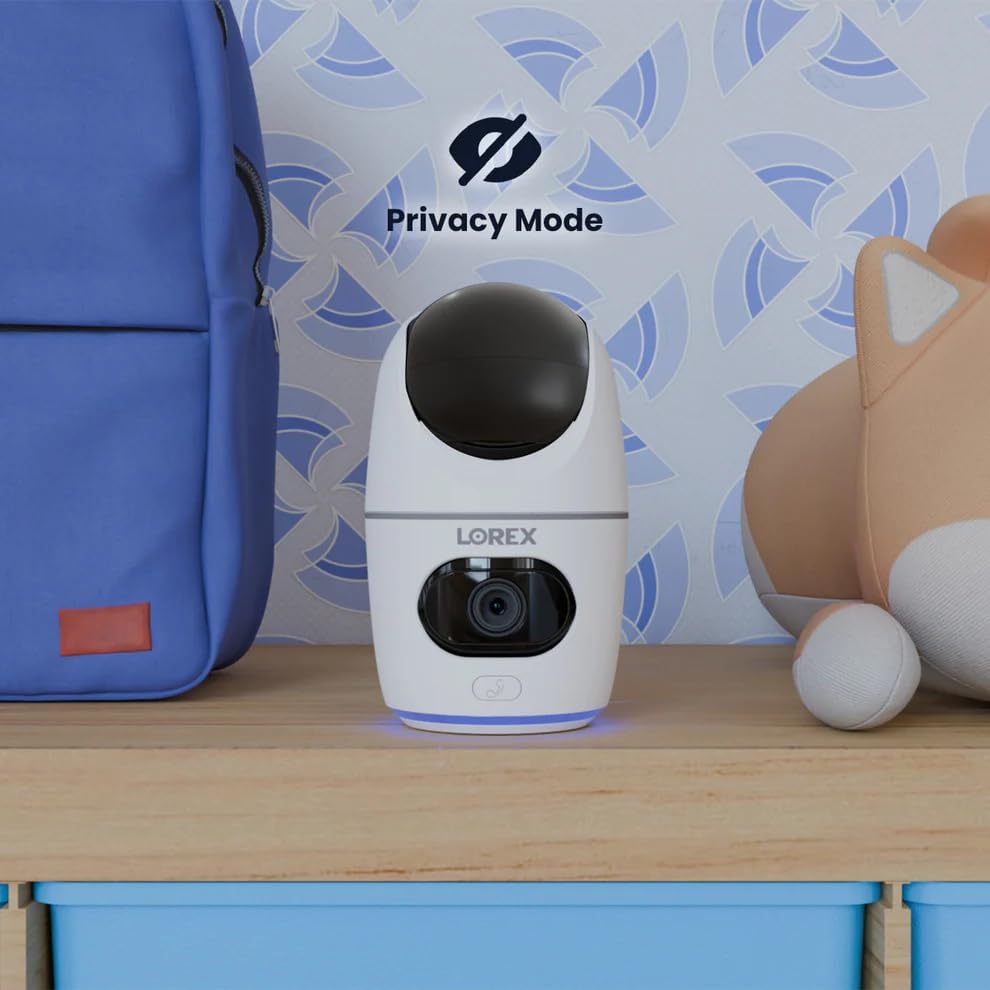
Image 5.12: The camera in Privacy Mode, with the lens retracted.
6. Vedlikehold
- Rengjøring: Bruk en myk, tørr klut til å rengjøre kameralinsen og huset. Unngå slipende rengjøringsmidler eller løsemidler.
- Fastvareoppdateringer: Regularly check the Lorex Home app for available firmware updates to ensure optimal performance and security.
- MicroSD-kort: Periodically check the status of the MicroSD card in the app. If the card is full and continuous recording is enabled, older footage will be overwritten. Back up important footage etter behov.
- Strømforsyning: Ensure the camera is connected to a stable power source. Avoid using third-party power adapters that are not specified for this device.
7. Feilsøking
| Problem | Løsning |
|---|---|
| Kameraet er frakoblet eller offline. |
|
| Kan ikke koble til Wi-Fi. |
|
| No video or poor video quality. |
|
| Motion alerts are too frequent or not received. |
|
8. Spesifikasjoner
| Trekk | Detalj |
|---|---|
| Modellnummer | W463AQD-E |
| Videooppløsning | 2K (1440p) |
| Effektiv stilloppløsning | 4 MP |
| Viewing vinkel | 360 Degrees (Pan-Tilt), 135 Degrees (Field of View) |
| Night Vision Range | 33 Feet (IR Night Vision) |
| Tilkobling | Wi-Fi (2.4 GHz) |
| Lagring | 32GB MicroSD Card (included), supports up to 256GB, Cloud Storage (optional), Lorex Fusion compatible |
| Lyd | Toveis samtale (innebygd mikrofon og høyttaler) |
| Oppdagelse | Smart Person & Pet Detection, Auto-Tracking |
| Strømkilde | Corded Electric (5V=2A) |
| Dimensjoner (L x B x H) | 5 x 6 x 5 tommer |
| Varevekt | 15.2 unser |
| Innendørs/utendørs bruk | Kun innendørs |
| Inkluderte komponenter | Camera, 32GB MicroSD Card, Power Cable, Mounting Bracket, Power Adapter |
9. Garanti og støtte
For warranty information, technical support, or additional resources, please visit the official Lorex webnettstedet eller kontakt deres kundeserviceavdeling.
- lorex Webnettsted: www.lorex.com
- Kundestøtte: Refer to the Lorex webnettstedet for kontaktinformasjon og åpningstider for support.
Product registration is recommended to receive updates and support.
Ask a question about this manual
Ask about setup, troubleshooting, compatibility, parts, safety, or missing instructions. Manuals+ will review the question and use this page’s manual context to help answer it.