
1. Produktet er overview
The TRUSTECH Evaporative Air Cooler (Model B085RBZ1P) is a versatile 2-in-1 appliance designed to provide both cooling and humidification. This portable tower fan features a bladeless design, three fan speeds, three operating modes, 90-degree oscillation, and an 8-hour timer for enhanced comfort and convenience.
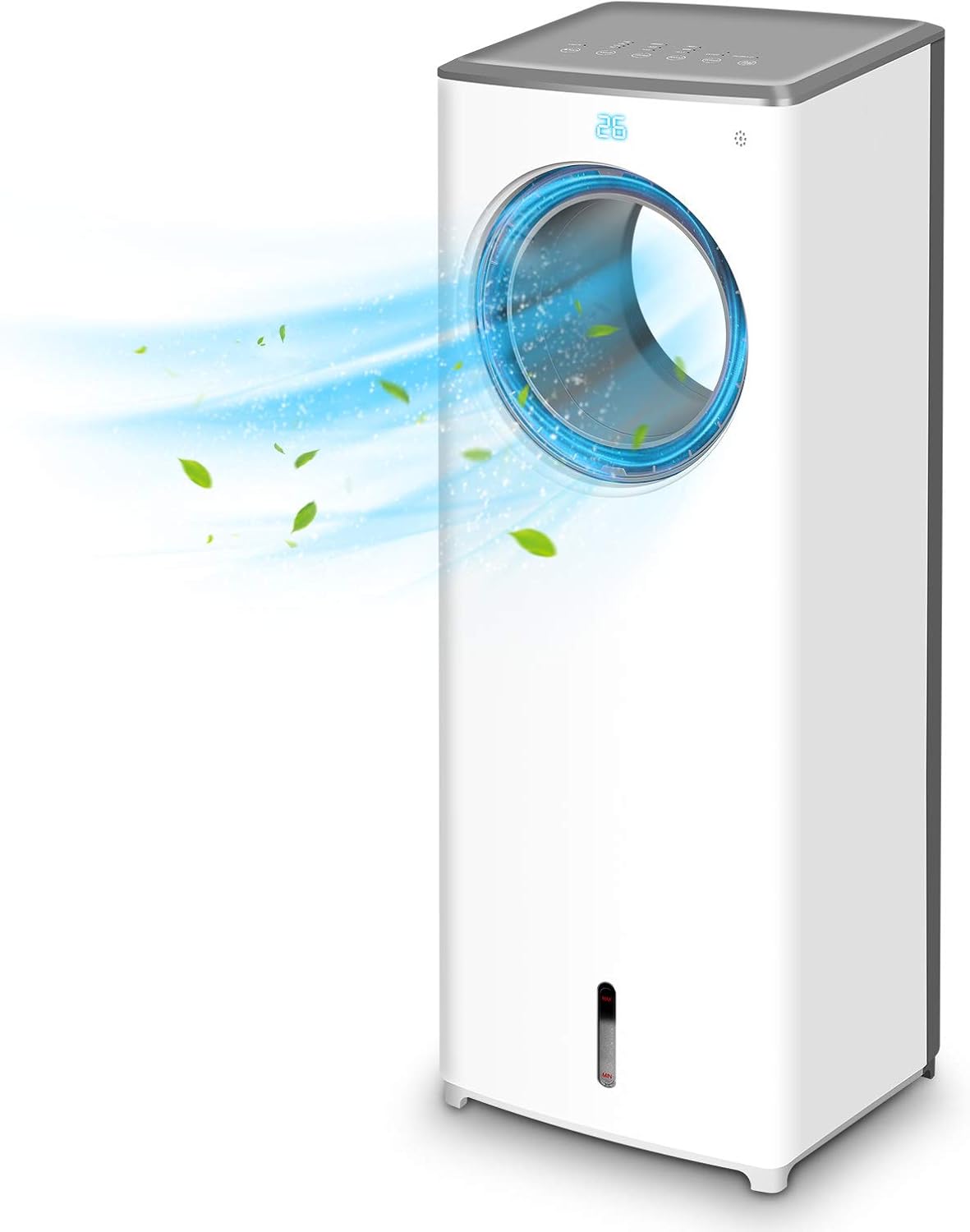
Bilde 1.1: Foran view of the TRUSTECH Evaporative Air Cooler, showcasing its sleek design and air outlet.
2. Sikkerhetsinstruksjoner
- Les alle instruksjonene før du bruker apparatet.
- Ikke bruk enheten med en skadet ledning eller støpsel.
- Sørg for at enheten er plassert på en stabil og jevn overflate for å forhindre at den velter.
- Ikke blokker luftinntak eller -uttak.
- Unplug the unit before cleaning, refilling water, or performing any maintenance.
- Keep out of reach of children and pets. The bladeless design enhances safety, but supervision is always recommended.
- Do not use in excessively humid environments or near water sources to avoid electrical hazards.

Image 2.1: The bladeless design of the air cooler, highlighting its safety features for households with children and pets.
3. Oppsett og montering
- Utpakking: Ta luftkjøleren forsiktig ut av emballasjen. Ta vare på emballasjen for senere oppbevaring eller transport.
- Plassering: Position the unit on a firm, level surface away from direct sunlight and heat sources. Ensure there is adequate space around the unit for proper airflow.
- Fylle vanntanken:
- Finn vanntanken nederst på enheten.
- Trekk vanntanken forsiktig ut.
- Fill the tank with clean, cool water. Do not exceed the 'MAX' fill line.
- For enhanced cooling, place the included ice crystal boxes (after freezing) or ice cubes into the water tank.
- Skyv vanntanken forsiktig tilbake i enheten til den klikker på plass.
- Strømtilkobling: Koble strømledningen til en vanlig stikkontakt.

Image 3.1: Illustration of the water tank and the process of adding ice cubes or ice crystal boxes for cooling and humidification.
4. Bruksanvisning
Luftkjøleren kan betjenes via kontrollpanelet på toppen av enheten eller den medfølgende fjernkontrollen.
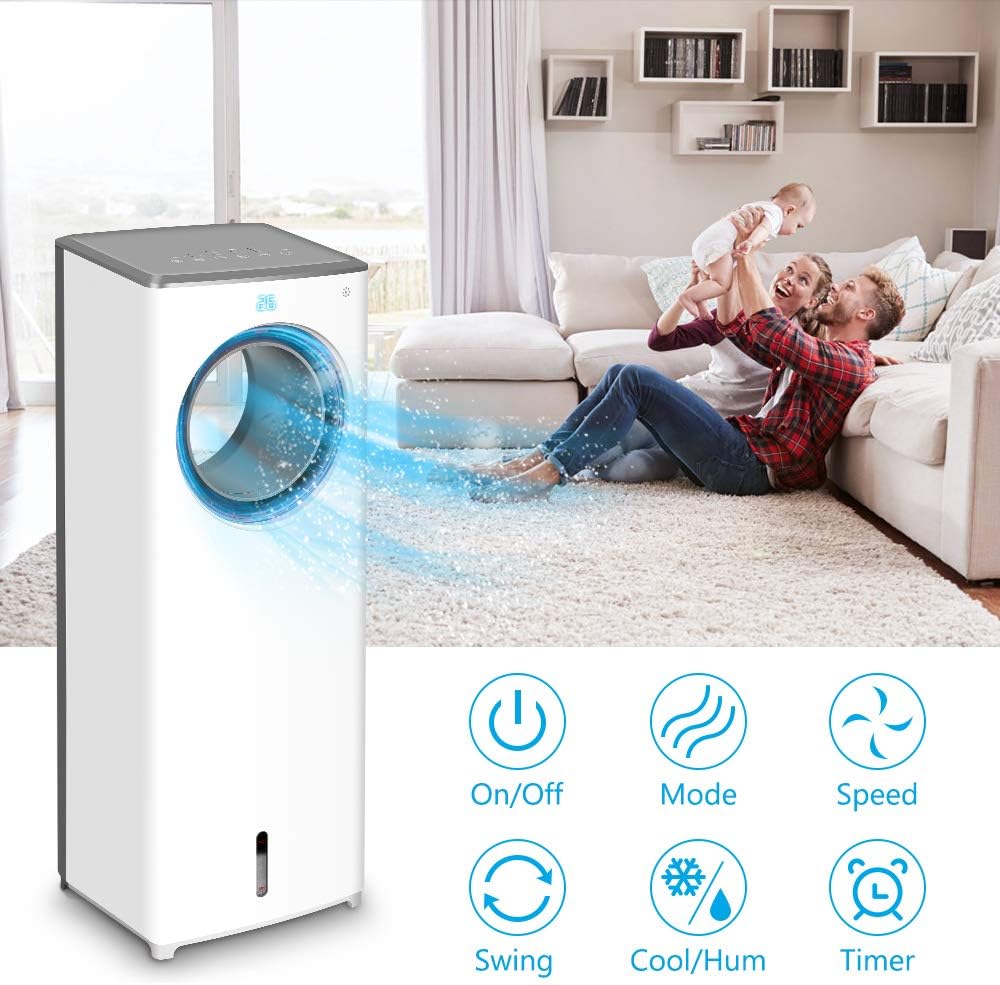
Bilde 4.1: Overview of the control panel buttons and remote control functions, including On/Off, Mode, Speed, Swing, Cool/Humidify, and Timer.
- Slå på/av: Trykk på Makt knappen for å slå enheten på eller av.
- Viftehastighet: Trykk på Fart button repeatedly to cycle through Low, Mid, and High fan speeds.
- Driftsmoduser: Trykk på Modus button to select from three distinct airflow patterns:
- Normal modus: Provides a consistent airflow.
- Naturmodus: Simulerer naturlig bris med varierende viftehastigheter.
- Sove modus: Operates at a lower speed and noise level for quiet operation during rest.

Image 4.2: Visual representation of the three available wind modes: Normal, Nature, and Sleep, illustrating their different airflow characteristics.
- Oscillasjon (sving): Trykk på Svinge button to activate or deactivate the 90-degree oscillation feature, distributing air across a wider area.

Image 4.3: The air cooler demonstrating its 90-degree oscillation feature for comprehensive air distribution.
- Cool/Humidify Function: Trykk på Kjøl ned/fukt button to activate the evaporative cooling and humidification function. Ensure the water tank is filled for this feature to operate effectively.
- Timer: Trykk på Timer button to set the automatic shut-off timer for up to 8 hours. Each press increases the timer setting.

Image 4.4: The 8-hour adjustable timer feature, promoting energy efficiency and convenience for extended use.
5. Vedlikehold
Regular cleaning and maintenance will ensure optimal performance and longevity of your air cooler.
- Før rengjøring: Always unplug the unit from the power outlet before cleaning or performing any maintenance.
- Rengjøring av vanntanken:
- Fjern vanntanken fra enheten.
- Tøm ut eventuelt gjenværende vann.
- Clean the tank with a mild detergent and warm water. Rinse thoroughly to remove all soap residue.
- It is recommended to clean the water tank every 3 days to prevent odor and bacterial growth.
- Rengjøring av kjøleputen/filteret:
- Refer to the product diagram to locate and carefully remove the cooling pad/filter from the rear of the unit.
- Rinse the cooling pad/filter under running water to remove dust and debris. Do not use harsh chemicals.
- Allow the cooling pad/filter to air dry completely before reinserting it into the unit.
- Rengjøring utvendig: Tørk av enhetens utvendige overflater med en myk, tørr klut.amp klut. Ikke bruk skurende rengjøringsmidler eller løsemidler.
- Lagring: If storing the unit for an extended period, ensure the water tank and cooling pad are clean and dry. Store the unit in a cool, dry place.
6. Feilsøking
| Problem | Mulig årsak | Løsning |
|---|---|---|
| Enheten slås ikke på. | No power supply; power cord not securely plugged in. | Check power outlet and ensure the power cord is firmly connected. |
| No cool air or humidification. | Water tank is empty; cooling pad is dry; Cool/Humidify function not activated. | Fill the water tank; ensure the cooling pad is moist; activate the Cool/Humidify function. |
| Unpleasant odor from the unit. | Stagnant water or dirty cooling pad/water tank. | Clean the water tank and cooling pad thoroughly. Replace water regularly. |
| Vannlekasje. | Water tank not properly seated; obstruction in water tank (e.g., packaging material). | Ensure the water tank is correctly inserted. Check for and remove any foreign objects from the tank. |
| Fjernkontrollen virker ikke. | Batteries are dead or incorrectly inserted; remote not pointed at receiver. | Replace batteries with new ones, ensuring correct polarity. Point the remote directly at the unit's receiver. |
7. Spesifikasjoner
| Trekk | Detalj |
|---|---|
| Modell | B085RBZ1P |
| Merke | TRUSTECH |
| Varevekt | 14.17 pund |
| Produktdimensjoner | 10.2" D x 8.7" B x 28.7" H |
| Strømkilde | Elektrisk med ledning |
| Monteringstype | Bærbar |
| Spesielle funksjoner | Bladeless, Portable, Humidifier |
| Antall hastigheter | 3 |
| Svingning | 90 grader |
| Timer | 1-8 hours adjustable |
8. Garanti og støtte
For information regarding product warranty, technical support, or service inquiries, please refer to the warranty card included with your product packaging or visit the official TRUSTECH website. Contact details for customer support are typically provided in these resources.