
Introduksjon
Takk for kjøpetasing the Helix True Wireless Earbuds. This manual provides essential information for setting up, operating, and maintaining your earbuds. Please read it carefully before use and retain it for future reference.

Image: Helix True Wireless Earbuds, black and white, resting inside their open black charging case. One earbud is also shown outside the case, indicating its design.
Hva er i esken
- Ekte trådløse ørepropper (venstre og høyre)
- Ladeetui
- USB ladekabel
- Brukerhåndbok
Oppsett
1. Førstegangslading
Before first use, fully charge the earbuds and the charging case. Connect the USB charging cable to the charging case and a power source. The LED indicators on the case will show charging status.

Image: An open charging case with two earbuds inside. Three blue LED lights are visible on the case, indicating power status. Text overlays highlight "Superior HD Audio", "Hands-Free Calling", and "Power LED Indicators".
2. Power On/Off and Auto-Pairing
The earbuds feature auto on/off and pairing. Simply remove the earbuds from the charging case to power them on. They will automatically enter pairing mode or reconnect to the last paired device. Place them back into the case to power off and begin charging.
3. Bluetooth-paring
- Sørg for at øreproppene er ladet og tatt ut av ladeetuiet.
- Gå til Bluetooth-innstillingene på enheten din (smarttelefon, nettbrett osv.).
- Søk etter new devices and select "Helix TW" from the list.
- Once connected, your device will indicate successful pairing.
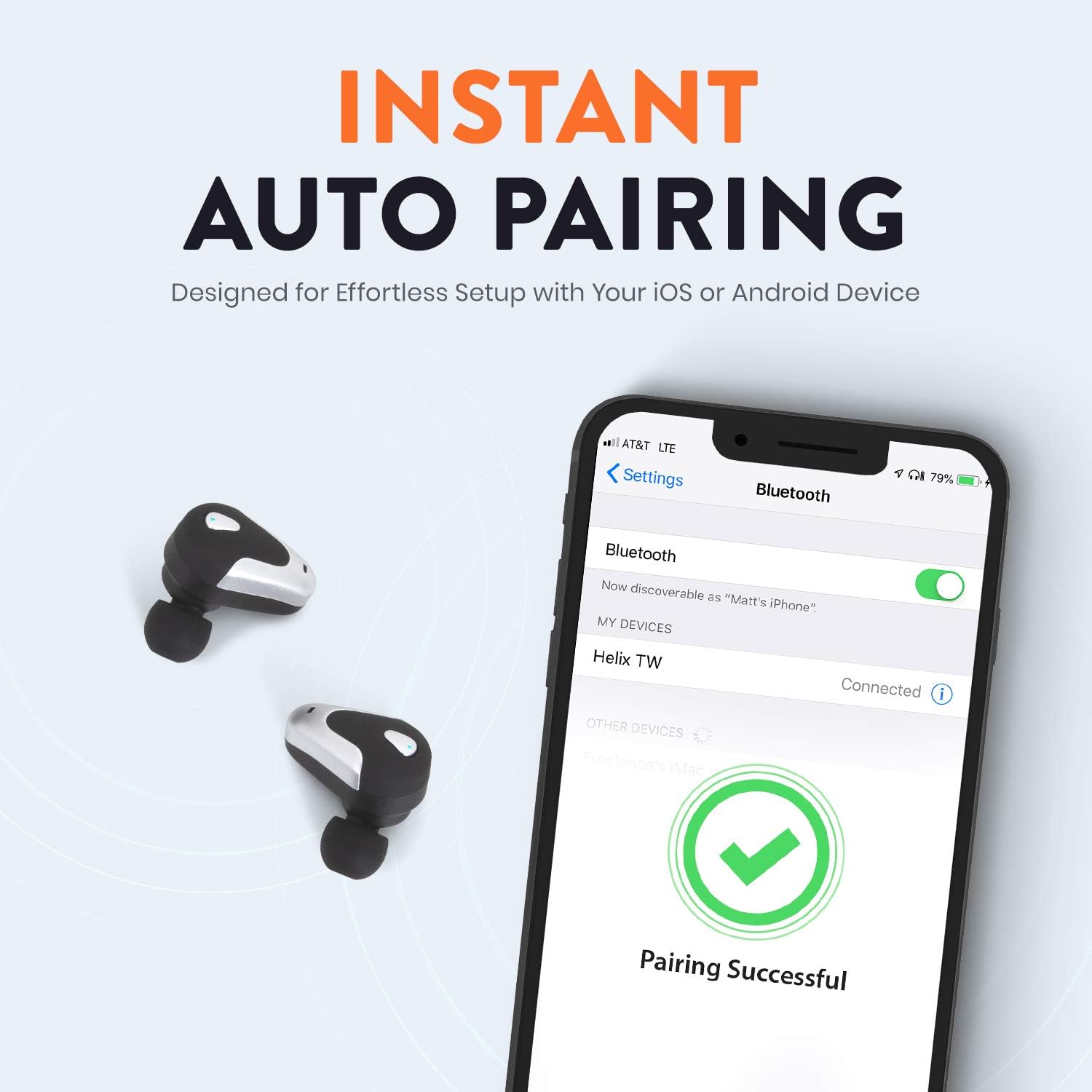
Image: A smartphone screen displaying Bluetooth settings, showing "Helix TW" as a connected device and a "Pairing Successful" message with a green checkmark. Two Helix earbuds are shown next to the phone.
4. SecureLock Fit
The Helix True Wireless Earbuds are designed with an ergonomic SecureLock Fit for comfort and stability during various activities. Gently insert the earbuds into your ears and twist slightly to secure them.

Image: A diagram illustrating the ergonomic SecureLock Fit of the earbuds, showing how they twist into the ear for a secure hold. In the background, people are exercising, suggesting the earbuds' suitability for active use.
Bruksanvisning
Lydavspilling
- Spill av/pause: Tap the control area on either earbud once.
- Neste spor: Double-tap the control area on the right earbud.
- Forrige spor: Double-tap the control area on the left earbud.
Håndfri oppringing
- Svar/avslutt samtale: Tap the control area on either earbud once.
- Avvis anrop: Press and hold the control area on either earbud for 2 seconds.
Stemmeassistentkontroll
Triple-tap the control area on either earbud to activate your device's voice assistant (e.g., Siri, Google Assistant).
Batterilevetid
The earbuds provide up to 4 hours of run time on a single charge. The charging case extends total listening time to approximately 16 hours.

Image: A graphic illustrating the battery life of the Helix earbuds. It shows "4 HOURS" for a single charge of the earbuds and "16 HOURS" when combined with the charging case.
HD-lyd
Experience HD audio with unrivaled bass, midtones, and treble frequencies for a rich listening experience.

Image: A graphic titled "NEXT-LEVEL HD AUDIO" with sound wave patterns in blue, representing high-definition audio quality. Two Helix earbuds are depicted in the foreground.
Vedlikehold
- Rengjøring: Bruk en myk, tørr klut til å rengjøre øreproppene og ladeetuiet. Ikke bruk slipende rengjøringsmidler eller legg dem i vann.
- Lagring: Når de ikke er i bruk, oppbevar øreproppene i ladeetuiet for å beskytte dem og holde dem ladet.
- Vannmotstand: The earbuds are water resistant, but not waterproof. Avoid prolonged exposure to water or submersion.
Feilsøking
| Problem | Løsning |
|---|---|
| Øreproppene kobles ikke til enheten. |
|
| Ingen lyd fra en ørepropp. |
|
| Øreproppene lader ikke. |
|
| Dårlig lydkvalitet. |
|
Spesifikasjoner
| Trekk | Detalj |
|---|---|
| Modellnavn | Helix |
| Modellnummer | ETHTWB |
| Tilkoblingsteknologi | Bluetooth |
| Bluetooth-versjon | 5.0 |
| Bluetooth-rekkevidde | 10 meter |
| Batterilevetid (ørepropper) | Opptil 4 timer |
| Total batterilevetid (med etui) | Opptil 16 timer |
| Type lyddriver | Balansert ankerdriver |
| Frekvensområde | 20 Hz til 20,000 XNUMX Hz |
| Kontroll Type | Media Control, Voice Assistant |
| Mikrofon | Included for Hands-Free Calling |
| Vannmotstandsnivå | Vannbestandig |
| Ørestykke form | I øret |
| Materiale | Plast |
| Farge | Svart |
| Varevekt | 3.2 unser |
| Produsent | Helix |
| UPC | 816983019126 |
Garantiinformasjon
Specific warranty details are typically provided with your product packaging or available on the manufacturer's official webnettsted. Se dokumentasjonen som fulgte med kjøpet for fullstendige garantivilkår.
Støtte
For further assistance, technical support, or customer service inquiries, please visit the official Helix webnettstedet eller kontakt kundestøttekanalene deres som er oppført i produktdokumentasjonen.
Du kan også besøke Helix Store on Amazon for mer produktinformasjon.