
1. Introduksjon
The i-Star Portable DAB/DAB+/FM Radio offers a versatile listening experience with clear digital and analog radio reception. Designed for portability, it features a built-in rechargeable battery and a compact design, making it suitable for use at home or on the go. This manual provides essential information for setting up, operating, and maintaining your radio.

Figur 1: Front view of the i-Star Portable DAB/DAB+/FM Radio, highlighting its compact design and user interface.
2. Oppsett
2.1 Utpakking og førstegangslading
- Ta radioen og alt tilbehør forsiktig ut av emballasjen.
- Connect the supplied USB charging cable to the radio's Micro USB port and to a compatible USB power adapter (not included) or a computer's USB port.
- Allow the radio to charge fully before first use. The charging indicator will typically change or turn off when charging is complete. A full charge provides up to 4 hours of playback.
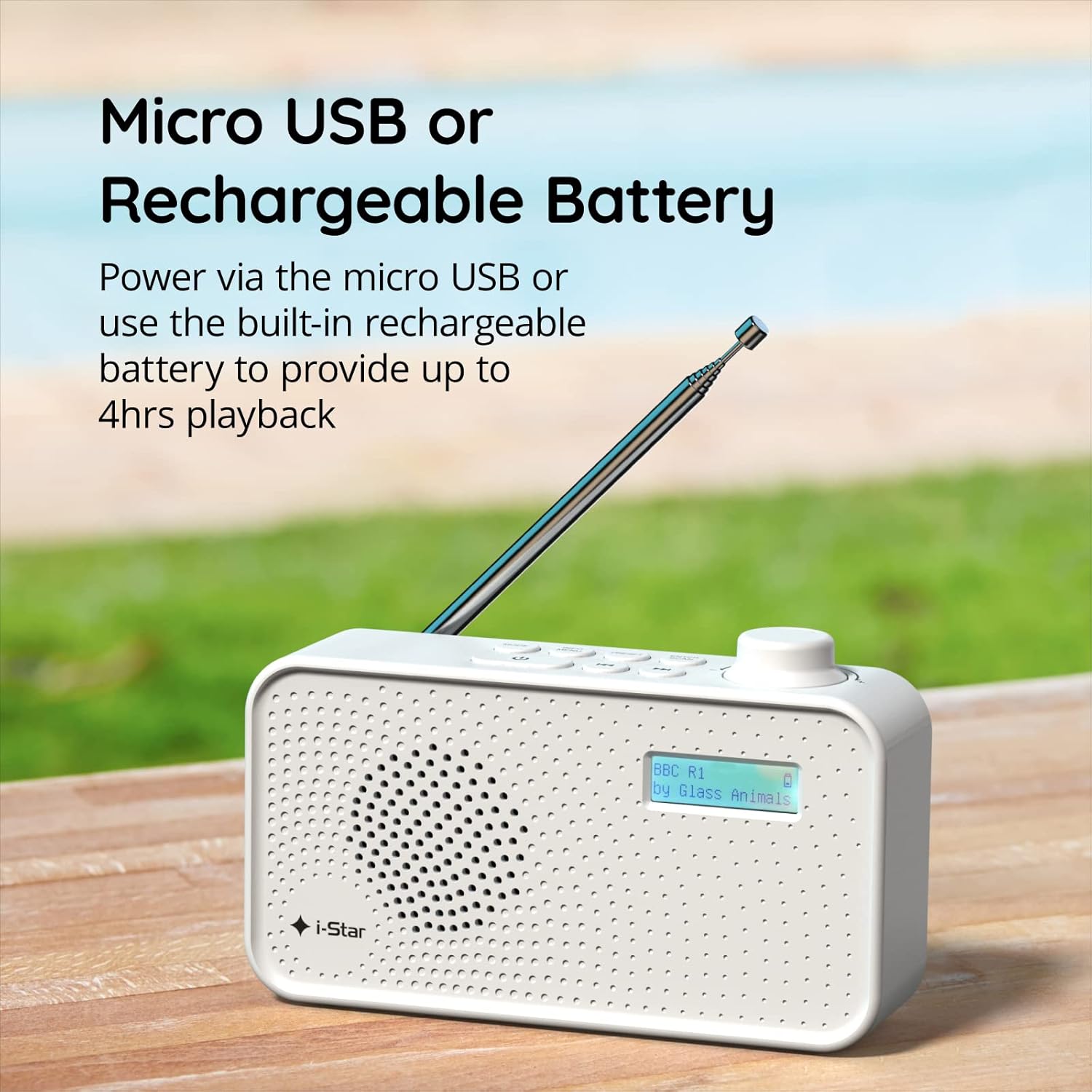
Figur 2: The radio powered via Micro USB or its built-in rechargeable battery.
2.2 First Power On and Automatic Scan
- Trekk teleskopantennen helt ut for optimalt mottak.
- Trykk og hold inne VENT LITT knappen for å slå på radioen.
- Når radioen slås på for første gang, vil den automatisk søke etter tilgjengelige DAB/DAB+-stasjoner. Denne prosessen kan ta noen minutter.
- Når skanningen er fullført, vil radioen stille inn på den første tilgjengelige stasjonen.
3. Bruksanvisning
3.1 Switching Between DAB/DAB+ and FM Modes
- Trykk på MODUS button repeatedly to switch between DAB/DAB+ and FM radio modes. The current mode will be displayed on the LCD screen.

Figur 3: The radio supports DAB, DAB+, and FM for a wide range of listening options.
3.2 Innstillingsstasjoner
- DAB/DAB+-modus: Bruk FORHÅNDSINNSTILLING or MELODI buttons (left/right arrows) to navigate through the list of available stations. Press ENTER/SKANN for å velge en stasjon.
- FM-modus: Trykk på ENTER/SKANN button to automatically scan for the next available FM station. Alternatively, use the MELODI buttons for manual fine-tuning.
3.3 Lagre og hente frem forhåndsinnstillinger
- Still inn på ønsket stasjon.
- Trykk og hold inne FORHÅNDSINNSTILLING knappen til «Forhåndsinnstilt lagring» vises på displayet.
- Bruk MELODI -knappene for å velge et forhåndsinnstilt nummer (1–60).
- Pressen ENTER/SKANN for å bekrefte og lagre stasjonen.
- For å hente frem en lagret stasjon, trykk kort på FORHÅNDSINNSTILLING -knappen, og bruk deretter MELODI -knappene for å velge ønsket forhåndsinnstilt nummer, og trykk på ENTER/SKANN.
3.4 Volumkontroll
- Roter VOLUM knob (located on the right side) clockwise to increase volume and counter-clockwise to decrease volume.
3.5 Søvntimerfunksjon
- For å aktivere sovetimeren, trykk på INFO / MENY button repeatedly until 'Sleep' appears.
- Bruk MELODI buttons to select the desired sleep duration (e.g., 15, 30, 45, 60, 90 minutes).
- Pressen ENTER/SKANN to confirm. The radio will automatically turn off after the set time.

Figur 4: The sleep timer feature allows the radio to automatically switch off after a set period.
3.6 Lytting med hodetelefoner
- Connect standard 3.5mm headphones (not included) to the headphone jack located on the side of the radio for private listening. The internal speaker will be muted automatically.

Figur 5: Connect headphones for personal listening without disturbing others.
4. Vedlikehold
4.1 Generell pleie
- Keep the radio away from direct sunlight, heat sources, and moisture.
- Unngå å miste radioen i bakken eller utsette den for harde støt.
- Ikke forsøk å demontere radioen; dette vil ugyldiggjøre garantien.
4.2 Rengjøring
- Tørk av radioens utside med en myk, tørr klut.
- Ikke bruk slipende rengjøringsmidler, voks eller løsemidler, da de kan skade overflaten.
5. Feilsøking
- Ingen strøm: Ensure the radio is charged or connected to a power source via the USB cable. Check if the STANDBY button has been pressed.
- Ingen lyd: Check the volume level. Ensure headphones are not connected if you intend to use the speaker.
- Poor Reception (DAB/DAB+ or FM): Fully extend the telescopic antenna. Try repositioning the radio. Perform a full scan for DAB/DAB+ stations. In FM mode, try manual tuning.
- Radio Freezes/Unresponsive: Turn the radio off and on again. If the issue persists, allow the battery to fully discharge and then recharge it.
6. Spesifikasjoner
| Trekk | Spesifikasjon |
|---|---|
| Merke | i-Star |
| Modellnummer | 90059PI |
| Farge | Hvit |
| Radioband støttes | DAB, DAB+, FM |
| Tuningteknologi | Digital (DAB/DAB+), Analog (FM) |
| Tilkobling | USB (for lading), 3.5 mm hodetelefonkontakt |
| Strømkilde | Rechargeable Lithium-ion Battery (1200 mAh), USB Power |
| Batterilevetid | Opptil 4 timer (på en enkelt lading) |
| Spesielle funksjoner | Portable, Sleep Timer, 60 Station Presets |
| Inkluderte komponenter | USB-ladekabel, brukerhåndbok |
| Varevekt | 440 gram |
7. Garanti og støtte
This product is covered by a standard manufacturer's warranty. Please refer to the warranty card included in your packaging for specific terms and conditions. For technical support, troubleshooting assistance, or warranty claims, please contact your retailer or the i-Star customer service department. Contact details can typically be found on the product packaging or the official i-Star webnettstedet.