
1. Introduksjon
Thank you for choosing the Reebok RDVNEG9P2S2B2N Digital Watch. This manual provides essential information for the proper setup, operation, and maintenance of your new timepiece. Please read this manual thoroughly before using the watch to ensure optimal performance and longevity.
2. Sikkerhetsinformasjon
- Vannmotstand: This watch is water resistant up to 100 meters. It is suitable for swimming and snorkeling but not for diving. Do not operate buttons underwater.
- Temperatur: Avoid exposing the watch to extreme temperatures (hot or cold) for extended periods, as this may affect its accuracy and battery life.
- Kjemikalier: Keep the watch away from solvents, detergents, perfumes, and cosmetics, as these can damage the strap, case, or seals.
- Påvirkning: Protect the watch from strong impacts or drops, which can damage internal components or the crystal.
- Batteri: Do not attempt to open the watch case or replace the battery yourself, as this may void the warranty and damage the watch. Refer to qualified service personnel.
3. Pakkens innhold
Bekreft at alle varene er til stede i pakken din:
- Reebok RDVNEG9P2S2B2N Digital Watch (with Stainless Steel Strap)
- Extra Silicone Strap
- Spring Bar Tool for strap replacement
- Brukerhåndbok (dette dokumentet)
4. Produktet er overview
Familiarize yourself with the main components of your Reebok digital watch.
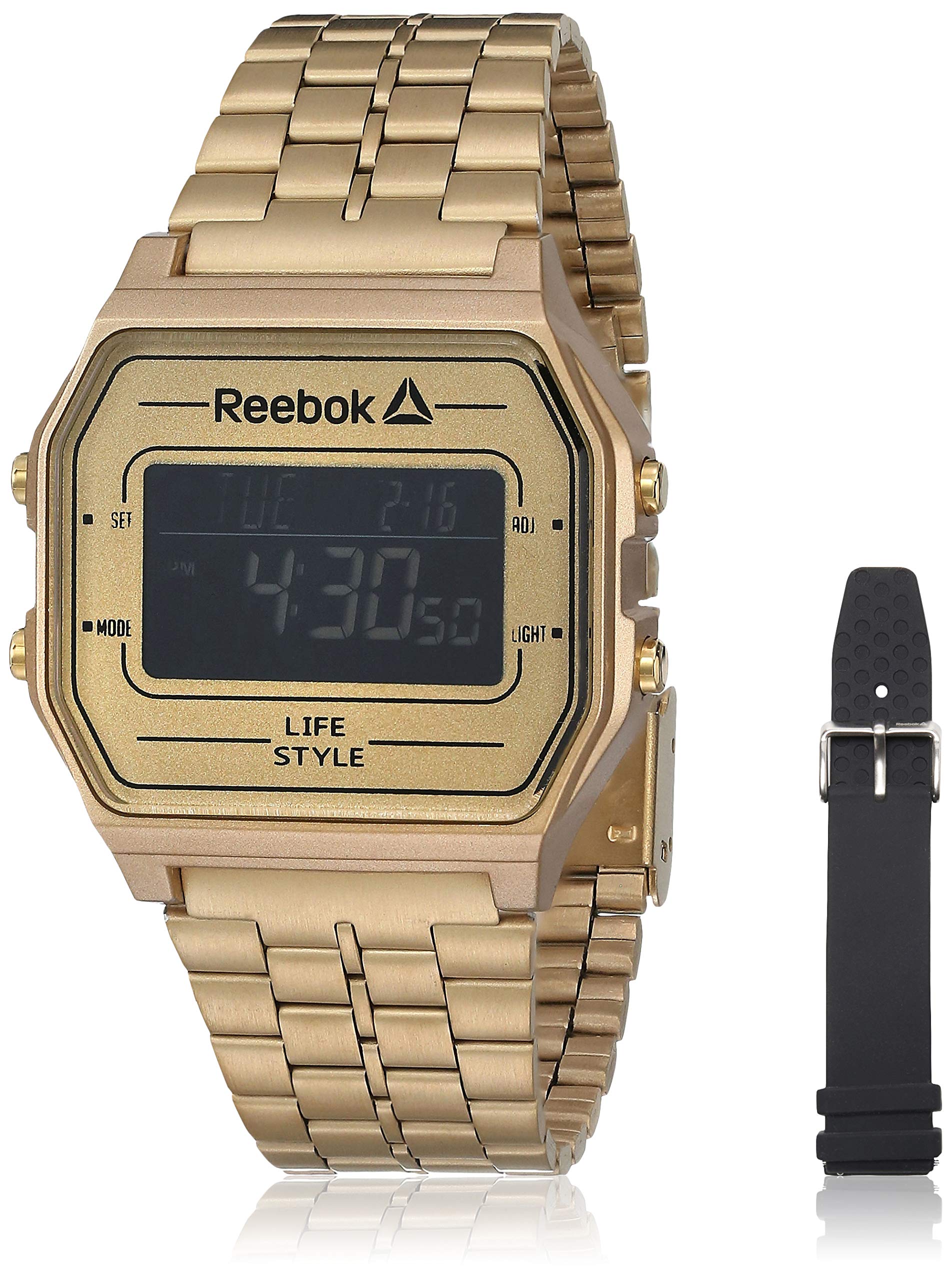
Bilde 1: Front view of the Reebok RDVNEG9P2S2B2N Digital Watch with its gold stainless steel strap. The digital display shows time and date, and control buttons are visible on the sides.
- Utstilling: Digital skjerm som viser tid, dato og andre funksjoner.
- SET -knapp: Brukes til å angi og bekrefte innstillinger.
- MODUS-knapp: Cycles through different watch modes (Time, Alarm, Stopwatch, etc.).
- ADJ-knapp: Adjusts values during setting.
- LYS -knapp: Aktiverer bakgrunnsbelysningen for synlighet i svakt lys.
- Sak: Gold-colored stainless steel case.
- Stropp: Interchangeable straps (Stainless Steel and Silicone).
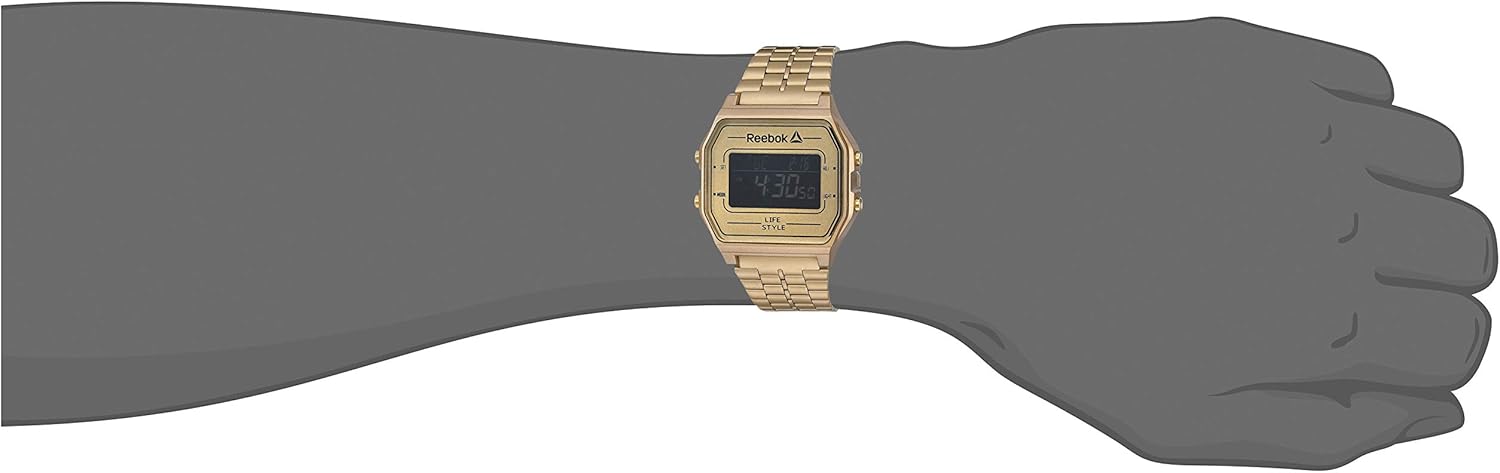
Bilde 2: The Reebok RDVNEG9P2S2B2N Digital Watch worn on a wrist, showcasing its size and fit with the gold stainless steel strap.
5. Oppsett
5.1 Innstilling av klokkeslett og dato
- In normal timekeeping mode, press and hold the SETT knappen til sekundene begynner å blinke. Dette indikerer at du er i innstillingsmodus.
- Trykk på MODUS -knappen for å bla gjennom innstillingene: Sekunder → Time → Minutt → År → Måned → Dag.
- Bruk ADJ knappen for å øke den blinkende verdien. Hold inne ADJ knappen for å raskt øke verdien.
- Når alle innstillingene er justert, trykker du på SETT knappen igjen for å avslutte innstillingsmodus og lagre endringene.
5.2 12/24-timers format
Mens du er i tidsinnstillingsmodus (sekunder blinker), trykk på ADJ button when the hour is flashing to toggle between 12-hour (with AM/PM indicator) and 24-hour formats.
6. Bruk av klokken
6.1 Modusvalg
Trykk på MODUS button repeatedly to cycle through the available functions:
- Timekeeping Mode (displays current time and date)
- Alarmmodus
- Stoppeklokke-modus
6.2 Bruke bakgrunnsbelysningen
Trykk på LYS button to illuminate the display for a few seconds. This is useful in dark environments.
6.3 Alarmfunksjon
- Fra tidvisningsmodus, trykk MODUS until "AL" or "Alarm" appears on the display.
- Trykk og hold inne SETT knappen til alarmtimen blinker.
- Bruk ADJ knappen for å stille inn ønsket time. trykk MODUS for å flytte til minutter.
- Bruk ADJ button to set the desired minutes.
- Pressen SETT for å bekrefte og avslutte alarminnstillingen.
- For å slå alarmen PÅ/AV, trykk på ADJ button while in Alarm Mode (without holding SET). An alarm icon will appear/disappear.
6.4 Stoppeklokkefunksjon
- Fra tidvisningsmodus, trykk MODUS until "ST" or "Stopwatch" appears on the display.
- Trykk på ADJ knappen for å starte stoppeklokken.
- Trykk på ADJ knappen igjen for å sette stoppeklokken på pause.
- Trykk på SETT knappen for å nullstille stoppeklokken.
- To exit Stopwatch Mode, press the MODUS knapp.
7. Utskifting av reim
Your Reebok watch comes with an extra silicone strap and a spring bar tool for easy strap changes. Follow these steps carefully to avoid scratching your watch or damaging the spring bars.
7.1 Removing the Current Strap
- Place the watch face down on a soft, clean cloth to prevent scratches.
- Locate the spring bar tool. It typically has a forked end.
- Insert the forked end of the tool between the strap and the watch lug (the part of the watch case where the strap attaches).
- Gently push the spring bar inwards (towards the center of the strap) to compress it.
- Once one end of the spring bar is disengaged from the lug hole, carefully pull the strap away from the watch.
- Repeat for the other side of the strap and for the second strap piece.
- Keep the spring bars in a safe place if you intend to reuse the strap.
7.2 Attaching a New Strap
- Insert one end of a spring bar into one of the lug holes on the watch case.
- With the spring bar tool, compress the other end of the spring bar.
- Guide the compressed end into the opposite lug hole.
- Release the spring bar tool, ensuring both ends of the spring bar are securely seated in the lug holes. Gently tug on the strap to confirm it is firmly attached.
- Repeat for the second strap piece.
8. Vedlikehold
8.1 Rengjøring
- Watch Case and Stainless Steel Strap: Wipe regularly with a soft, dry cloth. For stubborn dirt, use a slightly damp klut og mild såpe, og tørk deretter grundig.
- Silikonrem: Wash with mild soap and water, then rinse and dry completely.
- Avoid using abrasive cleaners or chemical solvents.
8.2 Vedlikehold av vanntetthet
- Ensure the watch crown (if applicable, though this is a digital watch with buttons) and buttons are fully pressed in before any contact with water.
- Ikke bruk knappene mens klokken er nedsenket i vann.
- Etter eksponering for saltvann, skyll klokken med ferskvann og tørk den grundig.
- Water resistance is not a permanent condition and may decrease over time. Have the seals checked periodically by a qualified technician.
8.3 Batteribytte
When the display becomes dim or the watch stops functioning, the battery may need replacement. It is recommended to have the battery replaced by a professional watch technician to ensure proper sealing and water resistance integrity.
9. Feilsøking
| Problem | Mulig årsak | Løsning |
|---|---|---|
| Klokkeskjermen er tom eller svak. | Lavt eller utladet batteri. | Bytt batteri (anbefales av en fagperson). |
| Tiden er unøyaktig. | Incorrect time setting; exposure to strong magnetic fields; low battery. | Reset the time and date (refer to Section 5.1). Keep away from strong magnets. Replace battery if issue persists. |
| Knappene reagerer ikke. | Klokken er våt; intern feil. | Ensure watch is dry. If issue persists, contact customer support. |
| Vann inni klokken. | Vannmotstanden var svekket; knappene ble brukt under vann. | Ta klokken umiddelbart med til en fagperson for inspeksjon og reparasjon for å forhindre ytterligere skade. |
10. Spesifikasjoner
- Modellnummer: RDVNEG9P2S2B2N
- Visningstype: Digital
- Bevegelse: Kvarts
- Koffertmateriale: Rustfritt stål
- Saksdiameter: 42 mm
- Sakstykkelse: 5 mm
- Remmateriale: Stainless Steel (Gold), Silicone (Extra)
- Stroppbredde: 4 cm
- Krystall: Mineral
- Vannmotstand: 100 meter (330 fot)
- Strømkilde: Batteri
- Sperretype: Buckle (for silicone), Elegant Clasp (for stainless steel)
11. Garanti og støtte
11.1 Produsentens garanti
This Reebok watch is covered by a manufacturer's warranty. Please refer to the warranty card included in your original packaging for specific terms, conditions, and duration. The warranty typically covers manufacturing defects but does not cover damage resulting from misuse, accidents, unauthorized repairs, or normal wear and tear.
11.2 Kundestøtte
For technical assistance, warranty claims, or service inquiries, please contact Reebok customer support through their official website or the contact information provided with your purchase documentation. When contacting support, please have your watch model number (RDVNEG9P2S2B2N) and proof of purchase readily available.