
Wicked Audio WITW2151
Wicked Audio Driftr True Wireless Earbuds
Modell: WITW2151
Introduksjon
The Wicked Audio Driftr True Wireless Earbuds offer a seamless audio experience with easy pairing and comfortable wear. Designed for convenience, these earbuds provide clear sound and intuitive controls, making them ideal for everyday use.
Hva er i esken
- Wicked Audio Driftr True Wireless Earbuds (Left and Right)
- Ladeetui
- USB ladekabel
- Brukerhåndbok (dette dokumentet)
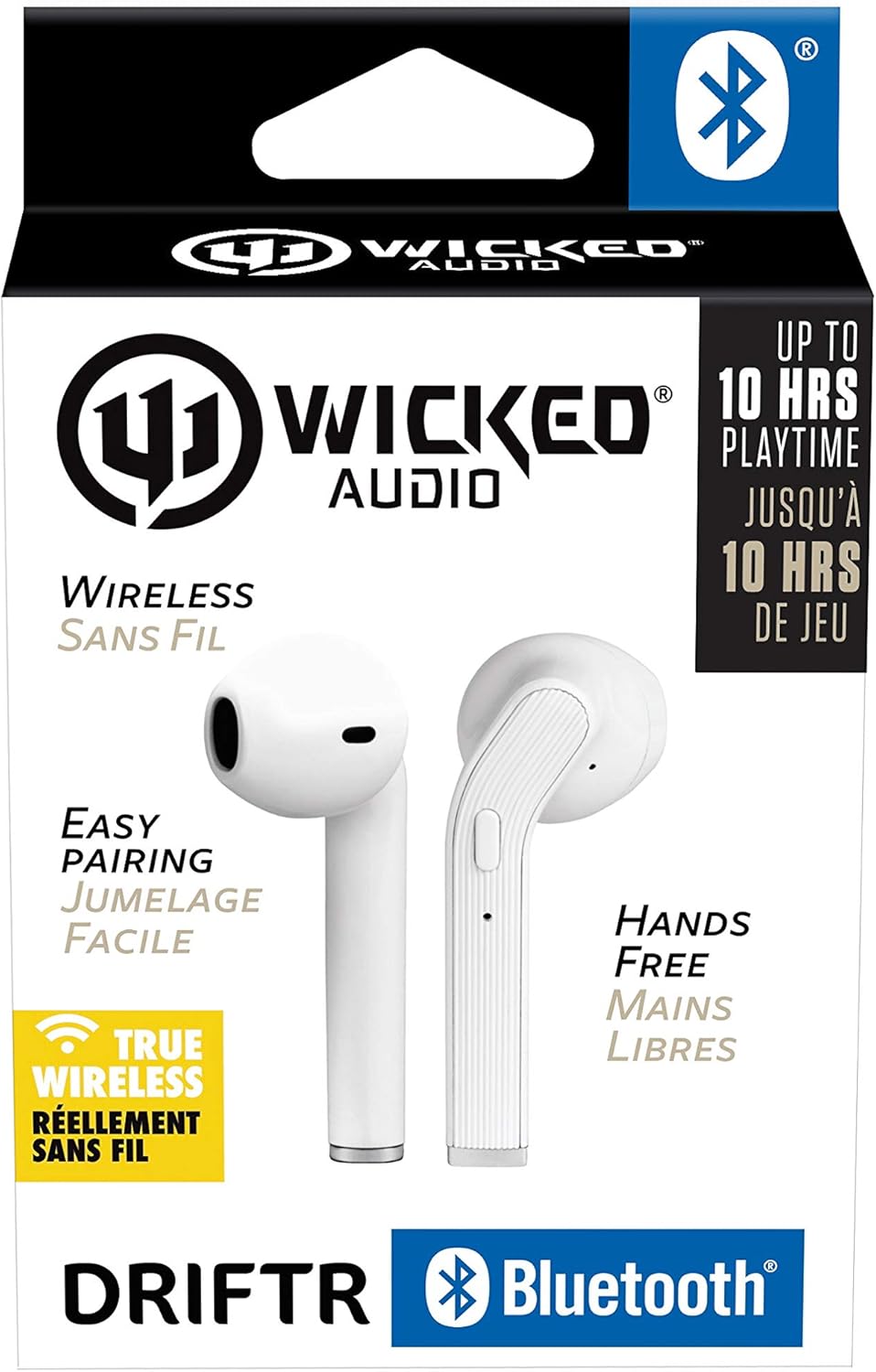
Image: Product packaging showing the earbuds and charging case.
Produkt overview
The Driftr earbuds feature an angled housing design for a comfortable fit. Each earbud includes touch controls for managing audio playback and calls, along with a built-in microphone for hands-free communication. The compact charging case provides additional battery life on the go.

Image: White Wicked Audio Driftr True Wireless Earbuds resting inside their open charging case.

Bilde: Nærbilde view of the left and right Wicked Audio Driftr True Wireless Earbuds, showing their angled design and control surfaces.

Image: A person wearing a white Wicked Audio Driftr True Wireless Earbud in their ear, demonstrating the fit.
Oppsett
1. Lade øreproppene og etuiet
Before first use, fully charge the earbuds and the charging case. Connect the provided USB charging cable to the charging port on the case and plug the other end into a USB power source (e.g., computer, wall adapter). The charging indicator light on the case will show charging status. A full charge takes approximately 1 hour for both the earbuds and the case.
2. Enkel sammenkobling
- Sørg for at øreproppene er ladet.
- Åpne ladeetuiet. Øreproppene slår seg på automatisk og går inn i paringsmodus.
- Gå til Bluetooth-innstillingene på enheten din (smarttelefon, nettbrett, bærbar PC).
- Select "Wicked Audio Driftr" from the list of available devices.
- Når du er tilkoblet, vil du høre en lydmelding, og indikatorlampen på øreproppene vil endres.
The earbuds are designed for straightforward, no-nonsense pairing in one easy step. After the initial pairing, they will automatically connect to your last paired device when removed from the case.
Bruksanvisning
Trykk på kontroller
The Driftr earbuds feature intuitive touch controls for various functions:
- Spill av/pause: Ett trykk på begge øreproppene.
- Neste spor: Dobbelttrykk på den høyre ørepluggen.
- Forrige spor: Dobbelttrykk på venstre ørepropp.
- Svar/avslutt samtale: Enkelttrykk på en av øreproppene under et innkommende anrop.
- Avvis anrop: Trykk og hold inne på en av øreproppene under et innkommende anrop.
- Aktiver stemmeassistent: Trippeltrykk på en av øreproppene (f.eks. Siri, Google Assistant).
Har på ørepluggene
Insert the earbuds into your ears with the angled housing pointing slightly forward for a secure and comfortable fit. Adjust as needed to ensure optimal sound quality and passive noise cancellation.
Vedlikehold
To ensure the longevity and optimal performance of your Wicked Audio Driftr earbuds, follow these maintenance guidelines:
- Rengjøring: Tørk av øreproppene og ladeetuiet regelmessig med en myk, tørr og lofri klut. Ikke bruk sterke kjemikalier eller slipende materialer.
- Lagring: Når de ikke er i bruk, oppbevar alltid øreproppene i ladeetuiet for å beskytte dem og holde dem ladet.
- Unngå fuktighet: The earbuds are not water resistant. Avoid exposure to water, sweat, and high humidity.
- Temperatur: Ikke utsett øreproppene eller etuiet for ekstreme temperaturer (varme eller kalde).
Feilsøking
If you encounter issues with your Driftr earbuds, try the following solutions:
- Øreproppene kobles ikke sammen:
- Sørg for at begge øreproppene er ladet.
- Plasser begge øreproppene tilbake i ladeetuiet, lukk lokket, vent noen sekunder, og åpne deretter lokket igjen.
- On your device, forget "Wicked Audio Driftr" from your Bluetooth settings and attempt to pair again.
- Ingen lyd fra den ene øreproppen:
- Ensure both earbuds are charged and properly seated in the case.
- Try resetting the earbuds by placing them in the case and then removing them.
- Øreproppene lader ikke:
- Sjekk ladekabelen og strømkilden.
- Sørg for at ladekontaktene på øreproppene og inni etuiet er rene og fri for rusk.
- Dårlig lydkvalitet:
- Sørg for at øreproppene sitter ordentlig i ørene.
- Check the audio source and volume levels on your device.
- Flytt deg nærmere den parede enheten for å unngå forstyrrelser.
Spesifikasjoner
| Trekk | Detalj |
|---|---|
| Modellnavn | Wicked Audio Driftr (WITW2151) |
| Tilkoblingsteknologi | Trådløs (Bluetooth 5.0) |
| Bluetooth-rekkevidde | Opp til 32 fot |
| Batterilevetid | Up to 10 Hours (earbuds) |
| Ladetid | Approx. 1 Hour (earbuds and case) |
| Lyddriverstørrelse | 13 millimeter |
| Frekvensrespons | 20 Hz–20 000 Hz |
| Følsomhet | 15 dB |
| Impedans | 32 Ohm |
| Støykontroll | Passiv støyreduksjon |
| Kontrollmetode | Røre |
| Vannmotstandsnivå | Ikke vannbestandig |
| Varevekt | 2.11 unser |
| Produktdimensjoner | 1.5 x 3 x 5.5 tommer |
| UPC | 712949012265 |
Garanti og støtte
Wicked Audio products are designed for durability and performance. For specific warranty information and support inquiries, please refer to the official Wicked Audio webnettstedet eller kontakt kundeservicen deres direkte. Ta vare på kjøpsbeviset for garantikrav.
For ytterligere hjelp, besøk Wicked Audio Store on Amazon.
Ask a question about this manual
Ask about setup, troubleshooting, compatibility, parts, safety, or missing instructions. Manuals+ will review the question and use this page’s manual context to help answer it.