
1. Introduksjon
Thank you for choosing the Cecotec Ready Warm 2500 Thermal Connected Electric Radiator. This manual provides essential information for the safe and efficient use of your new radiator. Please read it thoroughly before installation and operation, and keep it for future reference.
This electric radiator features 12 heating elements and a powerful 2000 W output, designed to quickly heat rooms up to 25 m². It offers versatile control options including a remote control, an LCD screen, and Wi-Fi connectivity via a smartphone application.

Image 1.1: The Cecotec Ready Warm 2500 Thermal Connected Electric Radiator positioned in a modern living room, showcasing its sleek design and portability with feet.
2. Viktige sikkerhetsinstruksjoner
For å redusere risikoen for brann, elektrisk støt eller skade, følg alltid disse grunnleggende sikkerhetsreglene:
- Read all instructions before using this radiator.
- Do not use this radiator in bathrooms, laundry areas, or similar indoor locations where water may be present.
- Do not insert or allow foreign objects to enter any ventilation or exhaust opening as this may cause an electric shock or fire, or damage the radiator.
- For å forhindre en mulig brann må du ikke blokkere luftinntak eller avtrekk på noen måte. Ikke bruk på myke overflater, som en seng, hvor åpninger kan bli blokkert.
- The radiator is equipped with a safety system against overheating. If the radiator overheats, it will automatically shut off. Unplug the radiator and allow it to cool down before restarting.
- Dette apparatet er ikke beregnet for bruk av personer (inkludert barn) med reduserte fysiske, sensoriske eller mentale evner, eller mangel på erfaring og kunnskap, med mindre de har fått tilsyn eller instruksjoner om bruk av apparatet av en person som er ansvarlig for deres sikkerhet.
- Keep children under supervision to ensure they do not play with the appliance. The radiator includes a child safety lock to prevent accidental changes to settings.
- Always unplug the radiator when not in use.
3. Pakkens innhold
Vennligst sjekk innholdet i pakken når du pakker ut:
- Cecotec Ready Warm 2500 Thermal Connected Electric Radiator
- Fjernkontroll
- Føtter for bærbar bruk
- Wall mounting kit (screws and brackets)
- Brukerhåndbok
4. Oppsett
The Cecotec Ready Warm 2500 offers two installation options: portable with feet or fixed wall-mounted.
4.1. Portable Installation
For portable use, attach the provided feet to the base of the radiator. Ensure they are securely fastened before placing the radiator on a flat, stable surface. This allows for easy movement of the radiator around your home.
4.2. Veggmontert installasjon
For fixed installation, use the supplied wall mounting kit. Choose a suitable wall location, ensuring adequate clearance from flammable materials and power outlets. Mark the drilling points for the brackets, drill holes, insert wall plugs, and secure the brackets. Carefully hang the radiator onto the brackets, ensuring it is stable and level.
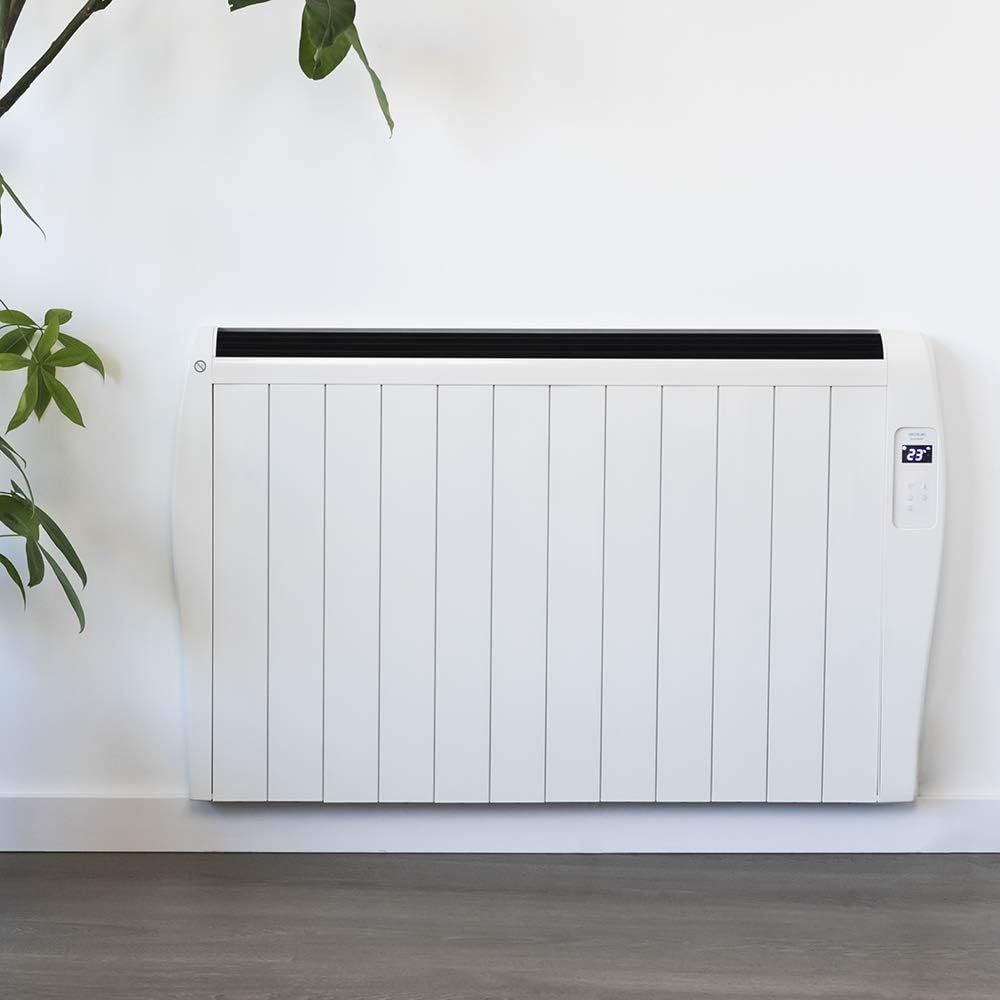
Image 4.1: The Cecotec Ready Warm 2500 Thermal Connected Electric Radiator installed on a wall, demonstrating its fixed placement option.
5. Bruksanvisning
The radiator can be controlled via its integrated LCD screen, the remote control, or a smartphone application.
5.1. Control Panel (LCD Screen)
The radiator features an intuitive LCD screen and touch controls for direct operation. The screen displays the current temperature and settings. Use the touch buttons to power on/off, adjust temperature, set the timer, and activate Wi-Fi pairing.
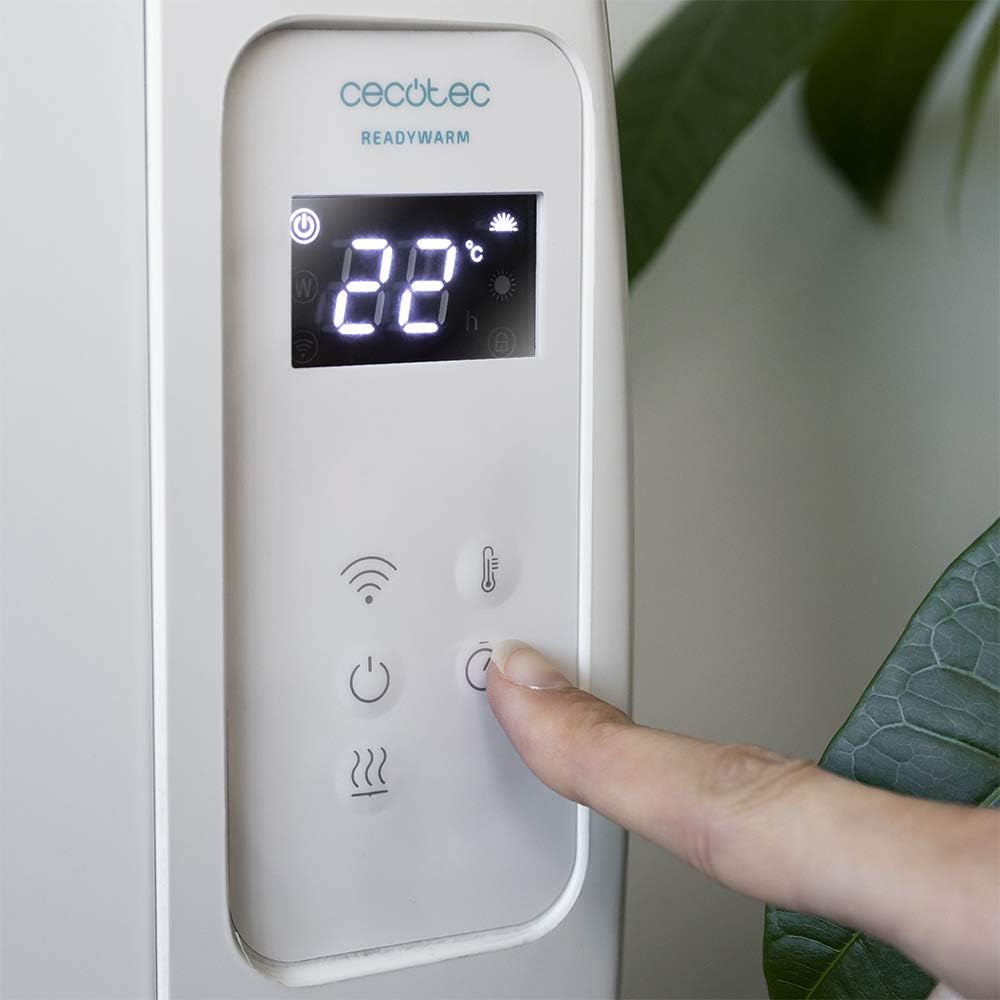
Bilde 5.1: En detaljert view of the radiator's control panel, showing the LCD display with temperature and mode indicators, and the touch-sensitive buttons for various functions.
5.2. Fjernkontroll
The included remote control provides convenient access to all radiator functions from a distance. It allows you to power on/off, adjust the temperature, and manage timer settings without needing to approach the unit.
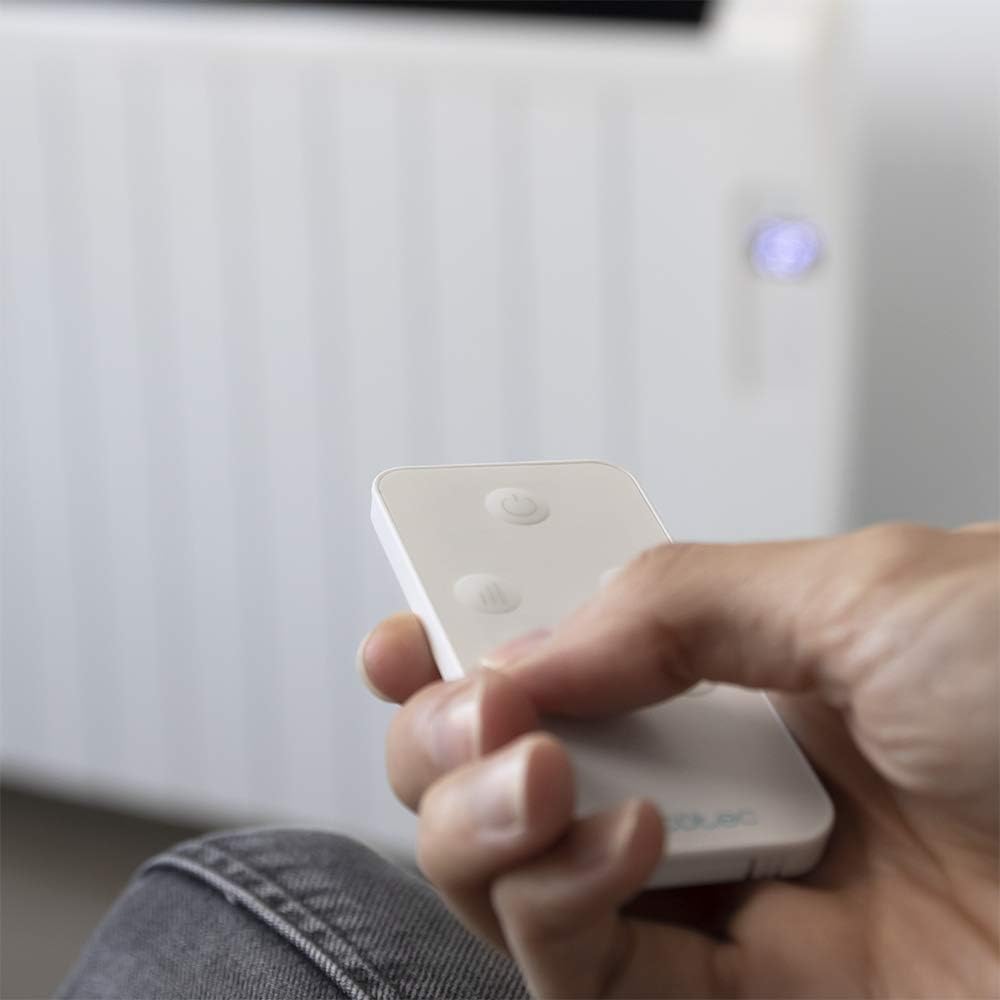
Image 5.2: A hand holding the compact remote control, demonstrating its ease of use for operating the radiator.
5.3. Wi-Fi Control via Smartphone App
For advanced control, download the official Cecotec app to your smartphone. This allows you to select different operating configurations, set schedules, and monitor the radiator remotely. Follow the app's instructions for pairing your device with the radiator.

Image 5.3: A smartphone screen showing the dedicated application for Wi-Fi control of the Cecotec radiator, highlighting smart home integration.
5.4. Temperature and Timer Settings
- termostat: The integrated thermostat detects the current room temperature. You can set your desired temperature between 5°C and 40°C. The radiator will automatically adjust its operation to maintain the set temperature.
- Programmerbar timer: Use the timer function to set specific operating hours and durations. This allows for automated heating according to your schedule, optimizing energy consumption.
6. Vedlikehold
Regular cleaning and maintenance ensure optimal performance and longevity of your radiator.
- Trekk alltid ut støpselet til radiatoren og la den avkjøles helt før rengjøring.
- Tørk av de utvendige overflatene med en myk, damp klut. Ikke bruk skurende rengjøringsmidler eller løsemidler.
- Sørg for at det ikke kommer vann inn i radiatorens indre komponenter.
- Clean dust from the air inlets and outlets regularly using a vacuum cleaner or a soft brush to maintain efficient airflow.
- Store the radiator in a cool, dry place if not in use for extended periods.
7. Feilsøking
If you encounter issues with your radiator, refer to the following table for common problems and solutions:
| Problem | Mulig årsak | Løsning |
|---|---|---|
| Radiatoren slår seg ikke på. | Not plugged in; power switch off; circuit breaker tripped; overheating safety activated. | Ensure the power cord is securely plugged into a working outlet. Check the main power switch on the unit. Reset the circuit breaker if necessary. Unplug the unit, let it cool for 30 minutes, then plug it back in. |
| Radiator is not heating effectively. | Temperature setting too low; room size exceeds coverage area; air vents blocked. | Increase the desired temperature setting. Ensure the room size is within the recommended 25 m² coverage. Check and clear any obstructions from the air inlets and outlets. |
| Wi-Fi-tilkoblingen mislykkes. | Incorrect Wi-Fi password; router too far; app not updated. | Verify your Wi-Fi password. Move the radiator closer to your Wi-Fi router. Ensure the Cecotec app is updated to the latest version. Follow the app's pairing instructions carefully. |
| Uvanlige lyder under drift. | Expansion/contraction of materials; loose components. | Minor clicking or creaking sounds are normal as the metal heats and cools. If noises are loud or persistent, discontinue use and contact customer support. |
8. Spesifikasjoner
| Trekk | Detalj |
|---|---|
| Merke | Cecotec |
| Modellnummer | 05376 |
| Farge | Hvit |
| Dimensjoner (L x B x H) | 63 x 10.5 x 109 cm |
| Vekt | 5 kg |
| Makt | 2000 W |
| Voltage | 230 V |
| Varmeelementer | 12 |
| Dekningsområde | Opptil 25 m² |
| Temperaturområde | 5°C til 40°C |
| Kontrollmetoder | LCD Screen, Remote Control, Wi-Fi App (Smartphones) |
| Spesielle funksjoner | Wi-Fi connectivity, Remote control, Digital display, Portable/Wall-mountable, Programmable timer, Overheating protection, Child safety lock. |
| Energieffektivitet | A til G |
| Strømkilde | Elektrisk med ledning |
| Oppvarmingsmetode | Strålende |
9. Garanti og støtte
Cecotec products are manufactured to the highest quality standards. For detailed warranty information, please refer to the warranty card included with your product or visit the official Cecotec webnettstedet.
If you require technical assistance, have questions about your product, or need to report a fault, please contact Cecotec customer support. Contact details can typically be found on the official Cecotec webnettstedet eller i produktemballasjen.
For mer informasjon, besøk: www.cecotec.com