
1. Introduksjon
This manual provides essential information for the safe and efficient operation of your iFFALCON 32F2A 32-inch HD Ready Android Smart LED TV. Please read these instructions thoroughly before using the television and retain them for future reference.
The iFFALCON 32F2A is an 80 cm (32 inches) HD Ready Android Smart LED TV designed to offer a comprehensive entertainment experience. It features a 720p resolution display, integrated Android operating system, and smart functionalities like Google Assistant and Chromecast built-in.
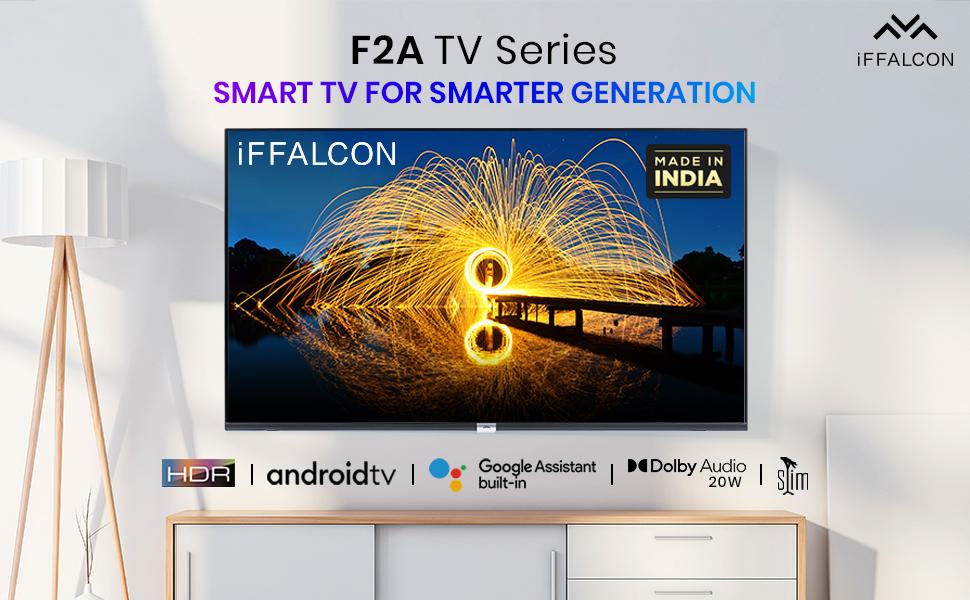
Bilde 1.1: Foran view of the iFFALCON 32F2A Smart LED TV displaying the Android TV interface, alongside icons representing key features such as HDR, Android TV, Google Assistant, Micro Dimming, IPQ Engine, Chromecast built-in, AI, and Dolby Audio with 20W speakers.
2. Hva er i esken
Verify that all components are present and undamaged upon unpacking your new television.
- 1 x iFFALCON 32F2A LED TV
- 1 x bordstativ
- 1 x brukerhåndbok
- 1 x garantikort
- 1 x fjernkontroll
- 2 x AAA-batterier (for fjernkontroll)
3. Oppsett
3.1 Utpakking og plassering
Carefully remove the TV from its packaging. It is recommended to have two people for this process. Place the TV on a stable, flat surface or mount it securely on a wall.
3.2 Feste bordstativet
- Plasser TV-skjermen med ned på en myk, ren overflate for å unngå riper.
- Juster stativbasene med de tilsvarende sporene på undersiden av TV-en.
- Secure the stand bases using the provided screws. Ensure they are tightened firmly.
3.3 Veggmontering (valgfritt)
If you choose to wall mount your TV, please note that the wall mount bracket is not included and must be purchased separately. Follow the instructions provided with your wall mount kit and ensure professional installation for safety.
3.4 Koble til eksterne enheter
Your iFFALCON 32F2A TV offers various connectivity options:
- HDMI-porter: Koble til Blu-ray-spillere, spillkonsoller eller dekodere.
- USB-port: Koble til USB-lagringsenheter for medieavspilling.
- Ethernet-port: For kablet internettforbindelse.
- Hodetelefonkontakt: For privat lytting.
3.5 Strømtilkobling
Connect the power cord to the TV's power input and then to a suitable AC power outlet (240 Volts, 50 Watts). Ensure the power cable is securely connected.
3.6 Veiviser for første oppstart og oppsett
After connecting power, press the power button on the TV or remote control. The TV will guide you through the initial setup wizard, including language selection, network connection (Wi-Fi or Ethernet), Google account sign-in, and channel scanning.

Image 3.1: A diagram illustrating the physical dimensions of the iFFALCON 32F2A TV, including screen size (32 inches / 79.97 cm diagonal), width (73.20 cm / 29 inch), height (48.20 cm / 19 inch), and depth (17.30 cm / 6.9 inch).
4. Bruksanvisning
4.1 Fjernkontroll
The provided remote control allows you to navigate the TV's interface and access various functions. Insert the two AAA batteries (included) into the remote control, ensuring correct polarity.
- Strømknapp: Slår TV-en på eller av.
- Navigasjonsknapper: Use the directional pad and OK button to move through menus.
- Volum +/-: Justerer volumnivået.
- Kanal +/-: Endrer TV-kanaler.
- Hjem-knapp: Går tilbake til Android TV-startskjermen.
- Tilbake-knapp: Går tilbake til forrige skjermbilde.
- Google Assistant-knapp: Aktiverer stemmekontroll.
- Netflix-knapp: Direct access to Netflix.
- Amazon Prime Video Button: Direct access to Amazon Prime Video.
- Zee5 Button: Direct access to Zee5.
- TCL Channel Button: Direct access to TCL channel.

Image 4.1: The smart remote control for the iFFALCON TV, highlighting the Google Assistant button and a dedicated hotkey for Netflix for quick access.
4.2 Android TV-grensesnitt
Your TV runs on Android 9, providing access to a wide range of apps and services. The home screen displays recommended content, installed applications, and input sources.
- Apper: Access pre-installed applications like Netflix, YouTube, Prime Video, Disney+Hotstar, Sun NXT, and Zee5. Download more from the Google Play Store.
- Innganger: Switch between HDMI inputs, USB, and other connected devices.
- Innstillinger: Customize TV settings such as picture, sound, network, and system preferences.

Image 4.2: The iFFALCON Smart LED TV showcasing its Android TV home screen, featuring prominent app icons for Netflix, YouTube, Prime Video, and other streaming services.

Image 4.3: The iFFALCON Smart LED TV interface, illustrating the availability of popular streaming platforms such as YouTube, Prime Video, Disney+ Hotstar, SonyLIV, Zee5, ALTBalaji, Voot Select, and Eros Now.
4.3 Google -assistent
The built-in Google Assistant allows you to control your TV and smart home devices using voice commands. Press the Google Assistant button on your remote and speak into the microphone.
- Search Content: Say "Play a cartoon movie" or "Søk etter action films."
- Control TV: Say "Turn up the volume" or "Switch to HDMI 1."
- Få informasjon: Ask "What's the weather today?" or "How long is Moonlight?"
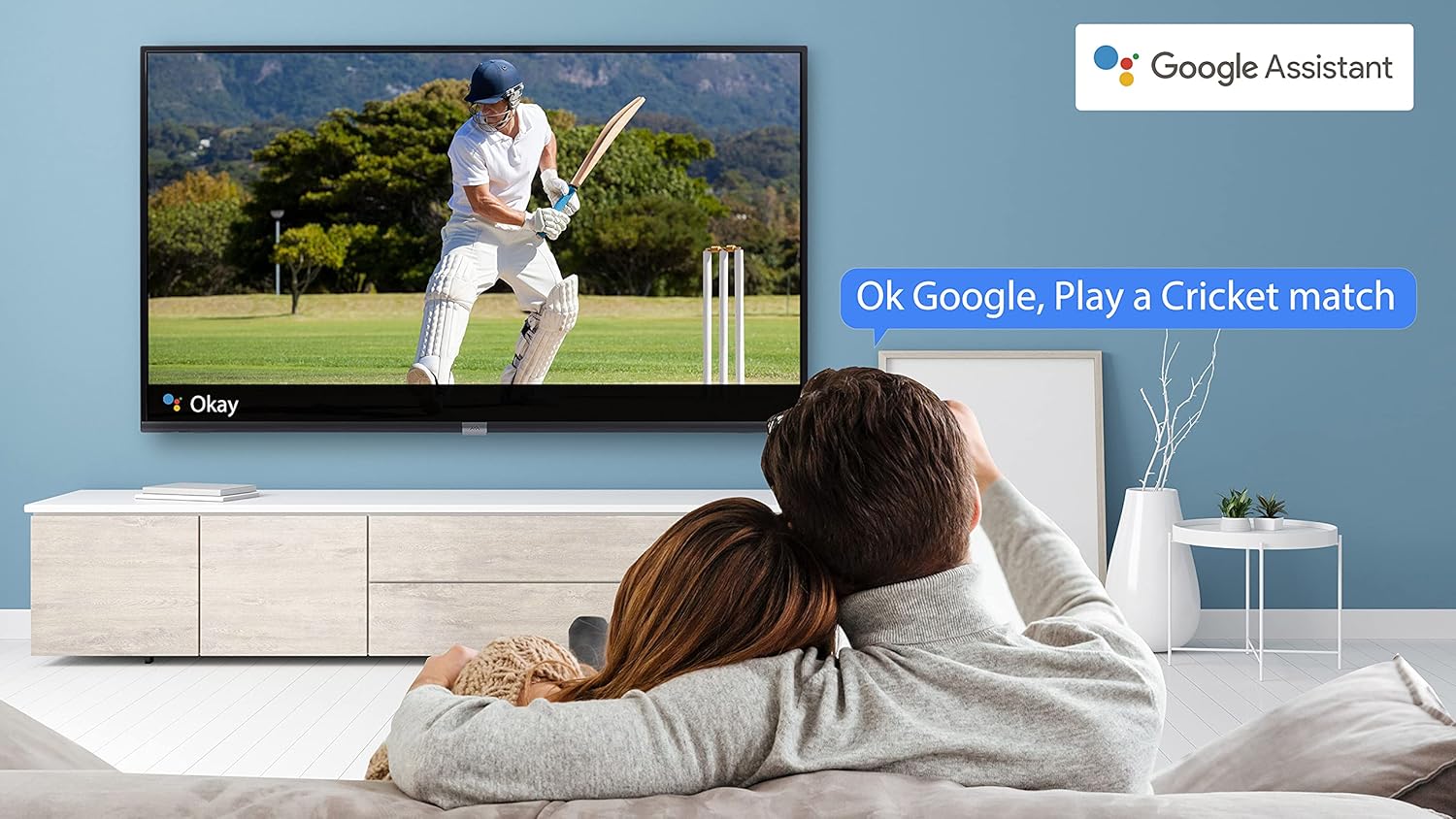
Image 4.4: A couple watching a cricket match on the iFFALCON TV, with a Google Assistant prompt bubble showing "Ok Google, Play a Cricket match," demonstrating voice control functionality.
Image 4.5: The Google Assistant logo, indicating the TV's integrated voice control capabilities.
4.4 Chromecast innebygd
Use Chromecast built-in to cast content from your compatible smartphone, tablet, or computer directly to your TV screen. Ensure your device and TV are connected to the same Wi-Fi network.

Image 4.6: A smartphone displaying a car image, with a casting icon indicating that the content is being mirrored to a larger TV screen, demonstrating the Chromecast built-in feature.
5. Nøkkelfunksjoner
5.1 HDR (Høyt dynamisk område)
HDR technology enhances contrast, color accuracy, and brightness, delivering a more lifelike and immersive viewing experience with greater detail in both dark and bright scenes.

Image 5.1: A split-screen comparison showing the visual difference between an image without HDR 10 (left, darker, less vibrant) and with HDR 10 (right, brighter, more detailed, and richer colors).
5.2 Mikrodimming
Micro Dimming analyzes the TV content in hundreds of separate zones to adjust brightness and darkness independently. This results in improved contrast and picture quality, especially in scenes with mixed light levels.

Image 5.2: A split-screen comparison demonstrating the effect of Micro Dimming, with the 'Without Micro Dimming' side appearing less vibrant and the 'With Micro Dimming' side showing enhanced contrast and color saturation in a city night scene.
5.3 IPQ Engine
The IPQ Engine (Image Quality Processing Engine) optimizes picture quality by intelligently adjusting brightness, color range, and contrast, ensuring a more vivid and accurate display.

Image 5.3: A visual representation of the IPQ Engine, highlighting its 'High Brightness Precision Control Technology' and 'Intelligent Color Range Control Technology' for optimized picture quality.
5.4 Dolby Audio
Experience rich, clear, and powerful sound with Dolby Audio. This technology enhances the audio output, providing an immersive listening experience for movies, music, and games.

Image 5.4: The Dolby Audio logo, signifying enhanced sound quality and an immersive audio experience.
5.5 Smart Volume
Smart Volume automatically adjusts the sound level to prevent sudden changes in volume, such as during commercials or when switching channels, ensuring a consistent listening experience.

Image 5.5: An illustration of the Smart Volume feature, showing how it maintains consistent audio levels across different content types, represented by varying sound wave patterns.
5.6 Sportsmodus
Sports Mode optimizes picture and sound settings for sports content, enhancing motion clarity and audio to provide a more engaging viewing experience for live sports.

Image 5.6: A split-screen comparison of a cricket player, showing the 'Without Sports Mode' side with standard clarity and the 'With Sports Mode' side with enhanced motion and detail, indicated by a playback bar.
5.7 Slank design
The iFFALCON 32F2A features a slim design, allowing it to blend seamlessly into various living spaces and offering a modern aesthetic.

Image 5.7: An illustration emphasizing the slim profile of the iFFALCON TV, with a hand demonstrating its thinness.
6. Vedlikehold
6.1 Rengjøring av skjermen
Tørk forsiktig av skjermen med en myk, lofri klut. Tørk forsiktig av gjenstridige flekker.ampRengjør kluten med vann eller et spesialisert skjermrensemiddel. Unngå å bruke sterke kjemikalier eller slipende materialer.
6.2 Rengjøring av skapet
Tørk av TV-kabinettet med en myk, tørr klut. Ikke bruk flytende rengjøringsmidler direkte på kabinettet.
6.3 Stell av strømledningen
Regularly check the power cord for any damage. Do not place heavy objects on the cord or expose it to excessive heat.
7. Feilsøking
Hvis du støter på problemer med TV-en, kan du se følgende vanlige problemer og løsninger:
| Problem | Mulig årsak | Løsning |
|---|---|---|
| Ingen strøm | Strømledningen frakoblet, problem med stikkontakten | Ensure power cord is securely plugged in. Check if the power outlet is working. |
| Ikke noe bilde, men det er lyd | Feil inngangskilde, defekt kabel | Verify the correct input source is selected. Check HDMI/AV cable connections. |
| Ingen lyd, men bildet er der | Volume muted or too low, audio settings issue | Increase volume. Check audio output settings in the TV menu. |
| Fjernkontrollen virker ikke | Dead batteries, obstruction, remote out of range | Skift batterier. Fjern hindringer mellom fjernkontrollen og TV-en. Sørg for at fjernkontrollen er innenfor rekkevidde. |
| Kan ikke koble til Wi-Fi | Incorrect password, router issue, TV too far from router | Skriv inn Wi-Fi-passordet på nytt. Start ruteren på nytt. Flytt TV-en nærmere ruteren eller bruk Ethernet. |
Hvis problemet vedvarer etter at du har prøvd disse løsningene, kan du kontakte kundestøtte.
8. Spesifikasjoner
Detailed technical specifications for the iFFALCON 32F2A Smart LED TV:
| Trekk | Spesifikasjon |
|---|---|
| Merke | iFFALCON |
| Modellnavn | 32F2A |
| Skjermstørrelse | 32 tommer (80 cm) |
| Skjermteknologi | LED, A+ Grade Panel |
| Oppløsning | HD-klar (1366 x 768 piksler) |
| Oppdateringsfrekvens | 60 Hz |
| Viewing vinkel | 178 grader |
| Bildeformatforhold | 16:9 |
| Bildekontrastforhold | 3000:1 |
| Operativsystem | Android |
| Installert RAM-minnestørrelse | 1 GB |
| Digital lagringskapasitet | 8 GB |
| Grafisk koprosessor | Mali470x2 |
| Lyd Wattage | 16 watt |
| Høyttaler Surround Sound | Dolby Audio |
| Tilkoblingsteknologi | Wi-Fi, Ethernet, HDMI, USB |
| Totalt USB-porter | 1 |
| Strømkilde | AC |
| Voltage | 240 volt |
| Wattage | 50 watt |
| Produktdimensjoner | 48.2 x 73.2 x 18.3 cm |
| Varevekt | 3.9 kg |
9. Garanti og støtte
Your iFFALCON 32F2A TV comes with a warranty. Please refer to the included Warranty Card for detailed terms and conditions, including the warranty period and coverage.
For technical assistance, service requests, or further inquiries, please visit the official iFFALCON support website or contact their customer service helpline. Contact information can typically be found on the Warranty Card or the manufacturer's official webnettstedet.