
1. Introduksjon
This manual provides instructions for the Xgody Mate10+ smartphone. It covers device setup, operation, features, and maintenance to ensure optimal performance and user experience. The Mate10+ operates on Android 8.1, features a 5.5-inch HD display, dual 5MP cameras, and supports dual SIM functionality.
2. Pakkens innhold
Kontroller at alle varene er tilstede i produktemballasjen:
- 1 x Xgody Mate10+ Smartphone
- 1 x laderadapter
- 1 x USB-kabel
- 1 x telefonsett
- 1 x engelsk brukerveiledning
- 1 x HD Film (Screen Protector)
- 1 x herdet film (skjermbeskytter)

Image: Contents of the Xgody Mate10+ smartphone package.
3. Komme i gang
3.1. Installasjon av SIM-kort og lagringskort
The Xgody Mate10+ supports dual SIM dual standby, allowing the use of two SIM cards simultaneously. It has two independent card slots: one for a Nano SIM and one for a Micro SIM or a TF (microSD) card for expandable storage.
- Finn SIM-/TF-kortskuffen på siden av enheten.
- Bruk det medfølgende SIM-utkastverktøyet til å åpne skuffen.
- Carefully place your Nano SIM card, Micro SIM card, and/or TF card into the designated slots. Ensure correct orientation.
- Skyv forsiktig brettet tilbake i enheten til det er i flukt.
3.2. Lading av enheten
Before first use, fully charge the smartphone using the provided charger and USB cable.
- Connect the USB cable to the charger adapter.
- Koble ladeadapteren til en stikkontakt.
- Koble USB-kabelen til ladeporten på telefonen.
- Batteriikonet på skjermen vil indikere ladestatus.
3.3. Slå på/av
- Slik slår du på: Trykk og hold inne av/på-knappen til skjermen lyser opp.
- Slik slår du av: Trykk og hold inne av/på-knappen, og velg deretter «Slå av» fra alternativene på skjermen.
3.4. Første oppsett
Upon first power-on, follow the on-screen prompts to complete the initial setup, including language selection, Wi-Fi connection, Google account setup, and security settings.
4. Viktige funksjoner og drift
4.1. Skjerm
The Xgody Mate10+ features a 5.5-inch HD full-view display, providing a wide visual experience for viewinnhold.

Image: The 5.5-inch full-view display of the Xgody Mate10+.

Image: The compact design of the Xgody Mate10+ for easy portability.
4.2. Operativsystem (Android 8.1)
The device runs on Android 8.1, offering a user-friendly interface and enhanced performance for daily tasks.
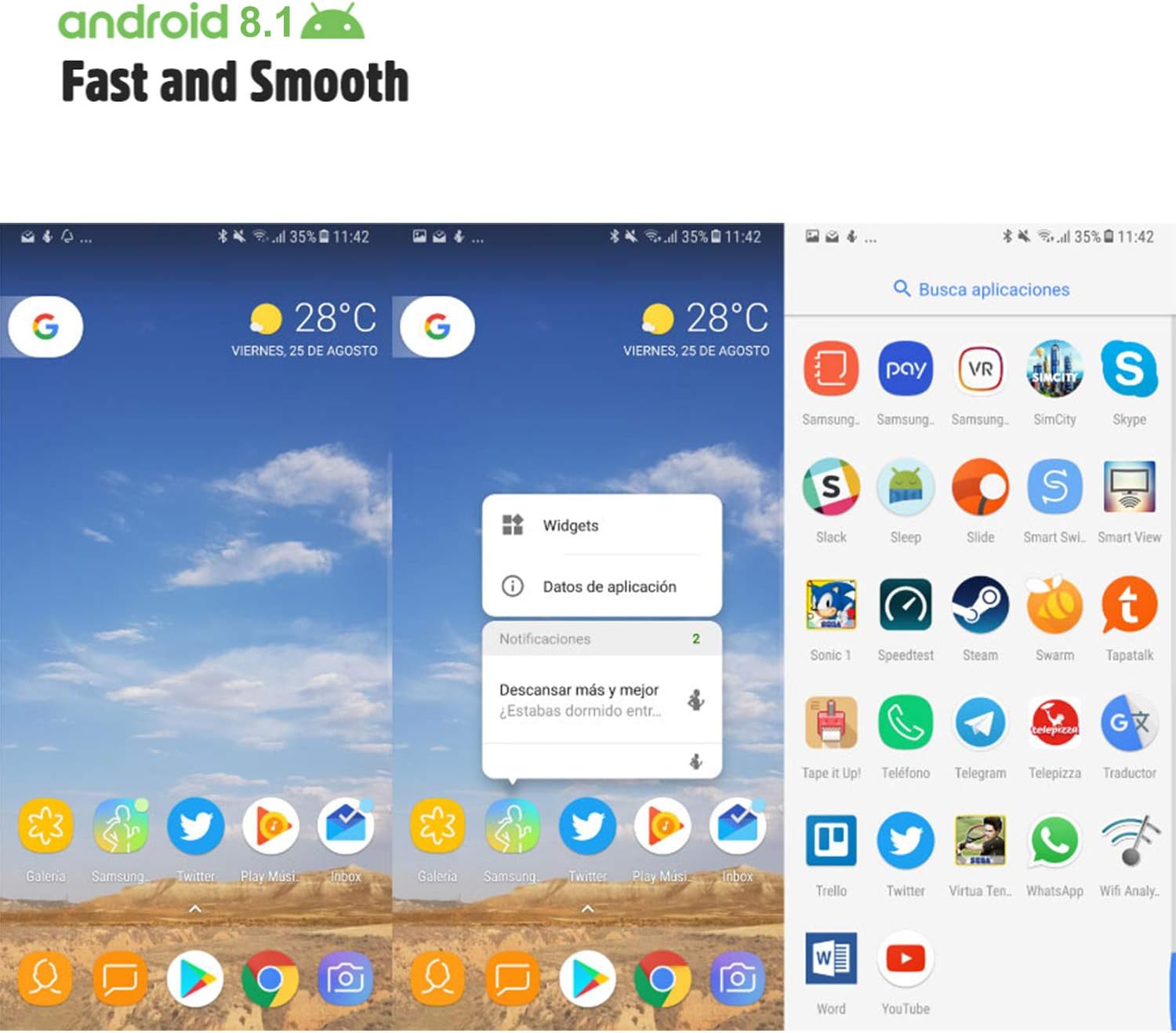
Image: Android 8.1 interface on the Xgody Mate10+.
4.3. Kamera
The Xgody Mate10+ is equipped with dual 5MP cameras, including a rear camera and a front beauty camera, for capturing photos and videos.

Image: Using the front camera for selfies.
4.4. Ytelse og lagring
The device includes 1GB RAM and 8GB internal storage (ROM), expandable up to 32GB with an external SD card, providing sufficient space for applications and media.

Image: Internal components and storage capabilities.
4.5. Tilkobling
The Xgody Mate10+ is a 3G unlocked smartphone, supporting WCDMA 850/1900/2100MHz and GSM 850/900/1800/1900 MHz network bands. It is compatible with most WCDMA SIM carriers but not with CDMA carriers (e.g., Sprint, Verizon, Boost Mobile).
4.6. Sikkerhet
The device supports Face ID for unlocking, providing a convenient and secure method to access your phone.
Video: Overview of Xgody Mate10+ features, including camera, processor, memory, Face ID, 5.5-inch screen, dual SIM, and Android 8.1 operating system.
5. Spesifikasjoner
| Modell | Mate10+ |
| Operativsystem | Android 8.1 |
| Utstilling | 5.5 inch HD Full View Skjerm |
| VÆR | 1 GB |
| ROM (intern lagring) | 8 GB |
| Utvidbar lagring | Up to 32GB (TF card) |
| Bakre kamera | 5 MP |
| Frontkamera | 5MP (Beauty Camera) |
| SIM-kortstøtte | Dual SIM Dual Standby (1 Nano SIM, 1 Micro SIM or TF card) |
| Nettverksbånd | 3G WCDMA 850/1900/2100MHz, 2G GSM 850/900/1800/1900 MHz |
| Batterikapasitet | 2000mAh |
| Trådløse teknologier | Bluetooth, Wi-Fi, Cellular |
| Tilkobling | USB |
| GPS | GLONASS |
| Varevekt | 14 unser |
| Produktdimensjoner | 0.39 x 0.39 x 0.39 tommer |
6. Feilsøking
If you encounter issues with your Xgody Mate10+, refer to the following common solutions:
- Enheten slås ikke på: Sørg for at batteriet er ladet. Koble til laderen og vent noen minutter før du prøver å slå på igjen.
- Dårlig batterilevetid: Reduce screen brightness, close unused apps running in the background, disable Wi-Fi/Bluetooth when not in use, and limit background data usage.
- Problemer med nettverkstilkobling: Check if your SIM card is properly inserted. Verify that your SIM card supports the device's network bands (3G WCDMA 850/1900/2100MHz & 2G GSM 850/900/1800/1900 MHz). Restart the device.
- Applikasjoner som fryser eller krasjer: Close and restart the application. If the issue persists, clear the app's cache and data in Settings > Apps. Consider uninstalling and reinstalling the app.
- Treg ytelse: Close unnecessary background applications. Clear cache data regularly. Ensure sufficient free storage space.
- Skjermen reagerer ikke: Restart the device by holding the power button. If unresponsive, force restart by holding the power button for an extended period (usually 10-15 seconds).
7. Garanti og støtte
For warranty information and technical support, please refer to the warranty card included in your product package or contact Xgody customer service through their official website or designated support channels. Keep your purchase receipt as proof of purchase for warranty claims.