
Introduksjon
This user manual provides detailed instructions for the setup, operation, maintenance, and troubleshooting of your iFFALCON 43K71 4K Ultra HD Smart Android LED TV. Please read this manual thoroughly before using the television and retain it for future reference.

Bilde: Foran view of the iFFALCON 43K71 4K Ultra HD Smart Android LED TV, showcasing det slanke designet og den livlige skjermen.
Sikkerhetsinformasjon
Always adhere to the following safety precautions to prevent fire, electric shock, or injury:
- Ikke utsett TV-en for regn eller fuktighet.
- Sørg for tilstrekkelig ventilasjon; ikke blokker ventilasjonsåpningene.
- Bruk kun strømledningen som følger med TV-en.
- Ikke åpne TV-kabinettet; overlat all service til kvalifisert personell.
- Hold TV-en unna direkte sollys, varmekilder og sterke magnetfelt.
- Plasser TV-en på en stabil, jevn overflate, eller fest den sikkert til en vegg.
Hva er i esken
Kontroller at alle komponenter er til stede ved utpakking:
- 1 x iFFALCON 43K71 LED TV
- 1 x Remote Controller (with 2 AAA batteries)
- 2 x Table Stand components
- 1 x brukerhåndbok
- 1 x garantikort
- 1 x lydkabel
Oppsett
1. Fysisk installasjon
You can install your TV using the included table stands or by wall-mounting (wall mount bracket sold separately).
Montering av bordstativ:
- Plasser TV-en forsiktig med forsiden ned på en myk, flat overflate for å unngå skade på skjermen.
- Attach the two table stand components to the designated slots on the bottom of the TV using the provided screws. Ensure they are securely fastened.
- Løft TV-en forsiktig opp til en stabil, jevn overflate.
Veggmontering:
For wall mounting, consult a professional installer. Ensure the wall mount bracket is compatible with the TV's VESA mounting pattern and can support the TV's weight (approximately 6.9 kg).

Bilde: Topp view of the iFFALCON 43K71 TV, showing its slim profile og festepunkter for stativ.
2. Første oppstart og nettverkstilkobling
- Koble strømledningen til TV-en og deretter til en stikkontakt.
- Trykk på av/på-knappen på TV-en eller fjernkontrollen for å slå på TV-en.
- Follow the on-screen instructions to complete the initial setup, including language selection, country, and network connection (Wi-Fi or Ethernet).
- Logg på med Google-kontoen din for å få tilgang til Android TV-funksjoner og laste ned apper.
Betjening av TV-en
Fjernkontroll
The supplied remote control allows you to navigate the TV's interface and access various functions.
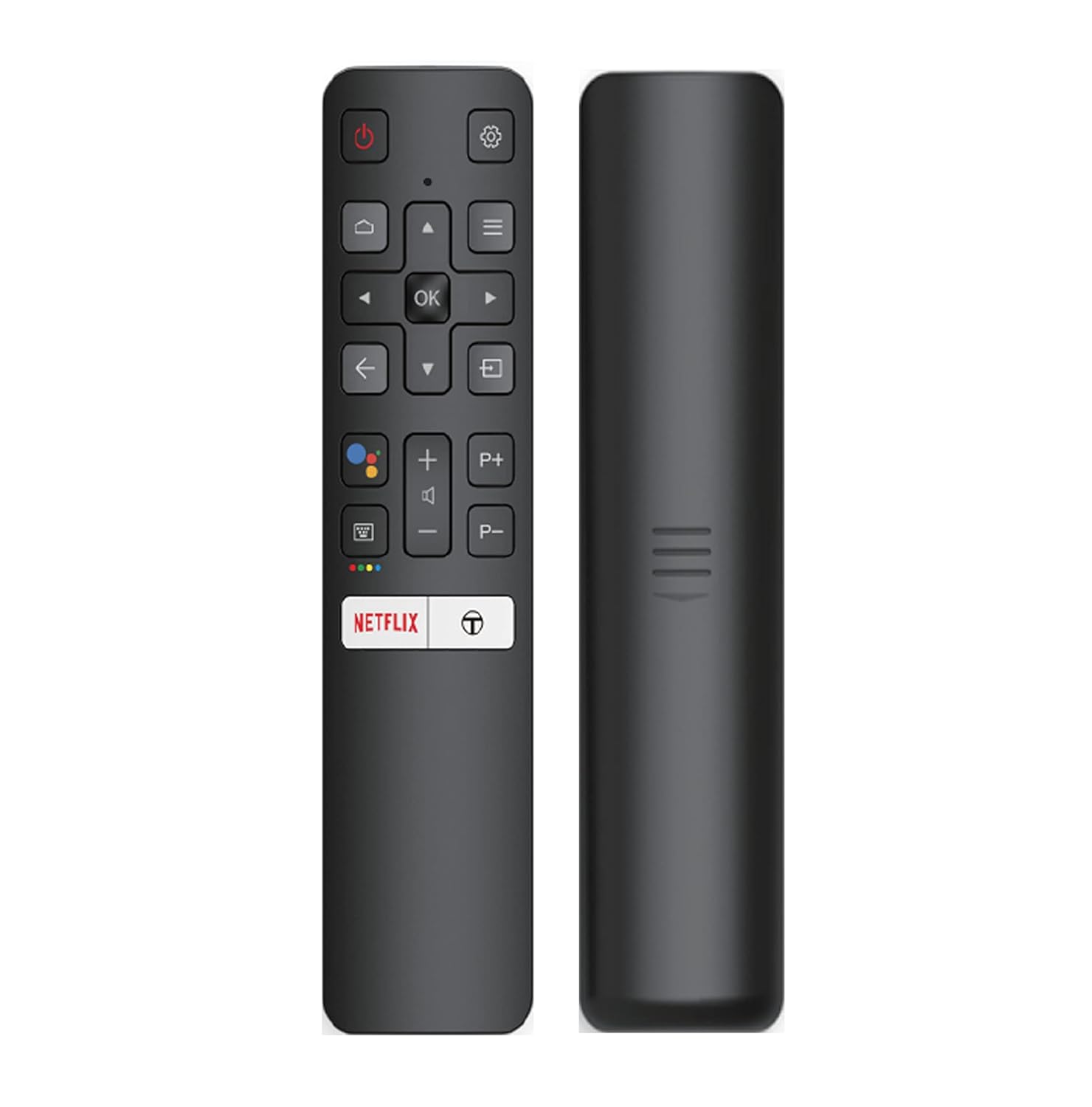
Image: The iFFALCON 43K71 remote control, featuring dedicated buttons for Netflix, Amazon Prime Video, Zee5, and Google Assistant.
Viktige knapper inkluderer:
- Makt: Slår TV-en på/av.
- Navigasjon (Opp/Ned/Venstre/Høyre/OK): Navigerer i menyer og bekrefter valg.
- Tilbake: Går tilbake til forrige skjermbilde.
- Hjem: Åpner Android TV-startskjermen.
- Volum +/-: Justerer volumet.
- Kanal P+/P-: Bytter kanal.
- Google Assistant: Aktiverer stemmekontroll.
- Netflix, Prime Video, Zee5: Direkte tilgangsknapper for strømmetjenester.
Smart-TV-funksjoner (Android TV)
Your iFFALCON 43K71 TV runs on Android 9.0, providing access to a wide range of applications and smart functionalities.

Image: The Android TV home screen on the iFFALCON 43K71, displaying various streaming apps like Netflix, YouTube, and Prime Video.
- Apper: Download and install apps from the Google Play Store, including Netflix, YouTube, Prime Video, Disney+Hotstar, and more.
- Håndfri stemmekontroll: Use the built-in Google Assistant to control your TV, search for content, and manage smart home devices by speaking commands directly to the TV.
- Chromecast innebygd: Cast innhold fra smarttelefonen, nettbrettet eller datamaskinen direkte til TV-skjermen.
- AI-INN: iFFALCON's AI-IN technology integrates with Google Assistant for enhanced smart home connectivity and personalized recommendations.
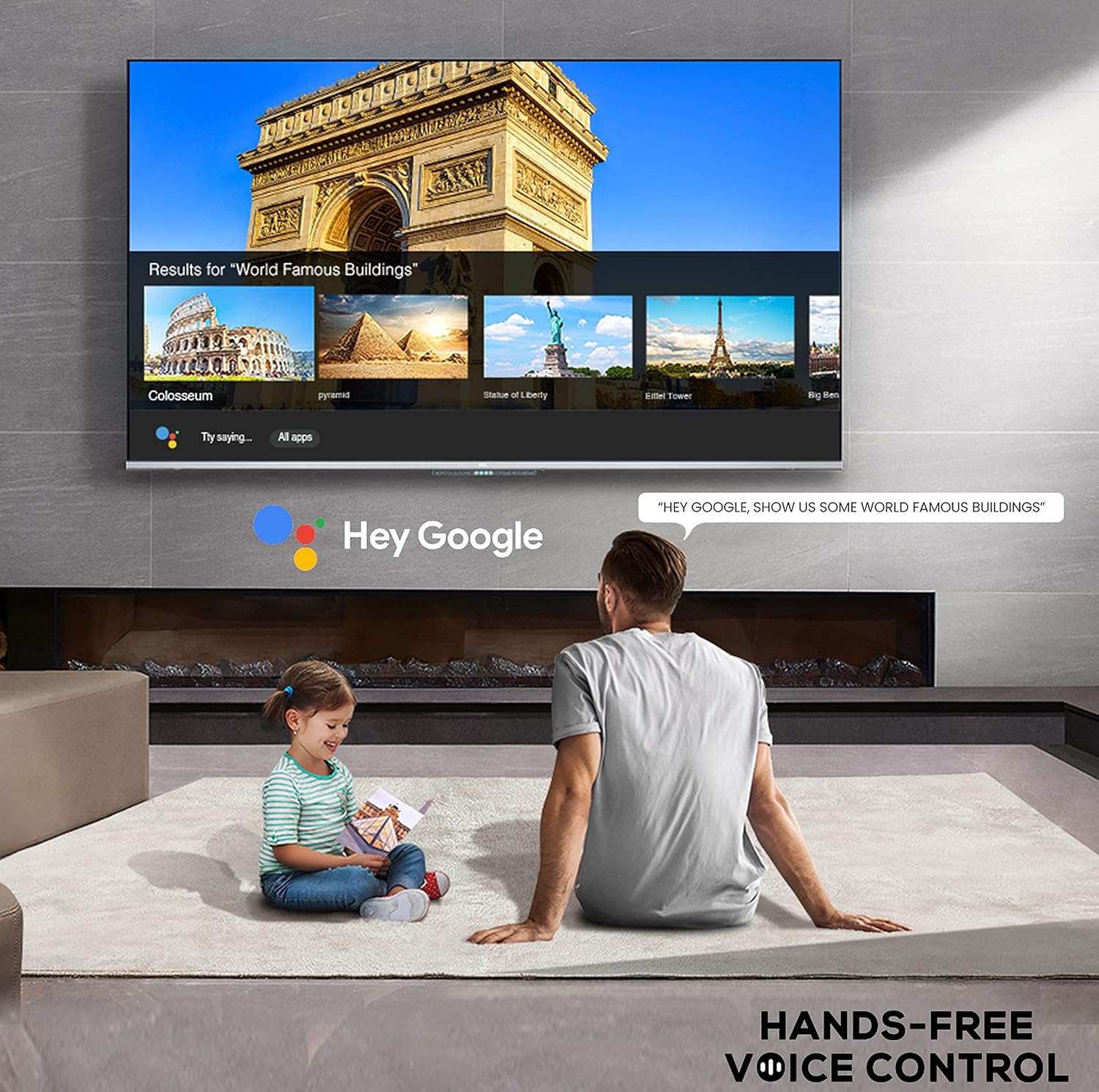
Image: A user interacting with the iFFALCON 43K71 using hands-free voice control, demonstrating the Google Assistant feature.
Tilkobling
TV-en tilbyr diverse porter for tilkobling av eksterne enheter:
- HDMI-porter (2): Connect set-top boxes, Blu-ray players, gaming consoles, etc.
- USB-port (1): Connect hard drives, USB flash drives for media playback.
- Bluetooth: Koble til trådløse hodetelefoner, lydplanker eller annet Bluetooth-aktivert tilbehør.
- Wi-Fi: Koble til det trådløse hjemmenettverket ditt for å få internettilgang.
- Lydkabel: For external audio connections.
Bilde- og lydinnstillinger
Juster bilde- og lydinnstillinger for å optimalisere viewopplevelse.
- Bildemoduser: Velg mellom diverse forhåndsinnstilte bildemoduser (f.eks. Standard, Dynamisk, Film, Sport) eller tilpass innstillinger som lysstyrke, kontrast, farge og skarphet.
- 4K Ultra HD & HDR 10: Experience stunning detail and vibrant colors with 4K resolution and High Dynamic Range (HDR 10) support.
- Mikrodimming: Enhances contrast by analyzing video content in hundreds of separate zones and adjusting brightness and darkness independently.
- Lydmoduser: Velg mellom forhåndsinnstilte lydmoduser (f.eks. Standard, Musikk, Film, Klar stemme) eller juster equalizer-innstillingene.
- Dolby Audio: Enjoy immersive audio with Dolby Audio processing, delivering rich, clear, and powerful sound from the 30 Watts speakers.
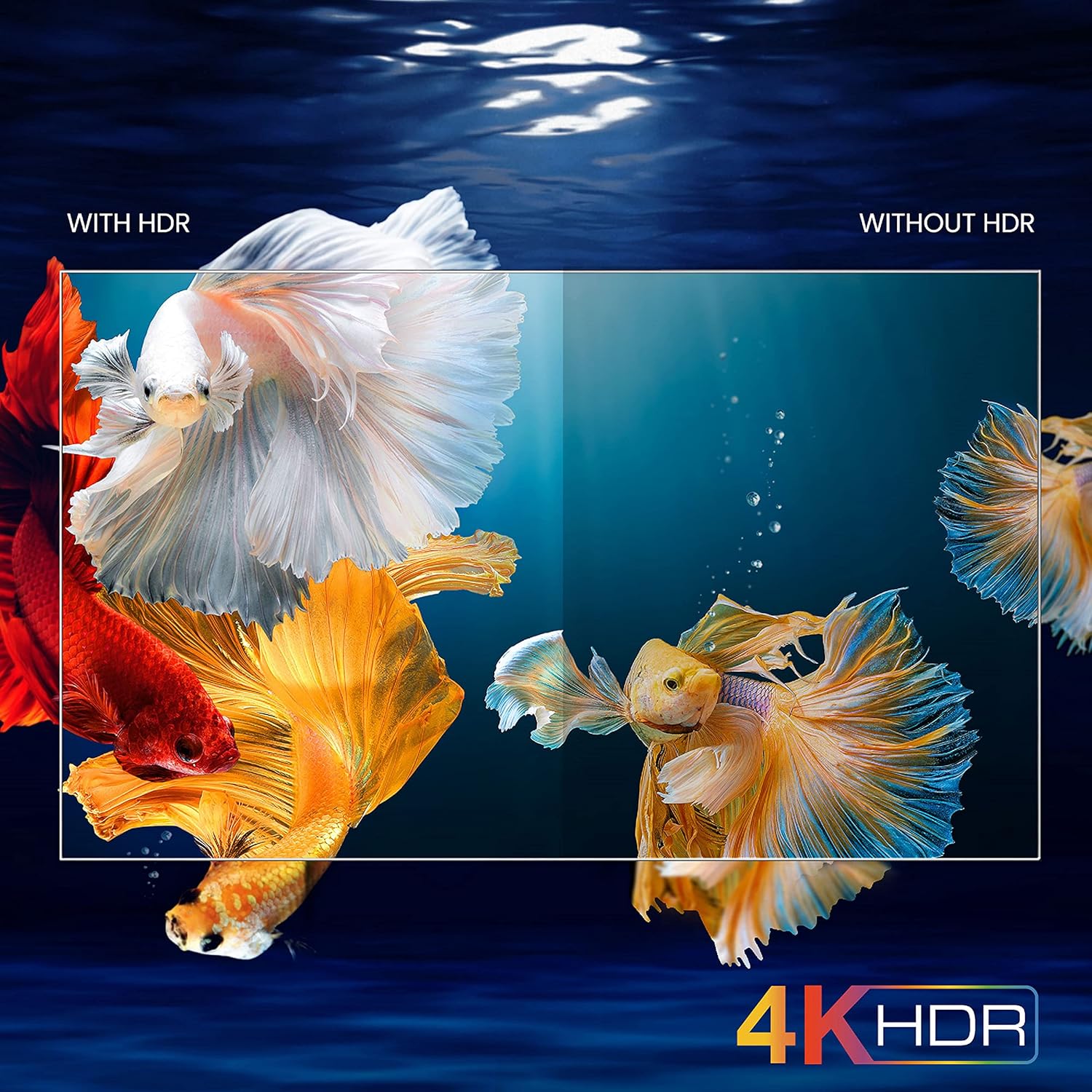
Image: A visual comparison demonstrating the enhanced color and contrast with 4K HDR enabled versus disabled on the iFFALCON 43K71 TV.
Vedlikehold
Rengjøring
- Trekk alltid ut støpselet til TV-en før rengjøring.
- Bruk en myk, tørr klut til å tørke av skjermen og kabinettet. Tørk lett av gjenstridige merkerampRengjør kluten med vann eller et mildt, ikke-slipende skjermrensemiddel.
- Ikke bruk alkohol, benzen, tynner eller andre flyktige stoffer.
Programvareoppdateringer
The TV may receive software updates periodically to improve performance and add new features. Ensure your TV is connected to the internet to receive these updates automatically or check for them manually in the settings menu.
Feilsøking
If you encounter issues, refer to the following common solutions before contacting support:
| Problem | Mulig løsning |
|---|---|
| TV-en slår seg ikke på. | Check if the power cord is securely plugged into the TV and the power outlet. Ensure the power outlet is working. Try pressing the power button on the TV itself. |
| Ikke noe bilde, men lyd er til stede. | Sjekk inngangskilden. Sørg for at eksterne enheter er riktig tilkoblet og slått på. Prøv å starte TV-en på nytt. |
| Ingen lyd, men bilde er til stede. | Check the volume level and ensure the TV is not muted. Verify audio output settings. If using external speakers, check their connections and power. |
| Fjernkontrollen virker ikke. | Skift ut batteriene (2 AAA). Sørg for at det ikke er noen hindringer mellom fjernkontrollen og TV-ens IR-sensor. |
| Kan ikke koble til Wi-Fi. | Check your router and modem. Restart them if necessary. Ensure you are entering the correct Wi-Fi password. Try moving the TV closer to the router or using an Ethernet cable. |
| Treg ytelse eller appkrasj. | Close unused applications. Clear cache for problematic apps. Restart the TV. Consider a factory reset as a last resort (this will erase all data and settings). |
Spesifikasjoner
Key technical specifications for the iFFALCON 43K71 TV:
| Trekk | Detalj |
|---|---|
| Modell | 43K71 |
| Skjermstørrelse | 43 tommer (108 cm) |
| Oppløsning | 4K Ultra HD (3840 x 2160 piksler) |
| Oppdateringsfrekvens | 60 Hz |
| Operativsystem | Android 9.0 |
| VÆR | 2 GB |
| Lagring | 16 GB |
| Lyd utgang | 30 Watts (Dolby Audio Power Speakers) |
| HDMI-porter | 2 |
| USB-porter | 1 |
| Tilkobling | Wi-Fi, Bluetooth |
| Dimensjoner (LxBxH) | 96 x 4.1 x 55.8 cm (uten stativ) |
| Varevekt | 6.9 kg |

Image: Diagram showing the physical dimensions of the iFFALCON 43K71 TV in centimeters and inches.
Garanti
The iFFALCON 43K71 TV comes with a 1 års garanti provided by the manufacturer from the date of purchase. Please retain your purchase receipt for warranty claims. For detailed terms and conditions, refer to the included Warranty Card.
Støtte
For further assistance, technical support, or service requests, please contact iFFALCON customer service. Contact details can typically be found on the manufacturer's official webnettstedet eller på garantikortet.
Produkt overview Video
Video: En kort innledningview videoshowasing key features and visual enhancements of the iFFALCON 43K71 4K Ultra HD Smart Android LED TV, including 4K HDR, dynamic tone mapping, color enhancement, Android TV interface, and hands-free voice control.