
1. Introduksjon
This manual provides essential information for the safe and efficient operation of your SAMSUNG Jet Bot AI+ Robot Vacuum Cleaner. Please read this manual thoroughly before using the appliance and retain it for future reference. The Jet Bot AI+ is designed to provide intelligent and thorough cleaning of your home with advanced features such as object recognition, LiDAR navigation, and an automatic Clean Station.

Image: The SAMSUNG Jet Bot AI+ Robot Vacuum Cleaner docked with its Clean Station. The robot vacuum is white and circular, positioned in front of a tall, white Clean Station unit.
2. Sikkerhetsinformasjon
Følg alltid grunnleggende sikkerhetsregler når du bruker elektriske apparater for å redusere risikoen for brann, elektrisk støt eller skade. Dette inkluderer:
- Do not operate the robot vacuum near flammable materials or liquids.
- Ensure the charging station is placed on a level surface and away from water.
- Hold hår, løse klær, fingre og alle deler av kroppen unna åpninger og bevegelige deler.
- Do not pick up large objects, sharp objects, or liquids with the vacuum.
- Hold tilsyn med barn og kjæledyr når robotstøvsugeren er i bruk.
- Bruk kun tilbehør og tilbehør som er spesifisert av produsenten.
3. Pakkens innhold
Kontroller at alle komponentene er tilstede i emballasjen:
- SAMSUNG Jet Bot AI+ Robot Vacuum Cleaner
- Ren stasjon
- Strømledning
- Dust Bag (pre-installed in Clean Station)
- Ekstra støvpose
- Brukerhåndbok (dette dokumentet)
- Rengjøringsverktøy
4. Produktet er overview
4.1 Robotstøvsugerkomponenter
- Topp: Power button, Status indicator, LiDAR sensor turret.
- Front: 3D Camera, Object Recognition sensors.
- Bunn: Main brush, Side brush, Driving wheels, Cliff sensors, Charging contacts.
- Bak: Dustbin release button.
4.2 Clean Station Components
- Front: Dust inlet, Charging terminals.
- Topp: Dust bag compartment lid.
- Bak: Power cord inlet.
5. Oppsett
5.1 Positioning the Clean Station
- Choose a location with good Wi-Fi signal, on a hard, level surface.
- Ensure there is at least 0.5 meters (1.6 feet) of clear space on both sides and 1.5 meters (4.9 feet) in front of the Clean Station.
- Plug the power cord into the Clean Station and then into a wall outlet.
5.2 Innledende lading
Place the Jet Bot AI+ onto the Clean Station. Ensure the charging contacts align. The robot will automatically begin charging. Allow for a full charge before first use (approximately 3-4 hours).
5.3 Koble til SmartThings-appen
- Download the Samsung SmartThings app from your device's app store.
- Create or log in to your Samsung account.
- Åpne appen og trykk på «+»-ikonet for å legge til en ny enhet.
- Select 'Robot Vacuum' and follow the on-screen instructions to connect your Jet Bot AI+ to your home Wi-Fi network.
6. Bruksanvisning
6.1 Starte en rengjøring
Du kan starte en rengjøringssyklus på flere måter:
- På roboten: Press the Power button on the robot vacuum.
- SmartThings-appen: Open the SmartThings app, select your Jet Bot AI+, and tap 'Start Clean'.
- Stemmekontroll: Use compatible voice assistants (Bixby, Google Assistant, Amazon Alexa) with commands like "Hey Bixby, start cleaning with Jet Bot."
6.2 Intelligent Cleaning and Object Recognition
The Jet Bot AI+ uses a 3D camera and AI object recognition to identify and avoid objects on your floor, reducing the need to clear items before cleaning.
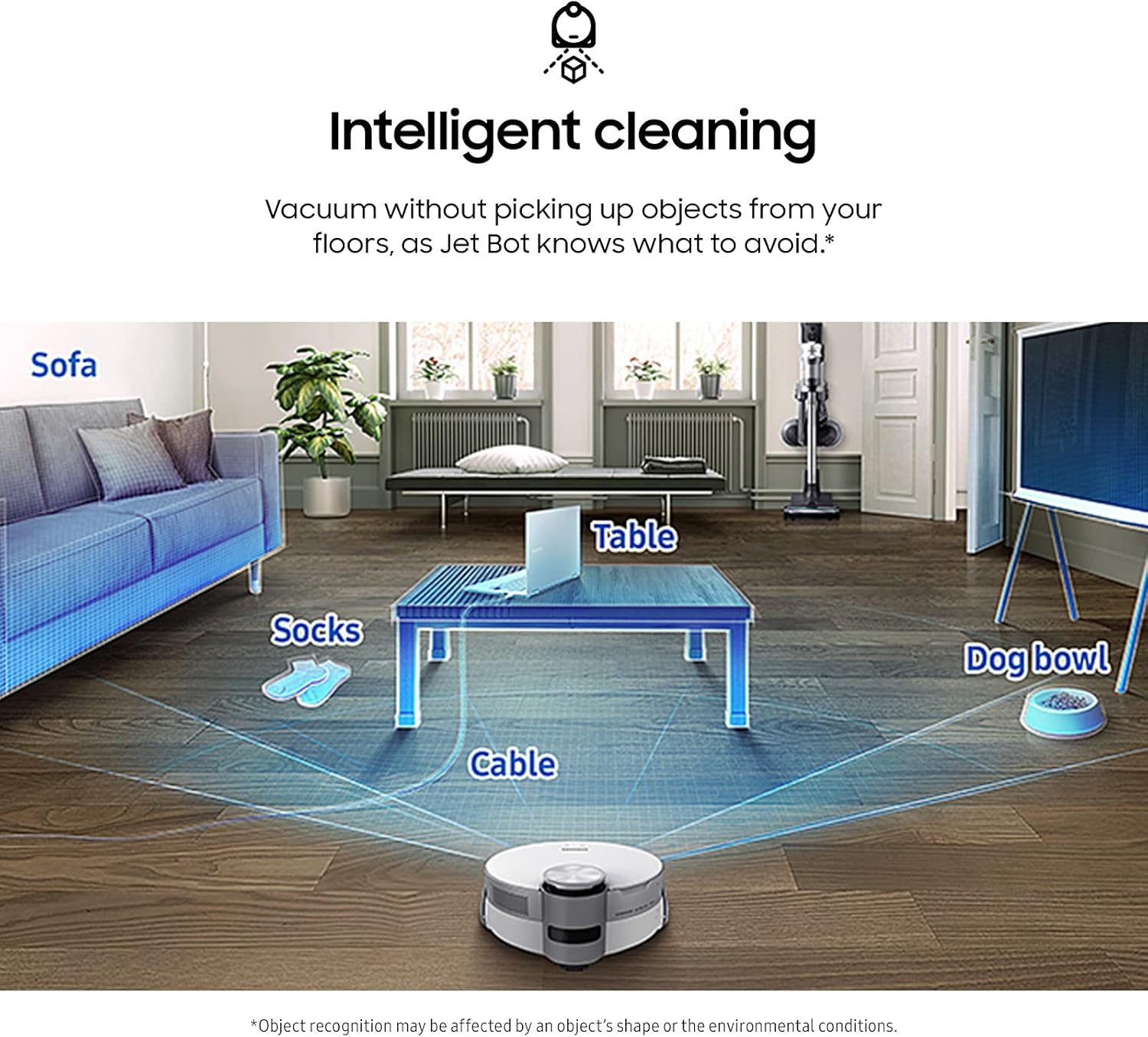
Image: A diagram illustrating the Jet Bot AI+ detecting and navigating around various household objects such as socks, a table, a cable, and a dog bowl on a wooden floor.
6.3 Precise Navigation and Mapping
LiDAR sensors create detailed floor maps of your home, allowing the Jet Bot AI+ to navigate efficiently and avoid obstacles. These maps can be viewed and managed within the SmartThings app.

Image: A smartphone screen showing the SmartThings app interface with a 'Learning layout' progress bar at 90%, indicating the robot vacuum is mapping the room. The robot vacuum is visible in a living room setting.
6.4 No-Go Zones and Select & Go
Using the SmartThings app, you can define specific areas for the robot to clean (Select & Go) or areas to avoid (No-Go Zones).

Image: The Jet Bot AI+ robot vacuum on a wooden floor, with a red shaded area labeled 'No-go Zone' indicating an area it will avoid. An arrow shows the robot moving away from this zone.
6.5 Intelligent Power Control
The Jet Bot AI+ automatically detects the floor surface type (hardwood, carpet) and adjusts its suction power for optimal cleaning.

Image: A visual representation of the Jet Bot AI+ on two different floor types: hardwood and carpet. Gauges indicate the robot adjusting its suction power for each surface, showing higher suction for carpet.
6.6 Jet Live Home Monitoring
Monitor your home remotely by streaming live video from the robot's front camera to your mobile phone via the SmartThings app.

Image: A person holding a smartphone displaying a live video feed from the Jet Bot AI+ robot vacuum, showing a small white dog in a living room. The app also shows a map of the home.
7. Vedlikehold
7.1 Emptying the Dustbin (Clean Station)
The Clean Station automatically empties the robot's dustbin after each cleaning cycle. The dust is collected in a disposable dust bag within the Clean Station.

Image: A cutaway diagram of the Clean Station showing dust being suctioned from the Jet Bot AI+ robot vacuum into the Clean Station's internal dust bag, illustrating the automatic emptying process.
7.2 Bytte av støvpose
- Open the lid of the Clean Station's dust bag compartment.
- Fjern den fulle støvposen forsiktig og kast den.
- Insert a new dust bag, ensuring it is properly seated.
- Lukk lokket til rommet.
7.3 Cleaning the Washable Dustbin
The robot's 0.25-liter dustbin is fully washable for hygienic maintenance.
- Fjern støvbeholderen fra roboten.
- Empty any remaining debris.
- Rinse the dustbin and its filter under running water.
- Allow all components to air dry completely before reassembling and placing back into the robot.
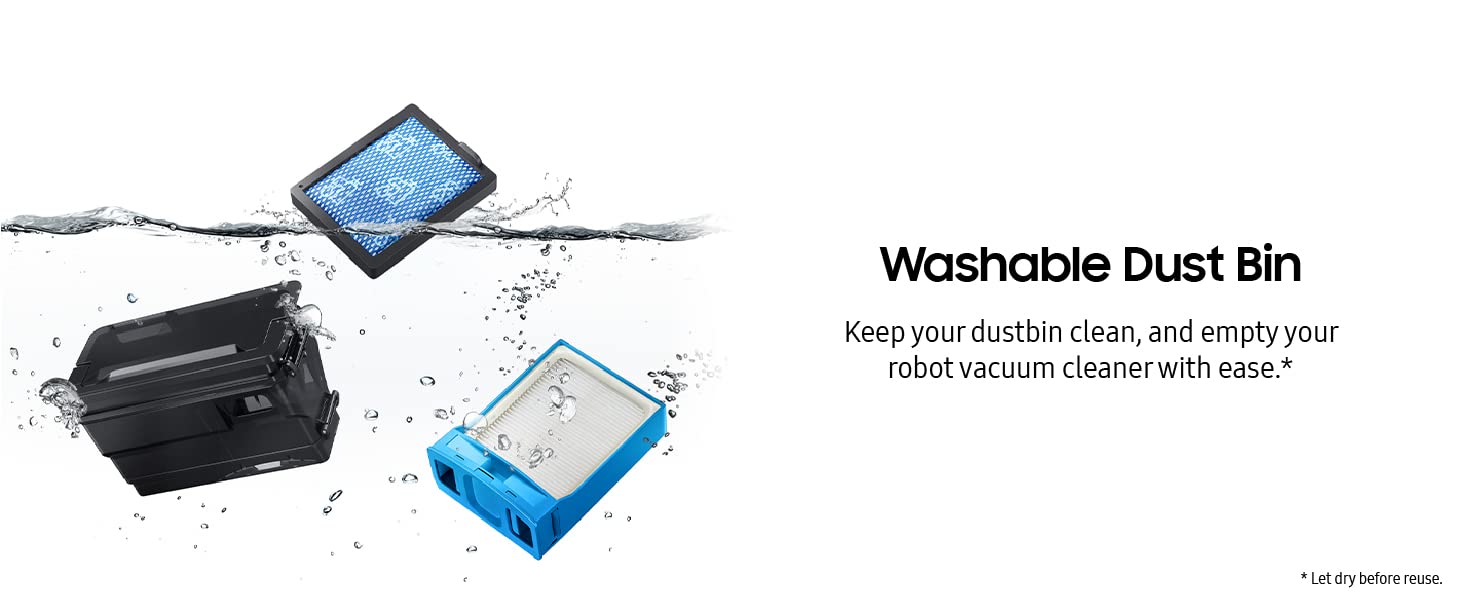
Image: The robot vacuum's dustbin and filter components shown being rinsed under water, highlighting their washable design for easy cleaning.
7.4 Cleaning the High-Efficiency Brush
The high-efficiency brush features anti-static fibers and self-cleaning extractors to prevent tangles, especially from pet hair. Regularly inspect and clean the brush.
- Turn the robot over and locate the main brush compartment.
- Remove the brush cover and lift out the brush.
- Use the provided cleaning tool to remove any tangled hair or debris.
- Reinsert the brush and secure the cover.

Bilde: En detaljert view of the Jet Bot AI+ high-efficiency brush, showing its design with fine, anti-static fibers and self-cleaning extractors to prevent hair tangles.
7.5 Rengjøring av sensorer og ladekontakter
Periodically wipe the cliff sensors, object recognition sensors, and charging contacts on both the robot and Clean Station with a dry cloth to ensure optimal performance.
8. Feilsøking
If you encounter issues with your Jet Bot AI+, refer to the following common problems and solutions:
| Problem | Mulig årsak | Løsning |
|---|---|---|
| Roboten starter ikke eller reagerer. | Lavt batteri; Av/på-knappen er ikke trykket inn; Roboten sitter fast. | Charge the robot; Press the power button; Clear obstructions. |
| Dårlig rengjøringsevne. | Full dustbin; Clogged brush; Dirty filter. | Empty/clean dustbin; Clean main brush; Clean/replace filter. |
| Robot cannot find Clean Station. | Clean Station unplugged; Obstructions near Clean Station; Poor Wi-Fi signal. | Ensure Clean Station is powered; Clear surrounding area; Check Wi-Fi. |
| Problemer med apptilkobling. | Feil Wi-Fi-passord; Ruterproblemer; Roboten er for langt fra ruteren. | Verify Wi-Fi credentials; Restart router; Move robot closer to router. |
For persistent issues, consult the full troubleshooting guide in the SmartThings app or contact SAMSUNG customer support.
9. Spesifikasjoner
| Trekk | Detalj |
|---|---|
| Modellnavn | Jet Bot AI+ |
| Modellnummer | VR50T95735W |
| Dimensjoner (robot) | 13.8 cm L x 13.8 cm B x 3.9 cm H |
| Vekt (vare) | 30.2 pounds (includes Clean Station) |
| Søppelkasse kapasitet | 0.25 liter |
| Filtreringssystem | 5-Layer HEPA (traps up to 99.99% of dust) |
| Navigasjon | LiDAR -sensor |
| Gjenkjenning av objekter | AI-powered 3D Camera |
| Kontrollmetode | SmartThings App, Voice (Bixby, Google Assistant, Amazon Alexa) |
| Strømkilde | Battery Powered (1 AAA battery included for remote, if applicable) |
| Voltage | 110 volt (AC) |
10. Garanti og støtte
Your SAMSUNG Jet Bot AI+ Robot Vacuum Cleaner is covered by a limited warranty. Please refer to the warranty card included in your package or visit the official SAMSUNG webnettstedet for detaljerte garantivilkår.
For technical support, service, or to order replacement parts, please contact SAMSUNG customer service:
- Webnettsted: www.samsung.com/us/support/
- Telefon: Refer to your regional SAMSUNG support contact information.
When contacting support, please have your model number (VR50T95735W) and serial number ready.