
1. Introduksjon
This manual provides detailed instructions for the setup, operation, maintenance, and troubleshooting of your UF-TOOLS 7-Inch LCD Digital Microscope. Please read this manual thoroughly before using the device to ensure proper functionality and to maximize its lifespan.
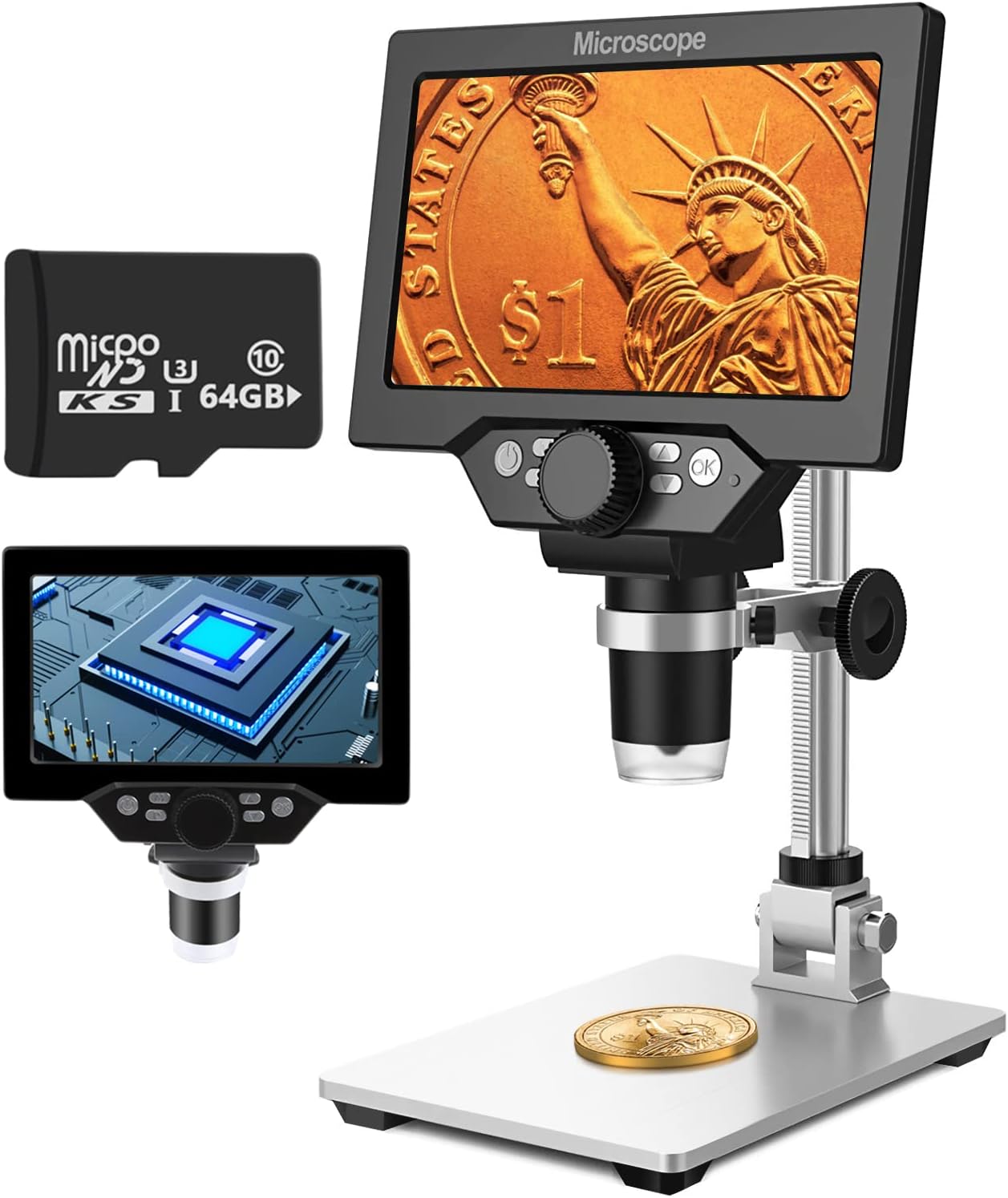
Image 1.1: UF-TOOLS 7-Inch LCD Digital Microscope with included 64GB TF card, showing the main unit and stand.
1.1 Nøkkelfunksjoner
- 7-tommers LCD-skjerm: Provides a clear, high-definition display for direct viewing without a computer.
- 10X-1200X forstørrelse: Continuous zoom capability for observing various objects.
- 12MP kamera: Captures high-resolution images and 1080P video.
- 64GB TF Card: Included for direct storage of photos and videos. Supports up to 128GB.
- 8 justerbare LED-lys: Ensures optimal illumination for detailed observation.
- Flexible Aluminum Alloy Stand: Allows for 90° angle adjustment and 2-10cm focus distance adjustment.
- Innebygd 3000mAh batteri: Offers portability with up to 6 hours of operation on a full charge.
- PC-tilkobling: Compatible with Windows 7/8/10 for larger display and data transfer.
2. Pakkens innhold
Bekreft at alle varene som er oppført nedenfor er til stede i pakken din:
- UF-TOOLS 7-Inch LCD Digital Microscope Unit
- Adjustable Aluminum Alloy Stand
- 64 GB TF-kort
- USB-kabel
- Strømadapter (hvis inkludert)
- Brukerhåndbok (dette dokumentet)

Image 2.1: The microscope package includes a 64GB TF card for storage.
3. Oppsettveiledning
3.1 Assembling the Microscope
- Pakk forsiktig ut alle komponentene fra esken.
- Attach the microscope unit to the adjustable aluminum alloy stand. Ensure it is securely fastened using the provided screws or locking mechanisms.
- Insert the 64GB TF card into the designated slot on the microscope unit.
- Place the assembled microscope on a stable, flat surface.

Image 3.1: Product dimensions and adjustable stand features, including 270° rotation and height adjustment.
3.2 Lading av batteriet
The microscope has a built-in 3000mAh rechargeable battery. Before first use, fully charge the device.
- Connect the USB cable to the microscope's charge port and the other end to a power adapter or a computer's USB port.
- Ladeindikatorlampen vil vise ladestatusen.
- A full charge typically provides up to 6 hours of continuous use.

Image 3.2: The microscope features a long-lasting rechargeable battery, charged via USB.
4. Bruksanvisning
4.1 Enhet overview og kontroller

Bilde 4.1: Overview of the microscope's controls and ports, including charge port, MicroSD slot, light regulation, fixed knob, lifting adjusting bracket knob, and various function buttons.
- Slå på/av: Trykk og hold inne av/på-knappen for å slå enheten av eller på.
- Video/Camera Playback: Use dedicated buttons to switch between video recording, photo capture, and playback modes.
- System Key Programming: Access menu settings for various configurations.
- Object Distance Adjustment: Adjust the distance between the lens and the object.
- Side opp/ned: Navigate through menus or captured media.
- Confirm Key/Camera Button: Select options or capture photos/videos.
- Light Regulation: Adjust the brightness of the 8 LED lights.
- Fixed Knob: Secures the microscope unit to the stand.
- Lifting Adjusting Bracket Knob: Adjusts the height of the microscope unit on the stand.
4.2 Justering av forstørrelse og fokus
- Place the object you wish to observe on the base plate.
- Adjust the height of the microscope unit using the Lifting Adjusting Bracket Knob to get a rough focus.
- Use the focus wheel on the microscope lens to fine-tune the focus until the image on the 7-inch LCD screen is clear.
- The magnification range is 10X to 1200X. Adjust the distance between the lens and the object, along with the focus wheel, to achieve the desired magnification.

Image 4.2: The microscope features an adjustable screen, free length adjustment, and precise focus control.

Image 4.3: Digital magnification from 10X to 1200X, demonstrating the zoom capability on small objects.
4.3 Bruk av LED-lysene
The microscope is equipped with 8 adjustable LED lights to illuminate your subject. Use the Light Regulation control to increase or decrease brightness as needed for optimal viewing.

Image 4.4: The 8 LED lights provide adequate illumination for observing objects in various lighting conditions.
4.4 Ta bilder og ta videoer
With the included 64GB TF card, you can directly save images and videos.
- In photo mode, press the Confirm/Camera button to capture an image.
- In video mode, press the Confirm/Camera button to start recording, and press again to stop.
- Innspilte medier kan gjenopptasviewed using the playback function.
4.5 PC Connectivity
Til view observations on a larger screen or transfer files, connect the microscope to a Windows PC (Windows 7/8/10) using the provided USB cable.
- Connect the microscope to your PC via the USB cable.
- The microscope should be recognized as a storage device or a webcam, depending on the mode selected on the microscope.
- You can then access the stored images/videos or use the microscope as a live camera feed.

Image 4.5: Connect the microscope to a PC for a larger viewing experience and data management.
5. Vedlikehold
5.1 Rengjøring
- Linse: Use a soft, lint-free cloth specifically designed for optical lenses. For stubborn smudges, a small amount of lens cleaning solution can be applied to the cloth, not directly to the lens.
- Skjerm: Wipe the LCD screen gently with a microfiber cloth. Avoid harsh chemicals.
- Kropp: Clean the microscope body and stand with a soft, dry cloth. Do not use abrasive cleaners or solvents.
5.2 Oppbevaring
- Store the microscope in a cool, dry place away from direct sunlight and extreme temperatures.
- Hvis du oppbevarer batteriet over lengre tid, må du sørge for at batteriet er delvis ladet (rundt 50 %) for å forlenge levetiden.
- Keep the lens covered to prevent dust accumulation.
5.3 Batteristell
- Unngå å utlade batteriet helt ofte.
- Lad batteriet regelmessig, selv om det ikke er i bruk, for å opprettholde dets helse.
- Ikke utsett batteriet for høye temperaturer.
6. Feilsøking
- Ingen strøm:
- Ensure the battery is charged. Connect the microscope to a power source and try again.
- Kontroller strømkabeltilkoblingen.
- Uskarpt bilde:
- Adjust the focus wheel carefully.
- Adjust the height of the microscope unit on the stand.
- Ensure the object is properly illuminated by adjusting the LED lights.
- Clean the lens if smudges or dust are present.
- Cannot Capture Photos/Videos:
- Ensure a TF card is inserted and properly formatted.
- Check if the TF card has sufficient storage space.
- Verify the device is in the correct photo or video capture mode.
- PC Not Recognizing Device:
- Ensure the USB cable is securely connected to both the microscope and the PC.
- Prøv en annen USB-port på datamaskinen.
- Restart both the microscope and the PC.
- Ensure your PC is running Windows 7/8/10.
7. Spesifikasjoner
| Trekk | Detalj |
|---|---|
| Modellnavn | SUGON-Digital Microscope |
| Skjermstørrelse | 7 tommers LCD |
| Forstørrelse | 10X-1200X |
| Kameraoppløsning | 12 MP |
| Videooppløsning | 1080P |
| Lagring | 64GB TF Card (Max 128GB supported) |
| Belysning | 8 LED-lys |
| Batterikapasitet | 3000mAh litiumpolymer |
| Batterilevetid | Opptil 6 timer (ca.) |
| PC-kompatibilitet | Windows 7/8/10 |
| Materiale | Metall, plast |
| Varevekt | 2.44 pund (1.11 kg) |
| Pakkedimensjoner | 9.8 x 8.19 x 3.35 tommer |
8. Garanti og støtte
UF-TOOLS provides the following warranty and support for this product:
- Returperiode: 45 days limited product return period.
- Utvekslingsregler: 18 months exchange for product defects.
For technical support or warranty claims, please contact UF-TOOLS customer service through the retailer where the product was purchased or visit the official UF-TOOLS webnettsted for kontaktinformasjon.
Merk: Garantivilkårene kan variere avhengig av region og forhandler. Vennligst ta vare på kjøpsbeviset.