
1. Introduksjon
This manual provides detailed instructions for the setup, operation, maintenance, and troubleshooting of your MEETION MT-KB015 One-Handed Wired RGB Gaming Keyboard. Please read this manual thoroughly to ensure proper use and to maximize your gaming experience.
2. Produktet er overview
The MEETION MT-KB015 is a compact, one-handed gaming keyboard designed for enhanced control and comfort. It features vibrant RGB backlighting, ergonomic keycaps, and dedicated multimedia controls. Its durable membrane switches are rated for 50 million keystrokes, ensuring longevity.

Dette bildet viser fronten view of the MEETION MT-KB015 one-handed gaming keyboard, highlighting its compact design and vibrant RGB backlighting.

An angled perspective of the MEETION MT-KB015 keyboard, emphasizing its integrated ergonomic palm rest designed for comfortable use during extended gaming sessions.

A user's hand is shown comfortably resting on the integrated palm rest of the MEETION MT-KB015 keyboard, illustrating its ergonomic design for gaming.
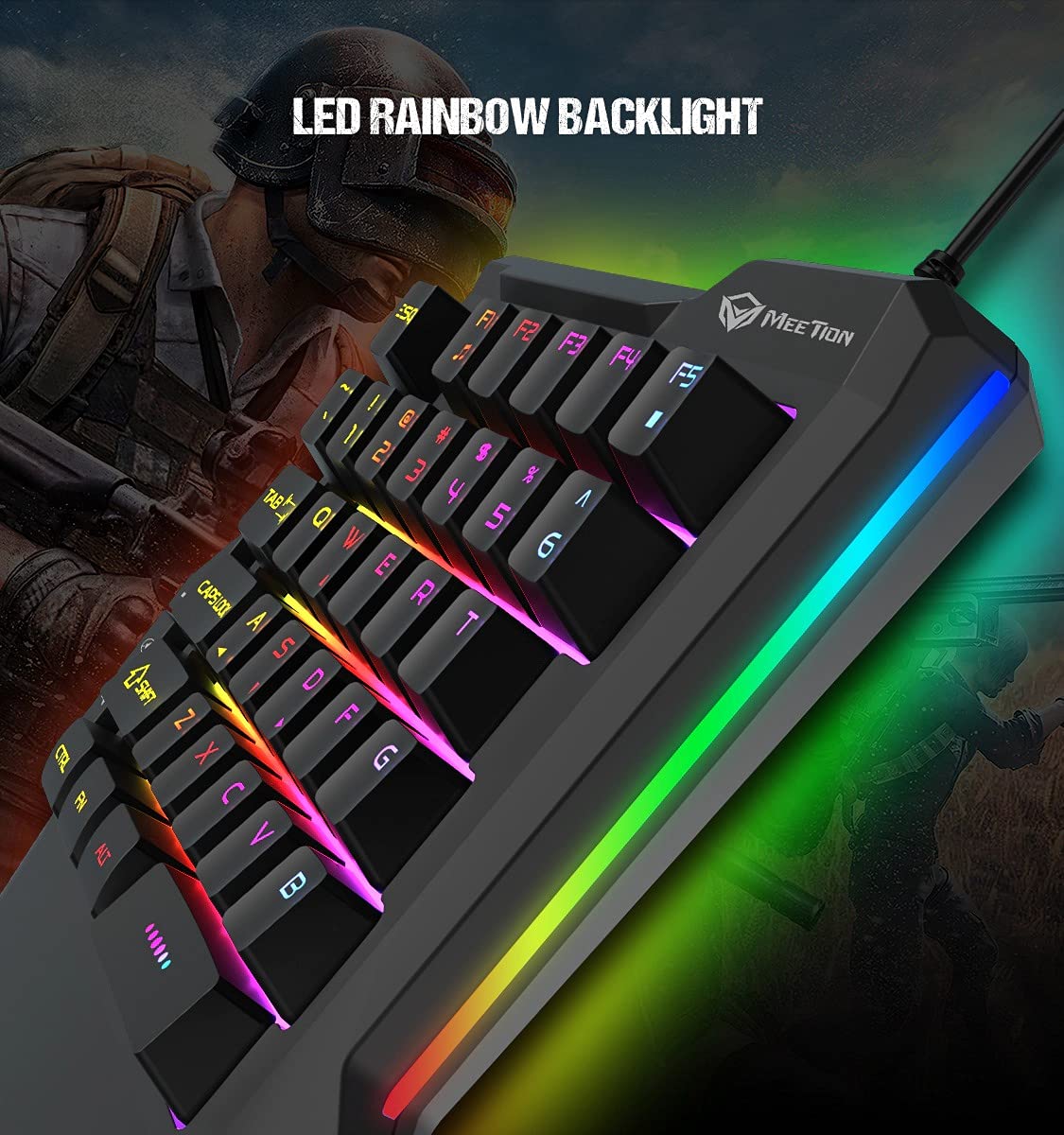
En detaljert view of the MEETION MT-KB015 keyboard's keys, showcasing the dynamic LED rainbow backlighting effect.

This image provides a close-up of the membrane switch keys on the MEETION MT-KB015 keyboard, illustrating their design and construction.

The MEETION MT-KB015 keyboard is depicted connected to a computer setup, demonstrating its simple plug-and-play connectivity.

En overhead view of a user engaged in gaming, utilizing the MEETION MT-KB015 one-handed keyboard alongside a gaming mouse on a desk.
Nøkkelfunksjoner:
- 50 Million Keystroke Life: Durable membrane switches designed for extended use.
- Multimedietaster: Conveniently placed dedicated keys for volume control.
- Comfortable Palm Rest: Integrated broad palm rest for ergonomic support during long gaming sessions.
- Easy To Use Plug and Play: Simple connectivity with various devices without requiring additional drivers.
3. Oppsett
The MEETION MT-KB015 keyboard is designed for plug-and-play functionality, requiring no complex installation.
Koble til tastaturet:
- Locate an available USB port on your computer, laptop, or compatible smartphone.
- Plug the USB cable of the MT-KB015 keyboard into the USB port.
- The operating system (e.g., Windows 10) will automatically detect and install the necessary drivers.
- The keyboard's RGB backlight will illuminate, indicating it is ready for use.
Kompatible enheter: Laptop, PC, Smartphone.
4. Bruksanvisning
Grunnleggende operasjon:
Once connected, the keyboard functions immediately. The keys are laid out for one-handed gaming, providing quick access to essential commands.
RGB-bakgrunnsbelysningskontroll:
The keyboard features an LED rainbow backlight. Specific key combinations or dedicated buttons for backlight mode changes are not detailed in the product information, but the lighting will be active upon connection.
Multimedietaster:
The MT-KB015 includes dedicated multimedia keys for convenient audio control.

A diagram highlighting the location and function of the dedicated Volume Up, Mute, and Volume Down multimedia keys positioned on the left side of the MEETION MT-KB015 keyboard.
- Volum opp: Increases audio output.
- Stum: Slår lyddemping av/på.
- Volum ned: Decreases audio output.
Additional multimedia functions (Music Player, Stop) are indicated with FN key combinations (FN + F1 for Music Player, FN + F5 for Stop).
5. Vedlikehold
For å sikre at tastaturet ditt varer lenge og har optimal ytelse, bør du følge disse vedlikeholdsretningslinjene:
- Rengjøring: Use a soft, dry cloth to wipe the surface of the keyboard. For deeper cleaning, a slightly damp cloth with mild soap can be used, ensuring no liquid enters the key switches or internal components.
- Støvfjerning: Bruk trykkluft til å fjerne støv og rusk mellom tastehettene.
- Unngå væsker: Ikke søl væske på tastaturet. Ved utilsiktet søl, koble fra tastaturet umiddelbart og la det tørke helt før du kobler det til igjen.
- Lagring: Oppbevar tastaturet på et kjølig og tørt sted, unna direkte sollys og ekstreme temperaturer.
6. Feilsøking
If you encounter issues with your MEETION MT-KB015 keyboard, refer to the following common solutions:
Tastaturet svarer ikke:
- Sjekk USB-tilkobling: Ensure the USB cable is securely plugged into a functional USB port on your device. Try a different USB port.
- Start enheten på nytt: Start datamaskinen eller smarttelefonen på nytt.
- Test på en annen enhet: Koble tastaturet til en annen datamaskin eller kompatibel enhet for å finne ut om problemet er med tastaturet eller den originale enheten.
Bakgrunnsbelysningen fungerer ikke:
- Sørg for at tastaturet er riktig tilkoblet og får strøm.
- If available, check for any dedicated backlight control keys or software settings.
Nøkler registreres ikke eller dobbeltskrives:
- Clean the affected keys to remove any debris that might be obstructing the switch mechanism.
- Sørg for at tastaturet står på en stabil, flat overflate.
Hvis problemene vedvarer etter at du har prøvd disse løsningene, kan du kontakte kundestøtte.
7. Spesifikasjoner
| Trekk | Detalj |
|---|---|
| Merke | MØTE |
| Modellnummer | MT-KB015 |
| Serie | MEETION MT-KB015 |
| Farge | Svart |
| Tilkoblingsteknologi | Kablet |
| Tastaturbeskrivelse | Gaming |
| Brytertype | Membranbryter |
| Keystroke Life Cycle | 50 millioner |
| Maskinvareplattform | Bærbar PC, smarttelefon |
| Operativsystemkompatibilitet | Windows 10 (and compatible with other OS via Plug and Play) |
| Produktdimensjoner (LxBxH) | 21 x 3.8 x 18.1 cm |
| Varevekt | 420 g |
| Inkluderte komponenter | USB-kabel |
| Batterier inkludert | Ingen |
8. Garanti og støtte
Garantiinformasjon:
The MEETION MT-KB015 One-Handed Wired RGB Gaming Keyboard comes with a 1 års garanti fra kjøpsdatoen. Denne garantien dekker produksjonsfeil ved normal bruk. Vennligst ta vare på kjøpsbeviset for garantikrav.
Kundestøtte:
For technical assistance, warranty claims, or any product-related inquiries, please contact MEETION customer support. Contact details for the manufacturer/importer are provided below:
- Produsent: Meetion, Meetion Tech Co. LTD - China
- Importør: Cavitak Marketing Pvt Ltd. 9, Vitthalbhai Patel Colony, Lakhudi, Naranpura, Ahmedabad-380014
- E-post: meetion@cavitak.com
- Telefon: 0796813-66-11