
Ozuly NS-RC4NA-18
Universal Insignia TV Remote Control User Manual
Model: NS-RC4NA-18 | Brand: Ozuly
Introduksjon
This manual provides comprehensive instructions for the Ozuly Universal Replacement Remote Control, model NS-RC4NA-18, designed for Insignia LED LCD HDTVs. This remote offers direct functionality without the need for complex setup or programming, serving as a reliable replacement for your original Insignia TV remote.

Figur 1: Foran view of the Ozuly Universal Insignia TV Remote Control. The remote is black with clearly labeled buttons for power, input, numbers, navigation, volume, channel, and media playback.
Oppsett
The Ozuly Universal Replacement Remote Control is designed for immediate use with compatible Insignia TVs. No programming or pairing is required.
Installasjon av batteri
- Finn batterirommet på baksiden av fjernkontrollen.
- Skyv batteridekselet nedover for å åpne det.
- Insert two (2) AAA batteries (not included) into the compartment, ensuring the positive (+) and negative (-) terminals align correctly with the indicators inside the compartment.
- Skyv batteridekselet tilbake på plass til det klikker ordentlig.
Når batteriene er satt inn, er fjernkontrollen klar til bruk.

Figur 2: Bak view of the remote control, illustrating the battery compartment and its cover. The compartment requires two AAA batteries for operation.
Bruksanvisning
This remote control provides full functionality for your Insignia TV, mirroring the original remote's capabilities.
Nøkkelfunksjoner:
- På-knapp (⏻): Slår TV-en på eller av.
- Inndataknapp: Blar gjennom tilgjengelige inngangskilder (HDMI, AV osv.).
- Tallknapper (0-9): Directly select TV channels.
- Menyknapp: Gir tilgang til TV-ens hovedmeny.
- Navigasjonsknapper (opp, ned, venstre, høyre, enter): Naviger gjennom menyer og bekreft valg.
- Volum opp/ned (+/-): Justerer TV-volumet.
- Dempeknapp: Demper eller slår på lyden på TV-en.
- Kanal opp/ned (CH +/-): Endrer TV-kanaler.
- Avslutt-knapp: Går ut av gjeldende meny eller funksjon.
- Info* Button: Viser programinformasjon.
- ACC-knapp: Accesses accessibility features.
- CC Button: Toggles Closed Captions.
- Kontroller for medieavspilling (spill av, pause, stopp, spol tilbake, spol fremover, hopp over): Controls media playback if supported by the TV.
- Sleep, Aspect, Game, Picture, Audio: Dedicated buttons for quick access to specific TV settings.
The remote is designed for a fast response time, typically under 0.2 seconds, and offers precise control up to a range of 15 meters.

Figure 3: A user holding the remote control, demonstrating its comfortable fit and ease of use while operating a television.
Vedlikehold
Riktig vedlikehold sikrer fjernkontrollens levetid og optimale ytelse.
Batteribytte
Replace batteries when the remote's response becomes sluggish or it stops functioning. Always replace both batteries simultaneously with new AAA batteries. Do not mix old and new batteries, or different types of batteries.
Rengjøring
For å rengjøre fjernkontrollen, tørk forsiktig av overflaten med en myk, tørr klut. For gjenstridig smuss, tørk lettampen the cloth with water or a mild, non-abrasive cleaner. Avoid using harsh chemicals or abrasive materials, as these can damage the remote's finish or internal components.
Lagring
Store the remote in a cool, dry place away from direct sunlight and extreme temperatures. If the remote will not be used for an extended period, it is recommended to remove the batteries to prevent leakage.
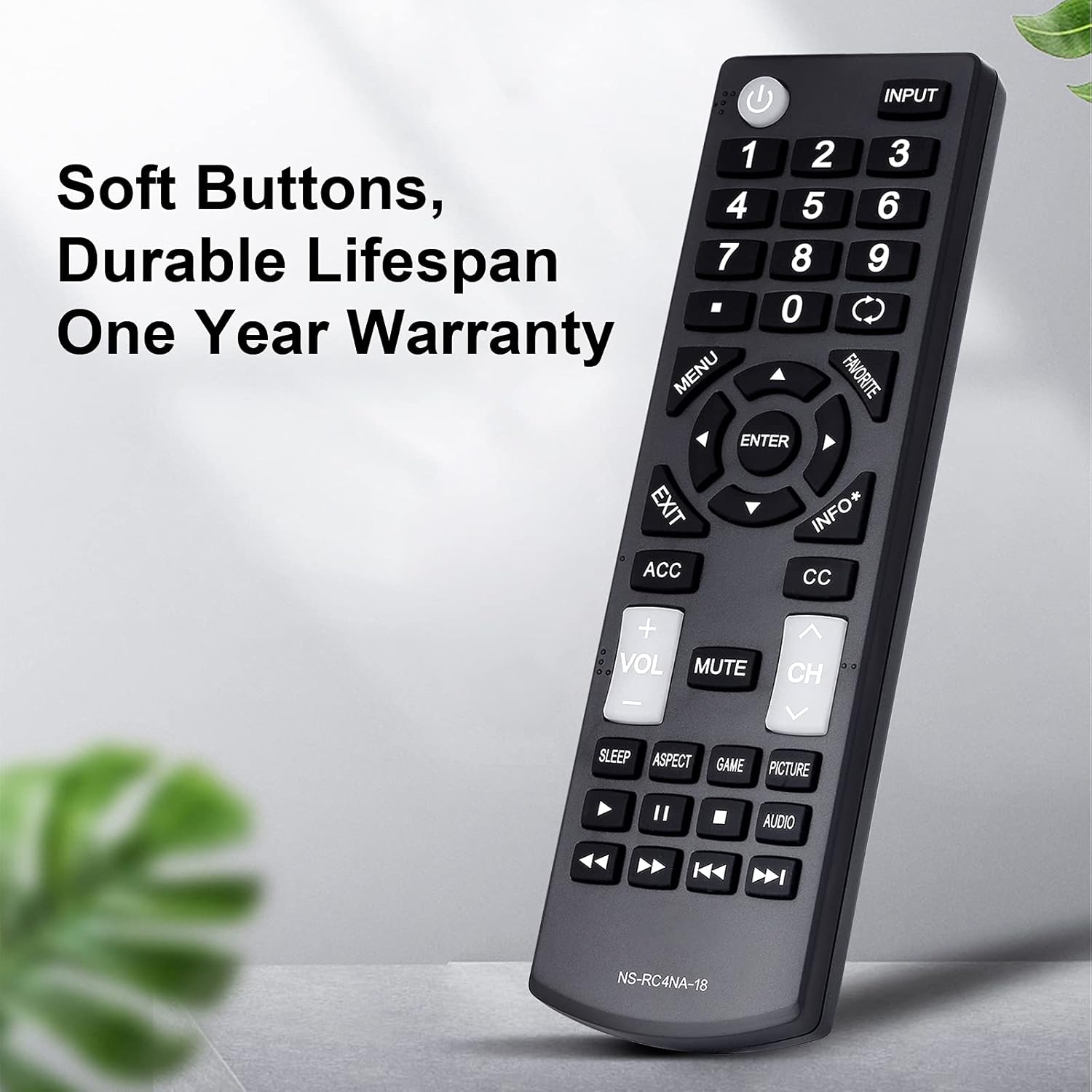
Figur 4: En detaljert view of the remote control, emphasizing its soft, durable buttons and robust ABS plastic construction, designed for long-term use.
Feilsøking
Hvis du støter på problemer med fjernkontrollen, kan du se følgende vanlige problemer og løsninger:
| Problem | Mulig årsak | Løsning |
|---|---|---|
| Fjernkontrollen svarer ikke. | Døde eller feil innsatte batterier. | Bytt batteriene med nye AAA-batterier, og sørg for at polariteten er riktig. |
| Fjernkontrollen fungerer av og til. | Low battery power; obstruction between remote and TV; remote sensor on TV is blocked. | Replace batteries. Ensure a clear line of sight between the remote and the TV's infrared sensor. Remove any objects blocking the TV's sensor. |
| Enkelte knapper fungerer ikke. | Button stuck or damaged; TV model incompatibility for specific advanced functions. | Gently press the button multiple times to dislodge any debris. Verify your TV model is listed as compatible for all functions. |
| Fjernkontrollen styrer ikke TV-en. | TV is not an Insignia brand or is an incompatible Insignia model. | Confirm your TV is an Insignia brand and its model number is listed in the compatible models section of this manual or product description. This remote is specifically designed for Insignia TVs. |
If troubleshooting steps do not resolve the issue, please contact customer support for assistance.
Spesifikasjoner
- Modellnummer: NS-RC4NA-18
- Merke: Ozuly
- Kompatible enheter: Insignia Televisions (LED LCD HDTVs)
- Maks antall støttede enheter: 1
- Farge: Svart
- Produktdimensjoner: 6 x 2 x 1 tommer (omtrent)
- Varevekt: 2.39 unser (omtrent)
- Spesialfunksjon: Universal replacement, no programming required
- Strømkilde: 2 x AAA-batterier (ikke inkludert)
- Responstid: Mindre enn 0.2 sekunder
- Driftsområde: Opp til 15 meter
- Materiale: Slitesterk ABS-plast
- Dato først tilgjengelig: 1. januar 2021

Figure 5: An illustration highlighting the upgraded internal chip of the remote control, contributing to its longer lifespan and improved performance.
Garanti og støtte
Garantiinformasjon
Dette produktet kommer med en Ett års garanti fra kjøpsdatoen, som dekker produksjonsfeil og materialfeil ved normal bruk. Vennligst ta vare på kjøpsbeviset for garantikrav.
Kundestøtte
For any questions, concerns, or assistance with your Ozuly Universal Replacement Remote Control, please do not hesitate to contact our customer service team. We are committed to providing timely and high-quality service to ensure your satisfaction.
Please refer to the contact information provided with your purchase or on the product packaging for the most direct support channels.
Ask a question about this manual
Ask about setup, troubleshooting, compatibility, parts, safety, or missing instructions. Manuals+ will review the question and use this page’s manual context to help answer it.