
1. Produktet er overview
The Ergosolid H100 is a professional gas spring desk mount designed to enhance your workspace ergonomics. It supports single LCD, TFT, or LED screens ranging from 22 to 35 inches, with a weight capacity of 2 to 12 kg. This mount features a 360-degree pivot function, tilt, and rotation capabilities, allowing for smooth and precise adjustments to achieve your ideal viewing angle. It is compatible with VESA mounting patterns of 75x75mm and 100x100mm. The integrated cable management system helps maintain a tidy and organized desk.
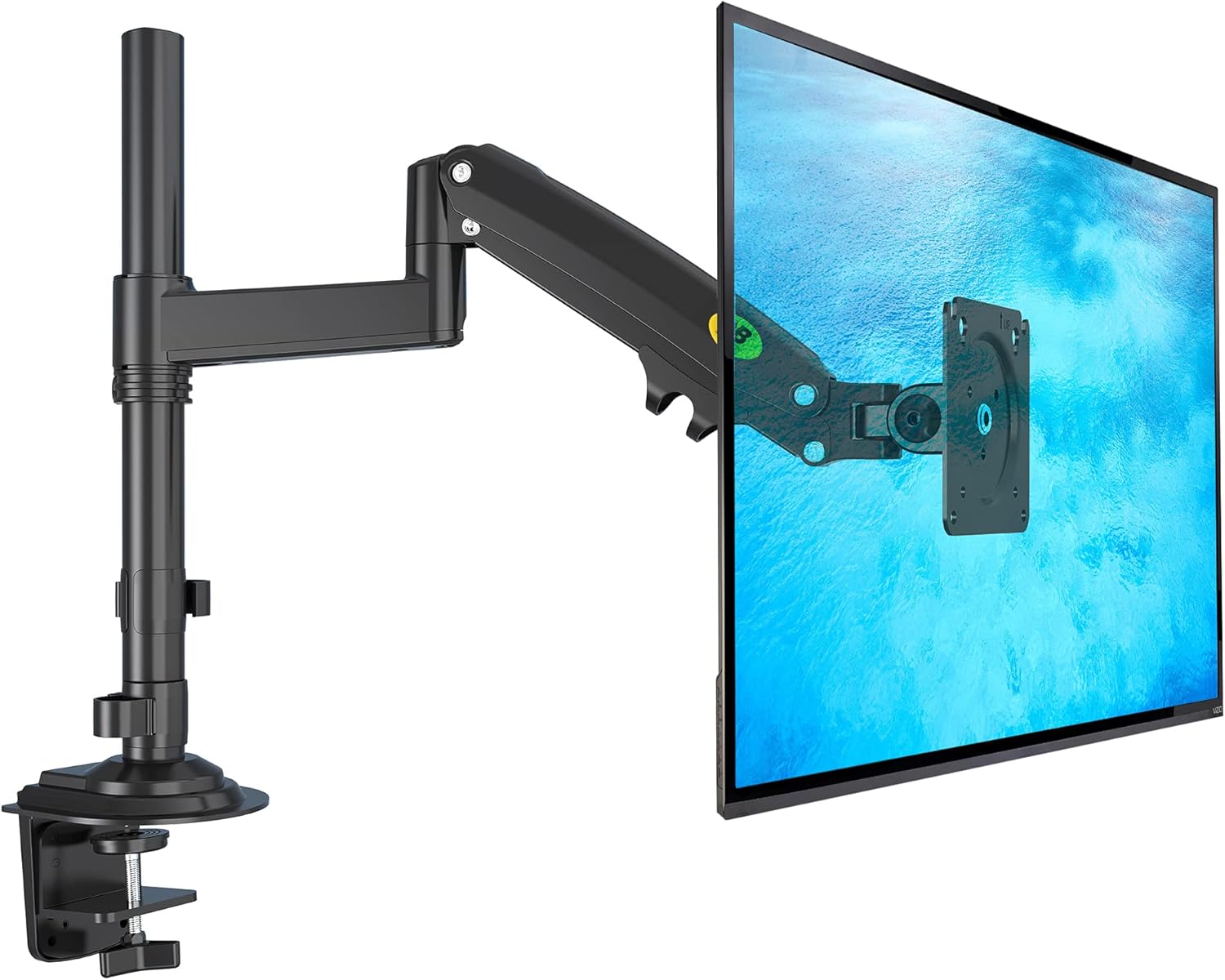
Image 1.1: Ergosolid H100 Gas Spring Desk Mount with a monitor.
2. Hva er i esken
Sørg for at alle komponentene er til stede før installasjonen starter:
- Monitor holder (main arm assembly)
- Set of screws (for VESA mounting and desk attachment)
- Installasjonsveiledning
- Allen keys for adjustments
3. Oppsett og installasjon
The Ergosolid H100 offers two primary installation methods: desk clamp and grommet mount. Choose the method best suited for your desk.
3.1. VESA-kompatibilitetskontroll
Before installation, verify your monitor's VESA compatibility and weight. This mount supports VESA patterns of 75x75mm and 100x100mm, and monitors weighing between 2 kg and 12 kg.

Image 3.1: VESA mounting pattern compatibility.
3.2. Skrivebord Clamp Installasjon
- Fest skrivebordet clamp base to the main pole using the provided screws.
- Plasser clamp on the edge of your desk (desk thickness 25-80 mm).
- Stram til clamp screw until the mount is securely fastened to the desk.
3.3. Grommet Mount Installation
- If your desk has a grommet hole, or if you plan to drill one, attach the grommet base to the main pole.
- Insert the pole through the grommet hole.
- Secure the mount from underneath the desk using the provided plate and screw.

Image 3.2: Desk clamp og monteringsalternativer for malje.
3.4. Feste skjermen
- Carefully attach your monitor to the VESA plate on the arm using the appropriate screws.
- Ensure the screws are tightened securely but do not overtighten.
For a visual guide on installation and features, please refer to the official product video:
Video 3.1: Ergosolid H100 Product Overview and Installation Guide. This video demonstrates the assembly process and various adjustment capabilities of the monitor arm.
4. Bruksanvisning
The Ergosolid H100 monitor arm provides extensive flexibility for positioning your screen.
4.1. Adjusting the Gas Spring Tension
The gas spring tension needs to be adjusted to match your monitor's weight. Use the provided Allen key to turn the adjustment screw on the arm. Turn clockwise to increase tension for heavier monitors, and counter-clockwise to decrease tension for lighter monitors. Adjust until the monitor stays at any desired height without drifting up or down.
4.2. Monitor Positioning
- Høydejustering: Gently push or pull the monitor up or down to the desired height.
- Tilt: Tilt the monitor screen +85 degrees upwards or -30 degrees downwards to reduce glare and optimize viewing vinkler.
- Sving: Swivel the monitor arm left or right up to 360 degrees around the pole. The VESA plate also allows 180-degree swivel.
- Rotation (Pivot): Roter skjermen 360 grader for å veksle mellom liggende og stående retning.
- Forlengelse/tilbaketrekking: Extend or retract the arm to bring the monitor closer or push it further away from you, with a maximum extension of 550 mm.

Image 4.1: Adjustment ranges for the Ergosolid H100 monitor arm.
4.3. Kabeladministrasjon
Route your monitor and power cables through the integrated cable clips on the underside of the arm to keep your workspace neat and organized.
5. Vedlikehold
To ensure the longevity and optimal performance of your Ergosolid H100 desk mount, follow these simple maintenance guidelines:
- Regelmessig rengjøring: Tørk av festet med en myk klutamp klut for å fjerne støv og smuss. Unngå slipende rengjøringsmidler.
- Sjekk tilkoblinger: Sjekk alle skruer og bolter med jevne mellomrom for å sikre at de sitter godt fast. Stram til om nødvendig, men ikke overstram.
- Justering av gassfjær: If your monitor's weight changes, or if the arm starts to drift, re-adjust the gas spring tension as described in Section 4.1.
6. Feilsøking
- Monitor drifts up or down: The gas spring tension is not correctly adjusted for your monitor's weight. Refer to Section 4.1 to adjust the tension.
- Monitor is wobbly: Ensure all mounting screws (both to the desk and to the monitor) are securely tightened. Check that the desk clamp or grommet mount is firmly attached to the desk.
- Difficulty moving the arm: Check if any adjustment points are overly tightened. Loosen slightly if necessary. If the gas spring is too tight or too loose, adjust it according to Section 4.1.
- Cables are not tidy: Ensure all cables are routed through the designated cable management clips on the arm.
7. Spesifikasjoner
| Merke | Ergosolid |
| Modellnummer | H100 |
| Farge | Svart |
| Kompatible enheter | Følge |
| Skjermstørrelseskompatibilitet | 22–35 tommer |
| Vekt kapasitet | 2–12 kg |
| VESA-kompatibilitet | 75x75 mm, 100x100 mm |
| Monteringstype | Skrivebord Clamp (25-80 mm thickness), Grommet Mount |
| Bevegelsestype | Pivot, Swivel, Tilt, Rotation |
| Maksimal helningsvinkel | +85 / -30 degrees |
| Rotasjon | 360 grader |
| Materiale | Metal or solid plastic joint |
8. Garanti og støtte
The Ergosolid H100 desk mount comes with a 2 års produsentgaranti. For any support inquiries, technical assistance, or warranty claims, please contact Ergosolid customer service through their official channels or the retailer where the product was purchased. Please retain your proof of purchase for warranty validation.