
1. Viktige sikkerhetsinstruksjoner
- Les alle instruksjonene nøye før du bruker apparatet.
- Do not immerse the feeder base in water or any other liquid.
- Dette apparatet er kun beregnet for innendørs bruk.
- Use only dry pet food with a kibble size between 2-15mm (0.08-0.6 inches). Do not use wet food.
- Keep the feeder out of reach of children and pets to prevent tampering.
- Trekk alltid ut støpselet til materen før rengjøring eller vedlikehold.
- Sørg for at strømadapteren og kabelen ikke er skadet. Kontakt kundestøtte hvis de er skadet.
- Replace the desiccant bag every two weeks to maintain food freshness.
2. Produktet er overview
The PETLIBRO Automatic Pet Food Dispenser (Model PLAF006) is designed to provide scheduled meals for up to two pets. It features a 5-liter capacity, an adjustable meal splitter, and a dual power supply for reliable operation.

Figur 2.1: Foran view of the PETLIBRO Automatic Pet Food Dispenser with food in both bowls.
Nøkkelfunksjoner:
- Dual Pet Feeding: Equipped with an adjustable meal splitter and two stainless steel bowls to feed two pets simultaneously.
- Bevaring av friskhet: Features a secure twist-lock lid, sealing strip, and a desiccant bag compartment to keep food fresh and crunchy.
- Programmerbar fôring: Allows setting 1-6 meals daily with up to 50 portions per meal (20ml each portion).
- Personlig måltidssamtale: Record a 10-second voice message to call your pets, playable 0-5 times per meal.
- Dobbel strømforsyning: Operates via a 5V USB adapter with a battery backup system (3 x D batteries, not included) for uninterrupted feeding during power outages.
- Anti-tilstoppingsdesign: Includes a patented rotor and an infrared sensor to prevent food blockages.
- Easy Monitoring & Cleaning: Transparent window for food level monitoring and detachable components for easy cleaning.
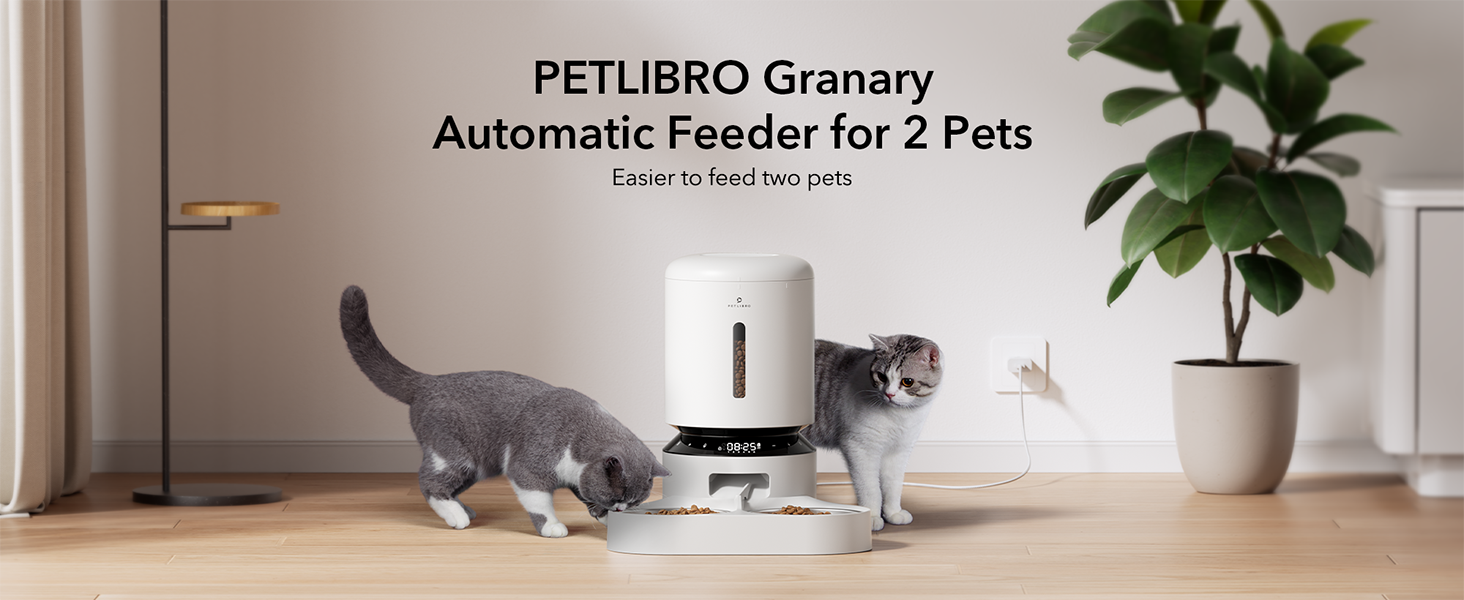
Figure 2.2: The PETLIBRO Granary Automatic Feeder designed for two pets.
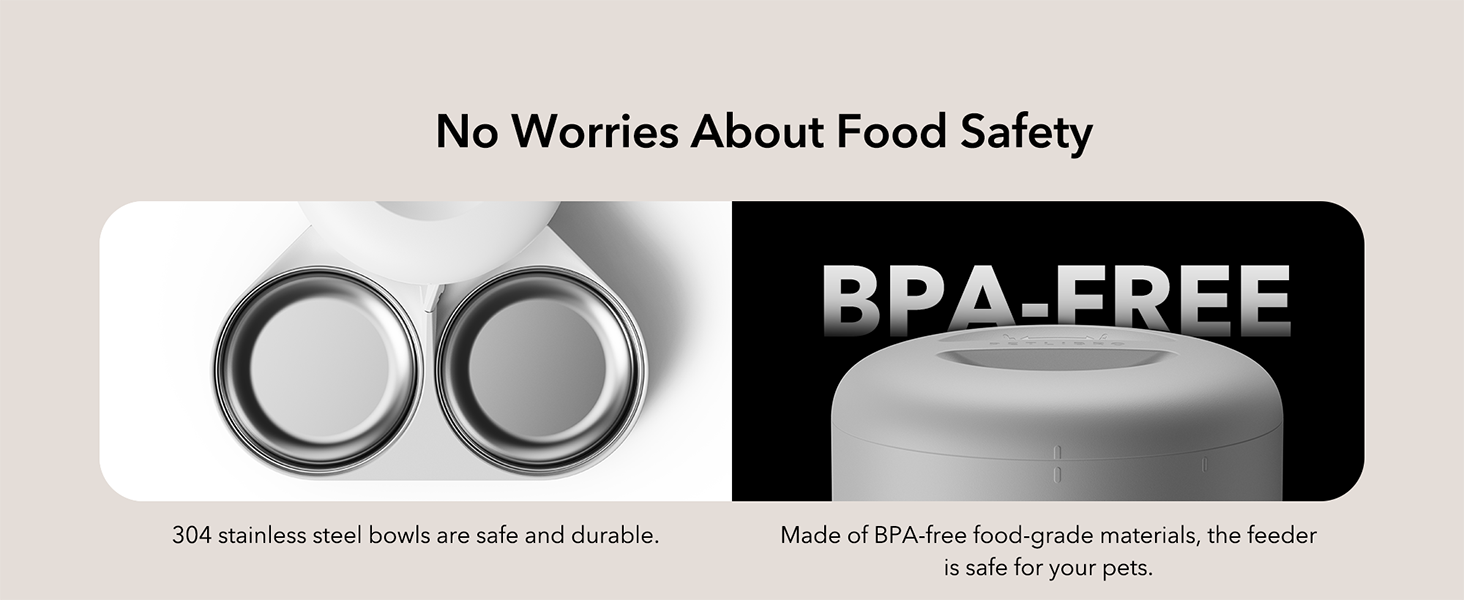
Figure 2.3: The feeder features 304 stainless steel bowls and BPA-free food-grade materials.
3. Oppsettveiledning
3.1 Utpakking og montering
- Fjern alle komponenter fra emballasjen.
- Plasser materbasen på en flat, stabil overflate.
- Insert the stainless steel bowls into the ABS food tray.
- Attach the food tray to the main feeder unit.
- Open the lid and place a desiccant bag into the designated compartment to maintain food freshness.
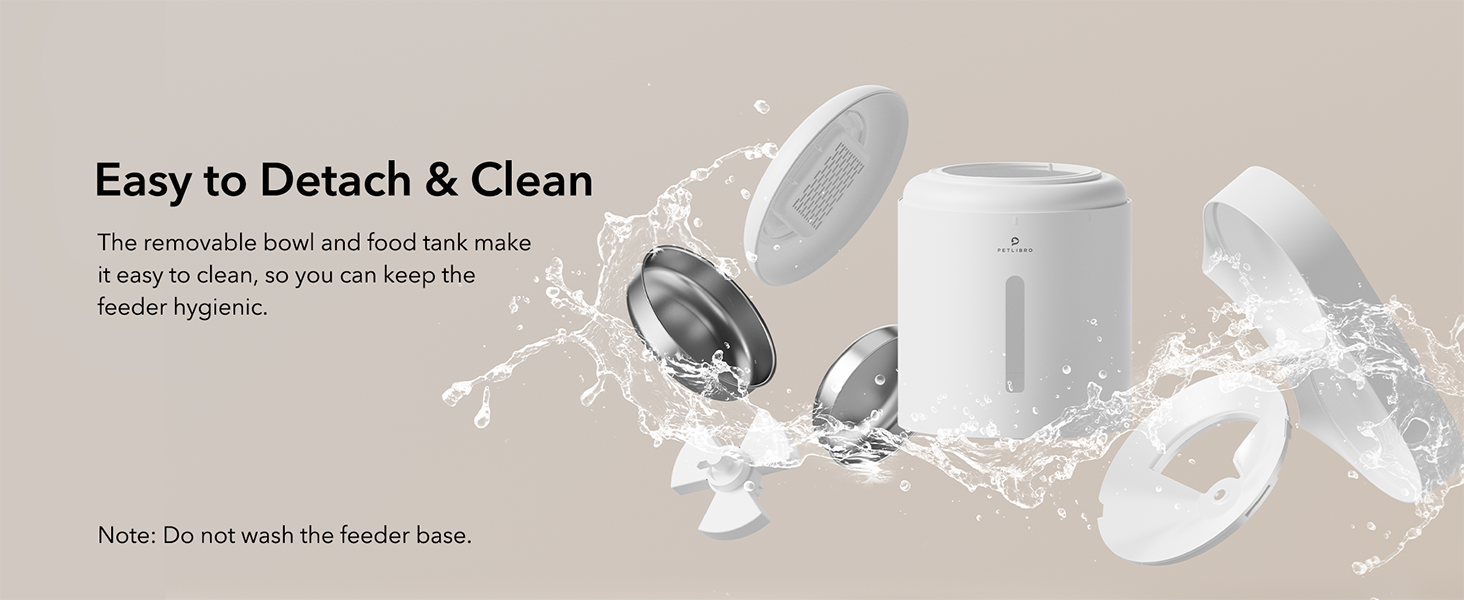
Figure 3.1: Detachable components for easy assembly and cleaning.
3.2 Strømforsyning
The feeder can be powered by the included USB-C adapter or by D-cell batteries for backup.
- Primærkraft: Connect the USB-C adapter to the feeder and plug it into a wall outlet.
- Reserve batteri: For kraft outage protection, install 3 D-cell alkaline batteries (not included) into the battery compartment at the bottom of the feeder.
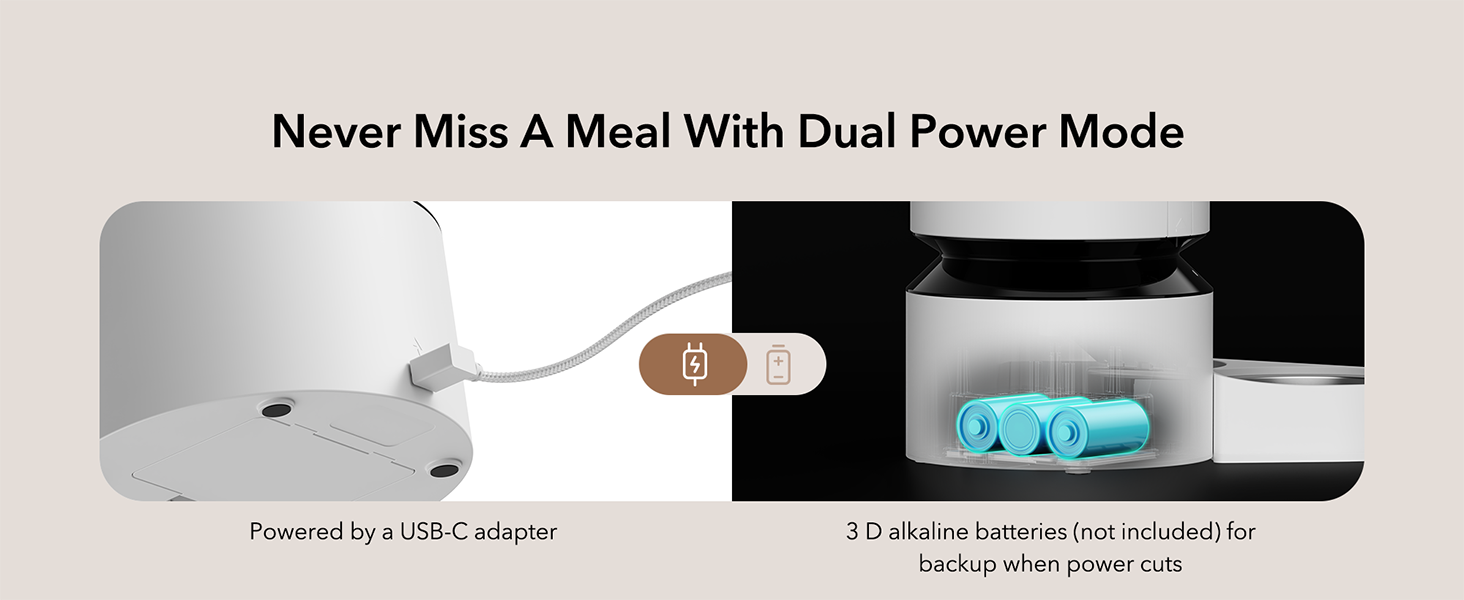
Figure 3.2: Dual power mode with USB-C adapter and D-battery backup.
3.3 Fylle mattanken
- Open the top lid by twisting it counter-clockwise.
- Pour dry pet food into the food tank. Ensure the kibble size is between 2-15mm (0.08-0.6 inches).
- Close the lid by twisting it clockwise until it locks securely.
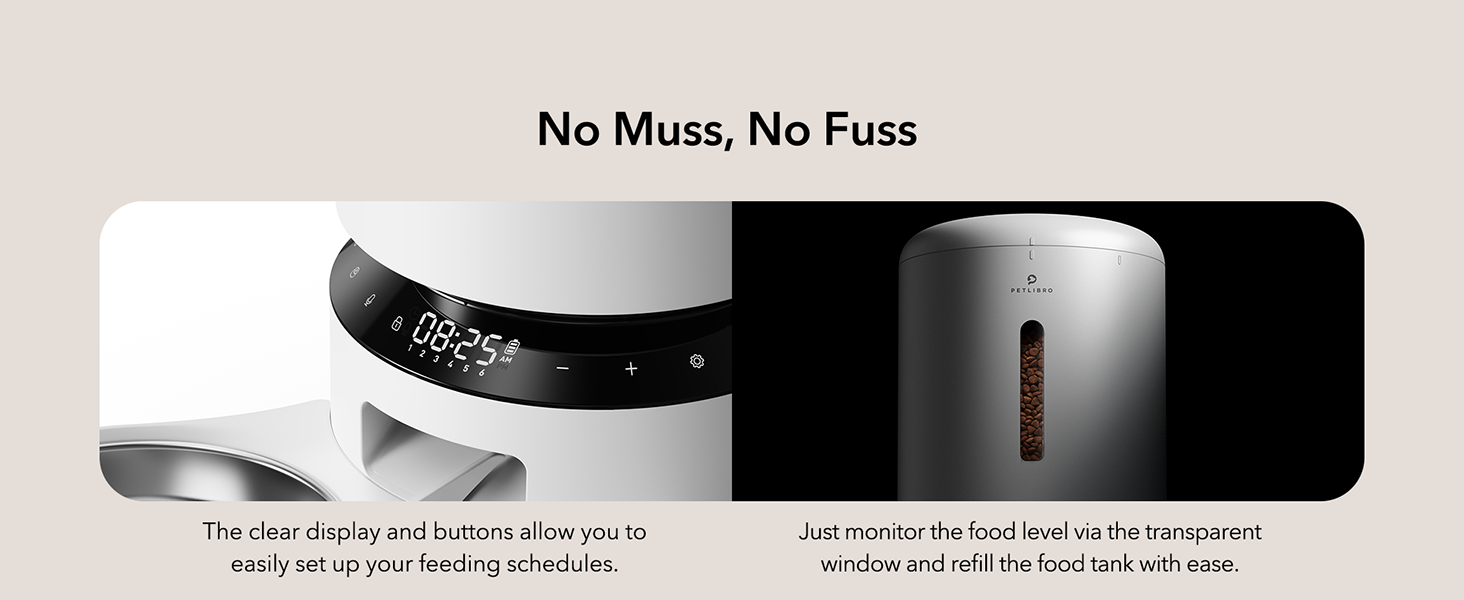
Figure 3.3: Transparent window allows easy monitoring of food level.
4. Bruksanvisning
The feeder's functions are controlled via the intuitive LED panel.

Figure 4.1: The LED control panel for easy operation.
4.1 Setting Meal Times and Portions
- Press the 'Set' button to enter programming mode.
- Use the '+' and '-' buttons to adjust the current time. Press 'Set' to confirm.
- Proceed to set meal times (up to 6 meals per day) and the number of portions (1-50 portions, 20ml each) for each meal.
- Press 'Set' after each adjustment to confirm and move to the next setting.
- The feeder will automatically save settings after a period of inactivity or by pressing and holding the 'Set' button.
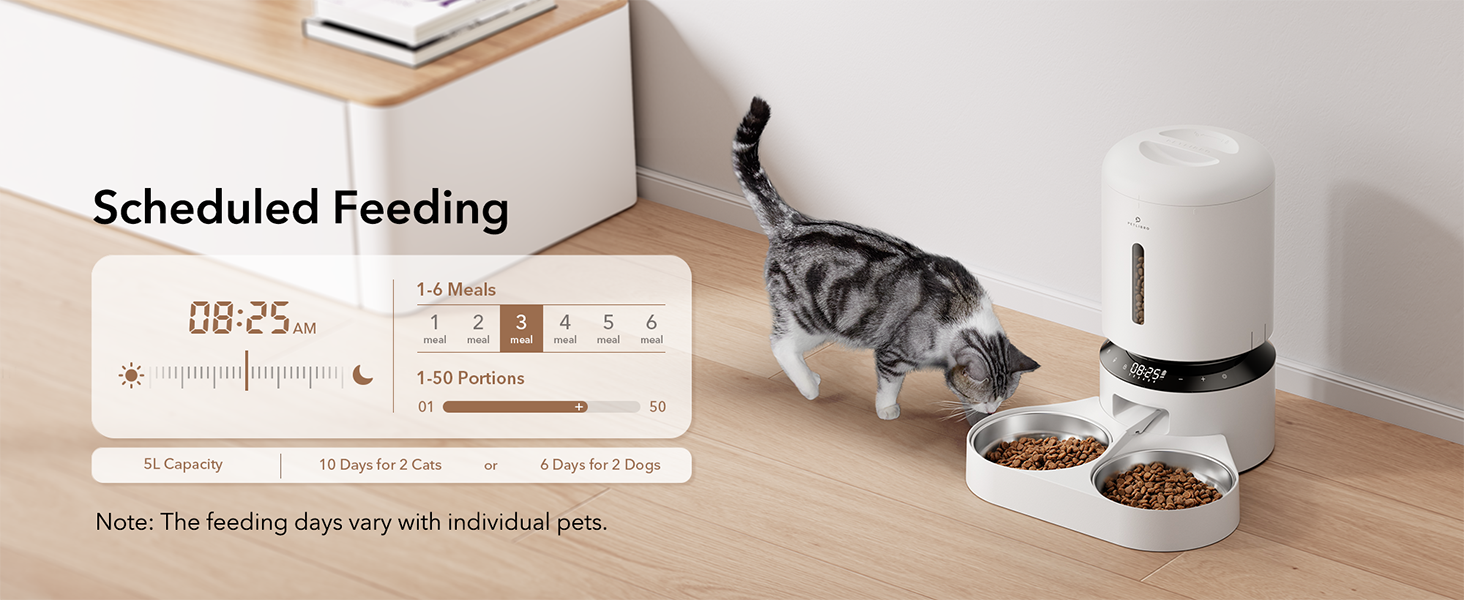
Figur 4.2: Eksample of scheduled feeding settings on the display.
4.2 Manuell fôring
To dispense food manually, press the manual feed button (often indicated by a paw print or similar icon) on the control panel. Each press typically dispenses one portion, up to a maximum of 5 portions.
4.3 Recording a Meal Call
- Press and hold the 'Record' button (microphone icon) until you hear a beep.
- Record your 10-second message. Release the button when finished.
- To adjust how many times the message plays (0-5 times) per meal, refer to the programming instructions in section 4.1.
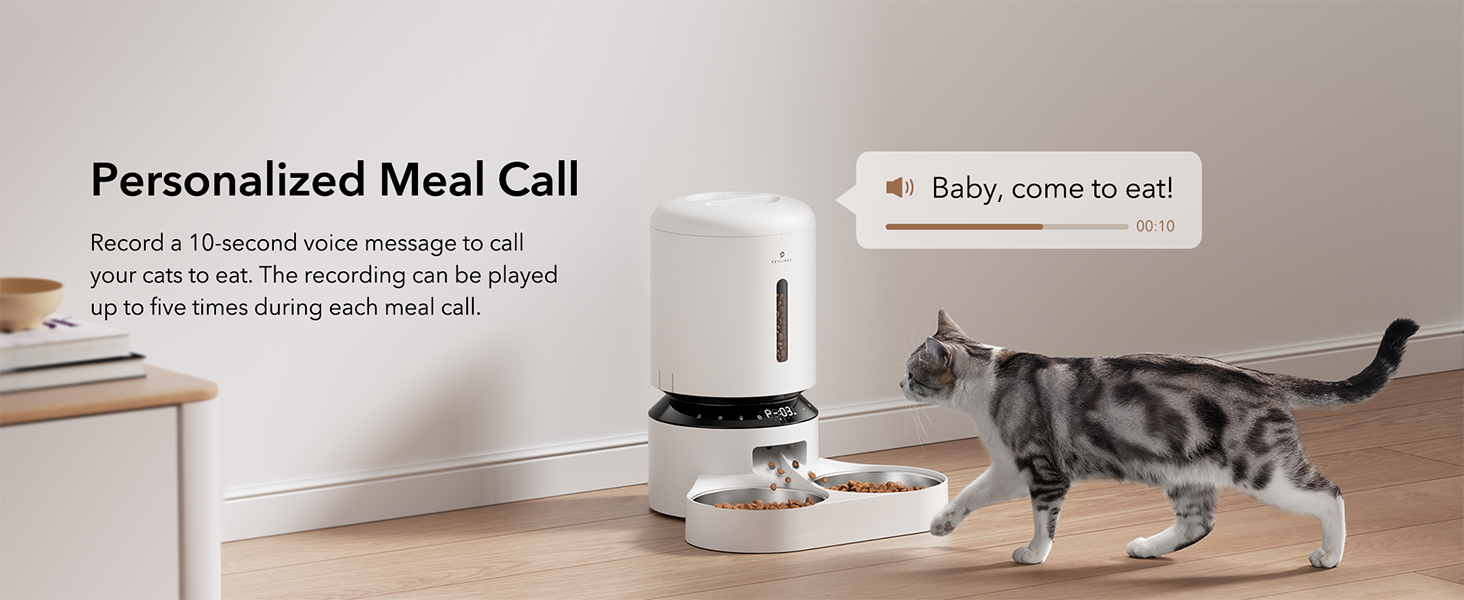
Figure 4.3: Personalized meal call feature to attract pets.
4.4 Adjusting the Meal Splitter
The unique movable meal splitter allows for even distribution or customized portions between the two bowls.
- Locate the meal splitter in the food outlet.
- Gently rotate the splitter to adjust the distribution.
- For even distribution, position the splitter centrally.
- To provide more food to one side, adjust the splitter towards the opposite side.
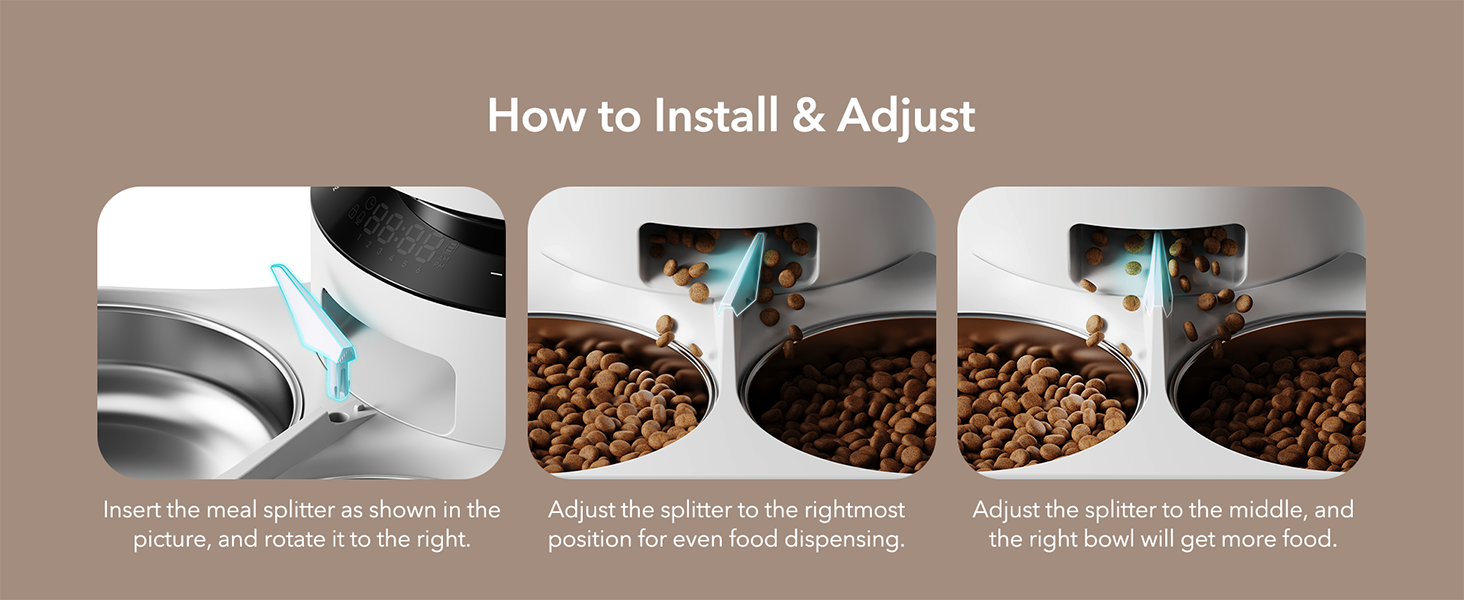
Figure 4.4: Visual guide for installing and adjusting the meal splitter.
5. Vedlikehold
5.1 Rengjøring av materen
Regelmessig rengjøring sikrer hygiene og korrekt funksjon av fôringsautomaten.
- Trekk ut støpselet til materen og fjern eventuell gjenværende mat.
- Detach the food tank, lid, food tray, and stainless steel bowls.
- Wash the food tank, lid, food tray, and stainless steel bowls with mild soap and water. These parts are dishwasher safe.
- Wipe the feeder base with a soft, damp klut. Do not wash the feeder base directly with water.
- Sørg for at alle deler er helt tørre før du monterer dem igjen.

Figure 5.1: Detachable design allows for thorough cleaning of components.
5.2 Utskifting av tørkepose
The desiccant bag helps absorb moisture and keep pet food fresh. It is recommended to replace it every two weeks.
- Åpne topplokket på materen.
- Remove the old desiccant bag from its compartment.
- Insert a new desiccant bag.
- Lukk lokket godt.

Figure 5.2: Desiccant bag compartment for maintaining food freshness.
6. Feilsøking
If you encounter issues with your PETLIBRO Automatic Pet Food Dispenser, refer to the following common problems and solutions:
| Problem | Mulig årsak | Løsning |
|---|---|---|
| Materen gir ikke ut mat. | Food tank empty; Food outlet blocked; Incorrect settings; Power issue. | Refill food tank. Check for blockages in the food outlet and clear them. Verify meal schedule and portion settings. Ensure power adapter is connected or batteries are installed correctly. |
| Food jamming. | Kibble size too large; Food too moist; Rotor obstruction. | Use dry kibble within the recommended size (2-15mm). Ensure food is dry. Check the rotor for any foreign objects and clean if necessary. |
| Materen slår seg ikke på. | Power adapter disconnected; Batteries depleted or incorrectly installed. | Check if the power adapter is securely plugged in. Replace D batteries if depleted or ensure they are installed with correct polarity. |
| Meal call not playing. | No message recorded; Volume too low; Playback frequency set to 0. | Record a message (Section 4.3). Check volume settings. Adjust playback frequency in meal settings. |
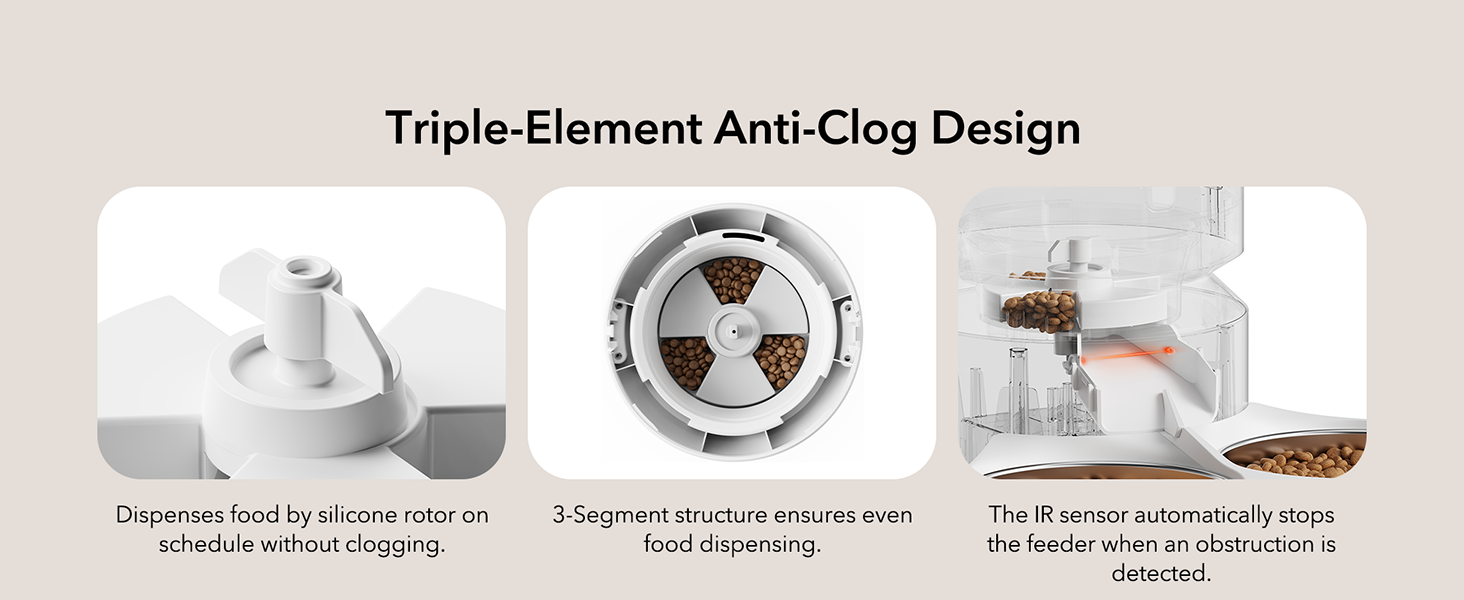
Figure 6.1: Triple-Element Anti-Clog Design helps prevent food jamming.
If the problem persists after trying these solutions, please contact PETLIBRO customer support.
7. Spesifikasjoner
| Trekk | Spesifikasjon |
|---|---|
| Modellnavn | Granary Feeder Dual Tray |
| Modellnummer | PLAF006 |
| Kapasitet | 5 liter |
| Dimensjoner (LxBxH) | 14.17 x 10.16 x 7.72 tommer |
| Varevekt | 5 pund |
| Materiale | Stainless Steel (bowls), BPA-free plastic |
| Strømforsyning | 5V USB Adapter (included), 3 x D Batteries (not included) |
| Kibble størrelse | 2-15mm (0.08-0.6 inches) dry food |
| Måltider per dag | 1-6 måltider |
| Porsjoner per måltid | 1-50 portions (approx. 20ml per portion) |
| Inkluderte komponenter | USB-adapter |
| Målarter | Katter, hunder, små dyr |

Figure 7.1: Recommended kibble size and food types for optimal performance.

Figure 7.2: Recommended daily feeding portions table.
8. Garanti og støtte
8.1 Garantiinformasjon
This PETLIBRO product comes with a 24 måneders garanti fra kjøpsdatoen. Vennligst ta vare på kjøpsbeviset for garantikrav.
8.2 Kundestøtte
For any questions, technical assistance, or warranty claims, please contact PETLIBRO customer support through their official webnettstedet eller forhandleren der produktet ble kjøpt.
You can visit the official PETLIBRO store for more information: PETLIBRO Store
9. Videoressurser
No relevant official product videos with creator type 'Seller' were found in the provided data to embed in this manual.