
1. Introduksjon
Takk for kjøpetasing the BYTECH BYMCLB116BK Projector Decor Light-Rainbow. This device is designed to project vibrant rainbow light effects, enhancing room ambiance and providing unique lighting for creative photography. Please read this manual thoroughly before use to ensure proper operation and maintenance.

Image 1.1: The BYTECH BYMCLB116BK Projector Decor Light-Rainbow packaging, highlighting its key features including rainbow glow, secure stabilization, 360-degree rotation and tilt, and USB connectivity.
2. Sikkerhetsinformasjon
- Hold enheten unna vann og fuktighet.
- Ikke utsett enheten for ekstreme temperaturer eller direkte sollys.
- Unngå å miste eller utsette enheten for sterke støt.
- Ikke forsøk å demontere eller reparere enheten selv. Overlat all service til kvalifisert personell.
- Use only the provided USB cable or a certified equivalent for power.
- Sørg for at enheten er plassert på en stabil, flat overflate for å forhindre at den velter.
- Oppbevares utilgjengelig for barn og kjæledyr.
3. Pakkens innhold
Vennligst sjekk innholdet i pakken nøye. Hvis noen deler mangler eller er skadet, kontakt forhandleren din.
- 1 x BYTECH BYMCLB116BK Projector Decor Light-Rainbow
- 1 x USB Power Cable (with wired remote control)
- 1 x brukerhåndbok
4. Oppsett
- Pakke ut: Carefully remove the Projector Decor Light from its packaging.
- Plassering: Place the projector on a stable, flat surface. Consider the desired projection area and distance from the wall or ceiling for optimal effect. The device features 360-degree rotation and tilt for flexible positioning.
- Koble til strøm: Insert the small end of the USB power cable into the USB port on the projector. Connect the larger end of the USB cable to a standard USB power adapter (not included) or a powered USB port (e.g., on a computer or power bank).
- Secure Stabilization: Ensure the base is firmly placed to prevent accidental movement, utilizing its secure stabilization feature.
5. Bruksanvisning
The BYTECH Projector Decor Light is designed for simple operation.
- Slå på/av: Once connected to a power source, locate the wired remote control on the USB cable. Press the power button on the remote to turn the light on or off.
- Adjust Brightness/Mode: Use the other buttons on the wired remote control to cycle through different brightness levels or projection modes, if available. Refer to the remote's markings for specific functions.
- Juster projeksjonsvinkel: Juster l manueltamp head to rotate and tilt 360 degrees to direct the rainbow light projection to your desired area.
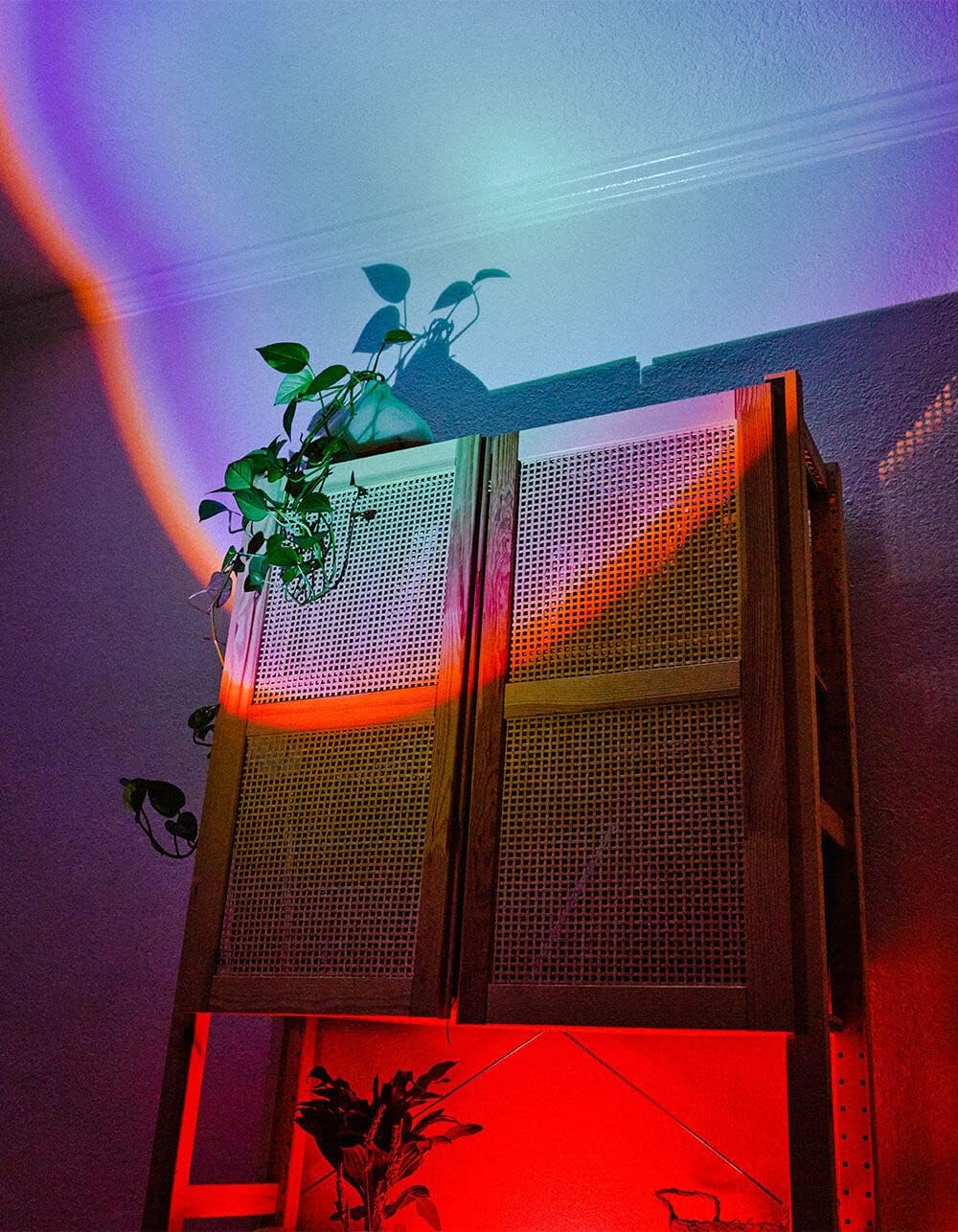
Image 5.1: The BYTECH Projector Decor Light-Rainbow in operation, casting vibrant rainbow light patterns onto a room's wall and furniture, demonstrating its ambient effect.
6. Vedlikehold
- Rengjøring: Disconnect the power before cleaning. Use a soft, dry cloth to wipe the surface of the projector. Do not use abrasive cleaners or solvents.
- Lagring: When not in use for extended periods, store the device in a cool, dry place, away from direct sunlight and moisture.
- Håndtering: Handle the device with care to avoid damage to the lens or internal components.
7. Feilsøking
| Problem | Mulig årsak | Løsning |
|---|---|---|
| Enheten slås ikke på. | Ingen strømtilkobling eller defekt kabel. | Ensure the USB cable is securely connected to both the projector and a powered USB port/adapter. Try a different USB port or adapter. |
| Lyset er svakt eller flimrer. | Insufficient power supply or dirty lens. | Ensure the power source provides adequate power. Clean the projector lens gently with a soft, dry cloth. |
| Projeksjonen er uskarp. | Objektivet er skittent. | Rengjør projektorlinsen forsiktig med en myk, tørr klut. |
8. Spesifikasjoner
- Modell: BYMCLB116BK
- Merke: Bytech
- Strøminngang: USB Powered (5V DC, current not specified, typical for USB)
- Lyskilde: LED
- Projeksjonstype: Rainbow Glow
- justeringsmuligheter: 360° Rotation & Tilt
- Pakkedimensjoner: 5 x 5 x 5 tommer
- Varevekt: 1 pund
- Produsent: BYTECH
9. Garanti og støtte
This product is covered by a limited warranty provided by BYTECH. For specific warranty terms and conditions, please refer to the warranty card included with your purchase or visit the official BYTECH website. For technical support, troubleshooting assistance, or to inquire about replacement parts, please contact BYTECH customer service through their official channels.
Ta vare på kjøpsbeviset for garantikrav.