
1. Produktet er overview
The Beelink GK35 Mini PC is a compact and efficient computer designed for various applications, from office work to home entertainment. Its small form factor allows for a tidy desktop setup, while offering robust performance for daily tasks.
Nøkkelfunksjoner inkluderer:
- Kompakt design: Ultra-slim and lightweight (0.56 lbs) with dimensions of 4.53 x 4.02 x 1.69 inches, making it highly portable.
- Prosessor: Equipped with an Intel Celeron J3455 Processor (1.50GHz up to 2.30GHz).
- Minne og lagring: 8GB DDR3L RAM and 128GB SSD, with support for up to 2TB 2.5-inch SATA HDD/M.2 SATA SSD 2280 expansion.
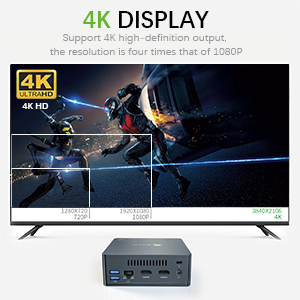
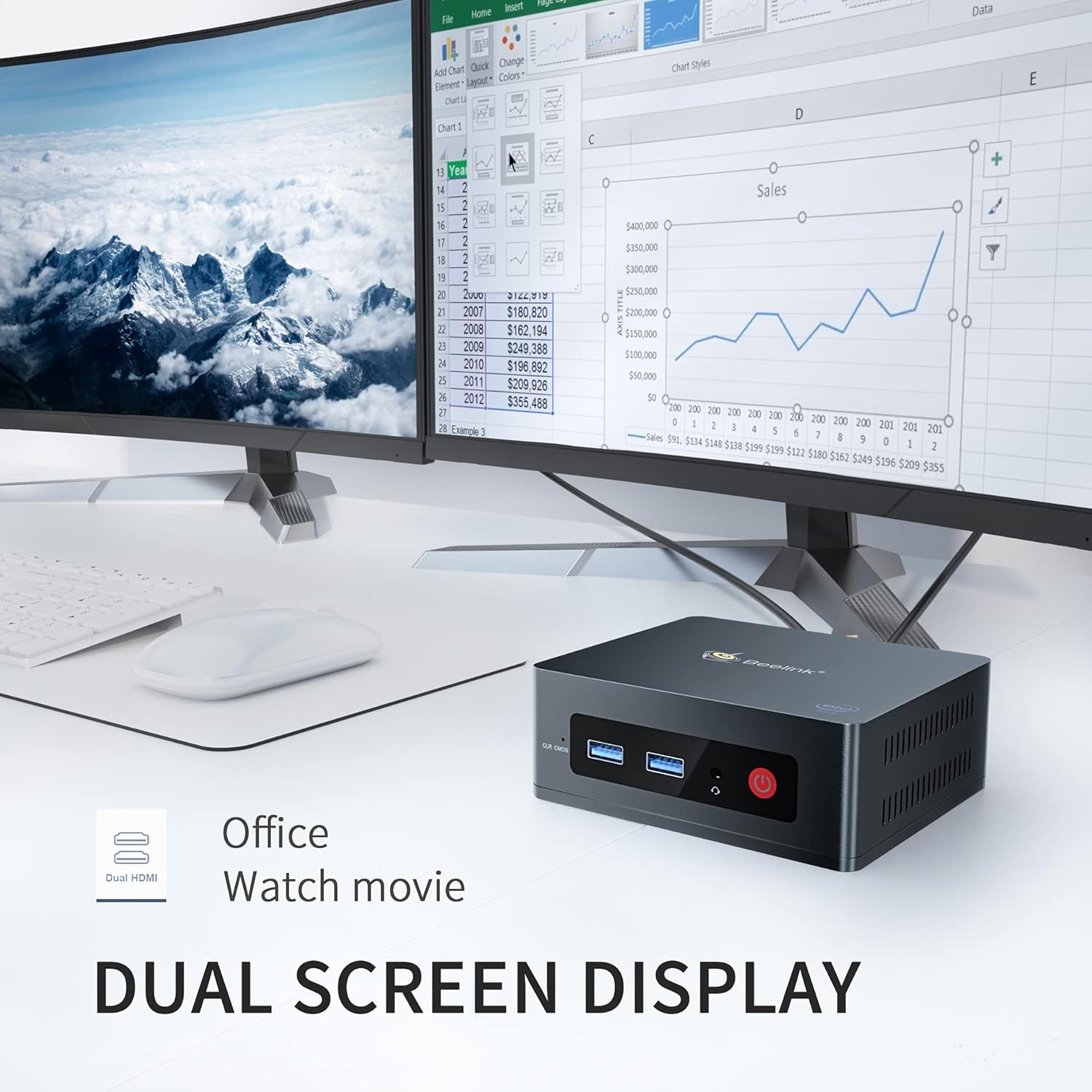
- Graphics & Display: Intel HD Graphics 500 supporting 4K HD (3840 x 2160) content and dual HDMI output for connecting two monitors.
- Tilkobling: Features 802.11 b/g/n/ac WiFi 5, Bluetooth 4.0, and Gigabit Ethernet for reliable network connections.
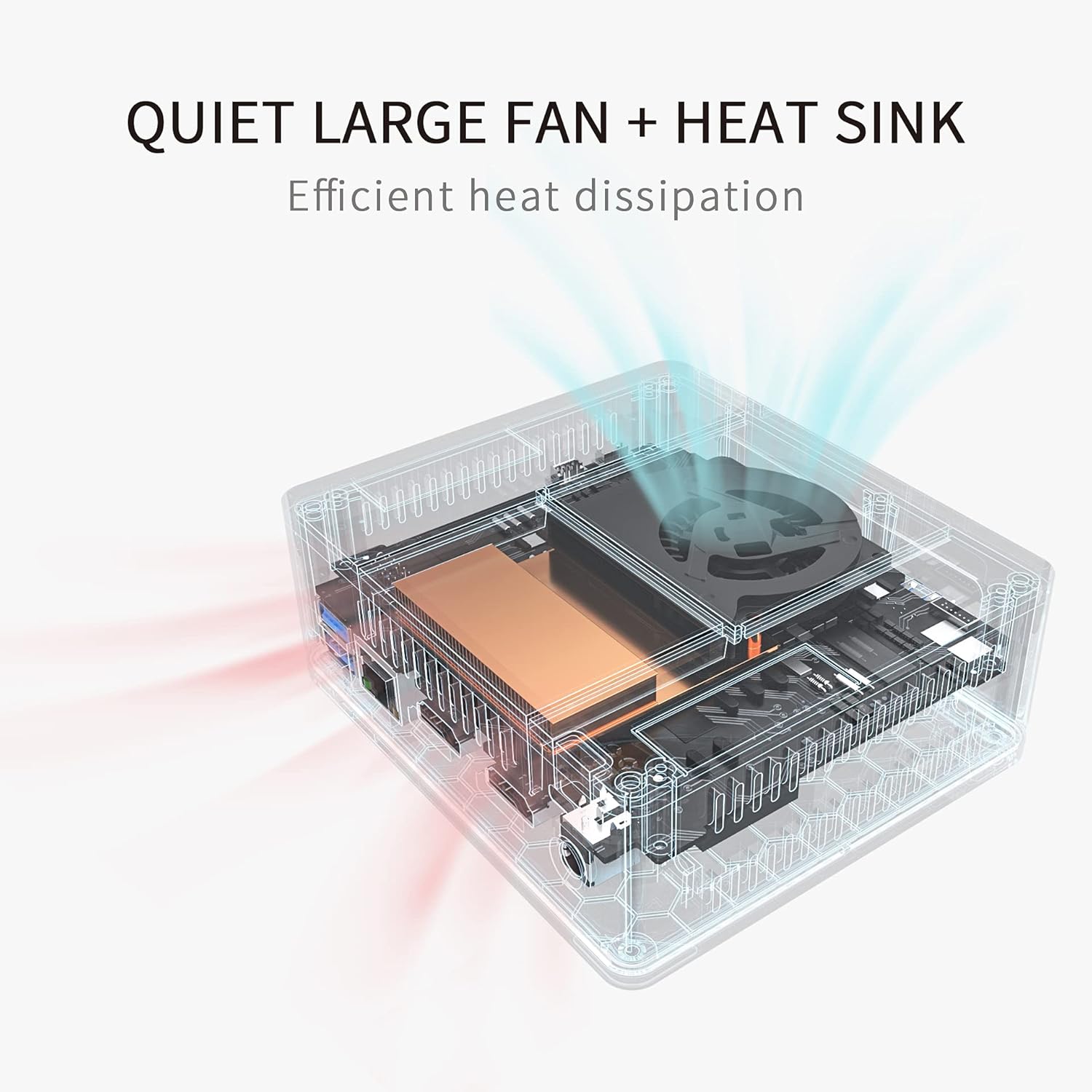
- Effektiv kjøling: Integrated quiet large fan and heat sink for effective heat dissipation and silent operation.
Pakkeinnhold
Bekreft at alle varene er til stede i pakken:
- Beelink GK35 Mini PC
- Brukerhåndbok
- User Help Card
- Power Adapter (US / EU / UK optional)
- HDMI-kabel
- VESA Mount (for monitor attachment)

2. Oppsettveiledning
2.1 Koble til mini-PC-en
- Koble til en skjerm: Use an HDMI cable to connect the Mini PC to your monitor or TV. The GK35 supports dual HDMI output for two displays.
- Koble til eksterne enheter: Plug in your USB keyboard and mouse into the available USB 3.0 ports.
- Nettverkstilkobling: For a wired connection, connect an Ethernet cable to the LAN port. For wireless, ensure your WiFi network is available during initial setup.
- Strøm på: Connect the power adapter to the DC port on the Mini PC, then plug the adapter into a power outlet. Press the power button on the front of the device.

2.2 Første oppstart og oppsett av operativsystem
Upon first boot, the Mini PC will guide you through the operating system setup process. Follow the on-screen instructions to configure language, region, network, and user accounts.
3. Bruksanvisning
3.1 Grunnleggende betjening
- Slå på/av: Press the power button to turn the device on. To turn off, use the operating system's shutdown function or press and hold the power button for a few seconds for a forced shutdown (not recommended for regular use).
- Start på nytt: Bruk operativsystemets omstartsfunksjon.
- Sove modus: Use the operating system's sleep function to put the device into a low-power state.
3.2 Oppsett av dobbel skjerm
The Beelink GK35 supports connecting two monitors simultaneously via its dual HDMI ports. This allows for extended desktop space, improving productivity for tasks like office work or providing an immersive experience for media consumption.
3.3 4K Display Output
The Mini PC supports 4K ultra-high-definition output (3840 x 2160 pixels), allowing for clear and detailed visuals on compatible 4K displays. This is ideal for high-resolution video playback, photo editing, and general media consumption.


4. Vedlikehold
4.1 Varmespredning
The Beelink GK35 is designed with an efficient cooling system, including a quiet large fan and heat sink, to maintain optimal operating temperatures. To ensure proper heat dissipation:
- Ensure the ventilation holes on the sides of the Mini PC are not obstructed.
- Place the device on a flat, stable surface with adequate airflow.
- Avoid placing the Mini PC in enclosed spaces or near heat sources.
4.2 Rengjøring
Regularly clean the exterior of the Mini PC with a soft, dry cloth. Use compressed air to gently clear dust from the ventilation holes.
4.3 Lagringsutvidelse
The Beelink GK35 supports storage expansion up to 2TB via a 2.5-inch SATA HDD or M.2 SATA SSD 2280. Refer to the detailed instructions in the included User Help Card for installation procedures.

5. Feilsøking
If you encounter issues with your Beelink GK35 Mini PC, please refer to the following common troubleshooting steps:
- Ingen strøm:
- Sørg for at strømadapteren er ordentlig koblet til både mini-PC-en og en fungerende stikkontakt.
- Kontroller at strømuttaket fungerer ved å koble til en annen enhet.
- Ingen visning:
- Check that the HDMI cable is firmly connected to both the Mini PC and the monitor.
- Sørg for at skjermen er slått på og satt til riktig inngangskilde (HDMI 1, HDMI 2 osv.).
- Prøv en annen HDMI-kabel eller skjerm hvis mulig.
- Langsom ytelse:
- Lukk unødvendige programmer som kjører i bakgrunnen.
- Check for available operating system updates and install them.
- Sørg for tilstrekkelig ventilasjon for å forhindre overoppheting.
- Consider upgrading storage to a faster SSD if you are using a slower drive.
- Problemer med nettverkstilkobling:
- For kablede tilkoblinger, sjekk statusen til Ethernet-kabelen og ruteren.
- For Wi-Fi, ensure the Wi-Fi adapter is enabled and you are connected to the correct network with the right password.
- Restart your router and the Mini PC.
6. Spesifikasjoner
| Trekk | Detalj |
|---|---|
| Merke | Beelink |
| Modellnummer | GK35 |
| Prosessor | Intel Celeron J3455 (up to 2.3 GHz) |
| Grafikk | Intel HD Graphics 500 (integrert) |
| VÆR | 8 GB DDR3L (1600MHz) |
| Lagring | 128 GB SSD (M.2 SATA3 2280), expandable up to 2TB (2.5-inch SATA HDD/M.2 SATA SSD 2280) |
| Operativsystem | OS (Pre-installed, Ubuntu system installable) |
| Videoutgang | Dual HDMI (4K @ 30Hz max resolution) |
| USB-porter | 4 x USB 3.0 |
| Nettverk | Gigabit Ethernet (1000M LAN), WiFi 5 (802.11 b/g/n/ac) |
| Bluetooth | Bluetooth 4.0 |
| Lyd | MIC Headphone Jack |
| Dimensjoner | 115 x 102 x 43 mm (4.53 x 4.02 x 1.69 tommer) |
| Vekt | 0.56 lbs |
| Strømforsyning | 12V-2A 24W |

7. Teknisk støtte og garanti
Beelink provides technical support for the GK35 Mini PC. If you require assistance with features such as Auto Power On or Wake on LAN (WOL), please contact customer support. You may be asked to provide the barcode located at the bottom of the machine to receive specific tutorial files or assistance.
For further support, visit the official Beelink website or refer to the contact information provided in your User Help Card.
