
Introduksjon
Thank you for choosing the Remax TWS-30 Wireless Bluetooth Earbuds. This manual will guide you through the features, setup, and operation of your new earbuds to ensure optimal performance and user experience. Please read these instructions carefully before use and retain them for future reference.
Pakkeinnhold
- Remax TWS-30 Wireless Bluetooth Earbuds (Left and Right)
- Ladeetui
- USB ladekabel
- Øreputer
- Brukerhåndbok
Produkt overview
The Remax TWS-30 earbuds are designed for wireless audio playback and communication, featuring Bluetooth 5.0 connectivity and touch controls. They offer both gaming and music modes for optimized audio experiences.

Image: Remax TWS-30 Wireless Bluetooth Earbuds placed inside their charging case, with green indicator lights visible, showing the earbuds are charging or ready for use.
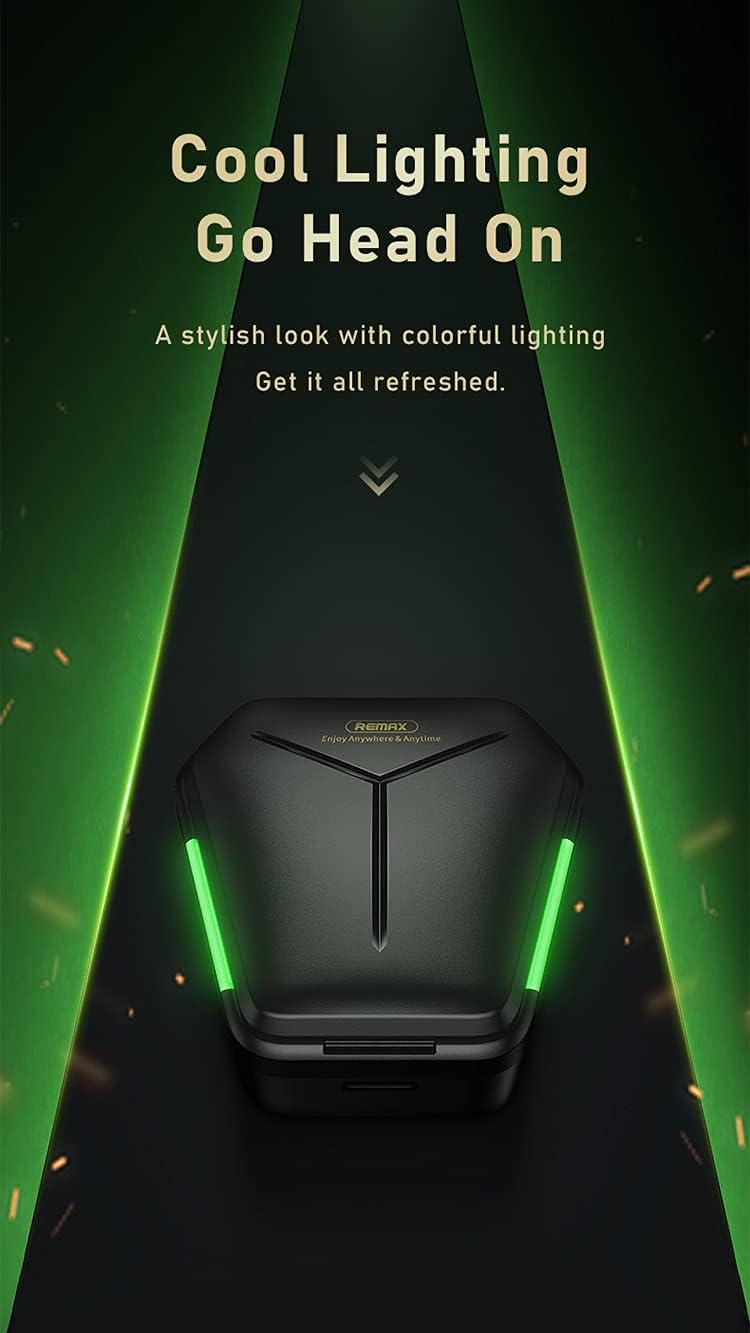
Image: The Remax TWS-30 charging case illuminated with green lighting, highlighting its design.
Oppsett
1. Lade øreproppene og etuiet
- Innledende kostnad: Lad øreproppene og ladeetuiet helt opp før første gangs bruk.
- Lader dekselet: Connect the USB charging cable to the charging port on the case and to a power source. The indicator lights on the case will show the charging status.
- Lading av ørepluggene: Place the earbuds into the charging case. Ensure they are correctly seated. The earbuds will automatically begin charging. Indicator lights on the earbuds or case will confirm charging.

Image: The Remax TWS-30 charging case with green lights, depicted in a gaming-themed environment, suggesting its suitability for gaming with up to 90 hours of standby time.
2. Paring med en Bluetooth-enhet
- Strøm på: Åpne ladeetuiet. Øreproppene slår seg på automatisk og går inn i paringsmodus.
- Aktiver Bluetooth: Aktiver Bluetooth på enheten din (smarttelefon, nettbrett osv.).
- Velg enhet: Søk etter "TWS-30" or "Remax TWS-30" in the list of available Bluetooth devices and select it to connect.
- Bekreftelse: Once connected, you will hear an audio prompt, and the indicator lights on the earbuds may change.
3. Bruk av øreproppene
Gently insert the earbuds into your ears. Adjust them for a comfortable and secure fit. The ergonomic design ensures a snug fit for extended use.
Bruksanvisning
Trykk på kontroller
The Remax TWS-30 earbuds feature intuitive touch controls. Specific functions may vary slightly depending on your device and operating system.
- Spill av/pause: Ett trykk på begge øreproppene.
- Neste spor: Dobbelttrykk på den høyre ørepluggen.
- Forrige spor: Dobbelttrykk på venstre ørepropp.
- Svar/avslutt samtale: Enkelttrykk på en av øreproppene under et innkommende anrop.
- Avvis anrop: Trykk og hold inne en av øreproppene i 2 sekunder under et innkommende anrop.
- Aktiver stemmeassistent: Trippeltrykk på en av øreproppene (f.eks. Siri, Google Assistant).
- Switch Modes (Gaming/Music): Press and hold for 3 seconds on either earbud (refer to specific product documentation for exact gesture).

Image: Icons representing key features of the Remax TWS-30 earbuds: Wireless 5.0, Dual-mode enjoyment, Cozy fitting, and Touch control.
Gaming Mode and Music Mode
The TWS-30 earbuds offer optimized audio profiles for different uses:
- Spillmodus: Features low latency (approximately 65ms) for synchronized audio and visual effects, crucial for gaming. This mode provides precise sound positioning.
- Musikkmodus: Delivers high-resolution audio for an immersive music listening experience.

Image: A smartphone displaying a game, with white Remax TWS-30 earbuds in the foreground, illustrating the "Zero Latency" feature for gaming with synced audio and visual effects.

Image: A comparison chart showing the benefits of Gaming Mode (ATS decoding, stable 65ms super low latency, precise sound positioning) and Music Mode (SAN decoding, high resolution for super HiFi quality, immersive music).
Aktiv støyreduksjon (ANC)
The earbuds are equipped with Active Noise Cancellation to reduce ambient noise, enhancing your listening experience. Refer to the product's specific touch control gestures for activating or deactivating ANC.
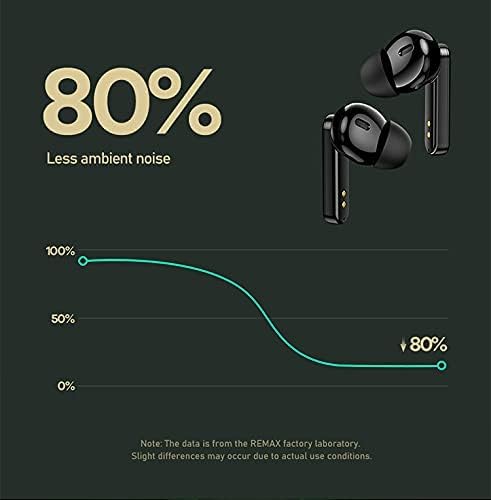
Image: A graph illustrating the noise reduction capability of the Remax TWS-30 earbuds, indicating up to 80% less ambient noise.
Vedlikehold
- Rengjøring: Rengjør øreproppene og ladeetuiet regelmessig med en myk, tørr og lofri klut. Ikke bruk sterke kjemikalier eller slipende materialer.
- Lagring: Når øreproppene ikke er i bruk, bør de oppbevares i ladeetuiet for å beskytte dem og holde dem ladet. Oppbevares kjølig og tørt, unna ekstreme temperaturer.
- Vanneksponering: Avoid exposing the earbuds to water or excessive moisture.
Feilsøking
- Øreproppene kobles ikke sammen:
Ensure both earbuds are charged. Place them back in the case, close the lid, then open it again to re-enter pairing mode. Check your device's Bluetooth settings and try reconnecting. If issues persist, try forgetting the device on your phone and re-pairing.
- Ingen lyd fra den ene øreproppen:
Ensure both earbuds are charged. Try placing both earbuds back in the case and taking them out again. Sometimes a factory reset (refer to specific product instructions if available) can resolve this.
- Ladeproblemer:
Verify the charging cable and power adapter are working correctly. Ensure the charging contacts on the earbuds and inside the case are clean and free of debris.
- Dårlig lydkvalitet eller frakoblinger:
Ensure you are within the Bluetooth range (up to 10 meters). Avoid obstacles between your device and the earbuds. Check for interference from other wireless devices. Ensure the earbuds are fully charged.
Spesifikasjoner

Bilde: En detaljert view of the Bluetooth 5.0 chip and DSP anti-interference chip, highlighting the advanced wireless technology of the Remax TWS-30 earbuds.

Image: Infographic displaying key performance metrics: 10 meters transmission distance, 99% wireless compatibility, and 0 latency with Smoother V5.0 technology.
| Trekk | Detalj |
|---|---|
| Modellnavn | TWS-30 |
| Merke | Remax |
| Tilkoblingsteknologi | Trådløs (Bluetooth 5.0) |
| Trådløs kommunikasjonsteknologi | Bluetooth |
| Hodetelefoner Form Factor | In Ear |
| Øreplassering for hodetelefoner | In Ear |
| Støykontroll | Aktiv støyreduksjon |
| Hodetelefonutgang | Without Jack |
| Farge | Svart |
| Inkluderte komponenter | Øreputer |
| Pakkedimensjoner | 17.1 x 12.1 x 3.5 cm |
| Vekt | 160 g (pakke) |
Garanti og støtte
For garantiinformasjon og kundestøtte, se dokumentasjonen som fulgte med kjøpet, eller kontakt forhandleren/produsenten direkte. Ta vare på kjøpsbeviset for garantikrav.