
1. Introduksjon
This manual provides essential information for setting up, operating, and maintaining your Beelink EQ14 Mini PC. The Beelink EQ14 is a compact desktop computer designed for daily tasks, office work, online education, home entertainment, and industrial use. It features an Intel Twin Lake N150 processor, 16GB DDR4 RAM, and a 500GB PCIe 3.0 SSD, offering efficient and smooth performance.
2. Hva er i esken
Upon unpacking your Beelink EQ14 Mini PC, please verify that all the following items are included:
- 1x Beelink EQ14 Mini PC
- 1x brukerveiledning
- 1x AC Cable (Optional: US/EU/UK/JP/AU)
- 1x 100cm HDMI Cable

3. Produktet er overview
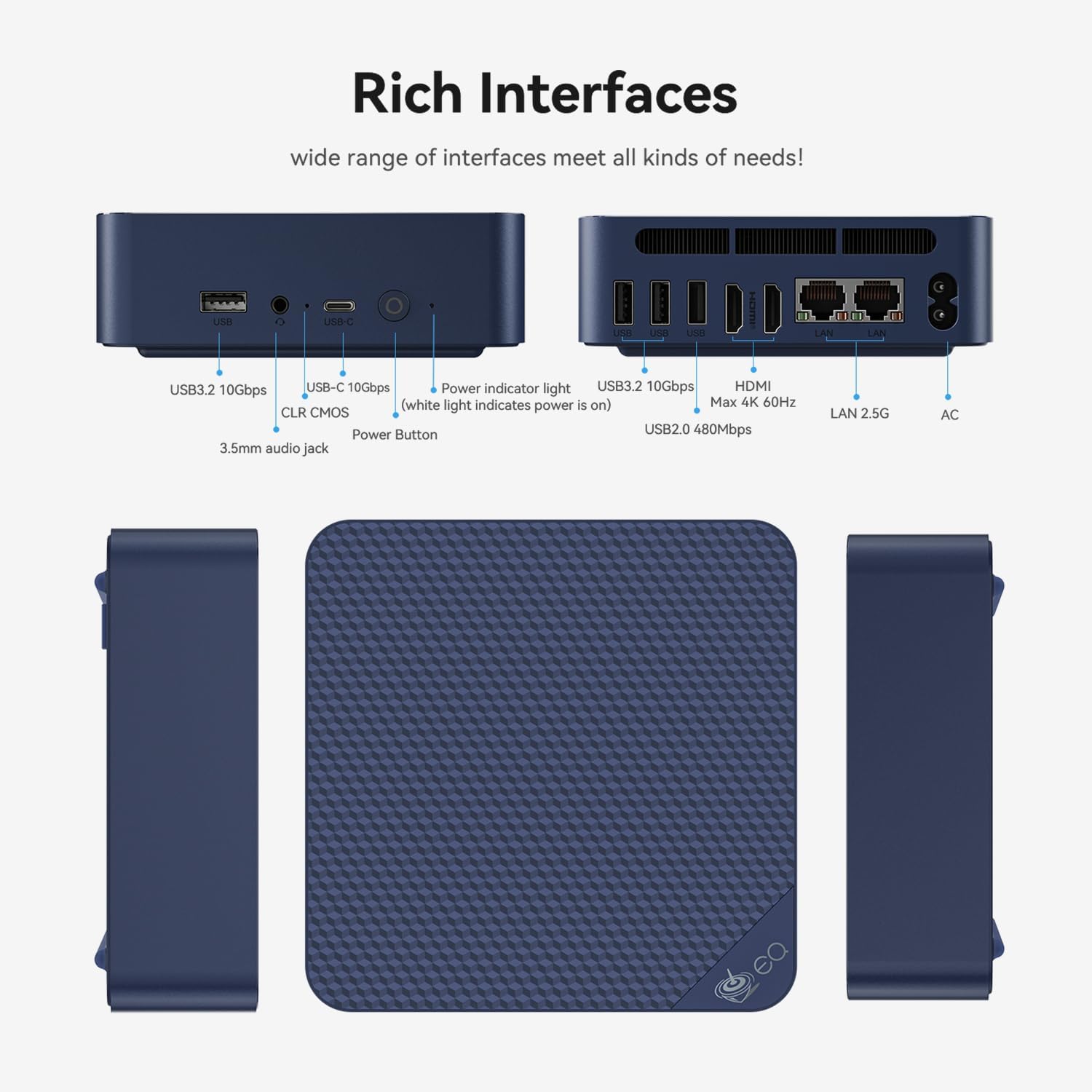
3.1 Frontpanel
- 1 x USB 2.0-port
- 3x USB 3.2-porter
- 1x Type-C Port (Data)
- 1 x 3.5 mm lydkontakt
- Strømknapp
- Power Indicator Light (white light indicates power is on)
- CLR CMOS (BIOS Reset)
3.2 Bakpanel
- 2x HDMI Ports (supports dual 4K displays at 60Hz)
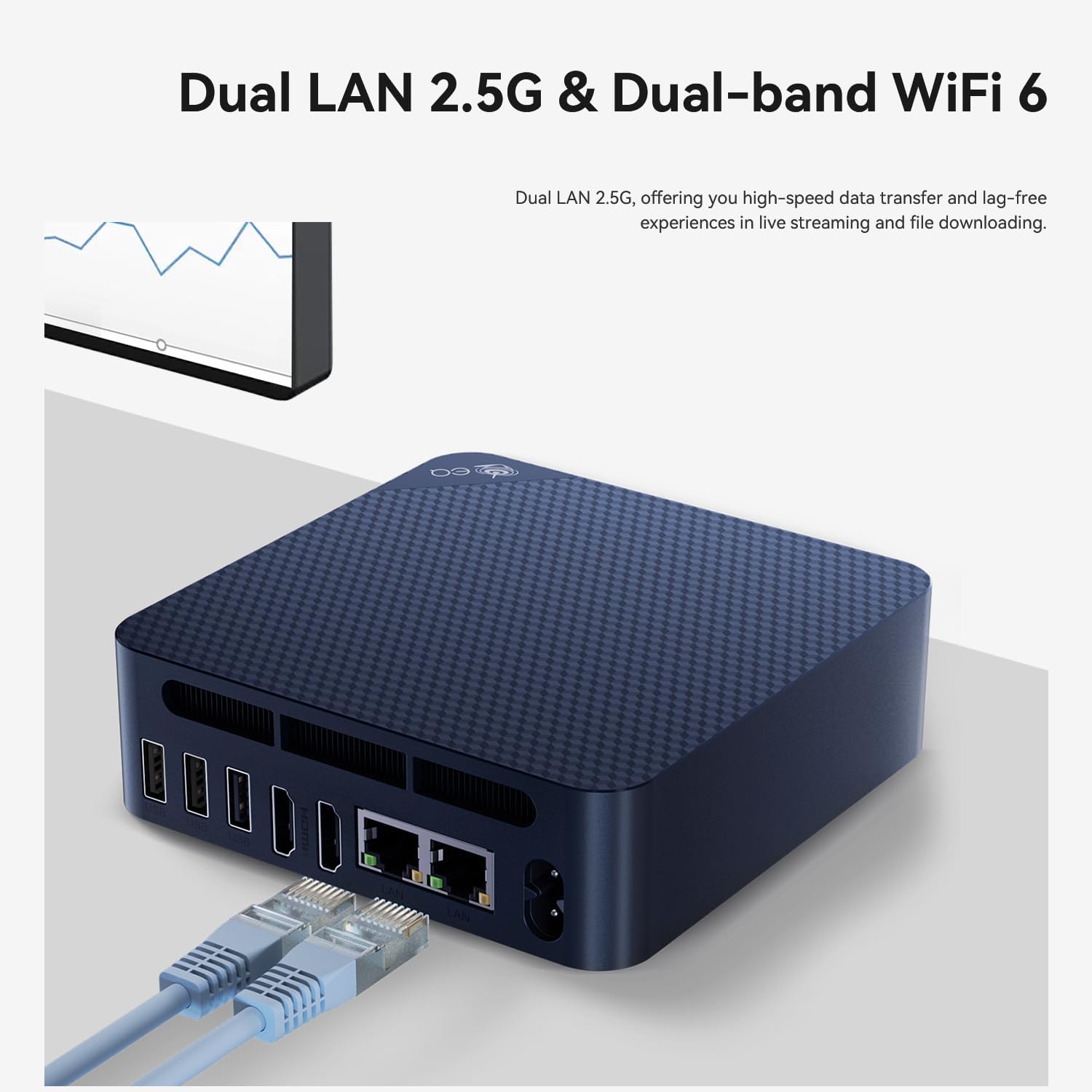
- 2x 2.5G LAN Ports
- DC-inngang

4. Oppsettveiledning
- Koble til en skjerm: Use the provided HDMI cable to connect your Beelink EQ14 Mini PC to a monitor or TV. The device supports dual 4K displays.
- Koble til eksterne enheter: Koble tastaturet og musen til de tilgjengelige USB-portene.
- Koble til nettverk: For wired internet, connect an Ethernet cable to one of the 2.5G LAN ports. For wireless internet, the device supports WiFi6.
- Strøm på: Connect the AC power cable to the DC input port on the rear of the mini PC, then plug it into a power outlet. Press the power button on the front panel.
- Førstegangs oppsett: Følg instruksjonene på skjermen for å fullføre Windows 11 Home-oppsettet.

5. Bruksanvisning
The Beelink EQ14 Mini PC comes pre-installed with Windows 11 Home, providing a familiar and user-friendly operating environment. It is designed for efficient multitasking and can handle various applications simultaneously, including office suites, photo editing software, web browsing, and video streaming.
5.1 Grunnleggende betjening
- Slå på/av: Press the power button once to turn on the device. To shut down, use the Windows Start menu or press and hold the power button for a few seconds.
- Start på nytt: Bruk Windows Start-menyen for å starte systemet på nytt.
- Sove modus: The system will enter sleep mode after a period of inactivity or can be manually put to sleep via the Start menu.

6. Lagringsutvidelse
The Beelink EQ14 Mini PC offers flexible storage expansion options:
- Forhåndsinstallert lagring: Comes with a 500GB PCIe 3.0 SSD.
- Doble M.2-spor: Features one M.2 SATA3 2280 slot and one M.2 PCIe 3.0 x1 (NVMe) slot.
- Maximum Internal Storage: Supports up to 8TB total internal storage.
To install additional storage, carefully open the chassis and insert your M.2 SSD into the appropriate slot. Refer to the detailed instructions in the user manual for safe installation.

7. Tilkobling
The EQ14 Mini PC provides robust connectivity options for various needs:
- Trådløs: Built-in WiFi6 (802.11ax, AX101, dual-band 2.4/5GHz) and Bluetooth 5.2 for stable and fast wireless connections.
- Wired: Dual 2.5G LAN ports for high-speed wired network connections.
- Utstilling: Dual HDMI ports supporting 4K 60Hz output for connecting multiple displays.

8. Performance Notes
The Beelink EQ14 Mini PC is equipped with an Intel Twin Lake N150 processor (4C/4T, up to 3.6GHz) and Intel Graphics (24EUs, 1000MHz). It includes 16GB DDR4 3200MHz RAM, ensuring smooth performance for everyday computing tasks.
- CPU: Intel Twin Lake N150 (4 Cores, 4 Threads, Max 3.6GHz)
- GPU: Intel Graphics (24EUs, 1000MHz) for 4K video playback and web surfing.
- VÆR: 16GB DDR4 3200MHz (single-channel, expandable up to 16GB).
- Avkjøling: Features an MSC2.0 Cooling System with lower fan speed for near-silent operation (approx. 32dB).


9. Vedlikehold
To ensure the longevity and optimal performance of your Beelink EQ14 Mini PC, regular maintenance is recommended:
- Hold rent: Regularly clean the exterior of the device with a soft, dry cloth. Ensure ventilation holes are free from dust and obstructions to prevent overheating.
- Programvareoppdateringer: Keep your Windows 11 Home operating system and drivers updated to the latest versions for security and performance improvements.
- Datasikkerhetskopiering: Sikkerhetskopier viktige data med jevne mellomrom til en ekstern harddisk eller skylagring for å forhindre datatap.
- Riktig avslutning: Always shut down the PC properly through the operating system rather than simply unplugging it.
10. Feilsøking
If you encounter issues with your Beelink EQ14 Mini PC, refer to the following common troubleshooting steps:
- Ingen strøm: Ensure the power adapter is securely connected to both the PC and a working power outlet. Check the power indicator light.
- Ingen visning: Verify that the HDMI cable is correctly connected to both the PC and the monitor. Try a different HDMI port or cable if available. Ensure the monitor is set to the correct input source.
- Nettverksproblemer: For wired connections, check the Ethernet cable and router. For Wi-Fi, ensure the Wi-Fi adapter is enabled and you are connected to the correct network with the right password.
- Langsom ytelse: Close unnecessary applications. Check for background updates. Ensure adequate ventilation.
- BIOS-tilbakestilling: If you experience boot issues due to BIOS settings, use the CLR CMOS button on the front panel to reset BIOS to default settings.
11. Spesifikasjoner
| Trekk | Detalj |
|---|---|
| Merke | Beelink |
| Modellnummer | EQ14 |
| CPU modell | Intel Twin Lake N150 (4C/4T) |
| CPU-hastighet | Opptil 3.6 GHz |
| Grafisk koprosessor | Intel UHD Graphics (24EUs, 1000MHz) |
| RAM-minne installert | 16 GB DDR4 3200 MHz |
| Maksimal RAM-minnestørrelse | 16 GB |
| Minnelagringskapasitet | 500 GB PCIe 3.0 SSD (expandable up to 8TB) |
| Operativsystem | Windows 11 Home |
| Videoutgang | 2x HDMI (4K@60Hz) |
| LAN-porter | 2x 2.5G LAN |
| Trådløs tilkobling | WiFi6 (802.11ax, AX101, dual-band 2.4/5GHz), Bluetooth 5.2 |
| USB-porter | 3x USB 3.2, 1x USB 2.0, 1x Type-C (Data) |
| Lyd utgang | 3.5mm Audio Jack |
| Kjølemetode | MSC2.0 Cooling System (Ultra Quiet) |
| Type strømplugg | Type A - 2 pin (North American) |
12. Garanti og støtte
Beelink is committed to providing reliable products and excellent customer service.
- Garanti: Your Beelink EQ14 Mini PC comes with a 3-year worry-free warranty.
- Teknisk støtte: Livstids teknisk støtte er tilgjengelig.
- Kundeservice: 24-hour customer service is provided to assist with any questions or issues.
For further assistance, please visit the official Beelink store or contact customer support: