
1. Introduksjon
Thank you for choosing the UrbanX Street Buds Plus R175 True Wireless Earbuds. These earbuds are designed to provide a high-quality audio experience with convenient hands-free controls and a wireless charging case. This manual will guide you through the setup, operation, maintenance, and troubleshooting of your new earbuds.
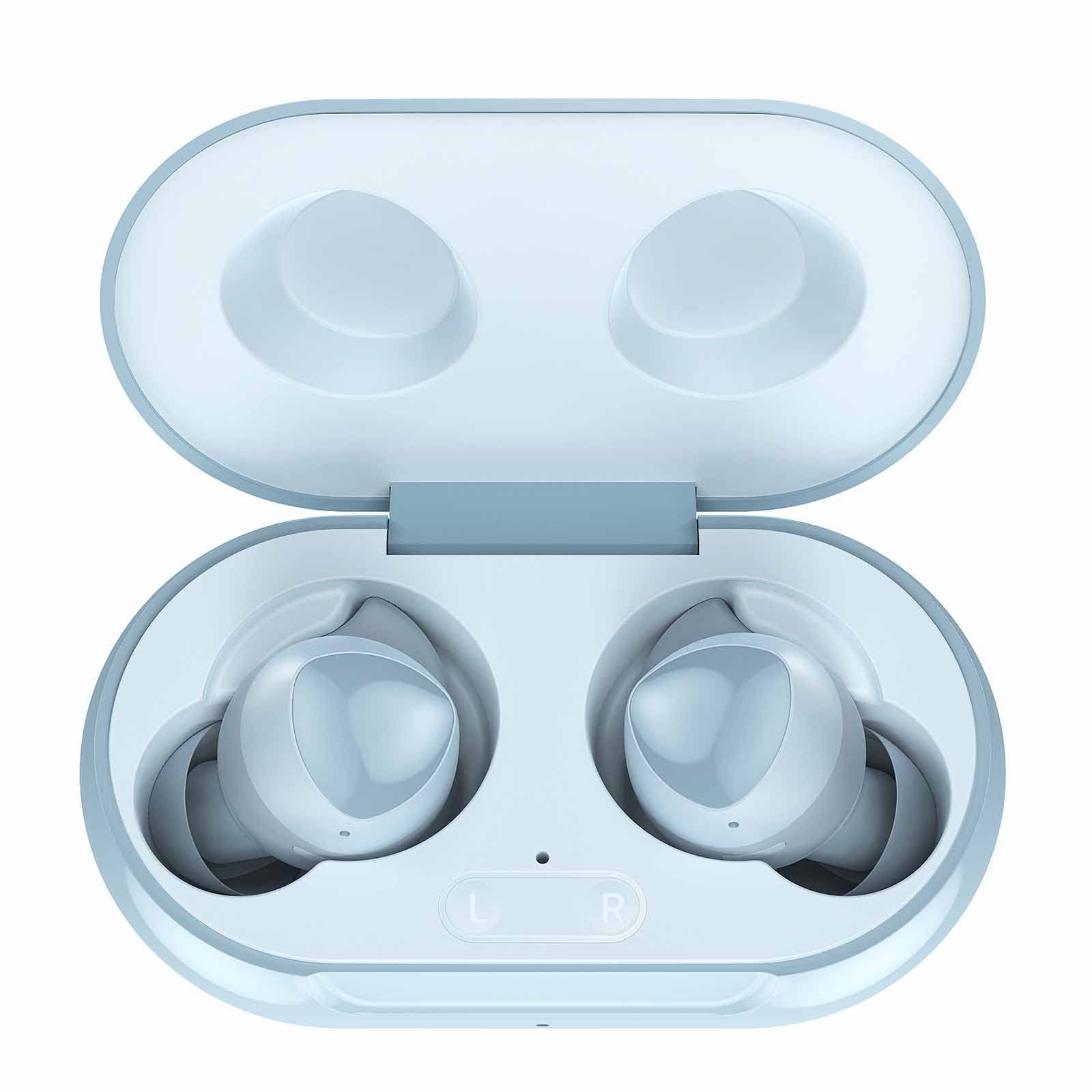
Image 1.1: UrbanX Street Buds Plus R175 True Wireless Earbuds and Charging Case (Blue color variant).
2. Oppsett
2.1 Utpakking og førstegangs betaling
Når du åpner pakken, må du sørge for at alle komponentene er til stede:
- UrbanX Street Buds Plus Earbuds (Left and Right)
- Trådløs ladeveske
- USB ladekabel
- Brukerhåndbok
Before first use, fully charge the earbuds and the charging case. Place the earbuds into the charging case. Connect the USB charging cable to the case and a power source, or place the case on a compatible wireless charging pad. The indicator light on the case will show charging status.

Image 2.1: The UrbanX Street Buds Plus earbuds resting inside their open charging case, ready for charging or pairing.
2.2 Paring med en enhet
The UrbanX Street Buds Plus feature one-step auto-pairing for convenience.
- Sørg for at øreproppene er ladet.
- Åpne ladeetuiet. Øreproppene vil automatisk gå inn i paringsmodus.
- Naviger til Bluetooth-innstillingene på enheten din (smarttelefon, nettbrett, bærbar PC).
- Søk etter available devices and select "Buds Plus" from the list.
- Once connected, the earbuds will automatically pair with this device when the case is opened in the future.

Image 2.2: Visual guide demonstrating the one-step pairing process for the earbuds with a mobile device's Bluetooth settings.
3. Bruk av øreproppene
3.1 Bruk av øreproppene
For optimal sound quality and comfort, ensure the earbuds are properly seated in your ears. Gently insert each earbud and twist slightly until it feels secure and comfortable. A proper fit helps with sound isolation and bass response.

Image 3.1: Diagram illustrating the correct and comfortable fit of the earbuds in the ear for optimal performance.
3.2 Hands-Free Controls
The UrbanX Street Buds Plus feature intuitive touch controls for managing audio playback and phone calls:
- Spill av/pause: Ett trykk på begge øreproppene.
- Neste spor: Dobbelttrykk på den høyre ørepluggen.
- Forrige spor: Dobbelttrykk på venstre ørepropp.
- Svar/avslutt samtale: Enkelttrykk på en av øreproppene under en innkommende samtale eller en aktiv samtale.
- Avvis anrop: Trykk og hold inne en av øreproppene i 2 sekunder under et innkommende anrop.
- Aktiver stemmeassistent: Trippeltrykk på en av øreproppene.
3.3 Lydkvalitet og funksjoner
Experience studio-quality sound with fine-tuned 12mm speakers and enhanced bass. The earbuds are designed for clear audio reproduction across various genres.

Image 3.2: Representation of the earbuds' sound quality with abstract sound wave graphics.
3.4 Batterilevetid og lading
The earbuds provide long-lasting battery life, with the charging case extending usage significantly. The case supports both wired (USB) and wireless charging.
- Up to 22 hours of total music playback with the charging case.
- Omtrent 15 timer taletid.
- Quick charging feature provides hours of playback with a short charge.

Image 3.3: Infographic detailing the battery performance, including music playback, talk time, quick charging, and wireless charging capabilities.
3.5 Enhetskompatibilitet
The UrbanX Street Buds Plus are compatible with a wide range of Bluetooth-enabled devices, including smartphones, tablets, and laptops running iOS, Android, and Windows operating systems.

Image 3.4: Visual confirmation of compatibility with both Android and iOS devices.
4. Vedlikehold
4.1 Rengjøring av øreproppene
To maintain optimal performance and hygiene, regularly clean your earbuds:
- Use a soft, dry, lint-free cloth to wipe the exterior of the earbuds and charging case.
- For earwax or debris in the ear tips, use a small, soft brush or cotton swab. Avoid using sharp objects.
- Ikke bruk slipende materialer, alkohol eller kjemiske rengjøringsmidler.
4.2 Vannmotstand
The UrbanX Street Buds Plus are rated IP7 water resistant, making them suitable for sports and exercise. This means they can withstand sweat and light splashes. However, they are not designed for swimming or submersion in water. Ensure earbuds are dry before placing them back in the charging case.

Image 4.1: An active individual wearing the earbuds, highlighting their IP7 waterproof and sweat-resistant design for sports use.
4.3 Oppbevaring
Når de ikke er i bruk, oppbevar øreproppene i ladeetuiet for å beskytte dem mot støv og skader og for å holde dem ladet.
5. Feilsøking
If you encounter issues with your UrbanX Street Buds Plus, refer to the following common solutions:
| Problem | Mulig årsak | Løsning |
|---|---|---|
| Øreplugger kan ikke pares | Low battery, Bluetooth off, out of range, previously paired to another device. | Ensure earbuds are charged. Turn Bluetooth on/off on your device. Move closer to your device. Forget "Buds Plus" from your device's Bluetooth list and re-pair. |
| Ingen lyd eller lite volum | Volume too low on device, earbuds not properly seated, connection issue. | Increase volume on your device. Adjust earbuds for a secure fit. Disconnect and reconnect Bluetooth. |
| Øreplugger lader ikke | Charging cable/pad issue, dirty charging contacts, earbuds not seated correctly. | Check charging cable/pad. Clean charging contacts on earbuds and case with a dry cotton swab. Ensure earbuds are correctly placed in the case. |
| En øreplugg fungerer ikke | Individual earbud connection issue, low battery. | Place both earbuds back in the case, close, then reopen. Ensure both are charged. Re-pair if necessary. |
5.1 Tilbakestille øreproppene
If troubleshooting steps do not resolve the issue, you may need to reset your earbuds. Refer to the specific reset procedure in the full product manual or contact customer support.
6. Spesifikasjoner
| Trekk | Detalj |
|---|---|
| Modellnavn | R175 |
| Tilkoblingsteknologi | Trådløs (Bluetooth) |
| Trådløs kommunikasjonsteknologi | Bluetooth |
| Kompatible enheter | Lenovo Tab M8 (3rd Gen), Mobile Phone, Tablet, Laptop, Smartphone |
| Kontroll Type | Call Control (Hands-Free) |
| Vannmotstandsnivå | Vannbestandig (IP7) |
| Spesielle funksjoner | Carrying case included, Enhanced bass, Microphone Included, Sports-and-exercise, Wireless |
| Varevekt | 2 unser |
| Produktdimensjoner | 2.75 x 1.04 x 1.52 tommer |
| Øreplassering | In Ear |
| Formfaktor | In Ear |
| Støykontroll | Lydisolasjon |
| UPC | 734046162926 |
7. Garanti og støtte
7.1 Garantiinformasjon
UrbanX provides a 90-dagers pengene-tilbake-garanti for your satisfaction. Additionally, a 12-month replacement policy is offered for defective earbuds from the date of purchase.
7.2 Kundestøtte
For further assistance, technical support, or warranty claims, please visit the official UrbanX store or contact their customer service department. You can find more information and contact details on the UrbanX Store Page.