
Introduksjon
Thank you for choosing the SOMIC GS510 Cat Ear Wireless Gaming Headset. This manual provides detailed instructions on how to set up, operate, and maintain your new headset. Please read this manual thoroughly before use to ensure optimal performance and longevity of your device.
Hva er i esken
Carefully unpack your SOMIC GS510 headset and ensure all items are present:
- Trådløst hodesett x 1
- Høyttaler Tags x 4 (2 pre-installed, 2 extra)
- USB Transmitter x 1
- 3.5MM Audio Cable x 1
- Type-C ladekabel x 1

Image: The SOMIC GS510 headset in black with its detachable cat ears and the included USB wireless transmitter.
Produkt overview
Familiarize yourself with the key components and controls of your SOMIC GS510 headset:
- Justerbart hodebånd: For komfortabel passform på ulike hodestørrelser.
- Soft PU Earpads: Designet for utvidet brukskomfort.
- Flexible Earcaps: Allow for slight rotation to conform to your ears.
- Uttrekkbar mikrofon: An omnidirectional microphone that can be extended or retracted as needed.
- Ørekontroller: Located on the earcups for easy access to power, volume, mode switching, and microphone mute.
- Magnetisk høyttaler Tags: Customizable outer earcup covers that can be easily swapped.

Bilde: Detaljert view of the headset's comfort features, including the adjustable headband, soft PU earpads, flexible earcaps, and the retractable microphone.
Oppsett
1. Lading av hodesettet
Lad headsettet helt opp før første gangs bruk. En full lading tar omtrent 2 timer.
- Connect the supplied Type-C charging cable to the charging port on the headset.
- Koble den andre enden av kabelen til en USB-strømkilde (f.eks. en USB-port på datamaskinen eller en USB-veggadapter).
- The LED indicator on the headset will show charging status and turn off or change color when fully charged.
2. Wireless Connection (2.4GHz USB Transmitter)
For wireless use with PS4, PS5, PC, or Laptop:
- Insert the USB transmitter into an available USB port on your console or computer.
- Power on the SOMIC GS510 headset by pressing and holding the power button.
- The headset will automatically pair with the USB transmitter. A stable indicator light on both devices confirms a successful connection.
- Sørg for at headsettet er valgt som lydutgangs- og inndataenhet i systemets lydinnstillinger.

Image: The SOMIC GS510 headset demonstrating its 2.4GHz wireless connection to a laptop using the USB transmitter, indicating up to 8 hours working time and 33 feet transmission distance.
3. Kablet tilkobling (3.5 mm lydkabel)
For wired use with PS5 Controller, PS4 Controller, Xbox Series X/One Controller, and other mobile devices:
- Koble den ene enden av 3.5 mm lydkabelen til headsettets 3.5 mm-kontakt.
- Connect the other end to the 3.5mm audio port on your device.
- For older Xbox One controllers, a Microsoft adapter (not included) may be required.
Bruksanvisning
Slå på/av
- For å slå på, trykk og hold inne av/på-knappen til indikatorlampen lyser.
- For å slå av, trykk og hold inne av/på-knappen til indikatorlampen slukkes.
Lydmoduser
The headset features three professional sound modes for different scenarios:
- Spillmodus: Optimized for immersive gaming audio, enhancing footsteps, gunfire, and explosions.
- Lydmodus: Balansert lydprofffile for music and general listening.
- Live-modus: Clearer voice reproduction, ideal for live streaming or voice chat.
Press the 'Mode Switch' button on the earcup to cycle through these modes.

Image: The headset's earcup controls with labels for ON/OFF, Mode Switch, Mic Mute Button, and Volume Wheel, illustrating the three distinct audio modes: Gaming, Audio, and Live.
Virtual 7.1 Surround Sound
Experience enhanced spatial awareness with virtual 7.1 surround sound, allowing you to pinpoint audio cues like footsteps and gunfire in games.

Image: The headset positioned above a graphic representing virtual 7.1 surround sound, highlighting its ability to render distinct audio details such as footsteps, gunfire, explosions, and general surround sound.
Mikrofonbruk
- Extend the retractable microphone for use.
- Press the 'Mic Mute Button' on the earcup to toggle microphone mute on or off. The microphone may have an indicator light to show its status.
- The omnidirectional microphone is designed to capture clear voice communication while reducing background noise.
RGB-lyseffekter
The headset features 8 RGB lighting effects and a multi-color cycling mode.
- Press the light touch key on the earcup to switch between different RGB colors and modes.
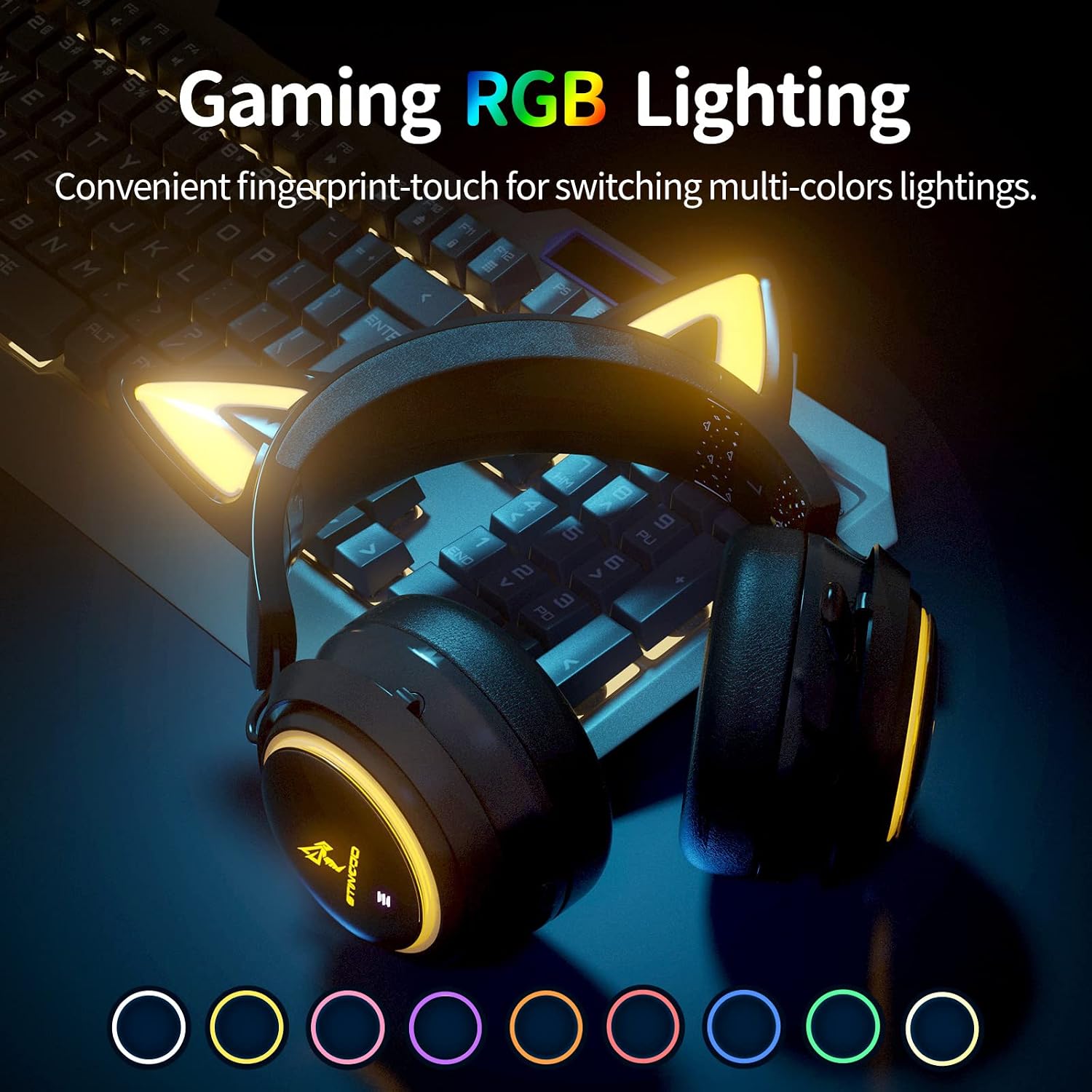
Image: The SOMIC GS510 headset showcasing its vibrant RGB lighting on the earcups and cat ears, with a row of colored circles indicating the available lighting options.
Volumkontroll
- Adjust the volume using the 'Volume Wheel' located on the earcup.
Kompatibilitet
The SOMIC GS510 headset offers wide compatibility:
- Wireless (2.4GHz USB Transmitter): PC, Laptop, PS4, PS5.
- Kablet (3.5 mm lydkabel): PS5 Controller, PS4 Controller, Xbox Series X Controller, Xbox One Controller, Nintendo Switch, MAC, and other mobile devices with a 3.5mm jack.
Note: This headset does not have Bluetooth functionality. Xbox consoles only support wired mode.

Image: The SOMIC GS510 headset displayed alongside icons representing its wide compatibility with devices such as Nintendo Switch, PS4/PS5, Laptops, PCs, Mobile devices, and Xbox One/S/X.
Vedlikehold
For å sikre at headsettet ditt varer lenge og har optimal ytelse, bør du følge disse vedlikeholdsretningslinjene:
- Rengjøring: Use a soft, dry cloth to wipe down the headset. For earpads, a slightly damp klut kan brukes, men unngå for mye fuktighet. Ikke bruk sterke kjemikalier eller slipende rengjøringsmidler.
- Lagring: Oppbevar headsettet på et kjølig og tørt sted, unna direkte sollys og ekstreme temperaturer.
- Kabelpleie: Avoid sharp bends or kinks in the charging and audio cables. Disconnect cables by pulling the plug, not the cord.
- Unngå dråper: While durable, repeated drops can damage internal components.
Feilsøking
If you encounter issues with your SOMIC GS510 headset, refer to the following common problems and solutions:
| Problem | Mulig årsak | Løsning |
|---|---|---|
| Ingen lyd eller lite volum | Headset not powered on; Volume too low; Incorrect audio output selected; Loose connection. | Ensure headset is powered on and charged. Increase volume on headset and device. Check system audio settings to ensure SOMIC GS510 is selected. Reconnect USB transmitter or 3.5mm cable. |
| Mikrofonen virker ikke | Microphone muted; Incorrect audio input selected; Microphone not fully extended. | Press the mic mute button to unmute. Check system audio settings to ensure SOMIC GS510 is selected as input. Ensure microphone is fully extended. |
| Wireless connection unstable or disconnected | Out of range; Interference; Low battery. | Move closer to the USB transmitter. Avoid strong electromagnetic interference. Recharge the headset. Re-pair the headset with the USB transmitter if necessary. |
| RGB-belysningen fungerer ikke eller sitter fast | Software glitch; Low battery; Wired mode (RGB may not work in wired mode). | Ensure headset is sufficiently charged. Try cycling through lighting modes. If in wired mode, RGB functionality may be limited or unavailable. |
| Kort batterilevetid | RGB lighting enabled; High volume usage; Battery degradation over time. | Disable or reduce RGB lighting effects. Lower volume if possible. Ensure full charge before use. |
Spesifikasjoner
Key technical specifications for the SOMIC GS510 Cat Ear Wireless Gaming Headset:
| Trekk | Detalj |
|---|---|
| Modellnavn | GS510-2.4G-BlACK |
| Tilkoblingsteknologi | Wireless (2.4GHz USB Transmitter), Wired (3.5mm Jack) |
| Lyddriverstørrelse | 50 millimeter |
| Frekvensrespons | 20 Hz–20 000 Hz |
| Mikrofonfølsomhet | 36 dB |
| Batterilevetid | Opptil 10 timer (trådløs) |
| Ladetid | 2 timer |
| Materiale | Lær, plast |
| Varevekt | 630 gram (1.39 pund) |
| Produktdimensjoner | 8.66 x 4.33 x 10.24 tommer |
| Kontroll Type | On-ear audio controls (Touch) |
| Øreplassering | Over Ear |
Garanti og støtte
SOMIC provides a warranty for its products. For specific warranty terms, duration, and to register your product, please refer to the warranty card included in your product packaging or visit the official SOMIC website. If you require technical support or have questions not covered in this manual, please contact SOMIC customer service through their official channels.
For ytterligere ressurser kan du besøke SOMIC Store on Amazon.