
1. Introduksjon
Thank you for choosing the LOQRON L25 Fingerprint Smart Door Lock. This manual provides detailed instructions for the installation, operation, and maintenance of your new smart lock. Please read this manual thoroughly before installation and keep it for future reference to ensure proper use and longevity of the product.
2. Produktet er overview
2.1 Nøkkelfunksjoner
- Flere opplåsingsmetoder: Fingerprint, Passcode, Access Fob, Smart App (Bluetooth), and Physical Key.
- Vendbart håndtak: Designed for both left and right-handed doors.
- Værbestandig design: Suitable for various environments with an IP55 rating.
- Anti-Peep Passcode: Enhanced security feature to prevent passcode exposure.
- Autolåsfunksjon: Låser døren automatisk etter en angitt periode.
- Nødstrøm: USB port for temporary power in case of battery depletion.
- Smart appkontroll: Administrer brukere, view access logs, and unlock remotely (with optional Tuya Gateway).
2.2 Pakkeinnhold
- Utvendig håndtaksmontering
- Interior Handle Assembly
- Låsemekanisme
- Monteringsplate
- Mounting Hardware (screws, spindle)
- Physical Keys (x2)
- Access Fobs (x2)
- Brukerhåndbok
2.3 Produktkomponenter
The LOQRON L25 Smart Door Lock offers five convenient unlocking options for a smart and secure life.

Bilde 2.3.1: Overview of the LOQRON L25 Smart Door Lock highlighting its five primary unlocking methods.
The lock features a sleek design with a keypad and fingerprint sensor on the exterior handle, and a battery compartment and manual lock/unlock switch on the interior handle.

Bilde 2.3.2: Foran og bak view of the LOQRON L25 Smart Door Lock components.
3. Spesifikasjoner
| Trekk | Detalj |
|---|---|
| Merke | LOQRON |
| Modellnummer | L25 |
| Lås type | Biometrisk |
| Spesialfunksjon | Fingerprint, Smart Lock |
| Materiale | Aluminium |
| Varedimensjoner (L x B x H) | 3 x 2.7 x 9.21 tommer |
| Varevekt | 1 pund |
| Tilkoblingsprotokoll | Bluetooth |
| Kontrollmetode | Røre |
| Kontrollertype | Amazon Alexa (via Tuya Gateway, not included) |
| Farge | Svart |
| Værbestandig vurdering | IP55 |
4. Oppsett og installasjon
This section guides you through the physical installation of the LOQRON L25 Smart Door Lock. For a visual guide, please refer to the installation video below.
4.1 Kontroller før installasjon
- Ensure your door thickness is between 1-3/8" to 2-1/8".
- An extra hole with a diameter of 1/2" (12mm) may need to be drilled above the main bore hole for mounting purposes.
- Verify the door opening direction (left or right) to correctly adjust the spindle hub on the latch mechanism.

Bilde 4.1.1: Door preparation and handle direction adjustment for installation.
4.2 Installasjonstrinn
- Install Latch Mechanism: Insert the latch into the door edge. Ensure it fits snugly and secure it with screws. Adjust the spindle hub (arrow pointing 'L' or 'R') according to your door's opening direction.
- Monter utvendig håndtak: Pass the exterior handle assembly through the main bore hole, ensuring the connecting wire and spindle pass through the appropriate openings.
- Connect Wires and Mounting Plate: From the interior side of the door, feed the connecting wire through the mounting plate. Secure the mounting plate to the door using the provided screws, ensuring the spindle is correctly aligned.
- Install Interior Handle: Connect the exterior handle's wire to the interior handle's circuit board. Carefully tuck excess wire into the door cavity. Align the interior handle with the mounting plate and spindle, then secure it with screws.
- Insert Batteries and Cover: Install 4 AAA batteries into the battery compartment of the interior handle. Replace the battery cover.
- Testoperasjon: Test the handle movement and latch mechanism. Ensure smooth operation before proceeding to programming.
Video 4.2.1: Official installation guide and unlocking methods for the LOQRON L25/W25 Smart Door Lock. This video demonstrates the step-by-step process of setting up the lock and its various access features.
5. Bruksanvisning
5.1 Opplåsingsmetoder
- Fingeravtrykk: Place your registered finger on the fingerprint sensor located on the handle. The lock will unlock if the fingerprint is recognized.
- Passord: Enter your 6-digit passcode on the keypad, followed by the '#' key. The lock supports anti-peep passcodes, allowing you to enter random digits before or after your actual code to prevent others from guessing it.
- Access Fob: Hold the provided access fob against the designated sensor area on the exterior handle. The lock will unlock upon successful recognition.
- Smart App (Bluetooth): Use the dedicated smart app (e.g., Tuya Smart App) on your smartphone. Ensure Bluetooth is enabled and the app is connected to your lock. Tap the unlock button within the app. For remote unlocking from anywhere, an optional Tuya Gateway (not included) is required.
- Fysisk nøkkel: In case of electronic failure or battery depletion, use the physical key provided to manually unlock the door. The keyhole is located at the bottom of the exterior handle.
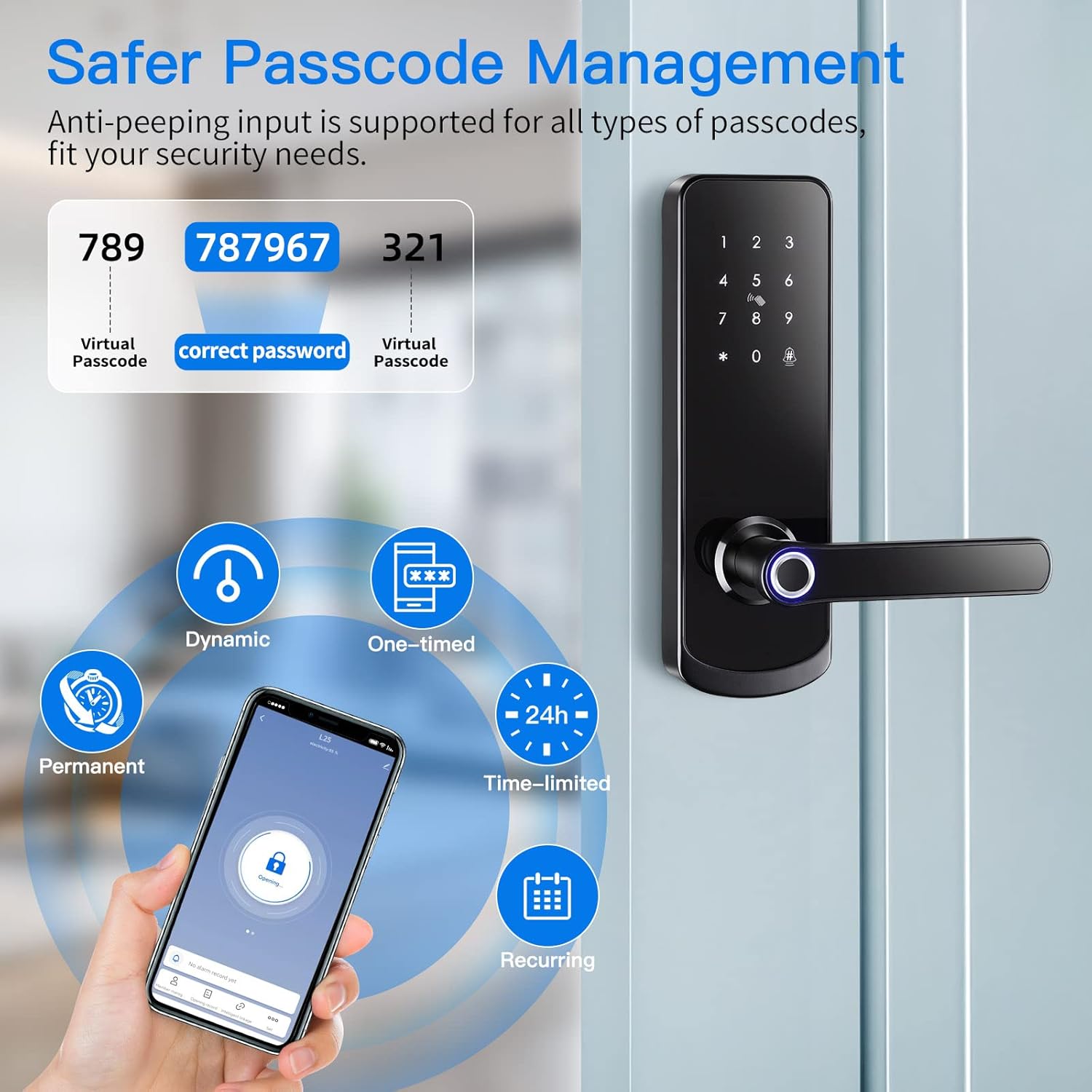
Bilde 5.1.1: Demonstration of the anti-peep passcode feature for enhanced security.

Bilde 5.1.2: Remote control and one-tap unlock functionality via the smart app, requiring a Tuya gateway for extended range.
5.2 Låsemetoder
- Automatisk låsing: The lock is configured to automatically lock after a short delay once the door is closed. This delay can usually be adjusted in the app settings.
- Manuell låsing: From the exterior, press and hold the '#' key on the keypad to manually lock the door. From the interior, use the secure deadlock button or turn the thumb-turn.

Bilde 5.2.1: Overview of the LOQRON L25's multi-functional smart lock capabilities.
6. Vedlikehold
6.1 Batteribytte
The LOQRON L25 Smart Door Lock requires 4 AAA batteries. When the battery level is low, the lock will provide an audible warning. To replace the batteries:
- Remove the battery cover on the interior handle.
- Ta ut de gamle batteriene.
- Sett inn 4 nye AAA-batterier, og sørg for at polariteten er riktig.
- Sett på batteridekselet.
6.2 Rengjøring
To maintain the appearance and functionality of your smart lock, clean it regularly with a soft, dry cloth. Avoid using abrasive cleaners, solvents, or harsh chemicals, as these can damage the finish and electronic components.
6.3 Værbestandighet
The LOQRON L25 is designed with an IP55 weatherproof rating, making it suitable for various outdoor conditions, including temperatures from -4°F (-20°C) to 122°F (50°C). While it offers good protection against dust and water splashes, avoid direct exposure to heavy rain or prolonged submersion.

Bilde 6.3.1: The LOQRON L25 Smart Door Lock is built to withstand various weather conditions.
7. Feilsøking
| Problem | Mulig årsak | Løsning |
|---|---|---|
| Lås reagerer ikke | Døde batterier | Replace batteries. Use the emergency USB port for temporary power if needed. |
| Fingeravtrykk gjenkjennes ikke | Fingeren er skitten/våt, sensoren er skitten, eller fingeravtrykket er ikke riktig registrert. | Rengjør fingeren og sensoren. Registrer fingeravtrykket på nytt hvis problemet vedvarer. |
| Passcode not working | Incorrect passcode entered, or lock is in a locked state (e.g., secure lock). | Ensure correct passcode. Check lock status. |
| Problemer med app-tilkobling | Bluetooth off, app not paired, or Tuya Gateway offline (for remote access). | Ensure Bluetooth is on. Re-pair lock with app. Check Tuya Gateway connection. |
| Håndtaket er løst | Monteringsskruene er løse. | Stram alle monteringsskruene godt til. |
8. Garanti og støtte
LOQRON provides a standard manufacturer's warranty for this product. For specific warranty terms, technical support, or service inquiries, please refer to the warranty card included in your package or visit the official LOQRON website. You may also contact customer support through your purchase platform.